Remote Control for Sony TVs
Download on App Store

This page is not an official page of the app or its developer, but an independent editorial publication created for informational and commentary purposes. Unless expressly stated otherwise, neither the app nor its developer is affiliated with, endorsed by, sponsored by, authorized by, or otherwise officially connected with MWM, Apple, Google Play, the app publisher, or the app's developer, and nothing on this page implies that the app was developed using MWM's services. Any trademarks, logos, screenshots, and other content remain the property of their respective owners.

Logo of Remote Control for Sony TVs
Download on App Store

Remote Control for Sony TVs

Stop searching for lost remotes. Turn your iPhone or iPad into a high-performance controller featuring a precision touchpad, a full keyboard for effortless searching, and one-tap launching for all your favorite streaming apps.

Key Figures

Downloads

743K+

User Rating

4.2/5

Total Ratings

4K+

Publisher

Kraftwerk 9 Inc

Category

Utilities

Locales

14

Latest Version

1.3.1

Size

87.3 MB

First Released

Jun 30, 2018
Features

Take Full Control of Your Sony Entertainment

Experience a faster, more intuitive way to navigate your Sony Smart TV using your iPhone or iPad. No more searching for the remote or struggling with clunky buttons.

Fluid Touchpad Navigation

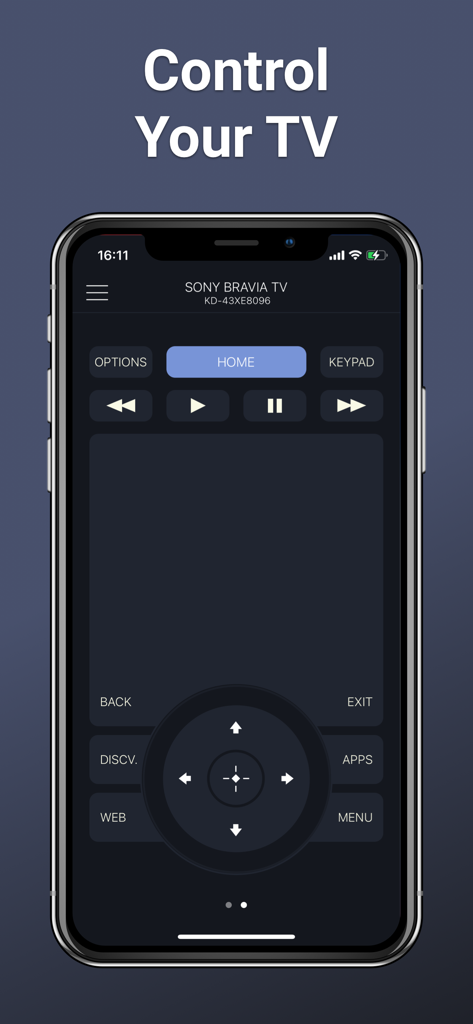
Navigate menus and scroll through movie lists with a high-precision touchpad designed for ultimate speed and precision.

Direct App Access

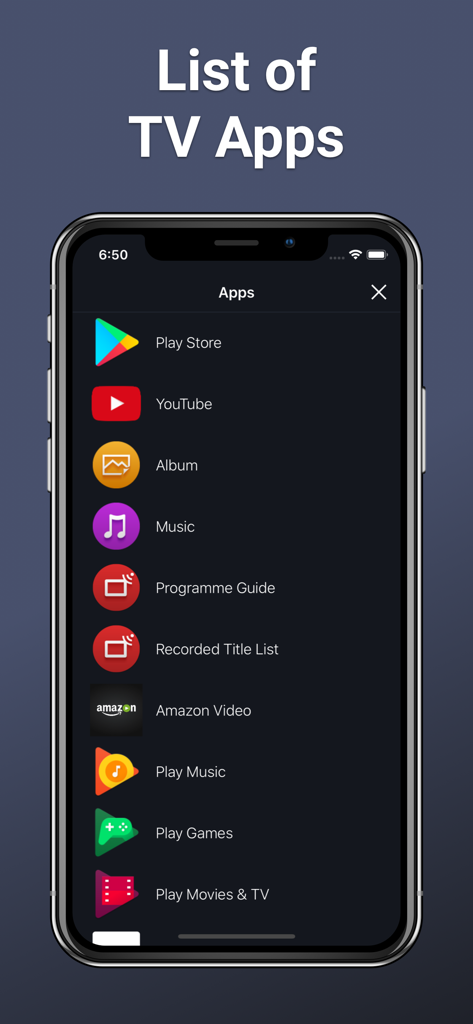
Launch Netflix, YouTube, and your favorite streaming platforms with a single tap directly from your device without digging through TV menus.

The following screenshots and description are sourced directly from the app's official store listing and are the property of the app developer.

App Store

Screenshots
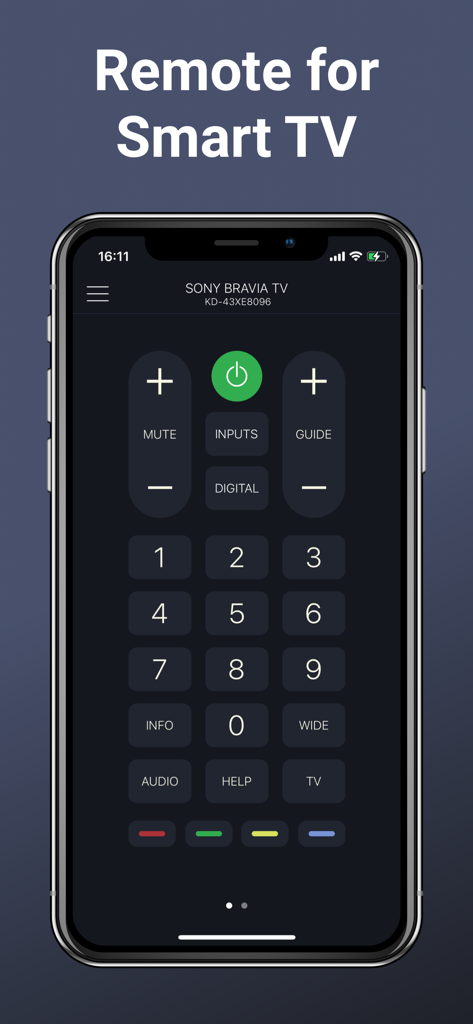
Remote Control for Sony TVs - Digital remote control interface for Sony Bravia Smart TV on an iPhone screen
Digital remote control interface for Sony Bravia Smart TV on an iPhone screen

Remote Control for Sony TVs - Smartphone screen displaying a digital remote control interface for Sony Bravia TVs with navigation buttons and a touchpad area.
Smartphone screen displaying a digital remote control interface for Sony Bravia TVs with navigation buttons and a touchpad area.

Remote Control for Sony TVs - Smartphone screen showing a list of apps available to launch on a Sony TV

Smartphone screen showing a list of apps available to launch on a Sony TV

Description

Smart TV Remote is designed specifically to control Sony Smart TVs. The remote control app offers a wide range of buttons that are available on a physical remote control, an easy to use touchpad for navigation through the content and a list of apps installed on TV. To control your Sony TV, make sure that your TV is connected to the same Wi-Fi network as your mobile device. Launch Smart TV Remote app, select your Sony TV from the list of detected devices and enter the PIN displayed on the TV screen into the app. TV control has never been easier. The app features all the necessary buttons. You no longer have to look for your Sony TV remote control or buy a new one in order to replace the one broken down. Multifunctional touchpad will allow you to easily scroll through the lists of new movies and music, choose your favorite content. With Smart TV Remote app you can easily launch apps installed on your TV, such as Netflix, Youtube or a web-browser. Smart TV Remote turns your iPhone or iPad into a smart remote control for your Sony TV. Main features: - Automatic detection of Sony TV in the Wi-Fi network; - All the necessary buttons for controlling the TV (Sony TV remote); - A large touchpad for convenient menu and content navigation; - Launching of TV applications directly from the iOS app; Premium Subscription User can subscribe for unlimited access to Premium features. Subscribed users have unlimited use of the Interaction tab without ads. This app includes an optional auto-renewable subscription: 1 year with a 7-days free trial period. Subscription is from $19.99/year. Prices are equal to the value that "Apple's App Store Matrix" determines is the equivalent of the subscription price in USD. Payment will be charged to iTunes Account at confirmation of purchase. Subscription automatically renews unless auto-renew is turned off at least 24-hours before the end of the current period. Account will be charged for renewal within 24-hours prior to the end of the current period, and identify the cost of the renewal. Subscriptions may be managed by the user and auto-renewal may be turned off by going to the user’s Account Settings after purchase. For details please visit the link https://support.apple.com/HT202039. When current trial/subscription period expires, user will be unsubscribed. The current active subscription period can not be canceled. After subscription expires, user will no longer be able to use Interaction tab. Any unused portion of a free trial period, if offered, will be forfeited when the user purchases a subscription to that publication, where applicable. Terms of Use: https://kraftwerk9.com/terms Privacy Policy: https://kraftwerk9.com/privacy Disclaimer: Kraftwerk 9, Inc is not an affiliated entity of Sony Corporation, and Smart TV Remote application is not an official product of Sony.

Download

Download on App Store

This page is not an official page of the app or its developer, but an independent editorial publication created for informational and commentary purposes. Unless expressly stated otherwise, neither the app nor its developer is affiliated with, endorsed by, sponsored by, authorized by, or otherwise officially connected with MWM, Apple, Google Play, the app publisher, or the app's developer, and nothing on this page implies that the app was developed using MWM's services. Any trademarks, logos, screenshots, and other content remain the property of their respective owners.








