Remotevio: Smart TV Remote
Download on App Store

This page is not an official page of the app or its developer, but an independent editorial publication created for informational and commentary purposes. Unless expressly stated otherwise, neither the app nor its developer is affiliated with, endorsed by, sponsored by, authorized by, or otherwise officially connected with MWM, Apple, Google Play, the app publisher, or the app's developer, and nothing on this page implies that the app was developed using MWM's services. Any trademarks, logos, screenshots, and other content remain the property of their respective owners.

Logo of Remotevio: Smart TV Remote
Download on App Store

Remotevio: Smart TV Remote

Stop searching for lost remotes and struggling with clunky TV typing. Effortlessly control any brand, mirror your screen instantly, and take full command of your entertainment from your smartphone.

Key Figures

Downloads

0

User Rating

4.2/5

Total Ratings

0

Publisher

Phung Cuc

Category

Utilities

Locales

31

Latest Version

4.0

Size

171.6 MB

First Released

Aug 27, 2024
Features

Master Your Home Theater with One Smart App

Ditch the clutter of multiple remotes and the frustration of dead batteries. Remotevio transforms your iPhone into the ultimate command center for every TV in your home.

Universal Control & Fast Typing

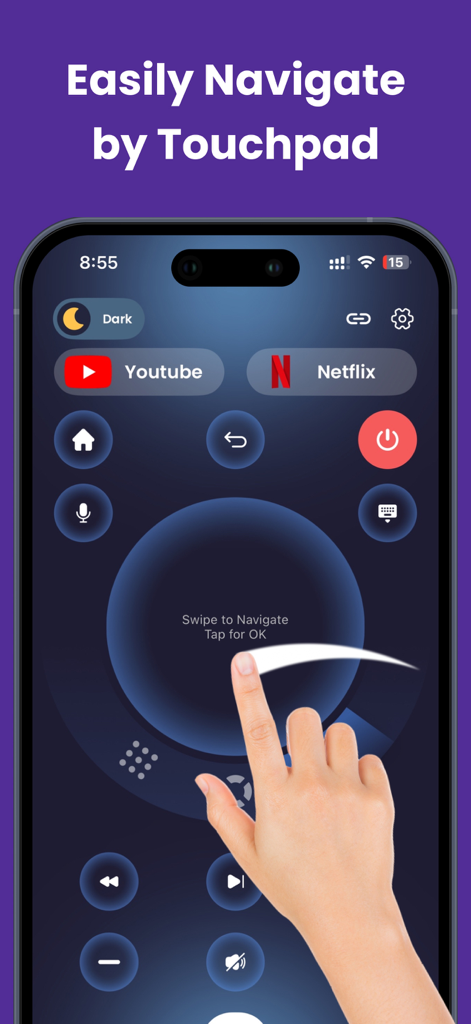
Control Roku, Firestick, Samsung, and more from one interface. Stop struggling with TV D-pads and use your phone's keyboard to search for movies in seconds.

Lag-Free Screen Mirroring

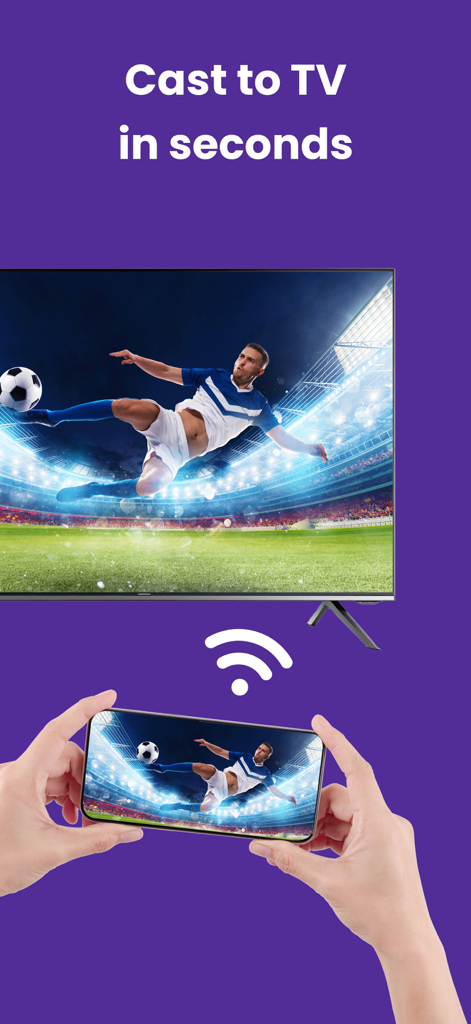
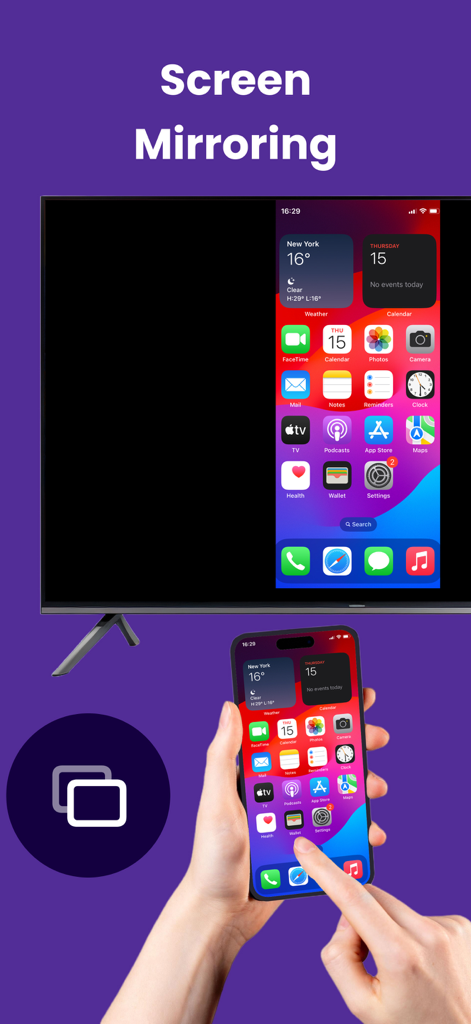
Share your life on the big screen. Instantly cast 4K photos, personal videos, or mobile games from your phone to your TV with a single tap.

The following screenshots and description are sourced directly from the app's official store listing and are the property of the app developer.

App Store

Screenshots
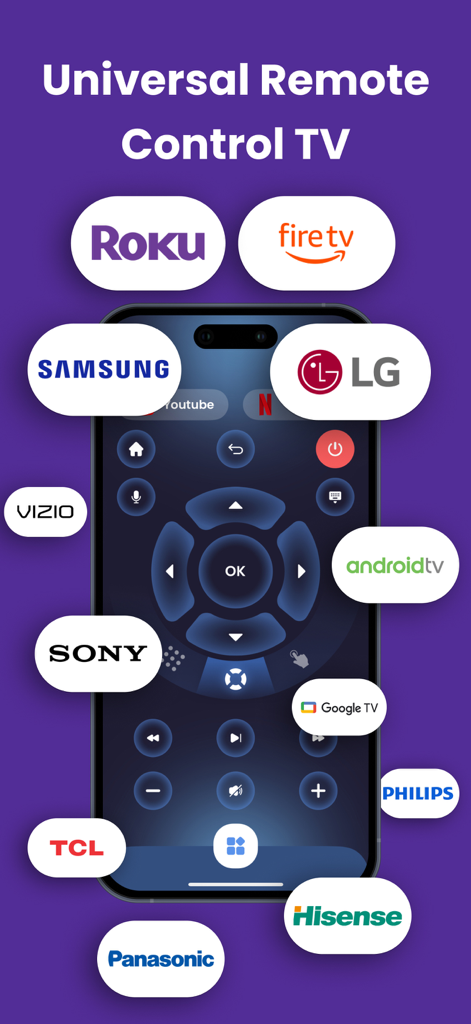
Remotevio: Smart TV Remote - Remotevio app interface showing universal remote control for multiple smart TV brands
Remotevio app interface showing universal remote control for multiple smart TV brands

Remotevio: Smart TV Remote - Smartphone screen showing the Remotevio app with a central touchpad for navigating smart TV menus

Smartphone screen showing the Remotevio app with a central touchpad for navigating smart TV menus
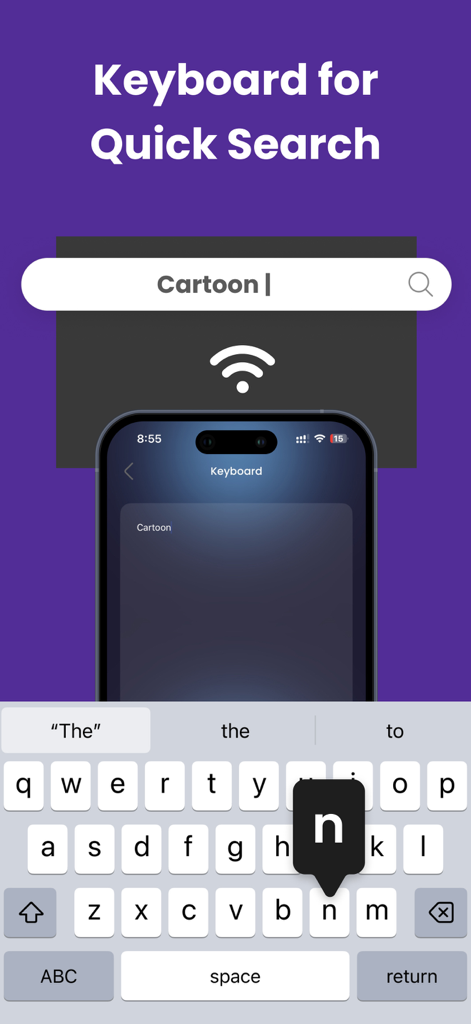
Remotevio: Smart TV Remote - iPhone keyboard interface used for quick search on a smart TV through the Remotevio app
iPhone keyboard interface used for quick search on a smart TV through the Remotevio app

Remotevio: Smart TV Remote - User casting a live soccer match from a mobile phone to a smart TV
User casting a live soccer match from a mobile phone to a smart TV

Remotevio: Smart TV Remote - A smartphone screen being mirrored onto a smart television display using the Remotevio app

A smartphone screen being mirrored onto a smart television display using the Remotevio app

Description

Remotevio: Smart TV Remote is a powerful remote control for all TVs. This app is the perfect solution to control your TV, whether you've misplaced your remote or prefer the ease of doing it from your phone. MAIN FEATURES: Universal remote control: Easily manage your TV's features, including channels, power, volume, and touchpad. Supports multiple TVs, such as Roku TV, Fire TV Firestick, Samsung, Sony, LG... - Cast to TV: You can cast media, including movies and images, straight from your phone to your television. With only a tap, enjoy your preferred material on a larger screen. - Screen Mirroring: With crystal-clear mirroring, you can see your phone's live screen on the TV. Play games, browse the web, or share presentations. - Game Remote Control: Use your smartphone as a remote control to conveniently control your games. - IPTV Playlist: Manage IPTV Playlist to easy access channel - Teleprompter: Allowing you to easily display text from your phone to your TV. Perfect for presentations or recordings, it lets you control text directly on your TV. - Access Channels: Switch channels with one tap & save favorite channels for quick access - Voice & Keyboard Search: You can search on TV by voice or type by keyboard easily COMPATIBILITY: Support almost TVs: suitable with various TV models and manufacturers Wi-Fi Support: Ensure TV and your device need to be connect to the same wireless network. SUBSCRIPTION INFORMATION: - A subscription is required to access the app's full features. - Users who have a subscription can use the remote control feature indefinitely. - After a purchase is confirmed, payments are handled via your iTunes Account. - Take advantage of limitless ad-free downloads while protecting your privacy. If the subscription is not discontinued at least 24 hours before the end of the current week, it will automatically renew every week. Your iTunes Account will be charged the weekly subscription of $9.99, Monthly of $19.99, and Yearly of $29.99, 24 hours before the end of the current term. In your Account Settings, you can change your subscription and auto-renewal preferences. DISCLAIMER: - Remotevio: Smart TV Remote is not official and have no connection to any brand or corporation. Roku TV, Fire TV Firestick, Samsung, Sony, LG.... are mentioned name brand supported only. - Only user-submitted content is displayed on Remotevio: Smart TV Remote, which also plays it in the player. - Our app is meant to be used with content or playlists that users have made using legally licensed media; it does not provide any content or playlists. - Copyrighted content cannot be streamed using Remotevio: Smart TV Remote without the owner's consent. - A Premium subscription is needed to access all features of the Remotevio: Smart TV Remote - Privacy Policy: https://sites.google.com/view/doducsstore/privacy-policy - Terms and conditions: https://sites.google.com/view/doducsstore/terms-and-conditions - Contact us: https://sites.google.com/view/doducsstore/contact-us

Download

Download on App Store

This page is not an official page of the app or its developer, but an independent editorial publication created for informational and commentary purposes. Unless expressly stated otherwise, neither the app nor its developer is affiliated with, endorsed by, sponsored by, authorized by, or otherwise officially connected with MWM, Apple, Google Play, the app publisher, or the app's developer, and nothing on this page implies that the app was developed using MWM's services. Any trademarks, logos, screenshots, and other content remain the property of their respective owners.