Repeat Timer: Interval Remind
Download on App Store

This page is not an official page of the app or its developer, but an independent editorial publication created for informational and commentary purposes. Unless expressly stated otherwise, neither the app nor its developer is affiliated with, endorsed by, sponsored by, authorized by, or otherwise officially connected with MWM, Apple, Google Play, the app publisher, or the app's developer, and nothing on this page implies that the app was developed using MWM's services. Any trademarks, logos, screenshots, and other content remain the property of their respective owners.

Logo of Repeat Timer: Interval Remind
Download on App Store

Repeat Timer: Interval Remind

The #1 repeating interval timer for fitness, focus, and health. Automate your day with hands-free alerts that keep you on track without the distraction.

Key Figures

Downloads

4K+

User Rating

4.5/5

Total Ratings

7K+

Publisher

Applorium Ltd

Category

Utilities

Locales

1

Latest Version

3.1.3

Size

92.7 MB

First Released

Nov 22, 2011
Features

Master Every Minute of Your Day

Whether you are crushing a workout, managing a busy household, or deep-working on a project, Repeat Timer automates your routine for peak efficiency.

Seamless Auto-Repeat

Focus on your task while the app handles the rest. Timers cycle automatically in the background without needing manual resets or interruptions.

Custom Interval Power

Easily configure work and rest periods for HIIT, study sessions, or household tasks with precision timing and flexible repeat cycles.

The following screenshots and description are sourced directly from the app's official store listing and are the property of the app developer.

App Store

Screenshots
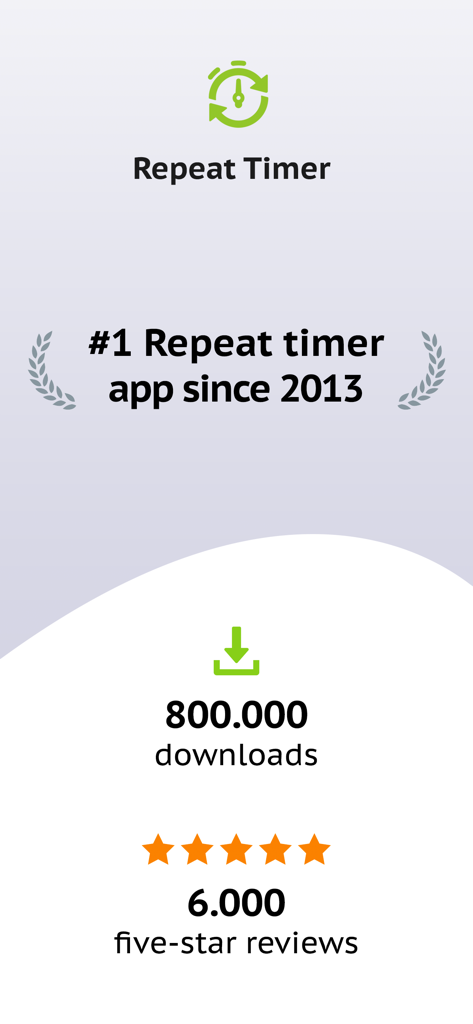
Repeat Timer: Interval Remind - Repeat Timer app statistics showing 800000 downloads and 6000 five star reviews
Repeat Timer app statistics showing 800000 downloads and 6000 five star reviews

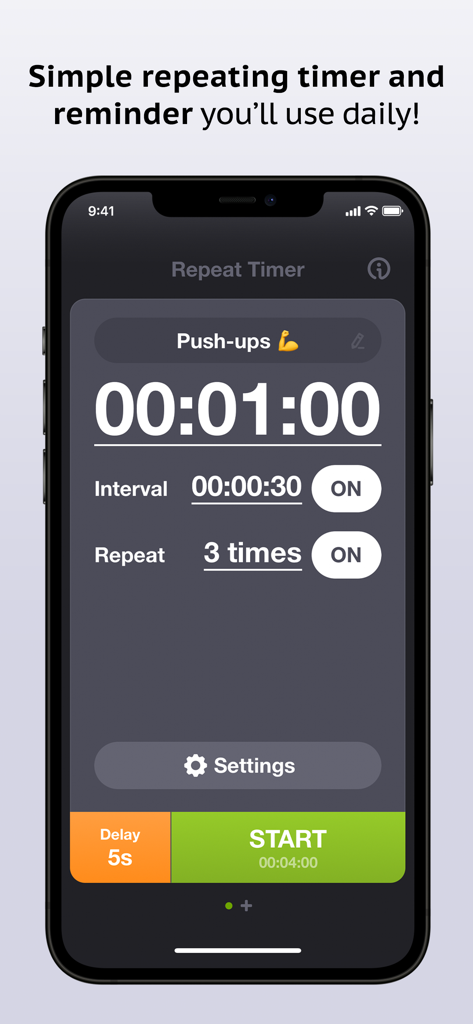
Repeat Timer: Interval Remind - A screenshot of the Repeat Timer app showing a push-up routine with a one-minute timer and interval settings.
A screenshot of the Repeat Timer app showing a push-up routine with a one-minute timer and interval settings.

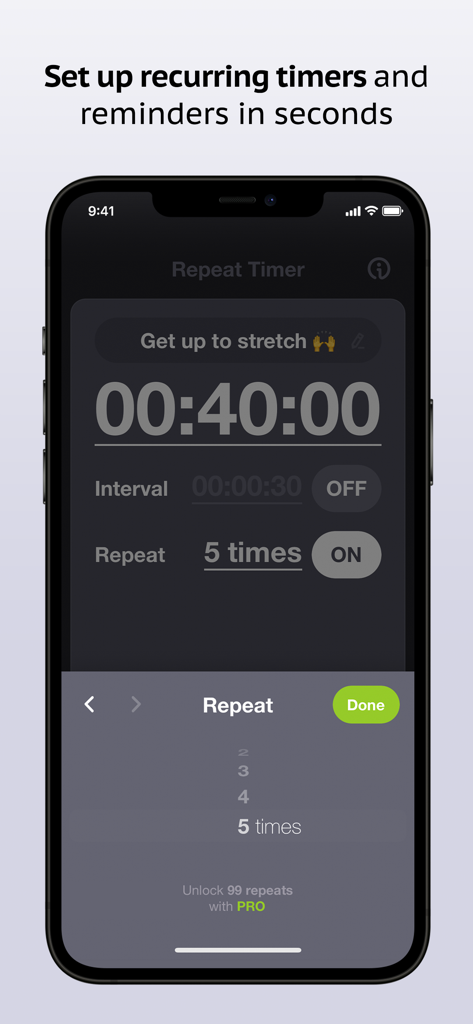
Repeat Timer: Interval Remind - Setup screen for a recurring timer in the Repeat Timer app on iPhone
Setup screen for a recurring timer in the Repeat Timer app on iPhone

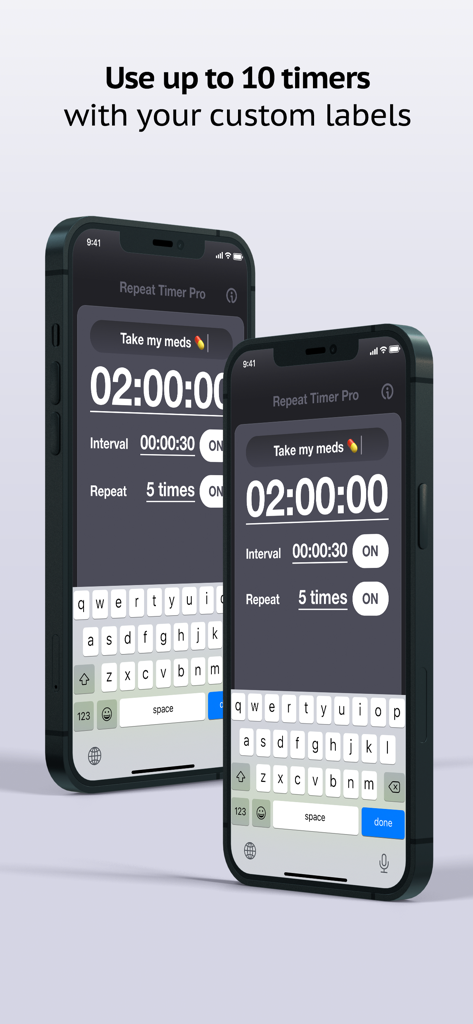
Repeat Timer: Interval Remind - Repeat Timer Pro app interface on iPhone showing a custom label for medication reminders and interval settings.
Repeat Timer Pro app interface on iPhone showing a custom label for medication reminders and interval settings.

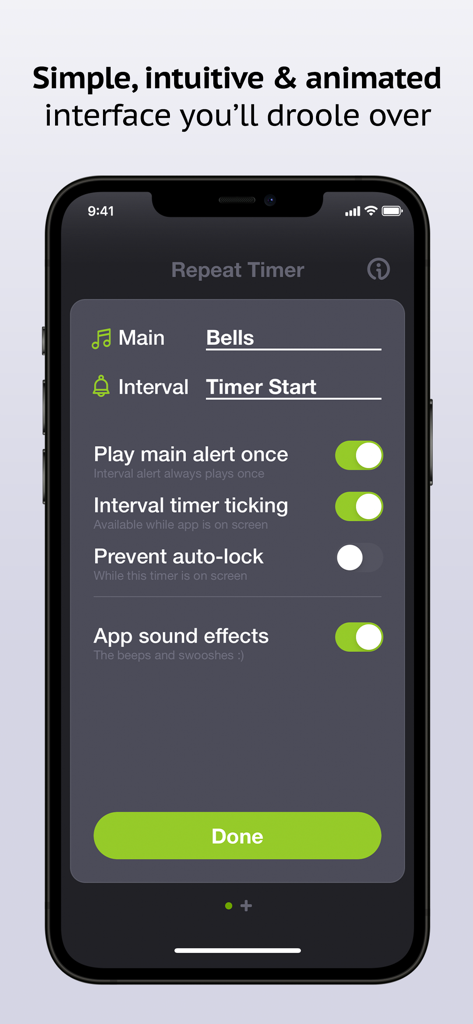
Repeat Timer: Interval Remind - Settings screen of the Repeat Timer app showing sound and interval customization options on an iPhone.
Settings screen of the Repeat Timer app showing sound and interval customization options on an iPhone.

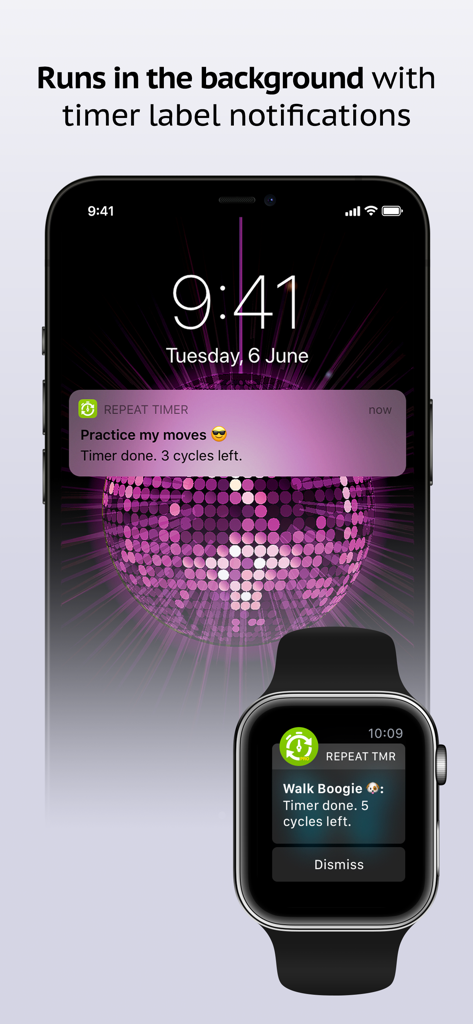
Repeat Timer: Interval Remind - Repeat Timer app showing background notifications on an iPhone lock screen and an Apple Watch for routine tracking
Repeat Timer app showing background notifications on an iPhone lock screen and an Apple Watch for routine tracking

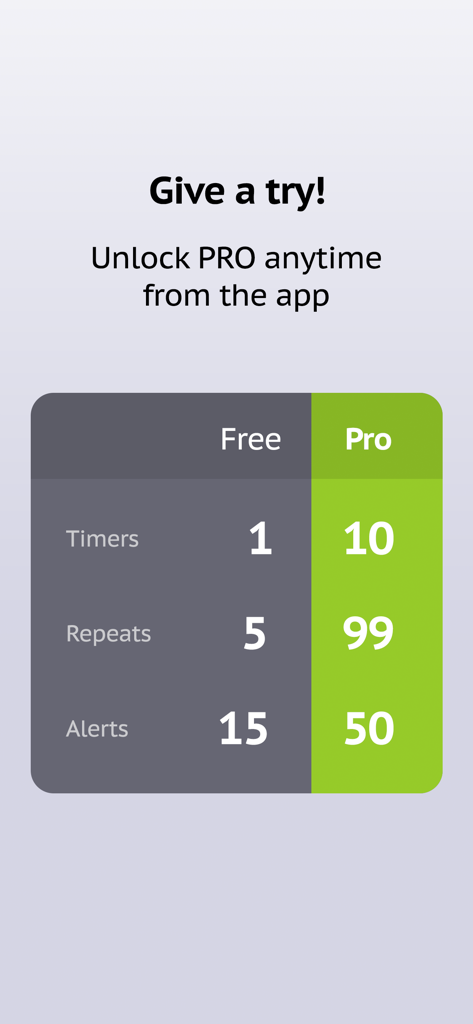
Repeat Timer: Interval Remind - Comparison table showing the differences between the free and pro versions of the Repeat Timer app

Comparison table showing the differences between the free and pro versions of the Repeat Timer app

Description

The #1 best-selling repeating timer app since 2013 with over 500,000 downloads, Repeat Timer is a simple recurring reminder for all of your repeating tasks and routines – taking your medications, getting up from your desk to stretch, cooking, yoga and meditation, TV time for kids, workouts and more! –– Easy to use: Simply name your timer, set the main timer duration, choose number of repeats and press Start! –– Optional interval timer: Use the optional interval timer that runs between main timer cycles (for example, 2min – 30sec – 2min – 30sec – 2min). Great for interval workouts! –– Works in the background: Run your timer while using other apps or with the phone in sleep mode. You’ll get hands-free visual and audio notifications that you don’t need to stop or dismiss. Downloaded over 600,000 times, our Repeat Timer apps are relied on daily by parents, teachers, coaches and more around the world. Get the app and join them to stay on track with your routines, minimize stress and make your days more productive and efficient! Download Repeat Timer today to streamline all of your routines: ––––––––––––––––––––––– • Easily configure and start your timers in seconds • Repeat timer cycles up to 5 times (up to 99 when you unlock Pro) • See your timer title in notification alerts to avoid confusing them • Choose from 15 high quality alert sounds, including voice commands (40 in Pro) • Engage the optional interval timer for more versatility • Runs in the background with sound and notification alerts • Enjoy the beautiful interface with animations and sound effects • Set your precise duration to the second Thousands of people use Repeat Timer every day: ––––––––––––––––––––––– • Fitness enthusiasts use it for interval, tabata and circuit workouts • Teachers use it to time quizzes, breaks and classroom activities • Coaches use it for drills and practice sessions • Students use it for flash cards study, exams and more • Office workers use it as a reminder to get up and stretch every hour and to look away from the screen to relax your eyes every 20 minutes • Yogis use it for practice and meditation • Parents use it for TV and computer time for the kids • Seniors use it to remember to take their medications and to measure their blood sugar • Productive people use it for the Pomodoro® technique to time work/break intervals Lite / Pro differences: – 1 timer / Up to 10 timers – 5 repeats / 99 repeats – 15 alert sounds / 50 alert sounds Try Lite free and easily upgrade to Pro via in-app purchase. Thank you for taking a look and enjoy! Subscription terms: - The subscription auto-renews at the end of each term. - Payment will be charged to iTunes Account at confirmation of purchase. - The subscription automatically renews unless auto-renew is turned off at least 24-hours before the end of the current period. - Account will be charged for renewal within 24-hours prior to the end of the current period. - You may manage your subscription and turn off auto-renewal by going to your Account Settings after purchase. Privacy policy and Terms of Use: https://www.repeattimerapp.com/privacy/

Download

Download on App Store

This page is not an official page of the app or its developer, but an independent editorial publication created for informational and commentary purposes. Unless expressly stated otherwise, neither the app nor its developer is affiliated with, endorsed by, sponsored by, authorized by, or otherwise officially connected with MWM, Apple, Google Play, the app publisher, or the app's developer, and nothing on this page implies that the app was developed using MWM's services. Any trademarks, logos, screenshots, and other content remain the property of their respective owners.








