Retouch AI - Remove Objects
Download on App Store

This page is not an official page of the app or its developer, but an independent editorial publication created for informational and commentary purposes. Unless expressly stated otherwise, neither the app nor its developer is affiliated with, endorsed by, sponsored by, authorized by, or otherwise officially connected with MWM, Apple, Google Play, the app publisher, or the app's developer, and nothing on this page implies that the app was developed using MWM's services. Any trademarks, logos, screenshots, and other content remain the property of their respective owners.

Logo of Retouch AI - Remove Objects
Download on App Store

Retouch AI - Remove Objects

Stop letting photobombers and background clutter ruin your favorite moments. Use our advanced AI to erase imperfections, whiten teeth, and create the flawless aesthetic your social media deserves—no professional skills required.

Key Figures

Downloads

1M+

User Rating

4.7/5

Total Ratings

27K+

Publisher

Yalex FZC LLC

Category

Photo & Video

Locales

4

Latest Version

6.1

Size

147.4 MB

First Released

May 1, 2020
Features

Turn Every Shot Into a Masterpiece

Stop letting photobombers or minor imperfections ruin your memories. Retouch AI uses advanced technology to give your photos the professional, aesthetic finish your feed deserves.

Smart AI Object Removal

Automatically detect and erase strangers, power lines, or clutter. Get a clean, distraction-free photo with one-click magic.

Flawless Portrait Retouching

Whiten teeth, clear blemishes, and use our smart stretching tool to look your best while maintaining a natural influencer-style finish.

The following screenshots and description are sourced directly from the app's official store listing and are the property of the app developer.

App Store

Screenshots
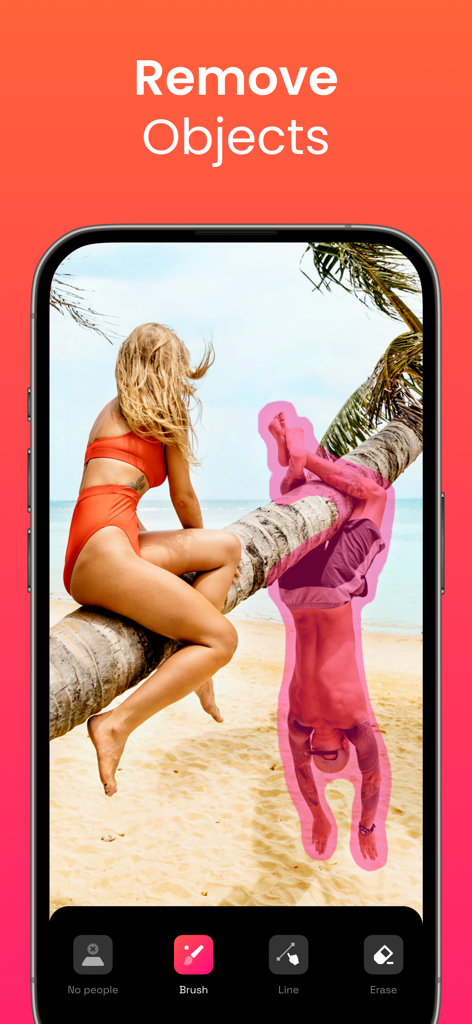
Retouch AI - Remove Objects - AI photo editing app interface showing a person selected with a pink brush for removal from a beach scene
AI photo editing app interface showing a person selected with a pink brush for removal from a beach scene

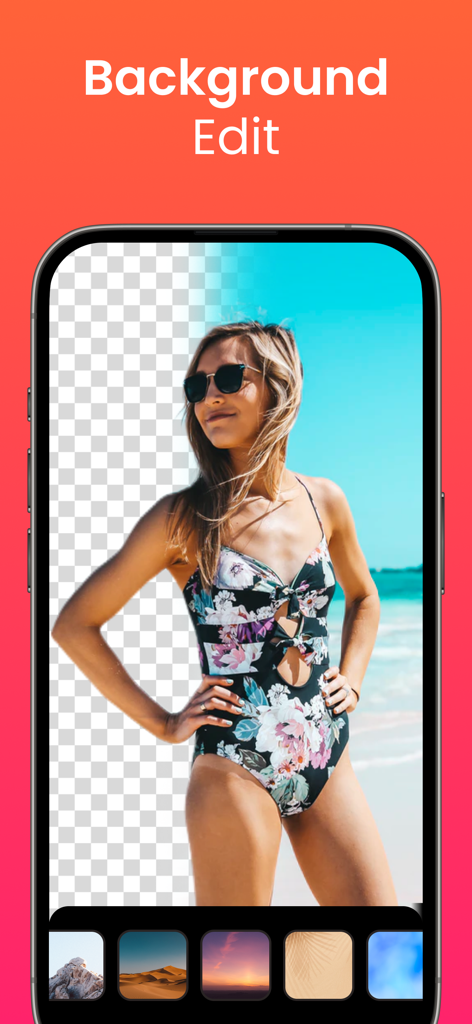
Retouch AI - Remove Objects - A woman in a swimsuit on a beach using the background removal and replacement feature in the Retouch AI app
A woman in a swimsuit on a beach using the background removal and replacement feature in the Retouch AI app

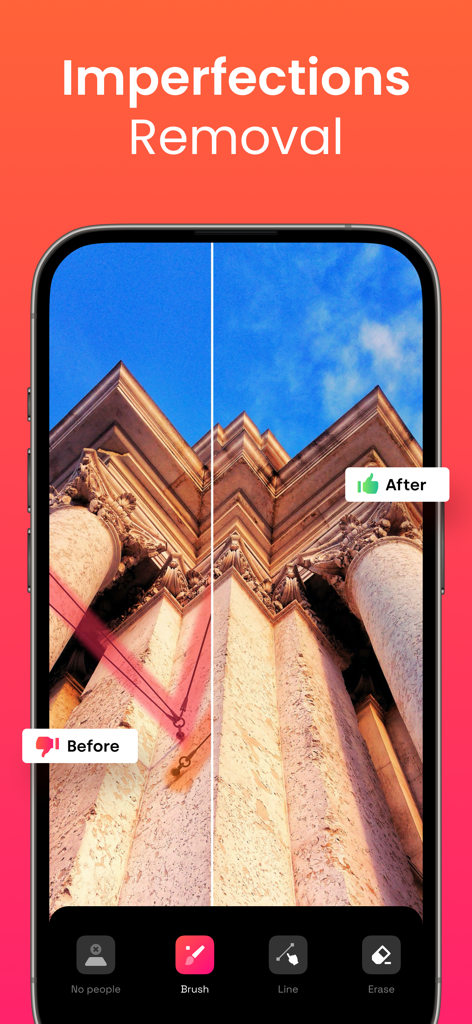
Retouch AI - Remove Objects - Before and after comparison showing the removal of power lines from a building photo using the Retouch AI app.
Before and after comparison showing the removal of power lines from a building photo using the Retouch AI app.

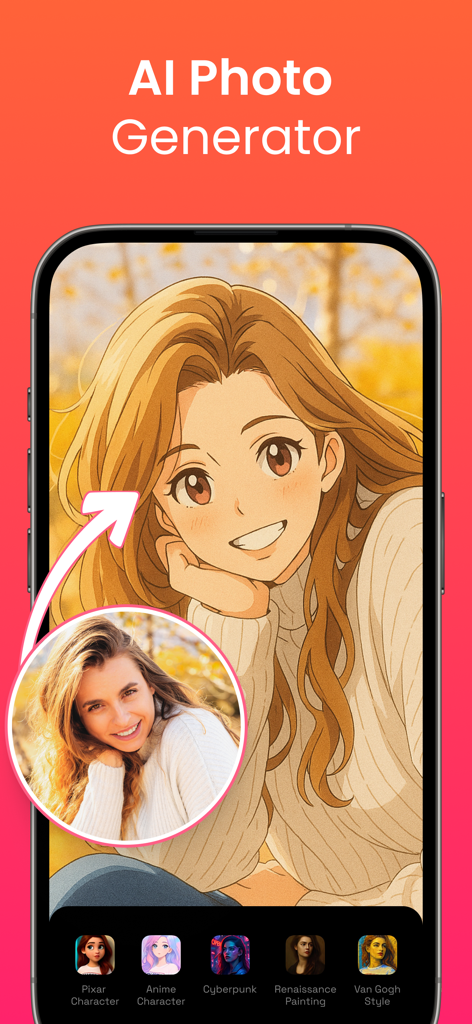
Retouch AI - Remove Objects - Interface of the AI photo generator feature transforming a real woman portrait into an anime character style
Interface of the AI photo generator feature transforming a real woman portrait into an anime character style

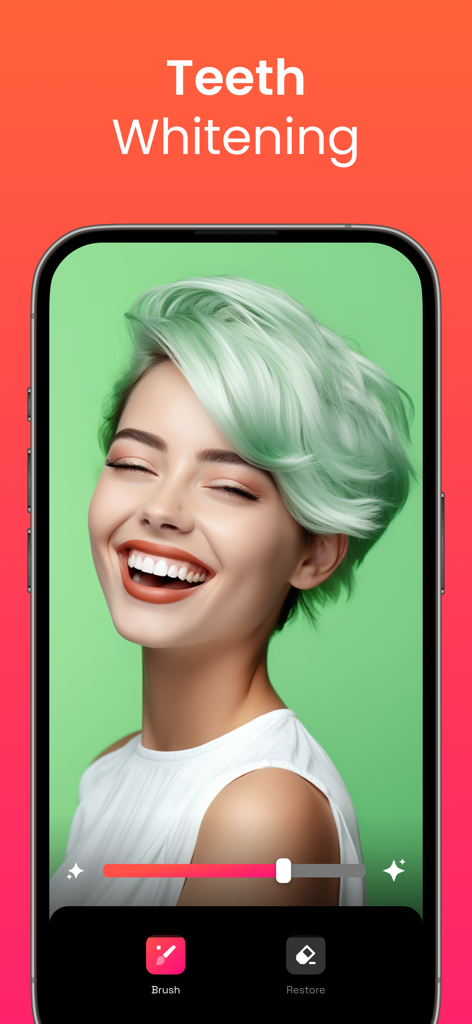
Retouch AI - Remove Objects - Teeth whitening feature interface in the Retouch AI photo editor app.
Teeth whitening feature interface in the Retouch AI photo editor app.

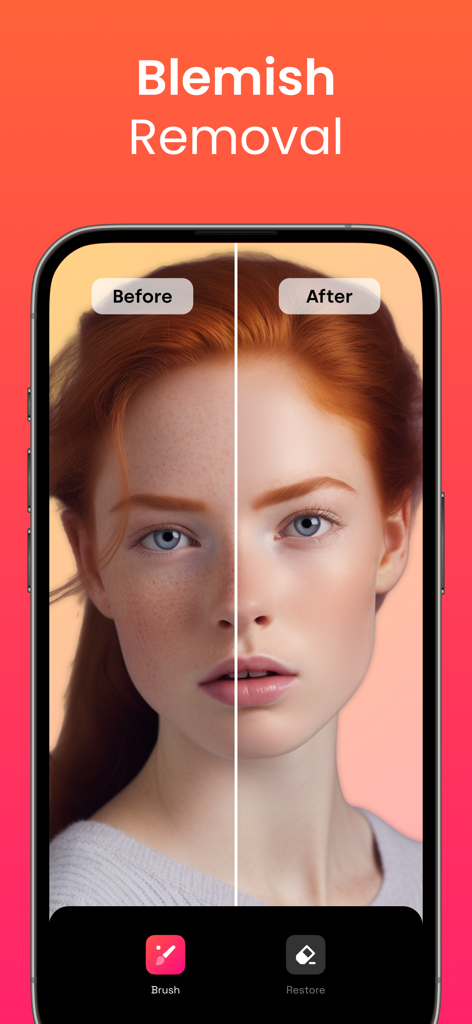
Retouch AI - Remove Objects - Before and after portrait comparison showing blemish removal feature in Retouch AI app
Before and after portrait comparison showing blemish removal feature in Retouch AI app

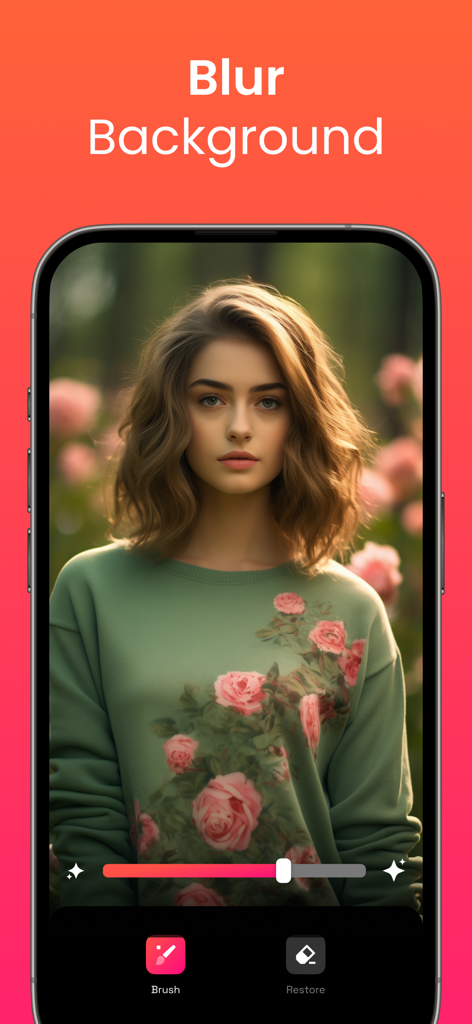
Retouch AI - Remove Objects - A woman portrait with blurred flower garden background using the Retouch AI mobile app feature
A woman portrait with blurred flower garden background using the Retouch AI mobile app feature

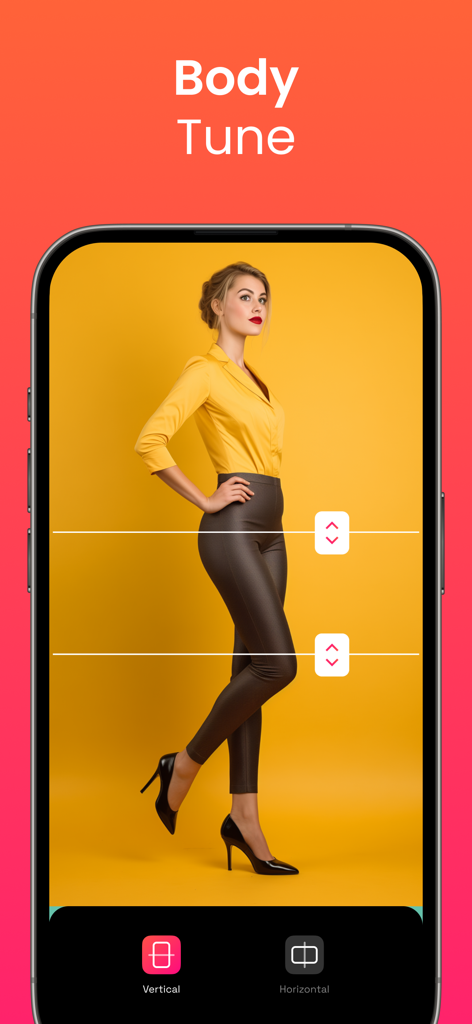
Retouch AI - Remove Objects - Mobile app interface showing the Body Tune feature with vertical and horizontal stretching tools to adjust body proportions
Mobile app interface showing the Body Tune feature with vertical and horizontal stretching tools to adjust body proportions

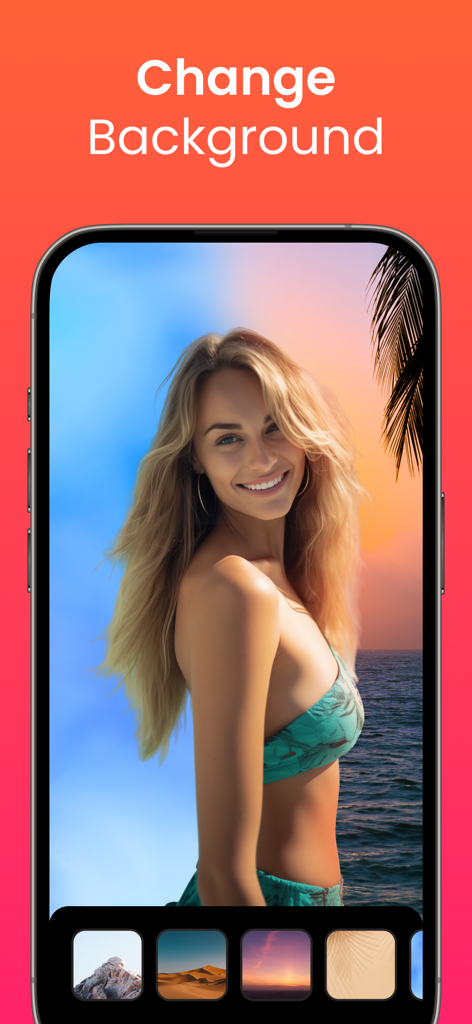
Retouch AI - Remove Objects - Retouch AI app interface showing a woman on a beach with options to change the photo background
Retouch AI app interface showing a woman on a beach with options to change the photo background

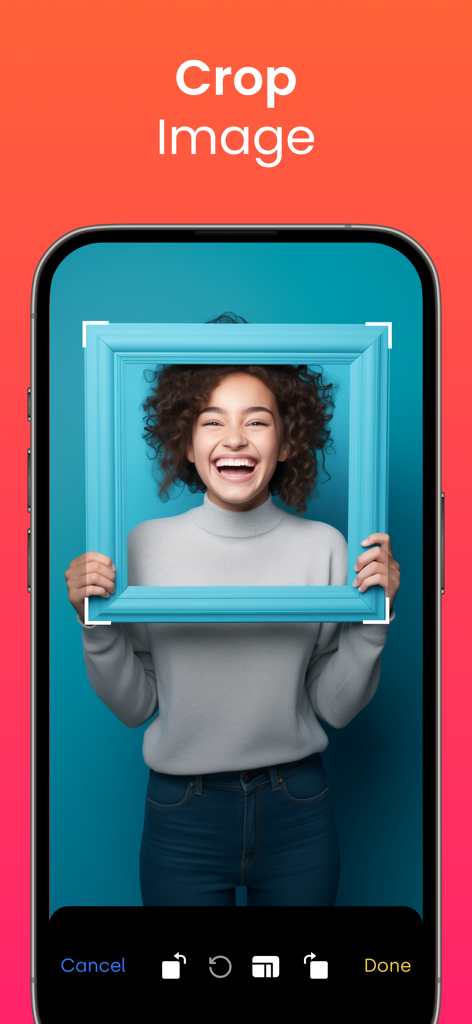
Retouch AI - Remove Objects - Retouch AI mobile app interface showing the crop image feature with a portrait of a smiling woman

Retouch AI mobile app interface showing the crop image feature with a portrait of a smiling woman

Description

Tired of being photobombed? Thinking about getting rid of some imperfections in the background of the photo but don’t know how? Need to erase unwanted objects from your pictures to get them just right? All these annoying things shouldn’t be a problem anymore with our AI-driven photo editor. RetouchAI is that magic button that will help you easily transform poorly taken photos into the ones you actually deserve. User-friendly interface, comprehensible functionality, the capability to remove imperfections in “one-click” are features that RetouchAI offers for you, specifically: • People auto-detection RetouchAI offers you highly convenient tools to identify strangers and crowd. The editor will precisely auto-detect the borders and highlight them for further auto removal. You just need to single them out in one tap • Imperfections removal • Lines removal • Blemish removal The app declutters photo imperfections and retouches them in an extremely simplified, yet smart way. The editor makes sure that the chosen area is erased without the photo distortion and is repaired appropriately. • Multiple retouch algorithms Once you select a particular area in your photo that needs to be restored, the app will offer you multiple variants. You may choose the one that looks the most natural and will be the best fit. • Background edit With the RetouchAI photo editor background replacement feature, you can cut out the existing background of your photo easily and replace it with one of the templates from the gallery. In case you don’t want to change the background, the app provides you with the convenient functionality to blur the background to the required extent. • Efficient clone stamp tool When you erase certain objects from the photo, the editor needs to restore the marked area with correctly chosen colors. This is done via the clone stamp tool that uses the surrounding area as a context to restore the photo precisely. • Teeth whitening The tool allows you to whiten your teeth and make your smile even more fabulous than it is now. Everything is simple: select the necessary area, adjust the intensity of the brush, and boom, everything is ready. Explore a natural teeth whitening feature now. • Stretching Allows you to modify the selected area both vertically and horizontally. It's no longer a problem to increase your height, enlarge your hips, or adjust anything else. You just need to choose the place you need to stretch and modify it to the extent you want. • Helpful tooltips & friendly support Despite being rather intuitively obvious, the app has numerous embedded tooltips that pop up once you start using the photo editor. All the tooltips were designed to make your photo editing process seamless and pleasant so that you say goodbye to sophisticated interfaces, confusing buttons, and annoying welcome tutorials. Download RetouchAI and make your photos great again. Enjoy! Don’t forget to check our privacy policy and terms of service: http://retouch-ai.com/privacy-policy.html http://retouch-ai.com/terms-of-service.html SUBSCRIPTION INFO: • Subscription for Retouch AI for full access to all features. • Subscription length: one week, one month, 12 months and lifetime. • Your payment will be charged to your iTunes Account as soon as you confirm your purchase. • You can manage your subscriptions and turn off auto-renewal from your Account Settings after the purchase. • Your subscription will renew automatically, unless you turn off auto-renew at least 24 hours before the end of the current period. • The cost of renewal will be charged to your account in the 24 hours prior to the end of the current period. • When canceling a subscription, your subscription will stay active until the end of the period. Auto-renewal will be disabled, but the current subscription will not be refunded. • Any unused portion of a free trial period, if offered, will be forfeited when purchasing a subscription.

Download

Download on App Store

This page is not an official page of the app or its developer, but an independent editorial publication created for informational and commentary purposes. Unless expressly stated otherwise, neither the app nor its developer is affiliated with, endorsed by, sponsored by, authorized by, or otherwise officially connected with MWM, Apple, Google Play, the app publisher, or the app's developer, and nothing on this page implies that the app was developed using MWM's services. Any trademarks, logos, screenshots, and other content remain the property of their respective owners.







