Reverse Image Search & AI Lens
Download on App Store

This page is not an official page of the app or its developer, but an independent editorial publication created for informational and commentary purposes. Unless expressly stated otherwise, neither the app nor its developer is affiliated with, endorsed by, sponsored by, authorized by, or otherwise officially connected with MWM, Apple, Google Play, the app publisher, or the app's developer, and nothing on this page implies that the app was developed using MWM's services. Any trademarks, logos, screenshots, and other content remain the property of their respective owners.

Logo of Reverse Image Search & AI Lens
Download on App Store

Reverse Image Search & AI Lens

Uncover the truth behind any photo, identify products instantly, and navigate the world with AI. Powered by Google, Bing, Yandex, and TinEye to help you detect fakes, find original sources, and get instant answers from every image.

Key Figures

Downloads

4M+

User Rating

4.5/5

Total Ratings

43K+

Publisher

Yajing Qian

Category

Utilities

Locales

13

Latest Version

9.4

Size

13.4 MB

First Released

Jun 21, 2015
Features

Master Your Visual World

Unlock the hidden details behind every image with a suite of professional-grade tools designed for safety, shopping, and instant discovery.

Verify Authenticity & Stay Safe

Protect yourself from catfishing and misinformation. Trace the original source of any photo or dating profile using four powerful search engines: Google, Bing, Yandex, and TinEye.

Instant Shopping & Discovery

See something you love? Skip the keywords. Instantly identify products, fashion, and furniture to find exactly where to buy them or discover high-resolution versions of your favorite images.

The following screenshots and description are sourced directly from the app's official store listing and are the property of the app developer.

App Store

Screenshots
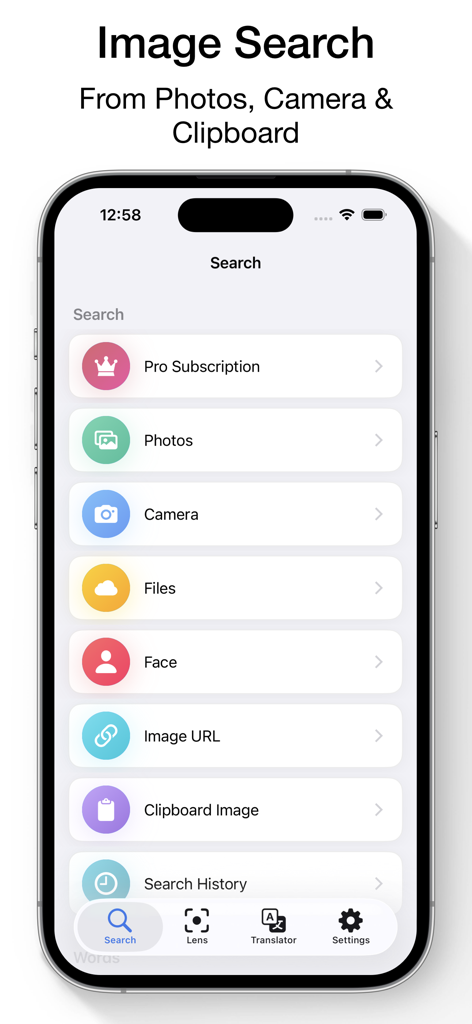
Reverse Image Search & AI Lens - Main interface of the Reverse Image Search app on an iPhone showing options to search by photo camera and clipboard
Main interface of the Reverse Image Search app on an iPhone showing options to search by photo camera and clipboard

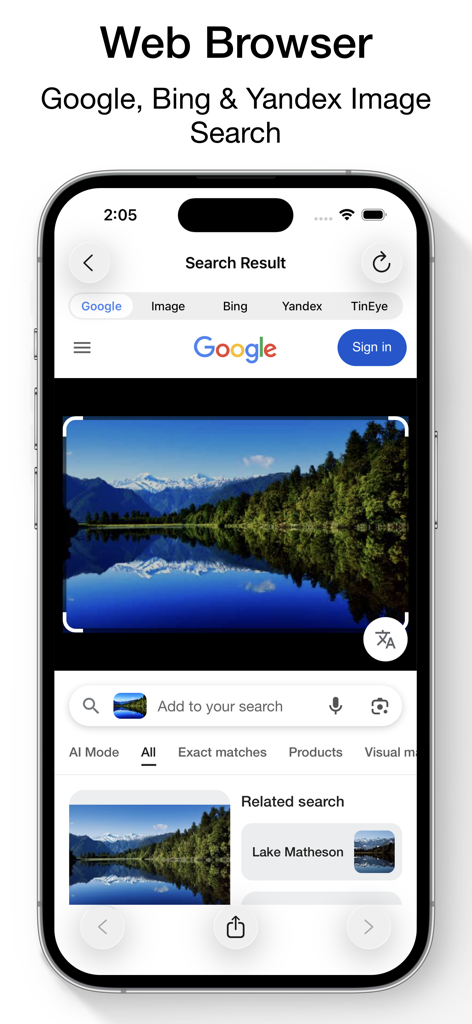
Reverse Image Search & AI Lens - Smartphone screen showing reverse image search results for a lake using Google Bing and Yandex engines
Smartphone screen showing reverse image search results for a lake using Google Bing and Yandex engines

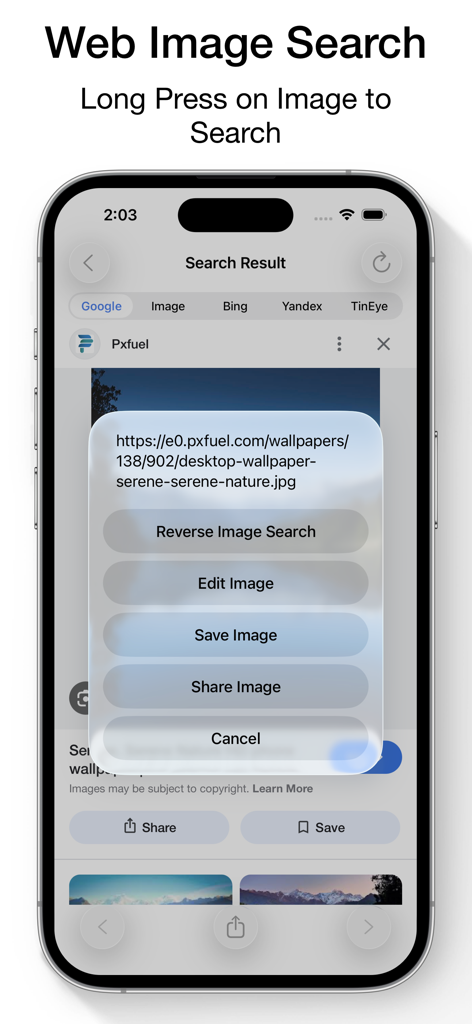
Reverse Image Search & AI Lens - Interface showing a long-press context menu on a web image to perform a reverse search using multiple engines.
Interface showing a long-press context menu on a web image to perform a reverse search using multiple engines.

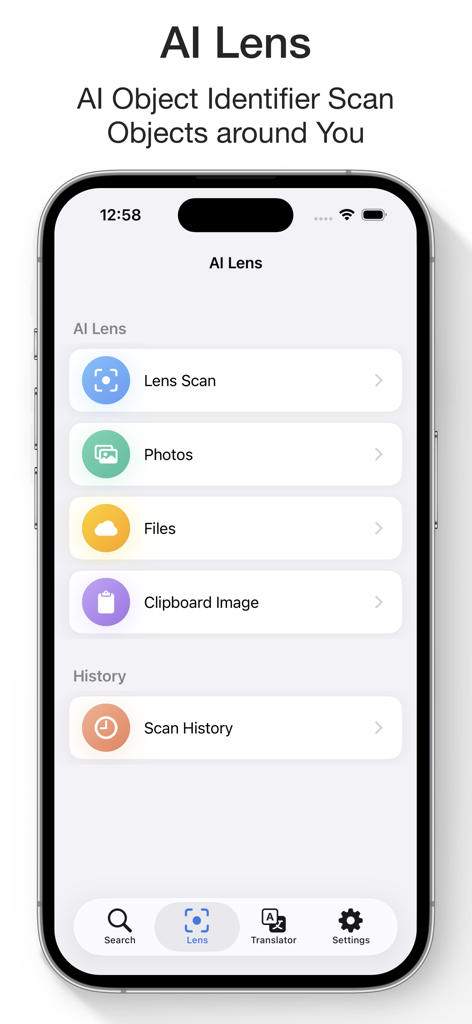
Reverse Image Search & AI Lens - AI Lens interface for scanning and identifying objects via camera photos or files
AI Lens interface for scanning and identifying objects via camera photos or files

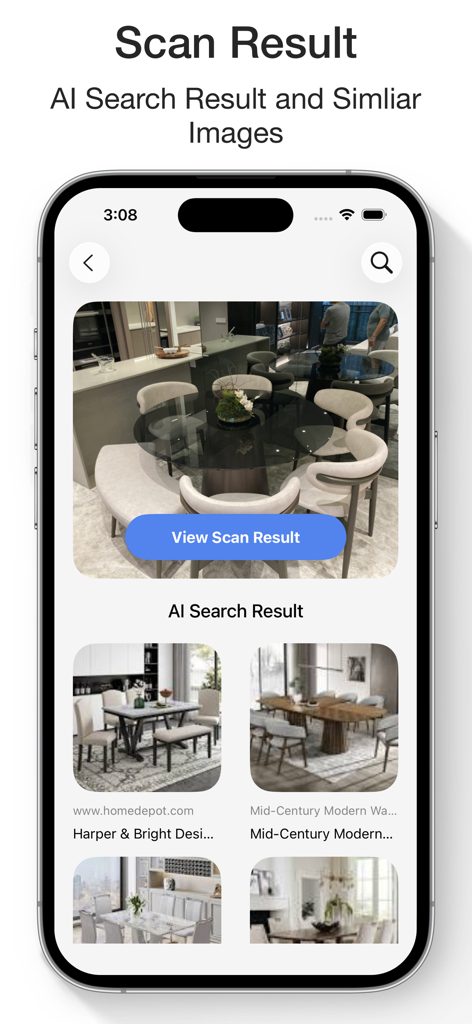
Reverse Image Search & AI Lens - AI search results in the Reverse Image Search app showing similar furniture items
AI search results in the Reverse Image Search app showing similar furniture items

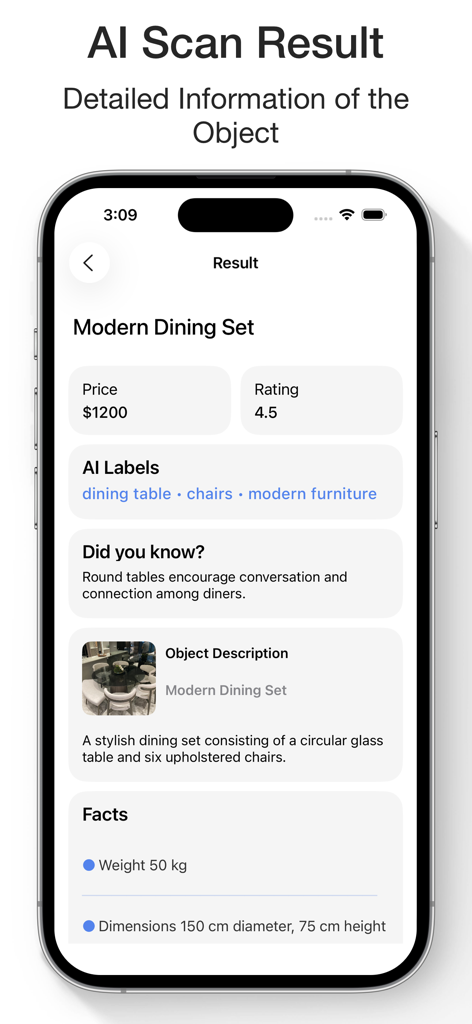
Reverse Image Search & AI Lens - AI scan result for a modern dining set showing price rating and object details
AI scan result for a modern dining set showing price rating and object details

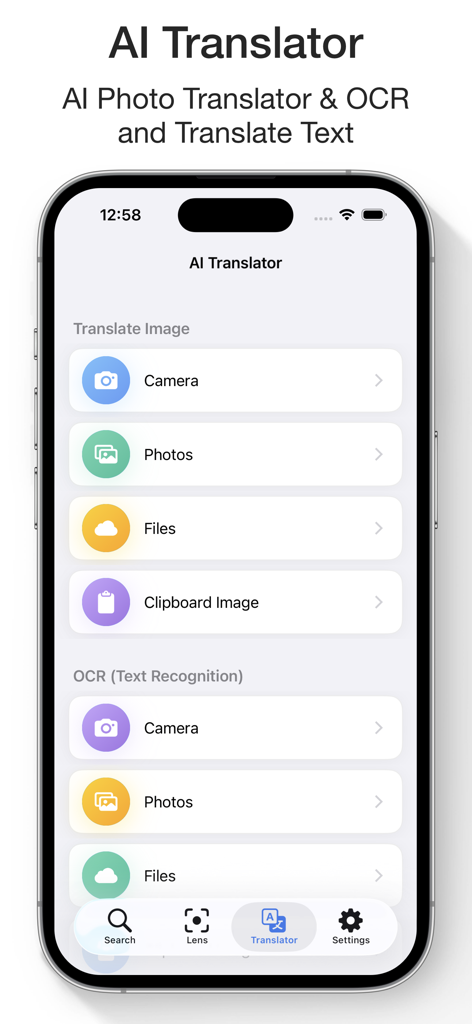
Reverse Image Search & AI Lens - AI Translator and OCR interface for translating text from images and files
AI Translator and OCR interface for translating text from images and files

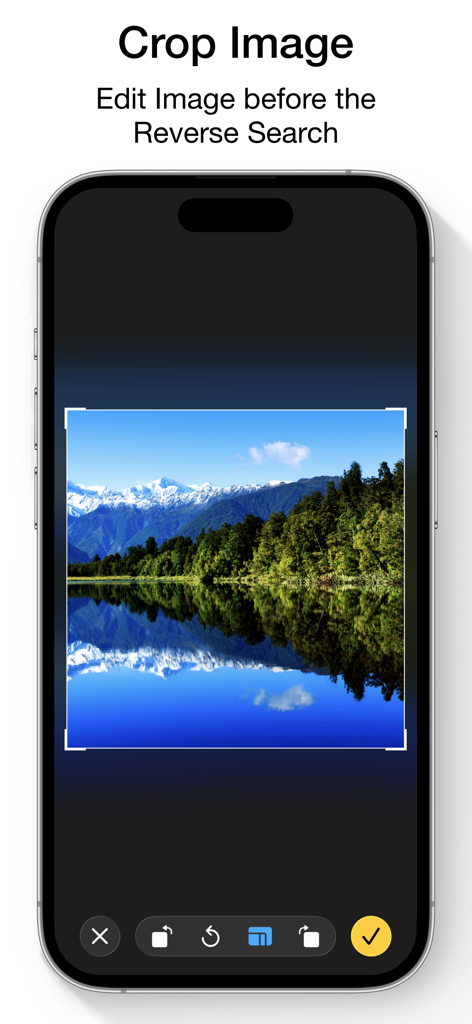
Reverse Image Search & AI Lens - Mobile app interface showing the crop tool used to edit an image before performing a reverse search.
Mobile app interface showing the crop tool used to edit an image before performing a reverse search.

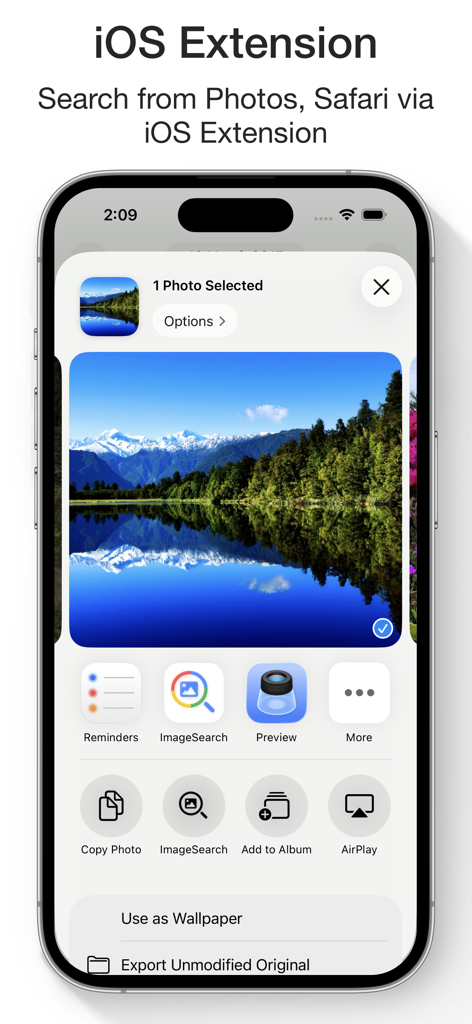
Reverse Image Search & AI Lens - iPhone screen showing the iOS share extension for the Reverse Image Search app

iPhone screen showing the iOS share extension for the Reverse Image Search app

Description

Reverse Image Search & AI Lens Search by Image, Photo, or URL – Identify Anything Instantly Ever wondered where a photo came from or who’s in it? Want to verify content, find similar images, or identify products and places? Reverse Image Search & AI Lens lets you instantly search using any image — powered by Google Lens, Bing, Yandex, and TinEye. Perfect for detecting fake photos, tracing sources, discovering high-res versions, and identifying anything with AI. Reverse Image & Keyword Search • Search by image from Camera, Photo Library, Clipboard, or Files • Paste any image URL to search instantly • Use Google Lens, Bing, Yandex, and TinEye for best results • Crop and rotate images before searching • Search directly from Safari, Photos, and other apps via Share Extension • Long press images in the built-in browser to search • Search by keywords and phrases • View and reuse your image search history • Save images from results to your device AI Lens – Object Identifier • Identify landmarks, animals, plants, products, people, places and more • Get instant info: names, facts, background details • Auto-save your scan history • Ask AI Chat for more in-depth explanations and insights about your images • View and continue your AI Chat history anytime AI Translator with OCR • Translate text from images into 40+ languages • Extract text with high-accuracy OCR • Translate pasted or typed text instantly • Copy, save, and share translations • Access your translation history anytime WHY CHOOSE REVERSE IMAGE SEARCH & AI LENS? • Identify anything in a photo with AI • Trace photo origins and sources • Detect fake or edited images • Discover visually similar or higher-resolution versions • Great for verifying social media photos, memes, or dating profiles • All-in-one tool for reverse image search, object recognition, and text translation SUBSCRIPTION: Payment will be charged to your iTunes Account upon confirmation of purchase. Subscriptions automatically renew unless auto-renew is turned off at least 24 hours before the end of the current period. Your account will be charged for renewal within 24 hours prior to the end of the current period based on the selected plan. You can manage subscriptions and turn off auto-renewal by visiting your Account Settings. Any unused portion of a free trial period will be forfeited when purchasing a subscription. Terms of Service: https://www.ipopapp.com/image/terms-of-service/ Privacy Policy: https://www.ipopapp.com/image/privacy-policy/ DISCLAIMER: This app uses Google, Bing, Yandex, and TinEye within its built-in web browser to perform reverse image searches. It is not affiliated with or endorsed by any of these services.

Download

Download on App Store

This page is not an official page of the app or its developer, but an independent editorial publication created for informational and commentary purposes. Unless expressly stated otherwise, neither the app nor its developer is affiliated with, endorsed by, sponsored by, authorized by, or otherwise officially connected with MWM, Apple, Google Play, the app publisher, or the app's developer, and nothing on this page implies that the app was developed using MWM's services. Any trademarks, logos, screenshots, and other content remain the property of their respective owners.








