
This page is not an official page of the app or its developer, but an independent editorial publication created for informational and commentary purposes. Unless expressly stated otherwise, neither the app nor its developer is affiliated with, endorsed by, sponsored by, authorized by, or otherwise officially connected with MWM, Apple, Google Play, the app publisher, or the app's developer, and nothing on this page implies that the app was developed using MWM's services. Any trademarks, logos, screenshots, and other content remain the property of their respective owners.


Rocketbook App
No longer bound by paper, users gain digital mastery over their handwritten notes. The app proves to be a robust bridge from ink to cloud.
Downloads
2.5M+User Rating
Total Ratings
30.8KPublisher
Category
BusinessLocales
4Latest Version
3.6.4Size
149.3 MBFirst Released
Oct 11, 2015An evaluation of key features driving digital productivity for physical note-takers.
Rocketbook App: Core Capabilities Analysis
Instant Cloud Integration
The app seamlessly integrates with popular cloud services (Google Drive, Dropbox, Evernote, etc.), instantly sending scanned notes and whiteboards for easy access and sharing from anywhere.
Smart Shortcut Digitization
This tool features a unique seven-symbol shortcut system, allowing users to rapidly send auto-cropped, high-quality scans directly to specific cloud destinations with minimal effort.
Advanced OCR & Search
It allows users to leverage advanced Handwriting Recognition (OCR) features to search their handwritten notes, automatically name files based on content, and receive full-page text transcriptions.
High-Quality Auto-Scanning
It provides high-quality, auto-cropped scans of notes and drawings, ensuring clarity and professional presentation of digitized content without manual adjustments.
Multi-Format & Destination Export
The app offers flexibility by allowing users to export scans as PDFs or JPEGs to various specific cloud services and communication platforms, catering to diverse organizational needs.
Rocketbook Product Compatibility
The app ensures seamless functionality across all Rocketbook notebooks and Beacons, providing a unified and efficient ecosystem for digitizing physical notes and ideas.
Frequently Asked Questions
Everything you need to know about Rocketbook App
What is the Rocketbook app?
The Rocketbook app digitizes Rocketbook pages and whiteboards with Beacons, sending enhanced scans to cloud services. It uses a seven-symbol shortcut system and offers OCR for search and file naming.
How does the Rocketbook app scan documents?
The Rocketbook app uses a device's camera to scan Rocketbook notebooks and whiteboards with Beacons. It then auto-crops and enhances these scans, preparing them for transfer to cloud services.
What cloud services integrate with the Rocketbook app?
The Rocketbook app integrates with Google Drive, Dropbox, Trello, Evernote, Box, OneDrive, OneNote, Slack, iMessage, iCloud, and Email. This allows users to send scans to specific locations.
Can the Rocketbook app convert handwriting to text?
Yes, the Rocketbook app features Handwriting Recognition (OCR). This enables users to search their handwriting within the app, use it for filenames, and receive full-page transcriptions via email.
What Rocketbook products are compatible with the Rocketbook app?
The Rocketbook app is compatible with Core, Mini, Wave, Color, One notebooks, and whiteboards enhanced with Rocketbook Beacons. These products facilitate digitization for various uses.
How does the Rocketbook app's shortcut system work?
The Rocketbook app uses a unique seven-symbol shortcut system. This system allows users to send auto-cropped, high-quality scans rapidly to specific locations within their chosen cloud services.
Can I use the Rocketbook app to scan whiteboards?
Yes, the Rocketbook app scans whiteboards when they are enhanced with Rocketbook Beacons. These adjustable attachments enable the digitization of whiteboard content for easy sharing.
What file formats does the Rocketbook app support for scans?
The Rocketbook app supports sending scans as PDFs or JPEGs. Users can select their preferred format when utilizing the app's shortcut system to send notes to cloud destinations.
Does the Rocketbook app offer free resources?
Yes, the Rocketbook app provides information about free Rocketbook PDFs and customizable pages. These resources are available for download at start.getrocketbook.com to enhance user experience.
The following screenshots and description are sourced directly from the app's official store listing and are the property of the app developer.
App Store
Screenshots
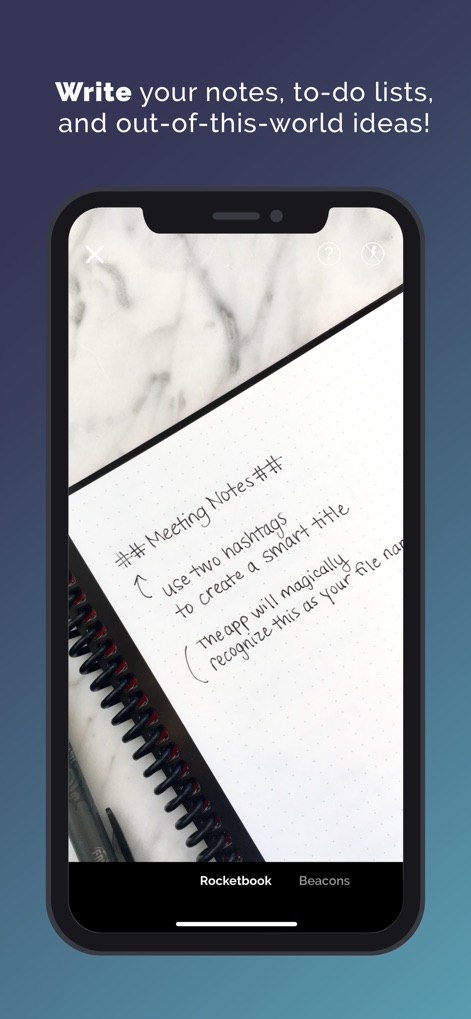
Observe how the app captures handwritten notes and leverages a simple hashtag convention for smart titles.
Capture Ideas Digitally
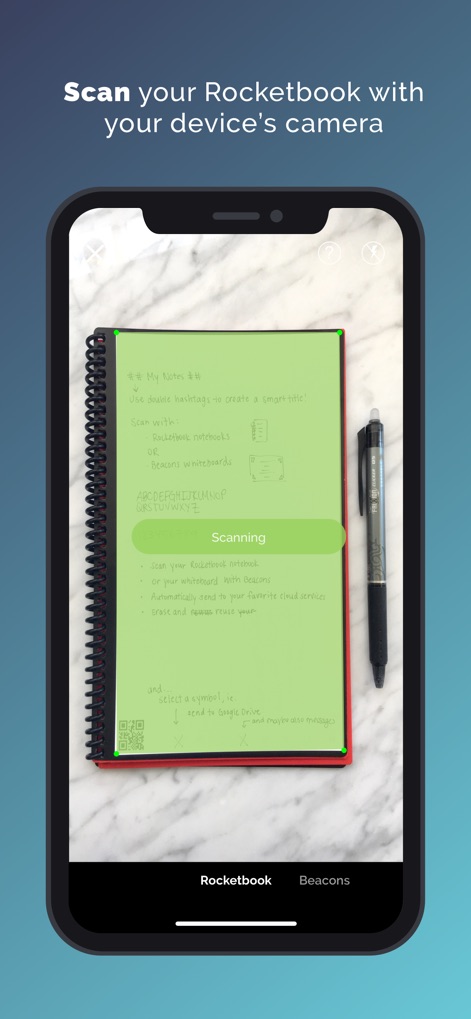
Discover the intuitive scanning interface, highlighting the live camera view with its green detection overlay and the real-time 'Scanning' progress indicator for swift digitization.
Effortless Page Scanning
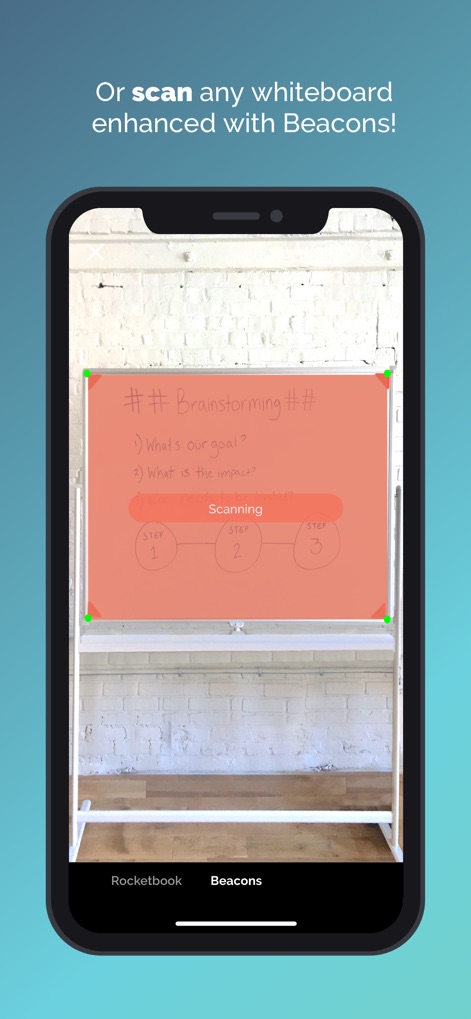
Explore the app's capability to scan whiteboards equipped with Beacons, showcasing the precise red scanning overlay that intelligently crops the content.
Digitize Whiteboard Sessions
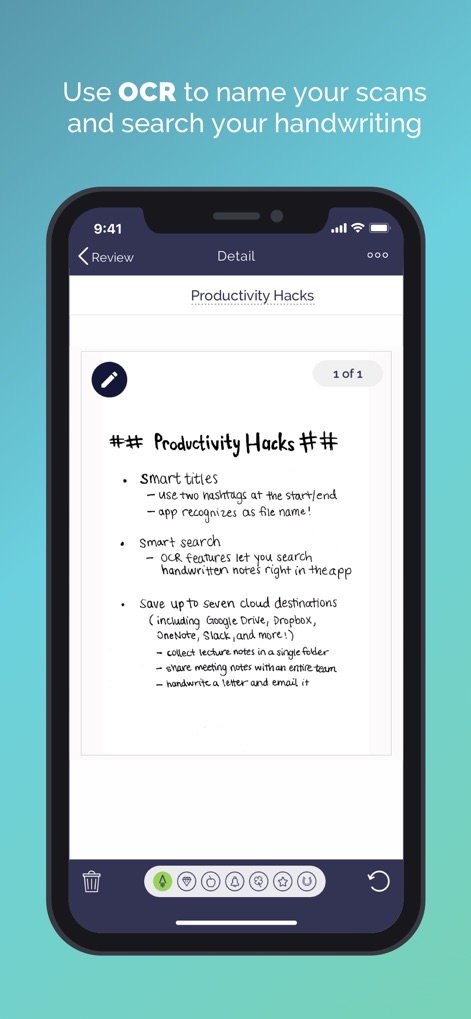
Examine the detailed review screen where OCR features enable smart search functionality and users can leverage the seven distinct shortcut icons for effortless organization.
Intelligent Note Review
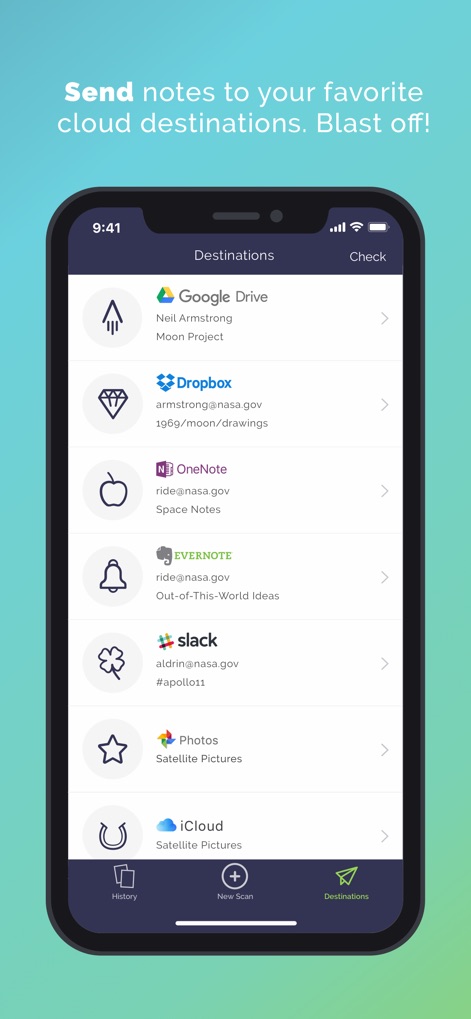
Witness the extensive list of integrated cloud services, such as Google Drive and Dropbox, demonstrating how users can effortlessly direct scans to specific accounts and folders.
Seamless Cloud Integration
Description
Download
More Like This
Apps with similar features and user experience

PDF PRO Scan Image & Documents
Balzo srl

The PDF Scanner, PDF editor HQ
NEXT K.U.M. LTD

CamScanner - PDF Scanner App
INTSIG Information Co., Ltd

Adobe Scan: PDF & OCR Scanner
Adobe Inc.

WPS Office: PDF, Docs, Sheets
KINGSOFT OFFICE SOFTWARE CORPORATION LIMITED

iLovePDF - PDF Editor & Scan
ILOVEPDF S.L.

Scanner App: Genius Scan
The Grizzly Labs

Microsoft Lens: PDF Scanner
Microsoft Corporation

Clear Scan: Doc Scanner App
INDY MOBILE APP COMPANY LIMITED
This page is not an official page of the app or its developer, but an independent editorial publication created for informational and commentary purposes. Unless expressly stated otherwise, neither the app nor its developer is affiliated with, endorsed by, sponsored by, authorized by, or otherwise officially connected with MWM, Apple, Google Play, the app publisher, or the app's developer, and nothing on this page implies that the app was developed using MWM's services. Any trademarks, logos, screenshots, and other content remain the property of their respective owners.