
This page is not an official page of the app or its developer, but an independent editorial publication created for informational and commentary purposes. Unless expressly stated otherwise, neither the app nor its developer is affiliated with, endorsed by, sponsored by, authorized by, or otherwise officially connected with MWM, Apple, Google Play, the app publisher, or the app's developer, and nothing on this page implies that the app was developed using MWM's services. Any trademarks, logos, screenshots, and other content remain the property of their respective owners.


Rogers Xfinity
Total network dominance. Users gain unwavering command over their home's digital pulse.
Downloads
1M+User Rating
Total Ratings
61.8KPublisher
Category
UtilitiesLocales
2Latest Version
5.72Size
342.0 MBFirst Released
Jun 19, 2019An analytical overview of key features driving home network control and security for internet customers.
Rogers Xfinity App: Core Functionality and User Impact
Advanced Cybersecurity
The app provides robust, 24/7 protection by automatically blocking online threats and alerting users to suspicious activity, ensuring worry-free use of all connected devices.
Parental Controls & Online Safety
It allows users to activate easy parental controls and access active time details, offering parents peace of mind regarding their family's online safety and managing screen time.
Smart Home Device Integration
This tool features the ability to link and control smart devices such as lights, thermostats, and door locks from various popular brands, centralizing home automation.
Home Self-Monitoring
For enhanced security, the app supports 24/7 self-monitoring capabilities when Rogers Xfinity Self Protection is added, enabling users to keep a vigilant eye on their home.
WiFi Optimization & Advanced Connectivity
It enables users to extend WiFi range, boost specific devices, and maintain connectivity during power outages with the Rogers Xfinity Pro add-on, significantly enhancing overall network performance.
WiFi Scheduling & Downtime Management
The app provides the functionality to pause or schedule WiFi access through downtime schedules and active time limits, offering precise control over internet usage and digital well-being.
WiFi Performance Testing
This tool allows users to test their connections, ensuring optimal WiFi performance for all connected devices without the need for external technical support, contributing to self-sufficiency.
WiFi Password Management
It allows for quick checking, updating, and sharing of the WiFi password, eliminating the hassle of forgetting or searching for network credentials and enhancing convenience.
Frequently Asked Questions
Everything you need to know about Rogers Xfinity
What is the Rogers Xfinity app?
The Rogers Xfinity app allows users to manage and protect their home WiFi and connected devices. It provides features like WiFi scheduling, parental controls, and advanced security, exclusively for Rogers Xfinity plan subscribers.
Which app did the Rogers Xfinity app replace?
The Rogers Xfinity app is an update to the previously known Ignite HomeConnect app. This new version connects users to expanded services and features.
How does the Rogers Xfinity app help manage home WiFi?
The Rogers Xfinity app enables users to see who is online, pause or schedule WiFi access with Downtime Schedules and Active Time Limits, and manage WiFi passwords. It provides comprehensive control over home network activity.
Does the Rogers Xfinity app include parental controls?
Yes, the Rogers Xfinity app includes easy Parental Controls. Users can create Downtime Schedules, set Active Time Limits, and view Active Time Details to manage their family's internet usage for added peace of mind.
Does the Rogers Xfinity app offer advanced security?
Yes, the Rogers Xfinity app offers Advanced Security. This feature automatically blocks online threats 24/7 and sends alerts about suspicious activity, protecting all connected devices at no extra cost.
Can I test my WiFi connection with the Rogers Xfinity app?
Yes, the Rogers Xfinity app allows users to test their WiFi connections. This ensures optimal performance for all connected devices without needing to contact technical support.
Can the Rogers Xfinity app control smart home devices?
Yes, the Rogers Xfinity app can link and control smart home devices. It supports smart lighting, thermostats, and doorlocks from popular brands, offering centralized management.
What is Rogers Xfinity Self Protection?
Rogers Xfinity Self Protection is an add-on to any Rogers Xfinity Internet plan. It provides 24/7 home monitoring, allowing users to keep an eye on their home directly through the app.
What are the requirements to use the Rogers Xfinity app?
To use the app, users need a Rogers Xfinity Gateway, included with specific Rogers Xfinity Bundles or Internet packages, and a MyRogers username and password to sign in. The app is designed for smartphone use.
In which regions is the Rogers Xfinity app available?
The Rogers Xfinity app is available for customers in Ontario, New Brunswick, and Newfoundland with Rogers Xfinity plans. For British Columbia, Alberta, Saskatchewan, and Manitoba, users need to download 'Rogers Xfinity (Shaw)'.
How do I start using the Rogers Xfinity app?
To start, ensure you have a Rogers Xfinity Gateway, download the app, and sign in with your MyRogers username and password. You can check for your Gateway at rogers.com/myrogers.
Is the Rogers Xfinity app compatible with tablets?
No, the Rogers Xfinity app is designed for smartphone use only. It is not compatible with tablets.
The following screenshots and description are sourced directly from the app's official store listing and are the property of the app developer.
App Store
Screenshots
The app immediately introduces its core value proposition, featuring the prominent Rogers Xfinity logo and the clear 'Manage and protect' statement.
Welcome Home
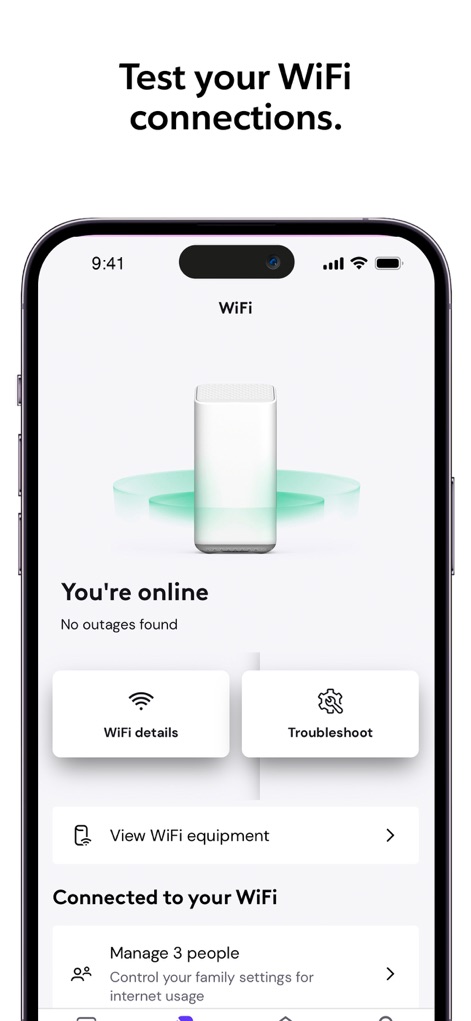
Users can effortlessly monitor their network status, viewing 'WiFi details' and managing 'Connected to your WiFi' settings directly from this central screen.
Network Hub
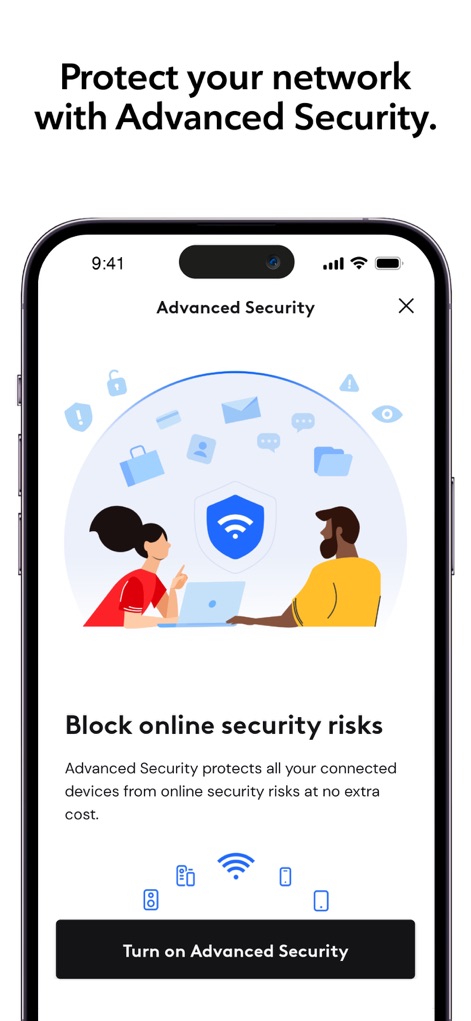
This screen highlights robust protection, showcasing the 'Advanced Security' shield icon and offering a clear 'Turn on Advanced Security' button for immediate activation.
Fortify Your Network
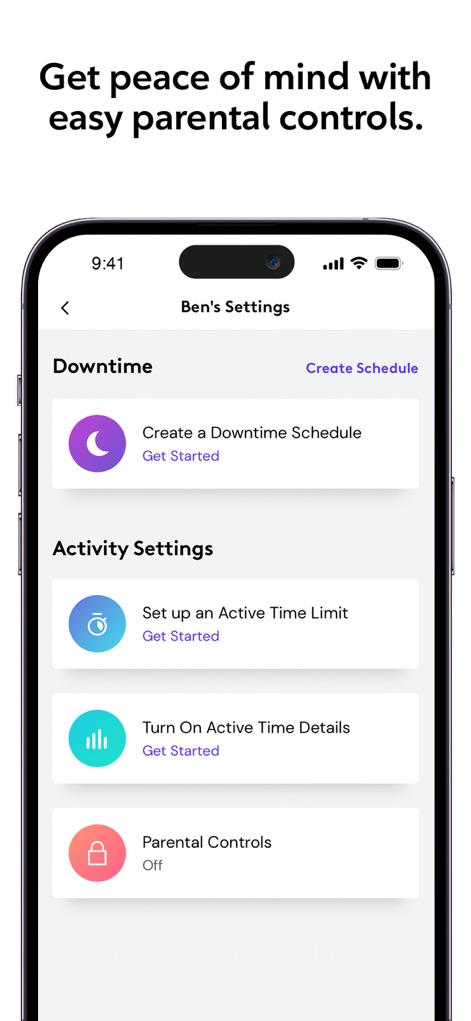
The app provides comprehensive tools for family safety, enabling 'Downtime' scheduling and allowing users to 'Turn On Active Time Details' for monitoring.
Family Safeguards
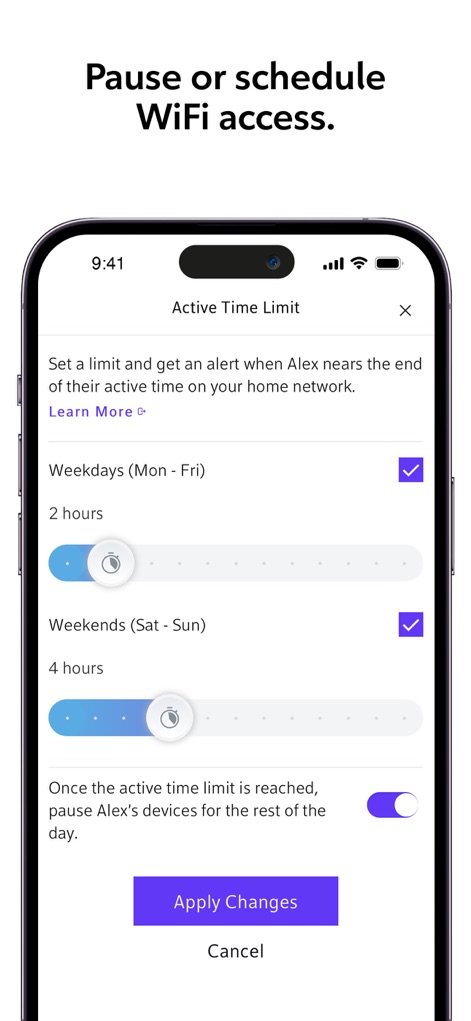
Users gain granular control over internet usage, adjusting WiFi limits with flexible weekday/weekend time sliders and confirming changes via the 'Apply Changes' button.
Customized Access
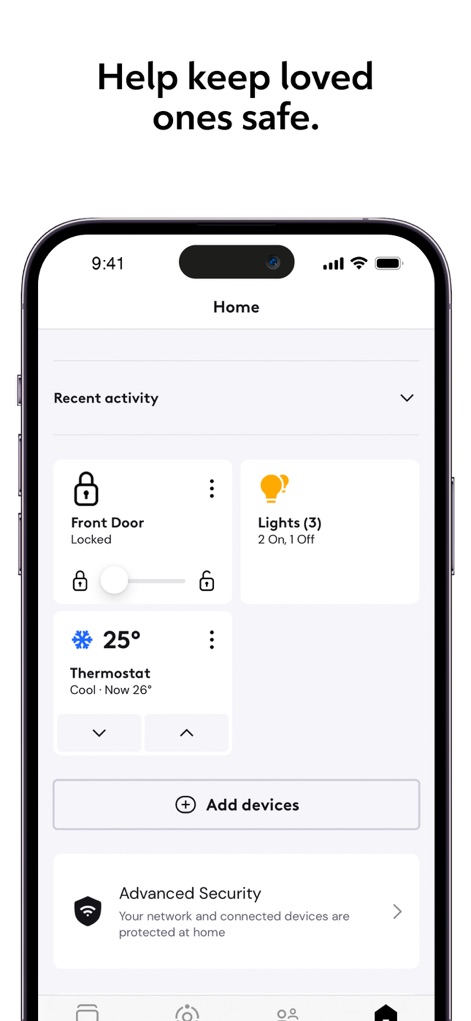
This screen offers an integrated view of home security and automation, displaying the status of the 'Front Door' lock and the overall 'Advanced Security' protection.
Smart Home Overview
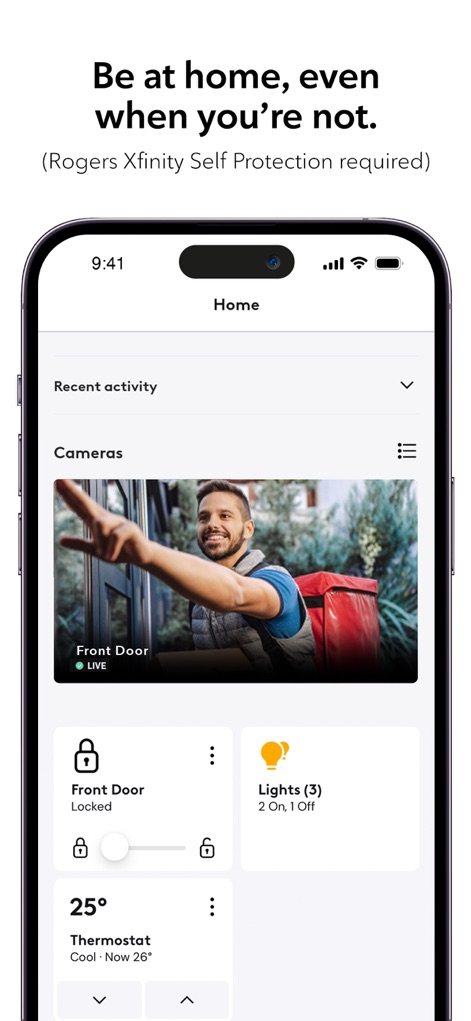
The app empowers remote home management, featuring a live 'Cameras' feed for constant vigilance and direct control over the 'Front Door' lock status.
Remote Monitoring
Description
Download
More Like This
Apps with similar features and user experience

TP-Link Tether
TP-Link Systems Inc.

Smart Home Manager
AT&T Services, Inc.

TP-Link Deco
TP-Link Systems Inc.

eero wifi system
eero LLC

MERCUSYS
MERCUSYS Technologies Co., Ltd.

TP-Link Aginet
TP-Link Systems Inc.

T-Mobile Fiber: eero
eero LLC

NETGEAR Nighthawk - WiFi App
NETGEAR, Inc.

UniFi
Ubiquiti Inc.
This page is not an official page of the app or its developer, but an independent editorial publication created for informational and commentary purposes. Unless expressly stated otherwise, neither the app nor its developer is affiliated with, endorsed by, sponsored by, authorized by, or otherwise officially connected with MWM, Apple, Google Play, the app publisher, or the app's developer, and nothing on this page implies that the app was developed using MWM's services. Any trademarks, logos, screenshots, and other content remain the property of their respective owners.