
This page is not an official page of the app or its developer, but an independent editorial publication created for informational and commentary purposes. Unless expressly stated otherwise, neither the app nor its developer is affiliated with, endorsed by, sponsored by, authorized by, or otherwise officially connected with MWM, Apple, Google Play, the app publisher, or the app's developer, and nothing on this page implies that the app was developed using MWM's services. Any trademarks, logos, screenshots, and other content remain the property of their respective owners.


T-Mobile Fiber: eero
Effortlessly manage your mesh network in minutes. From the home office to the backyard, enjoy seamless coverage for the whole family with built-in parental controls and advanced security.
Downloads
37K+User Rating
Total Ratings
800Publisher
Category
LifestyleLocales
15Latest Version
26.0.1Size
148.3 MBFirst Released
Oct 13, 2025Master Your Home WiFi
The T-Mobile Fiber: eero app gives you the power to manage your network, protect your devices, and keep your family connected without the tech-headache.
Whole-Home Connection
Blanket your entire home in ultra-fast Fiber WiFi, ensuring a stable connection for WFH meetings and 4K streaming in every room.
Pause on Demand
Take charge of screen time by pausing internet access or setting custom schedules for the kids with just a single tap.
Frequently Asked Questions
Everything you need to know about T-Mobile Fiber: eero
How do I set up my T-Mobile Fiber: eero WiFi system?
The T-Mobile Fiber: eero app facilitates quick setup of your eero devices. The system blankets your home with fast, reliable WiFi, with setup typically completed in minutes.
What network management features does the T-Mobile Fiber: eero app provide?
The T-Mobile Fiber: eero app allows users to view and manage their network from anywhere. It also enables automatic updates, performance improvements, and the latest eero security standards.
Can I share my T-Mobile Fiber: eero network securely with guests?
Yes, the T-Mobile Fiber: eero app allows easy and secure sharing of your network with guests. A guest network provides internet access while blocking access to personal network files and smart devices.
How can I manage screen time using the T-Mobile Fiber: eero app?
The T-Mobile Fiber: eero app allows users to schedule or pause internet access for specific devices or profiles to manage screen time. It also enables blocking devices from using your network.
Does the T-Mobile Fiber: eero system receive automatic updates?
Yes, the T-Mobile Fiber: eero system receives frequent automatic software updates. These updates improve performance, add new features, and enhance security standards for your network.
Can I see which devices are connected to my T-Mobile Fiber: eero network?
Yes, the T-Mobile Fiber: eero app displays all connected devices on your network. You can view both online and offline devices, and manage them through profiles.
Where can I find the Terms of Service and Privacy Policy for T-Mobile Fiber: eero?
The eero Terms of Service are available at eero.com/legal/tos, and the Privacy Policy at eero.com/legal/privacy. T-Fiber residential Terms of Service are also at fiber.t-mobile.com/legal/residential-terms.
The following screenshots and description are sourced directly from the app's official store listing and are the property of the app developer.
App Store
Screenshots
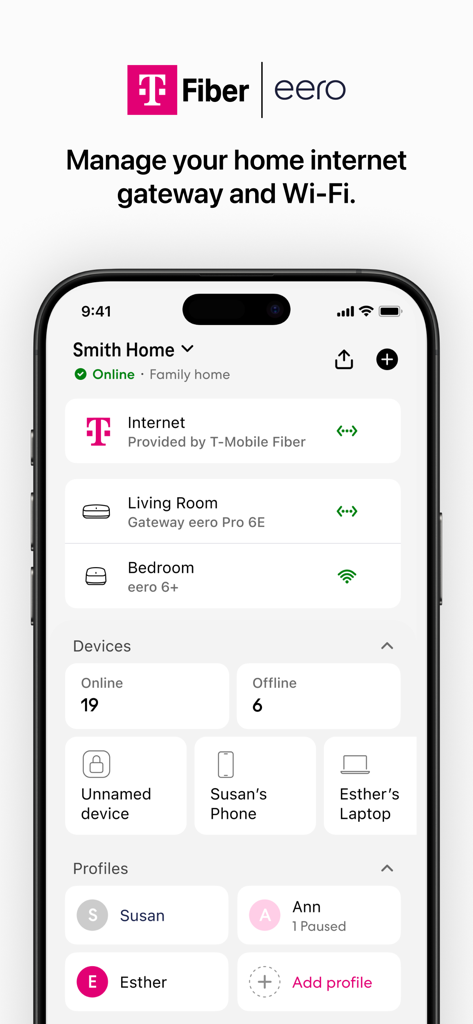
T-Mobile Fiber eero app dashboard showing home network status and connected devices
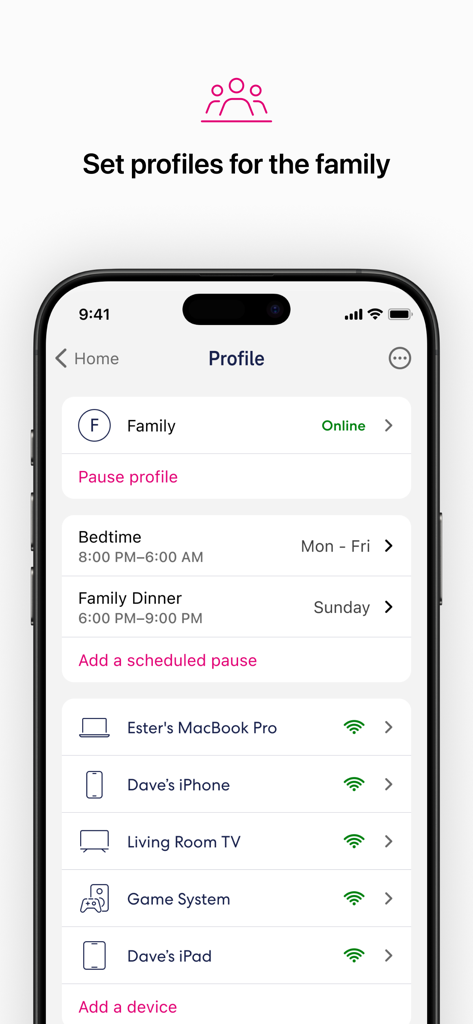
T-Mobile Fiber eero app screenshot showing family profile settings with scheduled internet pauses for bedtime and family dinner across multiple devices.
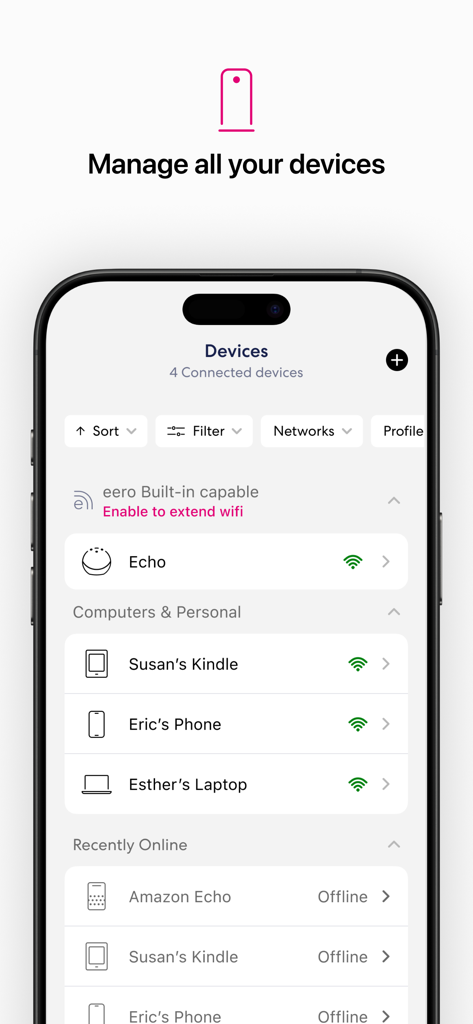
T-Mobile Fiber eero app screen displaying a list of connected devices and their wifi status
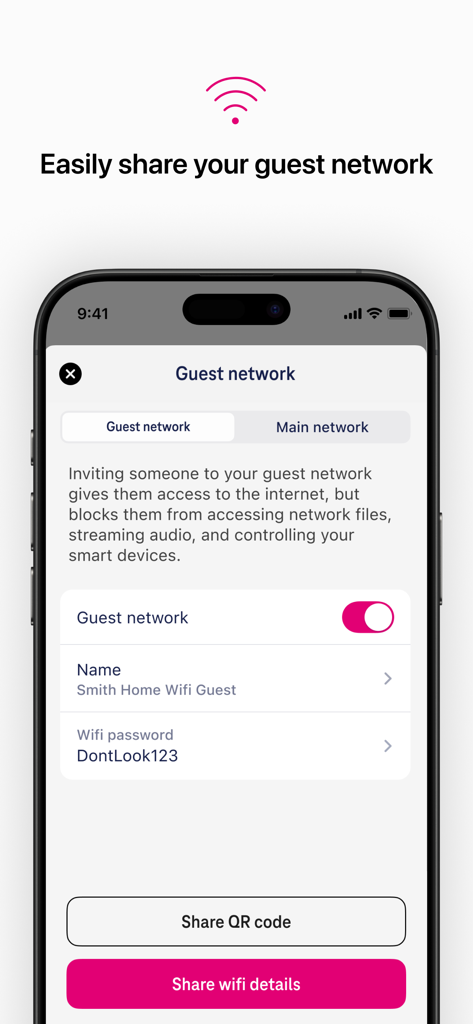
Guest network management screen in the T-Mobile Fiber eero app showing wifi sharing options
Description
Download
More Like This
Apps with similar features and user experience

TP-Link Tether
TP-Link Systems Inc.

Smart Home Manager
AT&T Services, Inc.

TP-Link Deco
TP-Link Systems Inc.
eero wifi system
eero LLC

MERCUSYS
MERCUSYS Technologies Co., Ltd.

TP-Link Aginet
TP-Link Systems Inc.

NETGEAR Nighthawk - WiFi App
NETGEAR, Inc.

UniFi
Ubiquiti Inc.

tpMiFi
TP-Link Systems Inc.
This page is not an official page of the app or its developer, but an independent editorial publication created for informational and commentary purposes. Unless expressly stated otherwise, neither the app nor its developer is affiliated with, endorsed by, sponsored by, authorized by, or otherwise officially connected with MWM, Apple, Google Play, the app publisher, or the app's developer, and nothing on this page implies that the app was developed using MWM's services. Any trademarks, logos, screenshots, and other content remain the property of their respective owners.