
This page is not an official page of the app or its developer, but an independent editorial publication created for informational and commentary purposes. Unless expressly stated otherwise, neither the app nor its developer is affiliated with, endorsed by, sponsored by, authorized by, or otherwise officially connected with MWM, Apple, Google Play, the app publisher, or the app's developer, and nothing on this page implies that the app was developed using MWM's services. Any trademarks, logos, screenshots, and other content remain the property of their respective owners.


tpMiFi
The essential companion for your TP-Link Mobile Wi-Fi. Effortlessly monitor data usage, manage battery life, and secure your connection on the go.
Downloads
1M+User Rating
Total Ratings
5K+Publisher
Category
ProductivityLocales
16Latest Version
2.4.32Size
31.1 MBFirst Released
Jun 9, 2015Total Control of Your Mobile Office
The tpMiFi app puts the power of your TP-Link Mobile Wi-Fi right in your pocket, making remote work and travel seamless, secure, and cost-effective.
Eliminate Data Overages
Monitor your usage in real-time and set monthly caps to avoid surprise bill shocks from your carrier.
One-Tap Device Security
See exactly who is using your bandwidth and block unwelcome devices instantly to keep your connection private.
Frequently Asked Questions
Everything you need to know about tpMiFi
What is the tpMiFi app?
Yes, tpMiFi is an app designed to manage your TP-Link Mobile Wi-Fi devices directly from a connected iPhone, offering control over various features.
How do I connect my iPhone to the tpMiFi app?
To use tpMiFi, your iPhone must be connected to the Wi-Fi network of your TP-Link Mobile Wi-Fi device. Management features are only available under this condition.
Which TP-Link Mobile Wi-Fi devices are compatible with tpMiFi?
tpMiFi is compatible with TP-Link Mobile Wi-Fi models including M7650, M7450, M7350, M7310, M7300, M7200, M7010, and M7000.
Can I monitor data usage with the tpMiFi app?
Yes, tpMiFi allows monitoring current data usage, setting monthly allowances, and adjusting data consumption for your TP-Link Mobile Wi-Fi device.
How does tpMiFi manage connected devices?
Yes, tpMiFi manages connected devices by allowing you to view them and block any unwanted devices by sliding their entry and tapping 'Block'.
Can I check the battery status of my Mobile Wi-Fi using tpMiFi?
Yes, tpMiFi monitors your Mobile Wi-Fi's battery life in real-time, displays its percentage and remaining time, and enables a power-saving mode.
Does tpMiFi allow managing files on an SD card?
Yes, tpMiFi allows you to share, download, and upload files to and from the SD card inserted in your TP-Link Mobile Wi-Fi device.
Can I change my Mobile Wi-Fi's wireless settings with tpMiFi?
Yes, tpMiFi enables customization of wireless settings, including changing your Mobile Wi-Fi's SSID (Wi-Fi name) and wireless password.
What advanced functions does the tpMiFi app provide?
Yes, tpMiFi provides advanced functions such as firmware upgrades, powering off, rebooting, and performing a factory default restore for the Mobile Wi-Fi device.
Can I view and reply to SMS messages via the tpMiFi app?
Yes, tpMiFi allows you to view and reply to SMS messages received by your Mobile Wi-Fi device through its dedicated Inbox feature.
The following screenshots and description are sourced directly from the app's official store listing and are the property of the app developer.
App Store
Screenshots
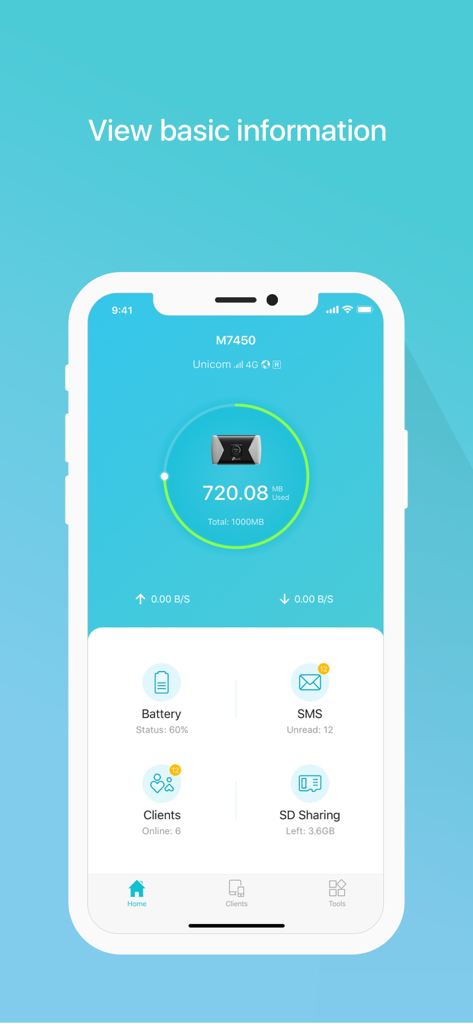
tpMiFi app dashboard showing data usage and battery status
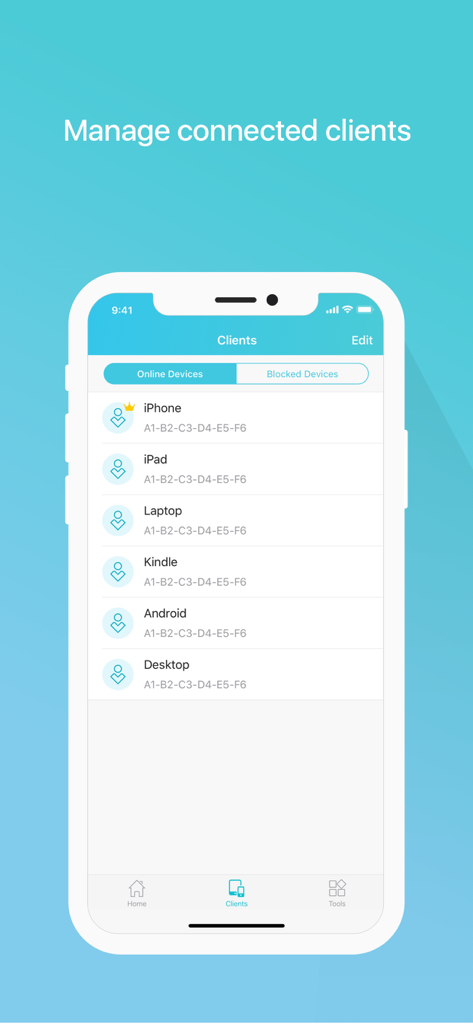
TP-Link tpMiFi app screen showing a list of connected devices like iPhone, iPad and Laptop for network management
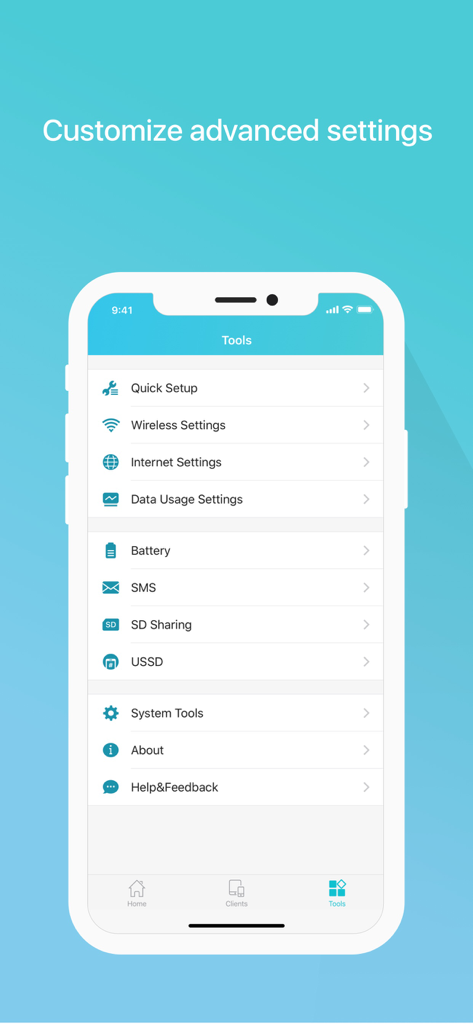
Smartphone screen displaying the tpMiFi app tools menu with options for wireless settings and data management.
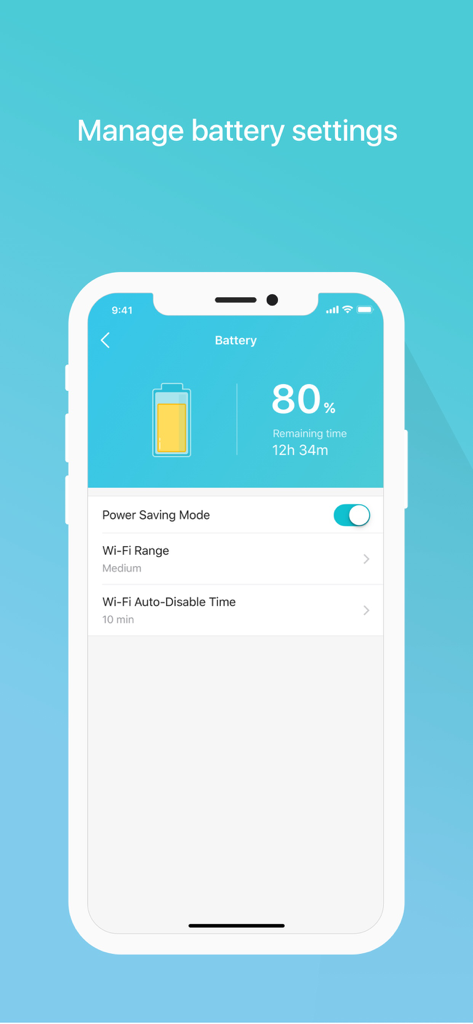
Screenshot of the tpMiFi app showing battery percentage remaining time and power saving settings
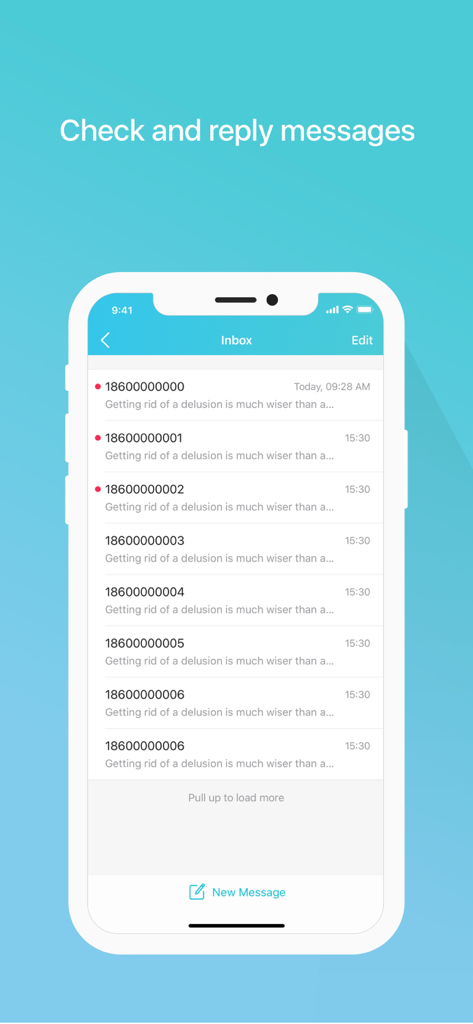
TP-Link tpMiFi app screen showing the SMS message inbox and reply interface.
Description
Download
More Like This
Apps with similar features and user experience

TP-Link Tether
TP-Link Systems Inc.

Smart Home Manager
AT&T Services, Inc.

TP-Link Deco
TP-Link Systems Inc.

eero wifi system
eero LLC

MERCUSYS
MERCUSYS Technologies Co., Ltd.

TP-Link Aginet
TP-Link Systems Inc.

T-Mobile Fiber: eero
eero LLC

NETGEAR Nighthawk - WiFi App
NETGEAR, Inc.

UniFi
Ubiquiti Inc.
This page is not an official page of the app or its developer, but an independent editorial publication created for informational and commentary purposes. Unless expressly stated otherwise, neither the app nor its developer is affiliated with, endorsed by, sponsored by, authorized by, or otherwise officially connected with MWM, Apple, Google Play, the app publisher, or the app's developer, and nothing on this page implies that the app was developed using MWM's services. Any trademarks, logos, screenshots, and other content remain the property of their respective owners.