
This page is not an official page of the app or its developer, but an independent editorial publication created for informational and commentary purposes. Unless expressly stated otherwise, neither the app nor its developer is affiliated with, endorsed by, sponsored by, authorized by, or otherwise officially connected with MWM, Apple, Google Play, the app publisher, or the app's developer, and nothing on this page implies that the app was developed using MWM's services. Any trademarks, logos, screenshots, and other content remain the property of their respective owners.

Smart Home Manager
Downloads
12.5M+User Rating
Total Ratings
436.2KPublisher
Category
ProductivityLocales
1Latest Version
2.2603.260Size
84.6 MBFirst Released
Aug 23, 2017Key Features Analysis: Smart Home Manager
An evaluation of essential functionalities tailored for AT&T Internet subscribers.
Parental Controls & Device Pausing
It provides robust parental controls, allowing users to set downtime schedules and pause internet access for specific devices, directly addressing family screen time management.
Network Security (ActiveArmor)
The app ensures comprehensive device and network protection through its integrated AT&T ActiveArmor internet security, enhancing online safety.
Network Diagnostics & Performance
This tool allows users to monitor network health, receive notifications for issues or outages, and perform speed tests to optimize internet performance.
Device Management & Personalization
The app enables users to view all connected devices, personalize their names, and organize them into profiles for better network oversight.
Wi-Fi Credential Management
It allows users to easily view, update, and share their Wi-Fi network name and password, simplifying network access management.
Virtual Assistant Support
This tool provides troubleshooting assistance and delivers customized recommendations via its integrated Virtual Assistant.
Frequently Asked Questions
Everything you need to know about Smart Home Manager
What is the AT&T Smart Home Manager app?
The AT&T Smart Home Manager app guides users through self-setup for new service and provides tools to manage their AT&T internet network. It offers Wi-Fi management, device control, and network security.
Who can use the AT&T Smart Home Manager app?
Yes, AT&T Smart Home Manager is available to AT&T Internet service customers with a compatible AT&T Wi-Fi Gateway. Feature availability depends on the specific Wi-Fi gateway model.
Can I manage my Wi-Fi network with AT&T Smart Home Manager?
Yes, the AT&T Smart Home Manager app allows you to view, update, and share your Wi-Fi name and password. You can also manage other Wi-Fi settings directly within the app.
How does AT&T Smart Home Manager help manage screen time?
The AT&T Smart Home Manager app helps manage screen time by allowing users to set downtime schedules. You can also quickly and easily pause specific devices connected to your network.
Does the AT&T Smart Home Manager app offer internet security?
Yes, the AT&T Smart Home Manager app includes AT&T ActiveArmor℠ internet security. It provides built-in, 24/7 device and network protection, blocking various threats like spam, malware, and phishing.
Does AT&T Smart Home Manager provide troubleshooting assistance?
Yes, the AT&T Smart Home Manager app provides troubleshooting help and customized recommendations through its Virtual Assistant. It also helps users easily find weak Wi-Fi signals in their location.
Can I check my internet speed with AT&T Smart Home Manager?
Yes, you can check your internet speed using the AT&T Smart Home Manager app. It allows you to run speed tests to your Wi-Fi gateway and directly to connected devices.
Does the Smart Home Manager app include content filtering?
Yes, the AT&T Smart Home Manager app includes content filtering options. Users can choose or customize filters like "Kid" or "Teen" to restrict access to specific content types.
The following screenshots and description are sourced directly from the app's official store listing and are the property of the app developer.
App Store
Screenshots
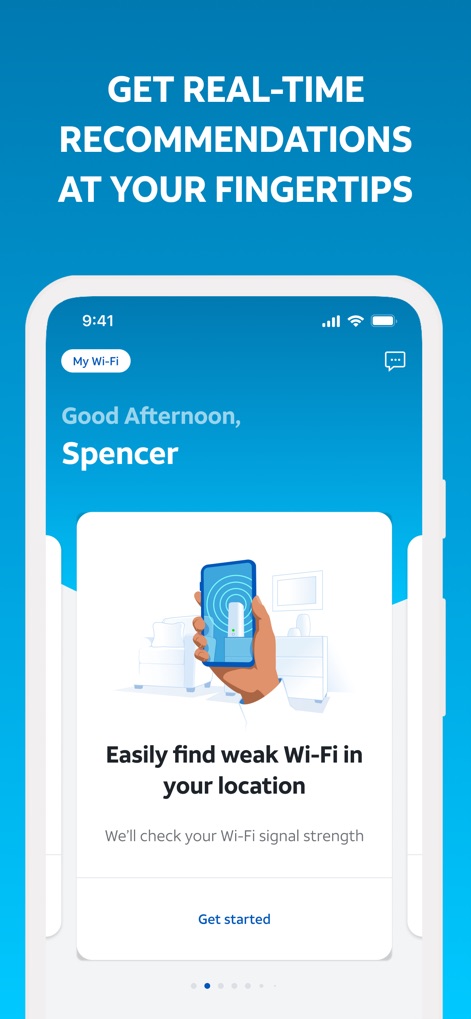
Personalized Network Insights
Discover how the app delivers personalized recommendations, like a greeting by name, and identifies weak Wi-Fi areas for optimal performance.
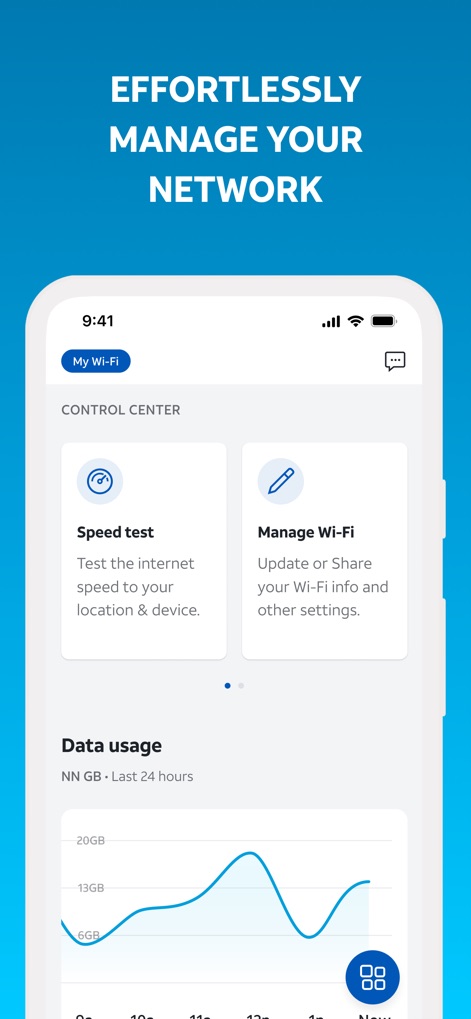
Network Control Hub
This central control panel showcases essential tools, including a quick speed test function and a detailed data usage graph, for comprehensive network management.
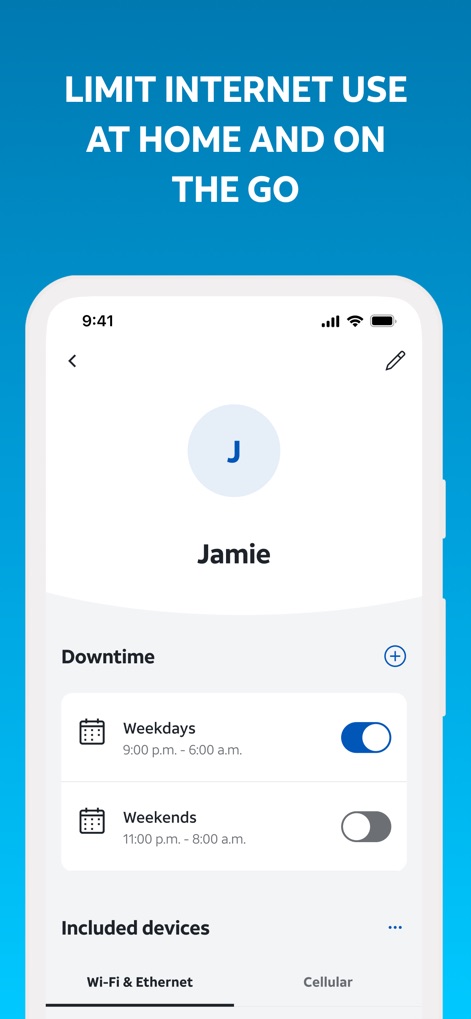
Smart Parental Controls
Explore how users can manage family screen time with individual user profiles and set precise downtime schedules for weekdays and weekends.
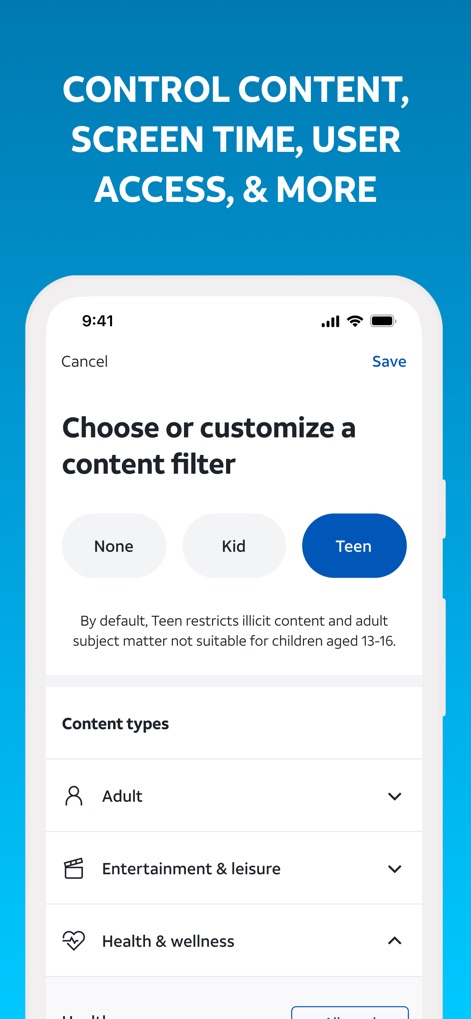
Content Filtering Options
Witness the robust content filtering capabilities, offering predefined options like 'Kid' and 'Teen' filters, alongside granular control over content types such as 'Adult' and 'Entertainment & leisure'.

Advanced Security Dashboard
This view illustrates the app’s proactive security, displaying a cumulative count of blocked network threats and a clear pie chart detailing the various threat types, including spam and malware.
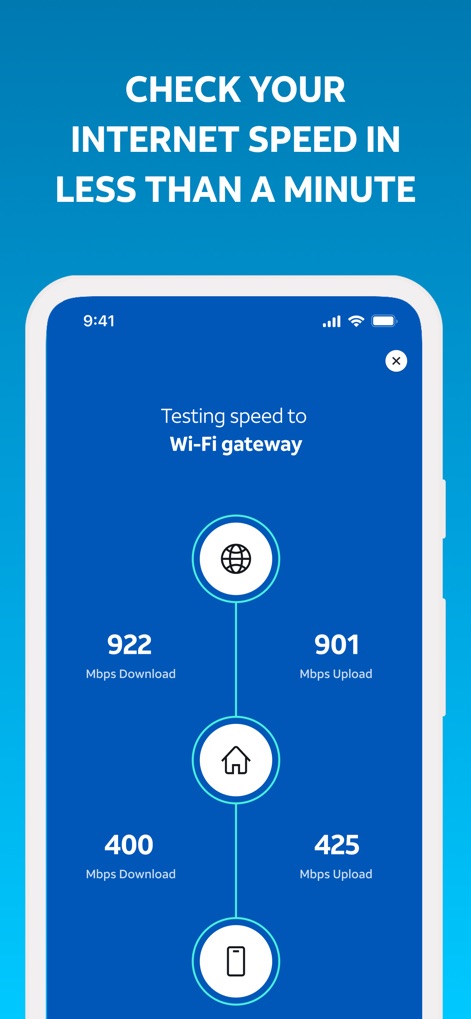
Instant Speed Check
Observe the streamlined process for assessing internet performance, featuring a clear visual flow from the Wi-Fi gateway to the device and precise readouts of download and upload speeds.
Description
Download
More Like This
Apps with similar features and user experience

TP-Link Tether
TP-Link Systems Inc.

TP-Link Deco
TP-Link Systems Inc.

eero wifi system
eero LLC

MERCUSYS
MERCUSYS Technologies Co., Ltd.

TP-Link Aginet
TP-Link Systems Inc.

T-Mobile Fiber: eero
eero LLC

NETGEAR Nighthawk - WiFi App
NETGEAR, Inc.

UniFi
Ubiquiti Inc.

Freebox Connect
Freebox
This page is not an official page of the app or its developer, but an independent editorial publication created for informational and commentary purposes. Unless expressly stated otherwise, neither the app nor its developer is affiliated with, endorsed by, sponsored by, authorized by, or otherwise officially connected with MWM, Apple, Google Play, the app publisher, or the app's developer, and nothing on this page implies that the app was developed using MWM's services. Any trademarks, logos, screenshots, and other content remain the property of their respective owners.