
This page is not an official page of the app or its developer, but an independent editorial publication created for informational and commentary purposes. Unless expressly stated otherwise, neither the app nor its developer is affiliated with, endorsed by, sponsored by, authorized by, or otherwise officially connected with MWM, Apple, Google Play, the app publisher, or the app's developer, and nothing on this page implies that the app was developed using MWM's services. Any trademarks, logos, screenshots, and other content remain the property of their respective owners.

TP-Link Tether
Wireless dominion claimed: This app transforms your mobile device into the absolute command center for TP-Link hardware.
Downloads
25M+User Rating
Total Ratings
607.0KPublisher
Category
UtilitiesLocales
25Latest Version
4.13.3Size
293.5 MBFirst Released
May 17, 2013Key Features of TP-Link Tether App
An Analytical Overview for Home and SOHO Network Management
Advanced Parental Controls
The app provides robust parental control functionalities, enabling users to schedule internet access, manage time limits, and filter websites to ensure a safe online environment for children.
Comprehensive Network Configuration
It allows users to easily set up and modify network essentials such as Wi-Fi SSID, password, and various Internet or VDSL/ADSL settings directly from their mobile device.
Client Device Management and Security
This tool features the ability to view all connected devices, manage their access permissions, and block unauthorized users from accessing the network, enhancing overall security and control.
Unified Multi-Device Control
The app provides a centralized platform to manage multiple TP-Link devices simultaneously, including routers and range extenders, streamlining network administration for users with complex setups.
Range Extender Placement Assistant
It allows users to identify the optimal location for placing their TP-Link range extender, ensuring the best possible Wi-Fi coverage and performance throughout their home or office.
Scheduled LED Control
This tool features the convenience of automatically turning off device LEDs at specific times, which can prevent light disturbance during certain hours, especially at night.
Frequently Asked Questions
Everything you need to know about TP-Link Tether
What is the TP-Link Tether app used for?
TP-Link Tether is a mobile application that allows users to access and manage their TP-Link Router, xDSL Router, and Range Extender devices. It provides a simple interface for device status, client management, and network settings.
How does TP-Link Tether facilitate the setup of my TP-Link router?
TP-Link Tether facilitates setup by guiding users to connect their TP-Link router to a modem's WAN port via an Ethernet cable. The app then provides an easy, straightforward configuration process for network settings like SSID and passwords.
Does the TP-Link Tether app include parental control features?
Yes, TP-Link Tether includes parental control functionality. Users can manage schedules and apply URL-based internet access restrictions for client devices, as well as block or adjust access for specific family members.
How can I view connected devices using the TP-Link Tether app?
Yes, TP-Link Tether allows users to view all online client devices. The app displays a list of connected devices, including their online status, upload/download rates, and connection types like Wi-Fi bands (5G, 6G).
What network security features does the TP-Link Tether app provide?
TP-Link Tether includes network security features, enhanced by HomeShield Pro. This protection encompasses web protection, intrusion prevention, and IoT protection, safeguarding the network from malicious attacks.
Can I block unauthorized users from my network using TP-Link Tether?
Yes, TP-Link Tether allows users to block unauthorized devices accessing their network. It provides tools to manage permissions of client devices and control who connects to the network.
Does TP-Link Tether require a firmware upgrade for my device?
Yes, a firmware upgrade is required for TP-Link Tether to function correctly. Users must visit the TP-Link download page to choose and install the correct, latest firmware version for their specific device.
Can the TP-Link Tether app manage multiple TP-Link devices simultaneously?
Yes, the TP-Link Tether app allows users to manage most of their compatible TP-Link devices simultaneously. This includes various routers, xDSL routers, and range extenders.
Where can I find a list of devices compatible with TP-Link Tether?
A list of compatible routers for TP-Link Tether is available on the TP-Link website. The app's description provides a direct link to this product list for user reference.
Does the TP-Link Tether app function when connected to a guest network?
No, TP-Link Tether does not work when connected to a guest network. For proper functionality, the mobile device running the app must be connected to the main network managed by the TP-Link device.
How does TP-Link Tether help optimize range extender placement?
TP-Link Tether helps users find the optimal location to place their range extender. This feature guides users to ensure maximum Wi-Fi coverage and performance for their entire network.
Can I get network activity reports from TP-Link Tether?
Yes, TP-Link Tether generates reports on network data. These reports can include network protection summaries, detailing potential risks prevented, network scans, and optimizations over specified periods.
The following screenshots and description are sourced directly from the app's official store listing and are the property of the app developer.
App Store
Screenshots
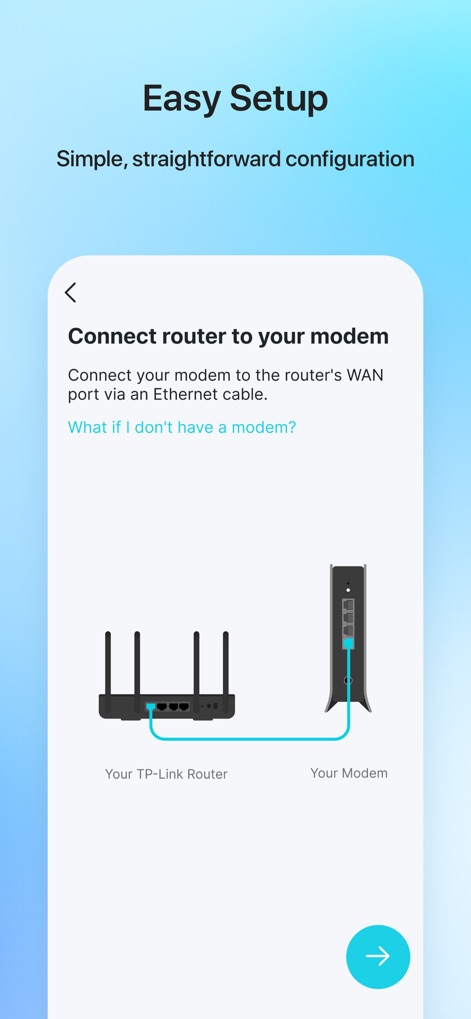
Seamless Setup Flow
Users can quickly configure their network devices, guided by a clear router-to-modem diagram and concise connection instructions.
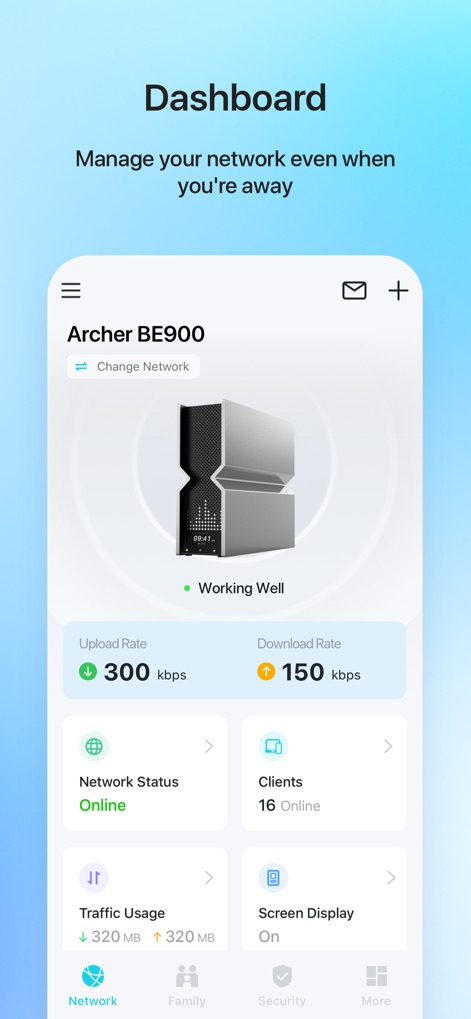
Real-time Dashboard
The app offers an at-a-glance dashboard displaying crucial network metrics like upload/download rates and the number of active clients.
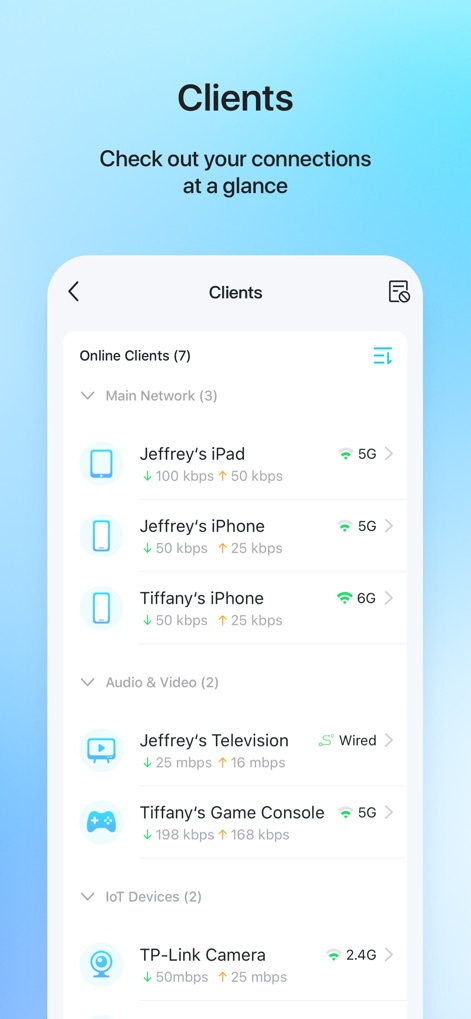
Connected Devices
This tool provides a detailed view of all connected devices, showing individual client names and their real-time bandwidth consumption.
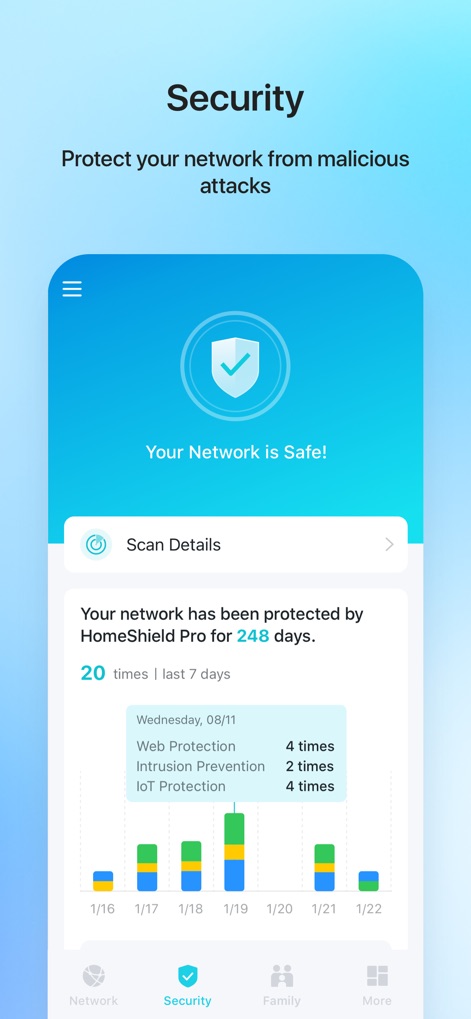
Network Protection
Users can monitor their network's security status through the prominent 'Your Network is Safe!' indicator and a detailed graph of prevention activities.
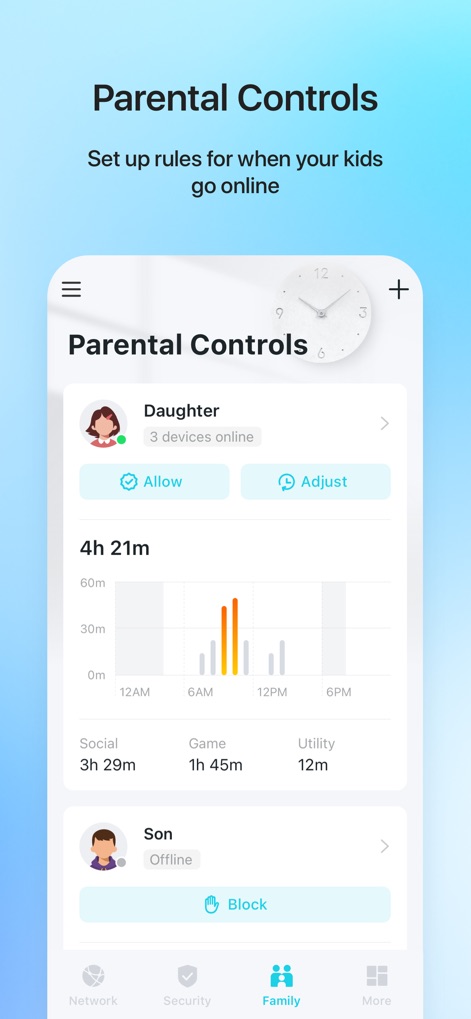
Family Management
The app empowers users with robust parental controls, featuring individual child profiles and detailed usage timeline graphs for managing online activity.
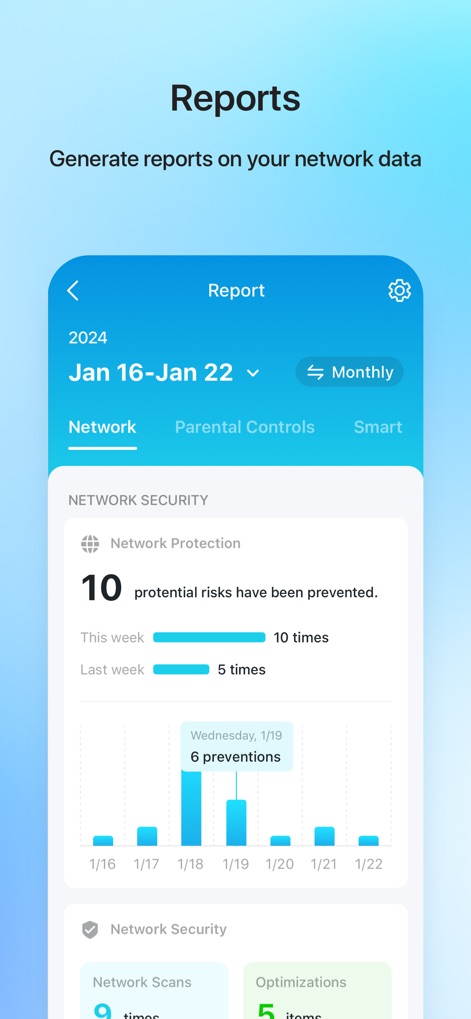
Activity Reports
The app generates comprehensive reports, allowing users to view network protection details and analyze historical prevention graphs.
Description
Download
More Like This
Apps with similar features and user experience

Smart Home Manager
AT&T Services, Inc.

TP-Link Deco
TP-Link Systems Inc.

eero wifi system
eero LLC

MERCUSYS
MERCUSYS Technologies Co., Ltd.

TP-Link Aginet
TP-Link Systems Inc.

T-Mobile Fiber: eero
eero LLC

NETGEAR Nighthawk - WiFi App
NETGEAR, Inc.

UniFi
Ubiquiti Inc.

Freebox Connect
Freebox
This page is not an official page of the app or its developer, but an independent editorial publication created for informational and commentary purposes. Unless expressly stated otherwise, neither the app nor its developer is affiliated with, endorsed by, sponsored by, authorized by, or otherwise officially connected with MWM, Apple, Google Play, the app publisher, or the app's developer, and nothing on this page implies that the app was developed using MWM's services. Any trademarks, logos, screenshots, and other content remain the property of their respective owners.