
This page is not an official page of the app or its developer, but an independent editorial publication created for informational and commentary purposes. Unless expressly stated otherwise, neither the app nor its developer is affiliated with, endorsed by, sponsored by, authorized by, or otherwise officially connected with MWM, Apple, Google Play, the app publisher, or the app's developer, and nothing on this page implies that the app was developed using MWM's services. Any trademarks, logos, screenshots, and other content remain the property of their respective owners.

TP-Link Aginet
Get online in minutes with no technician required. Effortlessly manage your Mesh WiFi, protect your family with smart parental controls, and secure your connection from anywhere.
Downloads
265K+User Rating
Total Ratings
1K+Publisher
Category
UtilitiesLocales
23Latest Version
2.13.4Size
342.6 MBFirst Released
Feb 20, 2022Master Your Home Network with Ease
From instant DIY setup to professional-grade security, Aginet puts complete control of your home connectivity in the palm of your hand.
Setup in Minutes
Skip the technician window. Our intuitive guided setup lets you activate your internet and get every room online without the wait.
Advanced Parental Controls
Promote healthy digital habits by scheduling downtime, pausing the internet for bedtime, and managing content for every member of the house.
Frequently Asked Questions
Everything you need to know about TP-Link Aginet
How does the TP-Link Aginet app simplify internet setup?
The TP-Link Aginet app provides easy setup for your home Wi-Fi network in minutes, eliminating the need for a technician to activate your internet service and get online.
Can I manage my TP-Link Aginet network remotely?
Yes, the TP-Link Aginet app allows remote access to monitor and manage your home network from anywhere using your smartphone or tablet.
What parental control features does the Aginet app offer?
The Aginet app includes Parental Controls that allow users to schedule or pause internet access and limit online time for specific devices to promote healthy internet habits.
Does the TP-Link Aginet app support mesh Wi-Fi systems?
Yes, the TP-Link Aginet app supports EasyMesh, enabling users to build and manage a flexible mesh network for seamless roaming and comprehensive home Wi-Fi system management.
How can I see connected devices on my Aginet network?
The Aginet app's Device List feature allows you to monitor all connected devices, view their details, and block devices from using your network without consent.
Does the Aginet app update network firmware for security?
Yes, the TP-Link Aginet app's Home Protection feature keeps your network firmware always updated to the latest security standards to ensure robust security.
How can I contact support for the TP-Link Aginet app?
You can reach out to support@tp-link.com for any feature requests or feedback on how to improve the TP-Link Aginet app.
Where can I find the Terms of Service for the Aginet app?
The Terms of Service for the TP-Link Aginet app are available at https://privacy.tp-link.com/app/Aginet/tou. Your agreement to these terms is implied by using the app.
The following screenshots and description are sourced directly from the app's official store listing and are the property of the app developer.
App Store
Screenshots
TP-Link Aginet splash screen showing network setup and management on a smartphone
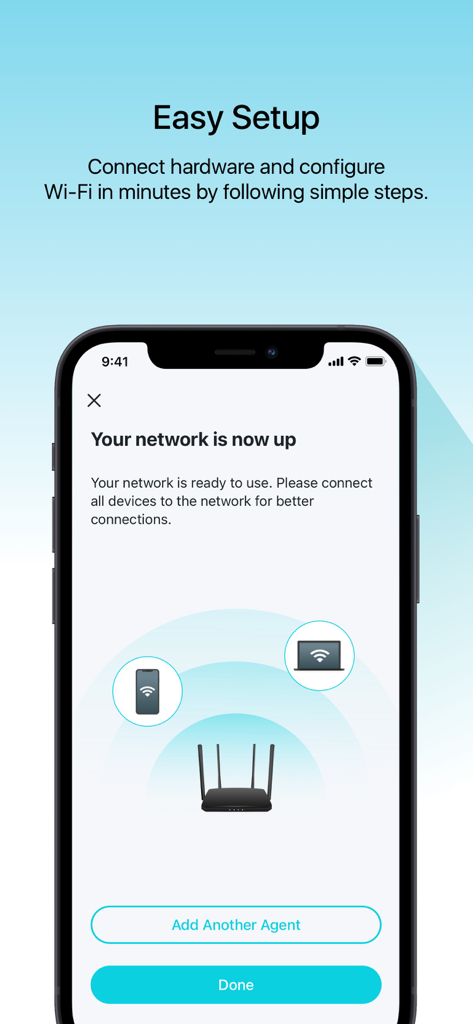
TP-Link Aginet app screen showing successful network setup with icons of a router and connected devices
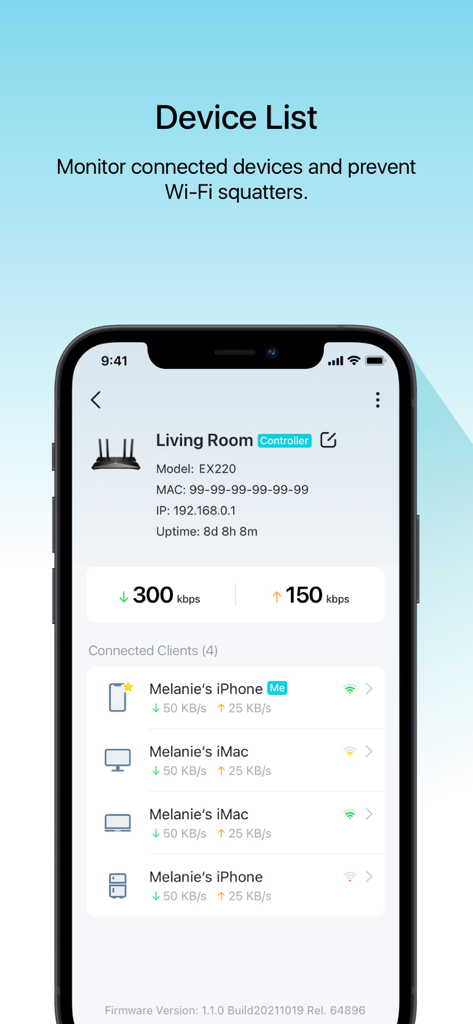
TP-Link Aginet app interface showing a list of connected devices and network traffic monitoring
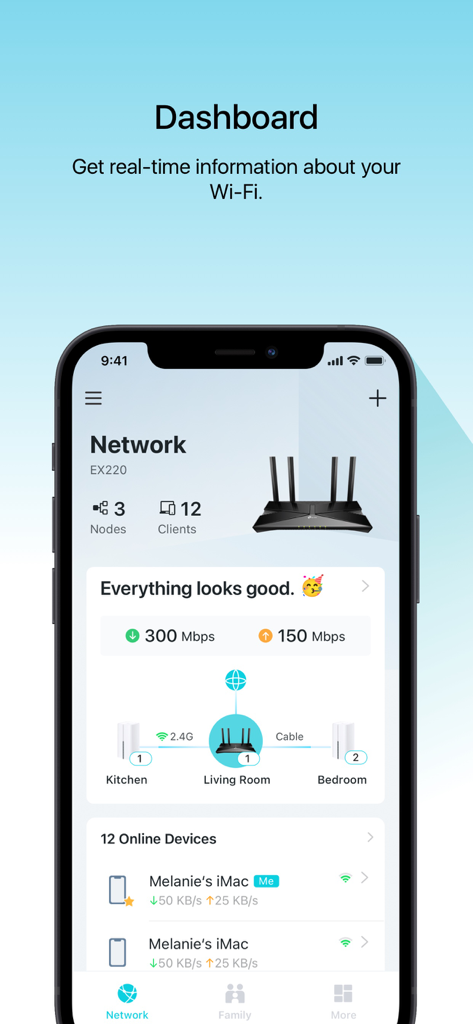
TP-Link Aginet app dashboard showing real-time network status and connected home devices
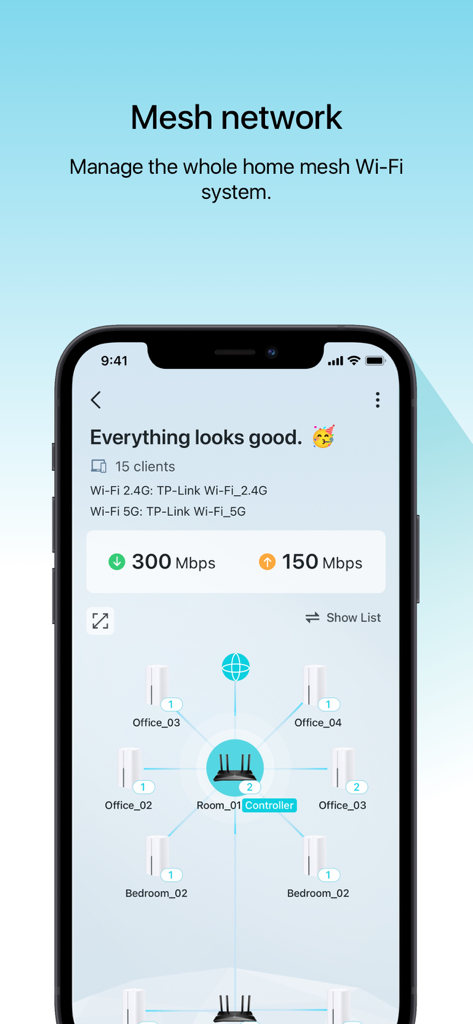
TP-Link Aginet app dashboard showing a visual map of a home mesh WiFi network and internet connection speeds
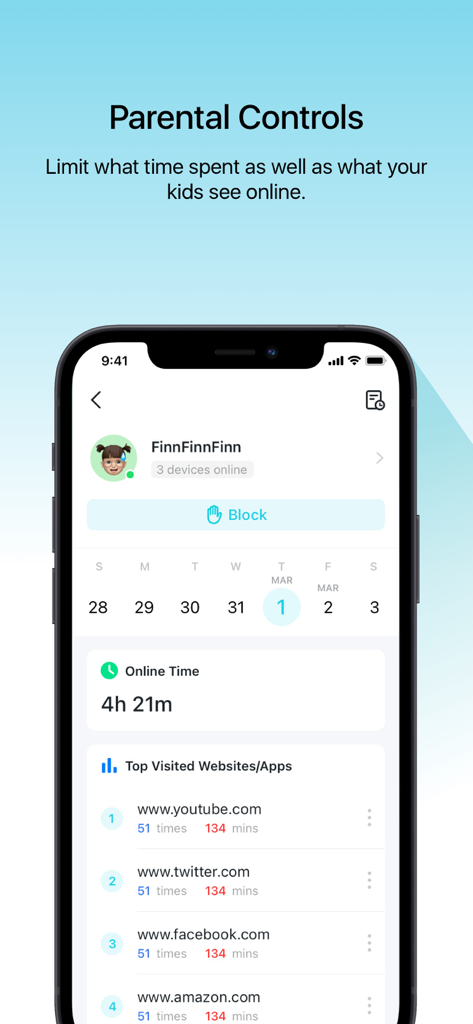
TP-Link Aginet app parental controls dashboard displaying internet usage statistics and top visited websites
Description
Download
More Like This
Apps with similar features and user experience

TP-Link Tether
TP-Link Systems Inc.

Smart Home Manager
AT&T Services, Inc.

TP-Link Deco
TP-Link Systems Inc.

eero wifi system
eero LLC

MERCUSYS
MERCUSYS Technologies Co., Ltd.

T-Mobile Fiber: eero
eero LLC

NETGEAR Nighthawk - WiFi App
NETGEAR, Inc.

UniFi
Ubiquiti Inc.

Freebox Connect
Freebox
This page is not an official page of the app or its developer, but an independent editorial publication created for informational and commentary purposes. Unless expressly stated otherwise, neither the app nor its developer is affiliated with, endorsed by, sponsored by, authorized by, or otherwise officially connected with MWM, Apple, Google Play, the app publisher, or the app's developer, and nothing on this page implies that the app was developed using MWM's services. Any trademarks, logos, screenshots, and other content remain the property of their respective owners.