
This page is not an official page of the app or its developer, but an independent editorial publication created for informational and commentary purposes. Unless expressly stated otherwise, neither the app nor its developer is affiliated with, endorsed by, sponsored by, authorized by, or otherwise officially connected with MWM, Apple, Google Play, the app publisher, or the app's developer, and nothing on this page implies that the app was developed using MWM's services. Any trademarks, logos, screenshots, and other content remain the property of their respective owners.


Samsung Smart TV remote myTifi
Physical remotes are dead. This app grants you total command, turning your Apple device into the ultimate Samsung TV interface.
Downloads
2.5M+User Rating
Total Ratings
16.2KPublisher
Category
UtilitiesLocales
8Latest Version
9.50.2Size
49.0 MBFirst Released
Oct 21, 2011Evaluating core functionalities and their impact on the Apple-centric Smart TV user experience.
Key Feature Analysis: Samsung Smart TV Remote myTifi
Integrated Keyboard & Touchpad Navigation
It allows users to effortlessly control the TV's web browser and input text using a full iOS keyboard, eliminating the frustration of on-screen letter selection.
Fully Customizable Control Buttons
The app provides highly configurable buttons that allow instant access to favorite network channels, specific HDMI sources, and direct launch of Smart TV applications, streamlining the entertainment experience.
Gesture-Based Smart Control
This tool features intuitive swipe gestures for basic functions like changing volume and channels, alongside a two-finger tap to mute, offering a fluid and familiar control interface for Apple users.
Robust User Privacy Protection
The app ensures a privacy-aware experience, particularly in its Premium version, by minimizing data collection and ensuring no data is linked for tracking purposes, aligning with the concerns of tech-aware users.
Apple Watch Remote Functionality
It allows users to control their Samsung Smart TV directly from their Apple Watch, offering unparalleled convenience and seamless integration within the Apple ecosystem for quick adjustments.
Premium One-Time Purchase Model
The app offers a premium version accessible via a single, one-time purchase, providing full access to advanced features without recurring subscription fees, which is highly valued by its target audience.
iCloud Settings Synchronization
This tool features iCloud integration, enabling users to synchronize their personalized settings across all their Apple devices, ensuring a consistent and seamless control experience.
Advanced Macro Automation
The app provides advanced macro capabilities, allowing users to record and replay sequences of commands, such as adjusting volume during commercials, enhancing efficiency for repetitive tasks.
Frequently Asked Questions
Everything you need to know about Samsung Smart TV remote myTifi
What is myTifi for Samsung Smart TV?
myTifi is an unofficial third-party remote control app designed for Samsung Smart TVs. It enables users to control their TV with gestures, launch apps, and use a keyboard from iPhone, iPad, and Apple Watch.
Which Samsung Smart TV models are compatible with myTifi?
myTifi supports all Samsung Smart TVs from model year 2010 (C-Series) up to the latest 2025 models. It works with various series including H-Series for app launching and K-Series or higher for switching on the TV.
Does myTifi offer gesture control for Samsung Smart TVs?
Yes, myTifi allows controlling your Samsung Smart TV with gestures. Swipe gestures change the volume and channel, while a two-finger tap mutes the audio.
Can I launch TV apps directly using the myTifi app?
Yes, myTifi enables users to launch their favorite TV apps instantly with customizable remote buttons. This feature is available on Samsung H-Series (model year 2014) or later TVs.
Does myTifi provide a keyboard for text input on Samsung Smart TVs?
Yes, myTifi includes a keyboard feature. Users can send text to their Samsung TV, such as web addresses, using the iOS keyboard via the 'Navigate' tab.
Is a subscription required to use the myTifi Samsung TV remote app?
No, myTifi is not subscription-based. After an evaluation period of Premium features during the first 25 TV connections, users can become a Premium user via a one-time purchase.
How does the myTifi app address user privacy?
myTifi protects user privacy. In the Premium or Ad-free version, only 'Data not linked to you' is used for internal diagnostics. The standard version uses 'Data used to track you' for advertisement purposes.
Can I use channel logos to change channels with myTifi?
Yes, myTifi allows switching channels using configurable buttons with network logos. Users press a logo, and the TV directly goes to the matching channel, even with digital media boxes.
Can myTifi power on my Samsung Smart TV?
Yes, myTifi can switch on Samsung K-Series or higher TVs. This specific functionality is a Premium feature available after purchase or during the evaluation period.
Is myTifi compatible with Apple Watch for Samsung TV control?
Yes, myTifi extends control to Apple Watch. Users can manage their Samsung Smart TV using gestures directly from their Apple Watch. This is a Premium feature.
How do I connect myTifi to my Samsung Smart TV?
To connect myTifi, first switch on your compatible TV and connect it to your network. Then, enable Wi-Fi on your iPhone, let myTifi search for TVs, and select yours. Approval or a PIN may be required.
Can myTifi control more than one Samsung Smart TV?
Yes, myTifi allows users to manage multiple Samsung TVs. The app remembers all discovered TVs and supports switching between them, even if found on different networks.
The following screenshots and description are sourced directly from the app's official store listing and are the property of the app developer.
App Store
Screenshots

The app offers a familiar remote layout with a power button and dedicated app shortcuts for popular streaming services.
Seamless Control Hub

Users can quickly launch favorite TV apps from a comprehensive gallery, simplifying content selection and access.
Instant App Access

The app enables swift channel switching through recognizable logos and provides numbered buttons for direct input.
Channel Surfing Enhanced
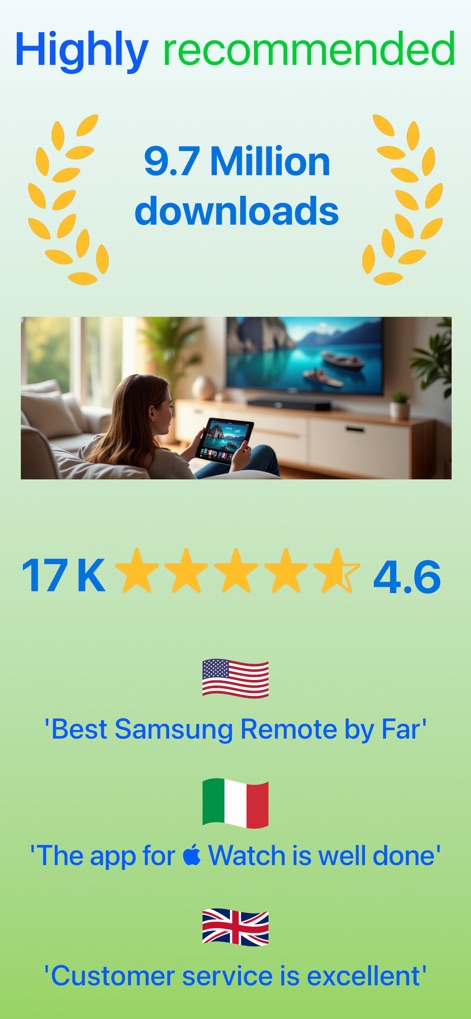
This tool boasts impressive user satisfaction with over 9.7 million downloads and positive feedback highlighting its reliability.
Trusted User Reviews

The app provides a full numeric keypad for direct channel entry and clear volume and channel controls for traditional navigation.
Comprehensive Keypad

Users can utilize the integrated iOS keyboard to easily input text for TV apps or web browsing, streamlining search and URL entry.
Effortless Typing

The app allows users to easily connect to and manage multiple Samsung Smart TVs, displaying model and IP details for each device.
Multi-TV Management

This tool offers intuitive swipe gestures for volume and channel adjustments, alongside configurable Smart Channel buttons for personalized control.
Customizable Smart Control

The app provides clear, step-by-step instructions to ensure a smooth connection process and guides users through initial TV pairing.
Simple Setup Guide

The app supports a sleek dark mode for reduced eye strain in low-light environments, showcasing connected TVs and their status.
Optimized Viewing
Description
Download
More Like This
Apps with similar features and user experience

小米音箱
Beijing Xiaomi Co., Ltd

Starlink
Space Exploration Technologies Corp.

Bambu Handy
Shanghai Lunkuo Technology Co., Ltd

DREO
HESUNG INNOVATION LIMITED

My Verisure
Securitas Direct

Whisker
Automated Pet Care Products Inc.

geeni
Merkury Innovations LLC

ADT+
ADT LLC

X-Sense Home Security
X-Sense USA LLC.
This page is not an official page of the app or its developer, but an independent editorial publication created for informational and commentary purposes. Unless expressly stated otherwise, neither the app nor its developer is affiliated with, endorsed by, sponsored by, authorized by, or otherwise officially connected with MWM, Apple, Google Play, the app publisher, or the app's developer, and nothing on this page implies that the app was developed using MWM's services. Any trademarks, logos, screenshots, and other content remain the property of their respective owners.