
This page is not an official page of the app or its developer, but an independent editorial publication created for informational and commentary purposes. Unless expressly stated otherwise, neither the app nor its developer is affiliated with, endorsed by, sponsored by, authorized by, or otherwise officially connected with MWM, Apple, Google Play, the app publisher, or the app's developer, and nothing on this page implies that the app was developed using MWM's services. Any trademarks, logos, screenshots, and other content remain the property of their respective owners.

Scanner App - Scan PDF & Docs
Join 4M+ users who turn their device into a high-speed professional scanner. Effortlessly scan, sign, and convert documents with advanced OCR—all while keeping your data 100% private on your device.
Downloads
4M+User Rating
Total Ratings
64K+Publisher
Category
BusinessLocales
20Latest Version
2.9.9Size
158.6 MBFirst Released
Dec 7, 2021The All-in-One Digital Office
Turn your mobile device into a high-performance document hub. Scan, sign, and secure your files instantly without ever needing a bulky printer.
100% Private & Secure
Your sensitive data stays on your device. With local processing and no cloud uploads, your IDs and contracts are always protected.
Sign & Send in Seconds
Close deals faster. Draw your signature or import a stamp to finalize contracts, invoices, and forms directly from your screen.
Frequently Asked Questions
Everything you need to know about Scanner App - Scan PDF & Docs
What is Scanner App - Scan PDF & Docs?
Scanner App - Scan PDF & Docs transforms your mobile device into a powerful, portable scanner. It features automatic text recognition (OCR), allowing users to scan, edit, sign, save, and share documents in various formats.
Does Scanner App - Scan PDF & Docs recognize text (OCR)?
Yes, Scanner App - Scan PDF & Docs automatically recognizes text (OCR). This feature allows conversion of scanned documents into editable and searchable text directly within the app's built-in editor.
What document formats does Scanner App - Scan PDF & Docs support?
Scanner App - Scan PDF & Docs supports PDF, JPG, Word, and TXT for saving. It also handles conversions to and from DOC, DOCX, XLS, XLSX, CSV, PPT, and PPTX formats.
Is Scanner App - Scan PDF & Docs a free application?
Yes, the Scanner App - Scan PDF & Docs is free to download. An unlimited access membership subscription is available for users to unlock all advanced features within the app.
Is Scanner App - Scan PDF & Docs ad-free?
Yes, Scanner App - Scan PDF & Docs is an ad-free application. This ensures a clean and uninterrupted scanning experience for all users without any advertisements.
Does Scanner App - Scan PDF & Docs store documents on external servers?
No, Scanner App - Scan PDF & Docs does not store documents on external servers. All scanned documents are securely stored and processed solely on the user's device, ensuring 100% data privacy.
How does Scanner App - Scan PDF & Docs optimize scan quality?
Scanner App - Scan PDF & Docs optimizes scan quality using smart cropping and auto-enhancing features. These tools ensure that all photo scans appear clear, sharp, and possess premium colors and resolutions.
Can I scan ID cards and passports with Scanner App - Scan PDF & Docs?
Yes, Scanner App - Scan PDF & Docs includes a dedicated ID Card & Passport Scanner mode. This allows quick and easy digitization of identification documents directly within the app.
How do I sign documents in Scanner App - Scan PDF & Docs?
To sign a document in Scanner App - Scan PDF & Docs, you can draw, scan, or import your signature or stamp. The app then allows you to apply it and convert the document to a PDF.
Does Scanner App - Scan PDF & Docs offer batch scanning?
Yes, Scanner App - Scan PDF & Docs offers an efficient batch scanning mode. This feature enables users to scan multiple pages or documents simultaneously, significantly boosting productivity and saving time.
What editing tools are available in Scanner App - Scan PDF & Docs?
Scanner App - Scan PDF & Docs features a built-in PDF editor with tools like cropping, brightness adjustment, contrast tuning, text extraction, and text editing. It also supports adding signatures and watermarks.
How do I manage my subscription for Scanner App - Scan PDF & Docs?
You manage your Scanner App - Scan PDF & Docs subscription via your iTunes Account settings. Auto-renewal must be turned off at least 24 hours before the current period ends to cancel.
Can Scanner App - Scan PDF & Docs convert images to PDF?
Yes, Scanner App - Scan PDF & Docs converts images to PDF. Users can capture photos, upload existing images, or take pictures directly to convert them into PDF files instantly.
The following screenshots and description are sourced directly from the app's official store listing and are the property of the app developer.
App Store
Screenshots
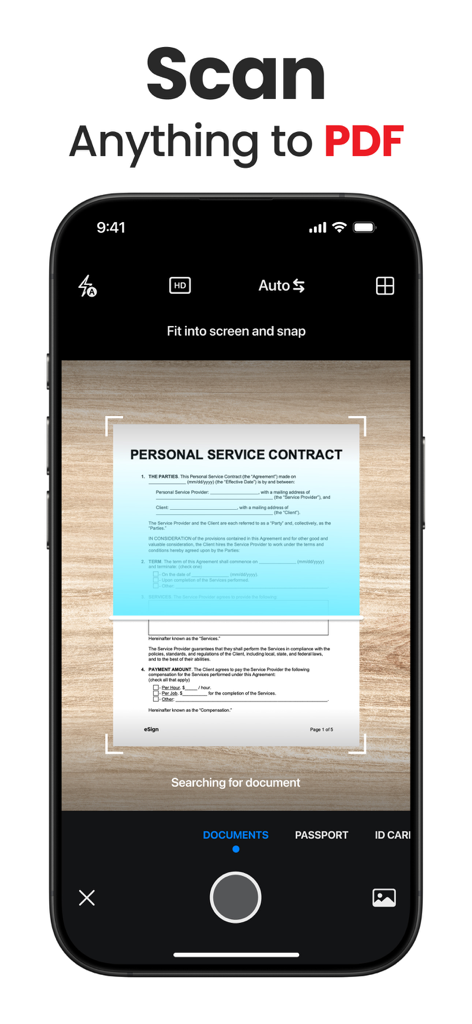
Smartphone interface scanning a service contract into a PDF document
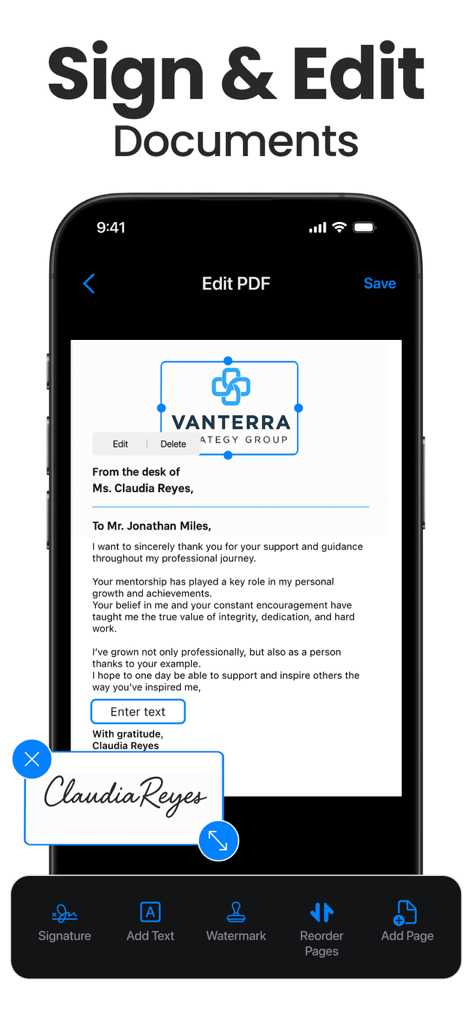
Mobile app interface showing a PDF document being signed with a digital signature and edited with professional tools.
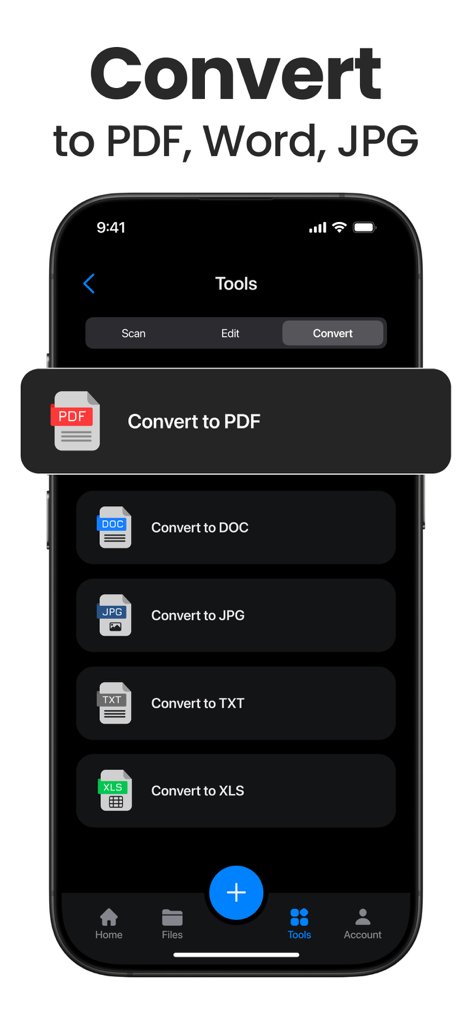
A mobile app interface displaying options to convert documents to PDF Word JPG TXT and XLS formats
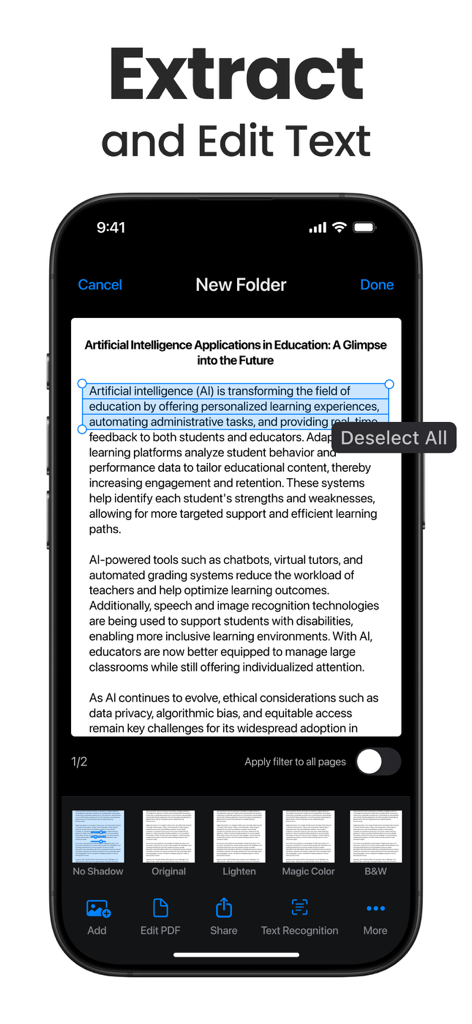
A smartphone screen showing the text recognition and extraction feature of the Scanner App.
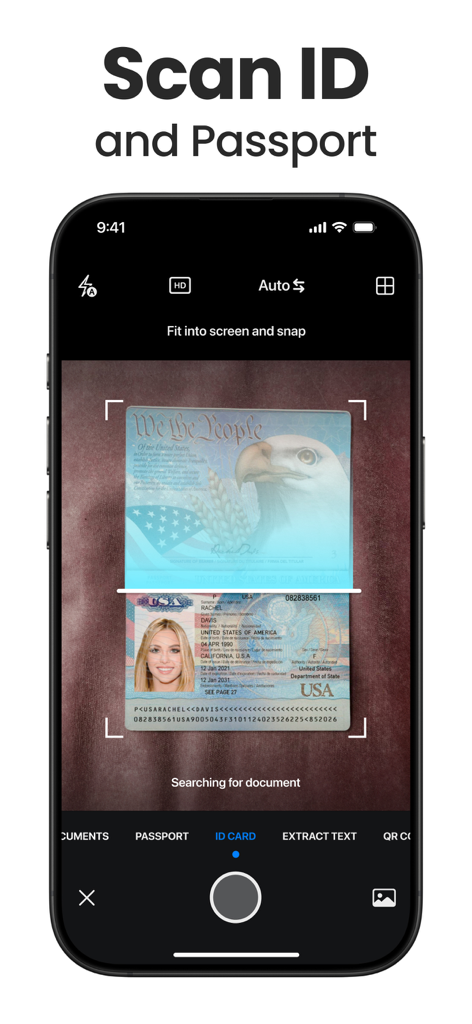
A smartphone interface showing the ID and Passport scanning feature of the Scanner App
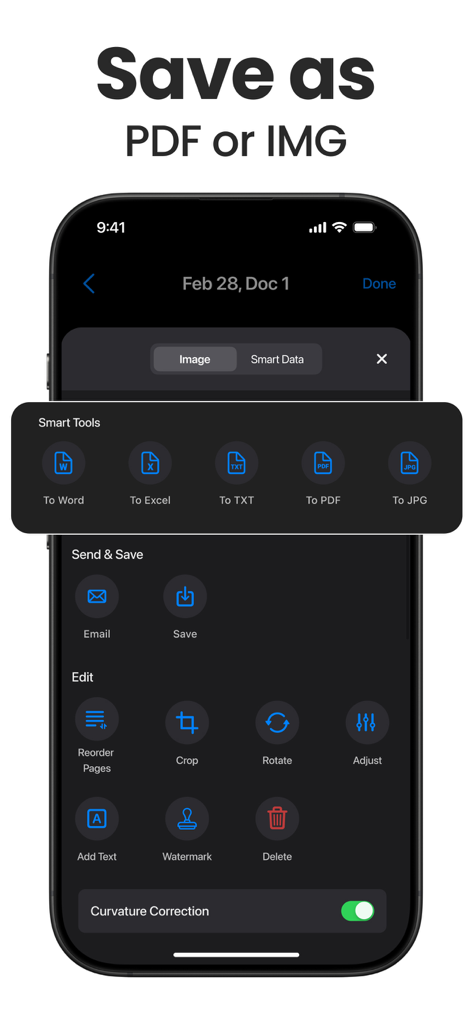
Interface of the Scanner App showing document export formats and editing tools on an iPhone.
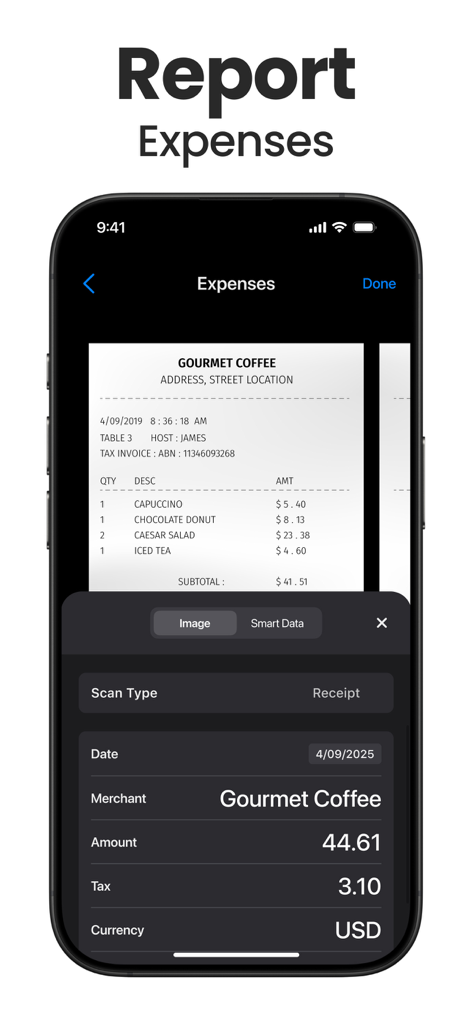
A smartphone showing the Scanner App interface extracting data from a coffee shop receipt to report expenses
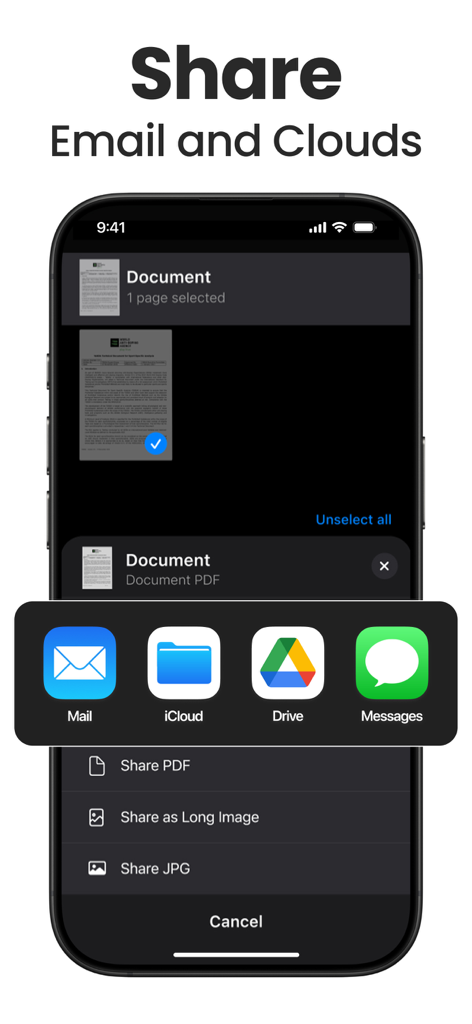
Interface for sharing scanned documents via email and cloud services.
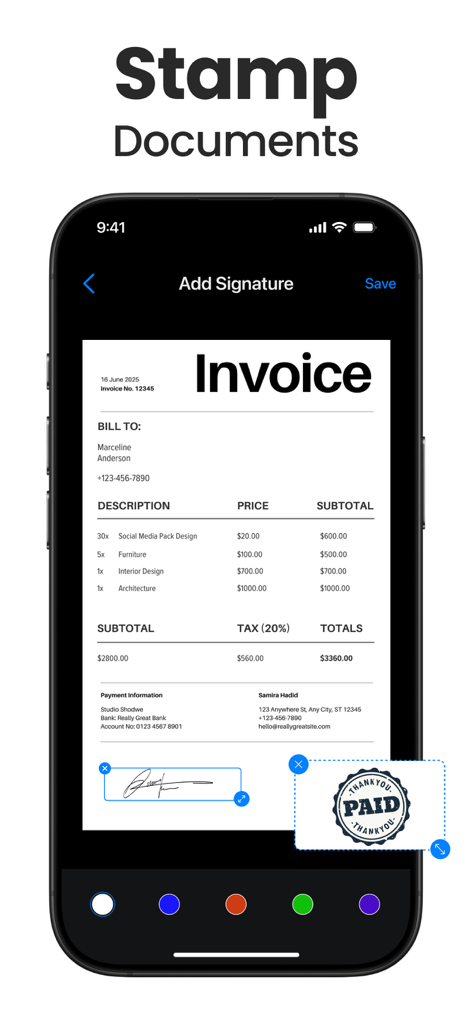
Smartphone screen showing a digital signature and a paid stamp being added to an invoice within the scanner app interface.
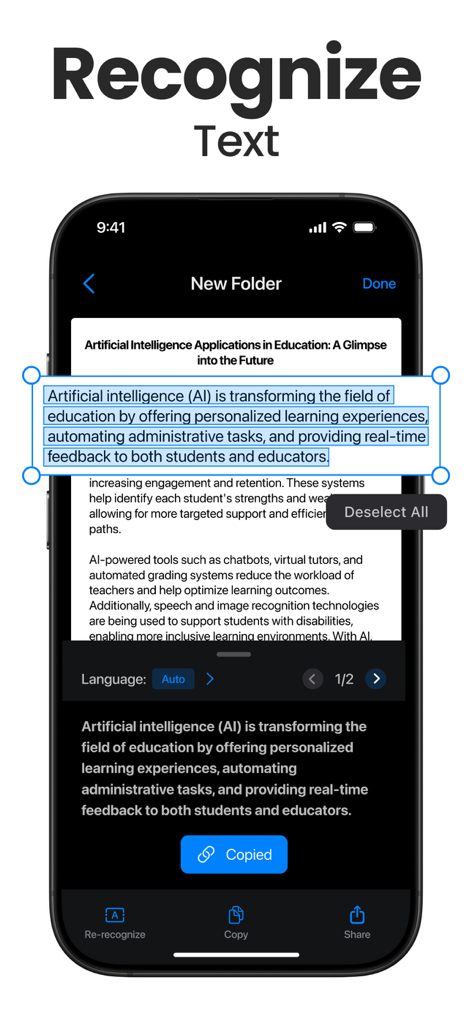
Mobile screen showing the OCR feature of a scanner app extracting text from a document.
Description
Download
More Like This
Apps with similar features and user experience

PDF PRO Scan Image & Documents
Balzo srl

The PDF Scanner, PDF editor HQ
NEXT K.U.M. LTD

CamScanner - PDF Scanner App
INTSIG Information Co., Ltd

Adobe Scan: PDF & OCR Scanner
Adobe Inc.

WPS Office: PDF, Docs, Sheets
KINGSOFT OFFICE SOFTWARE CORPORATION LIMITED

iLovePDF - PDF Editor & Scan
ILOVEPDF S.L.

Scanner App: Genius Scan
The Grizzly Labs

Microsoft Lens: PDF Scanner
Microsoft Corporation

Clear Scan: Doc Scanner App
INDY MOBILE APP COMPANY LIMITED
This page is not an official page of the app or its developer, but an independent editorial publication created for informational and commentary purposes. Unless expressly stated otherwise, neither the app nor its developer is affiliated with, endorsed by, sponsored by, authorized by, or otherwise officially connected with MWM, Apple, Google Play, the app publisher, or the app's developer, and nothing on this page implies that the app was developed using MWM's services. Any trademarks, logos, screenshots, and other content remain the property of their respective owners.