Scanner ProMax : PDF Converter
Download on App Store

This page is not an official page of the app or its developer, but an independent editorial publication created for informational and commentary purposes. Unless expressly stated otherwise, neither the app nor its developer is affiliated with, endorsed by, sponsored by, authorized by, or otherwise officially connected with MWM, Apple, Google Play, the app publisher, or the app's developer, and nothing on this page implies that the app was developed using MWM's services. Any trademarks, logos, screenshots, and other content remain the property of their respective owners.

Logo of Scanner ProMax : PDF Converter
Download on App Store

Scanner ProMax : PDF Converter

Scan with lightning speed, sign documents instantly, and extract text with precision OCR. Experience high-performance PDF management designed for your fast-paced business workflow.

Key Figures

Downloads

17K+

User Rating

4.5/5

Total Ratings

200

Publisher

AS GRUP BILGI TEKNOLOJILERI PAZARLAMA VE TICARET LIMITED SIRKETI

Category

Business

Locales

5

Latest Version

2.3

Size

67.8 MB

First Released

Apr 25, 2023
Features

Your Executive Office in Your Pocket

Scanner ProMax turns your mobile device into a high-performance workstation, delivering the speed, quality, and security that top-tier professionals demand.

Ultra-Fast High-Res Scanning

Capture crystal-clear PDFs in seconds with intelligent edge detection and automatic image optimization designed for the mobile executive.

Digital Signatures & OCR

Close deals on the go by signing contracts instantly and extracting text from images using advanced offline OCR technology.

The following screenshots and description are sourced directly from the app's official store listing and are the property of the app developer.

App Store

Screenshots
Scanner ProMax : PDF Converter - iPhone screen displaying text that reads sign documents and convert to PDF using your phone
iPhone screen displaying text that reads sign documents and convert to PDF using your phone

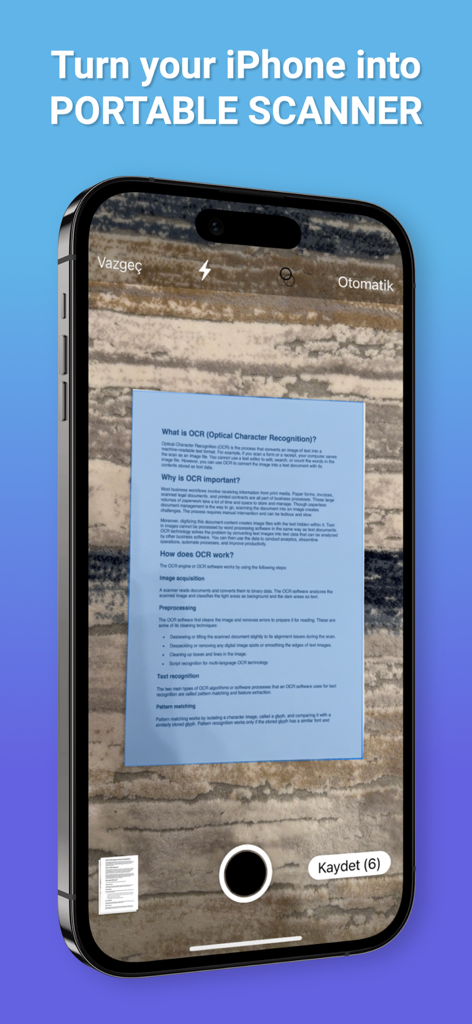
Scanner ProMax : PDF Converter - An iPhone screen displaying the Scanner ProMax app capturing a document with automatic edge detection on a textured surface.
An iPhone screen displaying the Scanner ProMax app capturing a document with automatic edge detection on a textured surface.

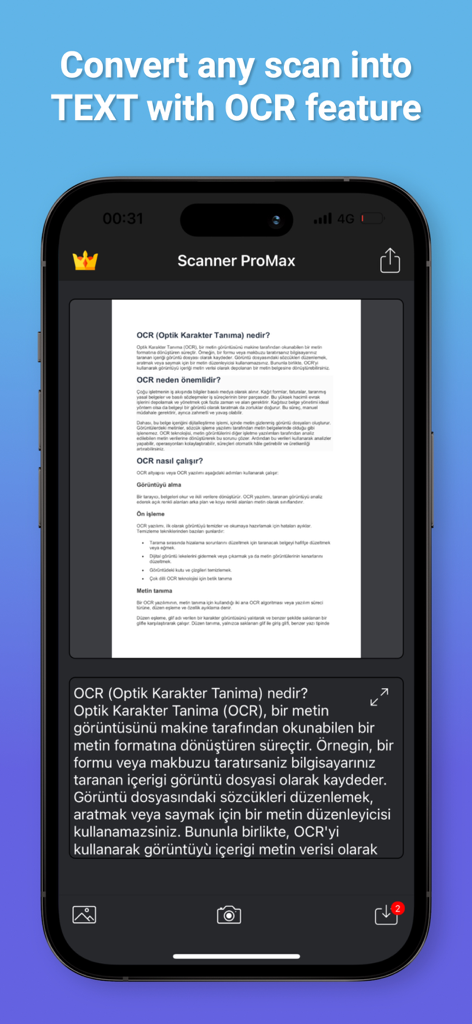
Scanner ProMax : PDF Converter - Smartphone screen of Scanner ProMax app converting a document scan into text using OCR feature.

Smartphone screen of Scanner ProMax app converting a document scan into text using OCR feature.
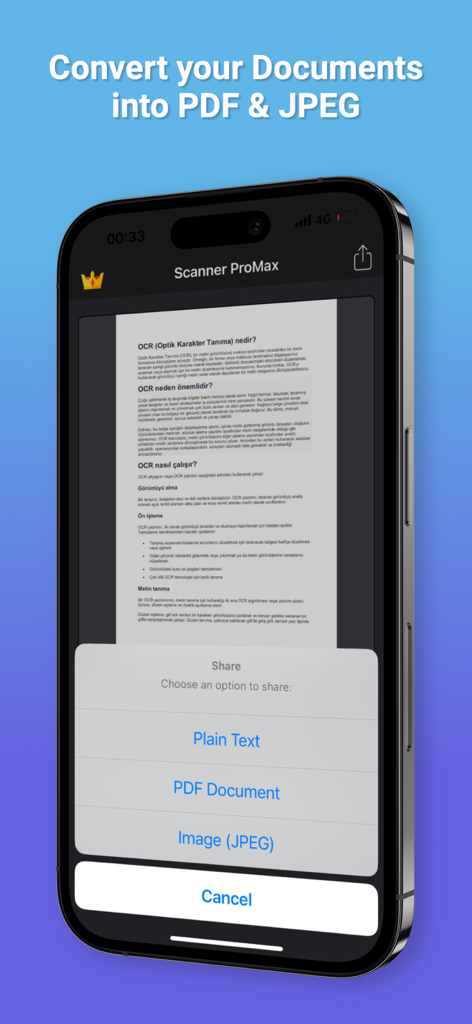
Scanner ProMax : PDF Converter - Scanner ProMax mobile app showing options to convert documents to PDF and JPEG
Scanner ProMax mobile app showing options to convert documents to PDF and JPEG

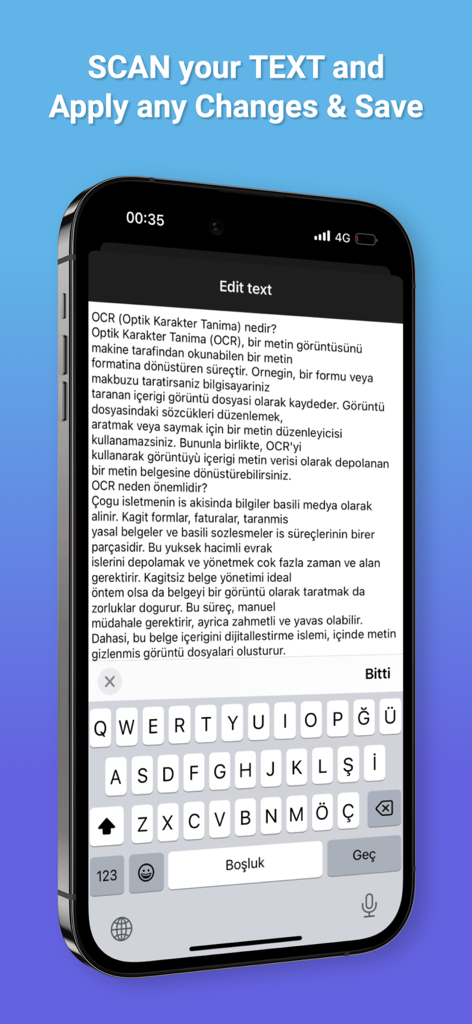
Scanner ProMax : PDF Converter - Smartphone screen showing the OCR text editing interface in the Scanner ProMax app
Smartphone screen showing the OCR text editing interface in the Scanner ProMax app

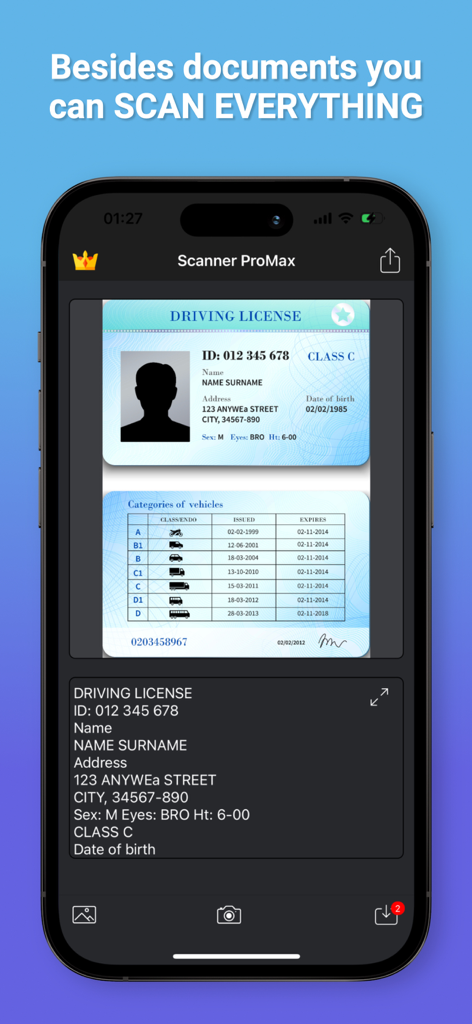
Scanner ProMax : PDF Converter - Scanner ProMax app interface performing OCR on a scanned driving license
Scanner ProMax app interface performing OCR on a scanned driving license

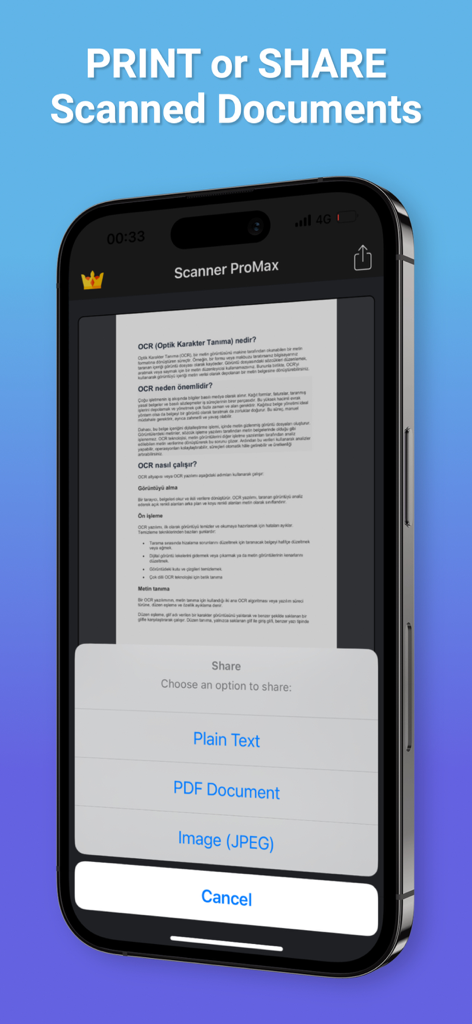
Scanner ProMax : PDF Converter - Smartphone screen showing document sharing options for plain text, PDF, and JPEG in the Scanner ProMax app.
Smartphone screen showing document sharing options for plain text, PDF, and JPEG in the Scanner ProMax app.

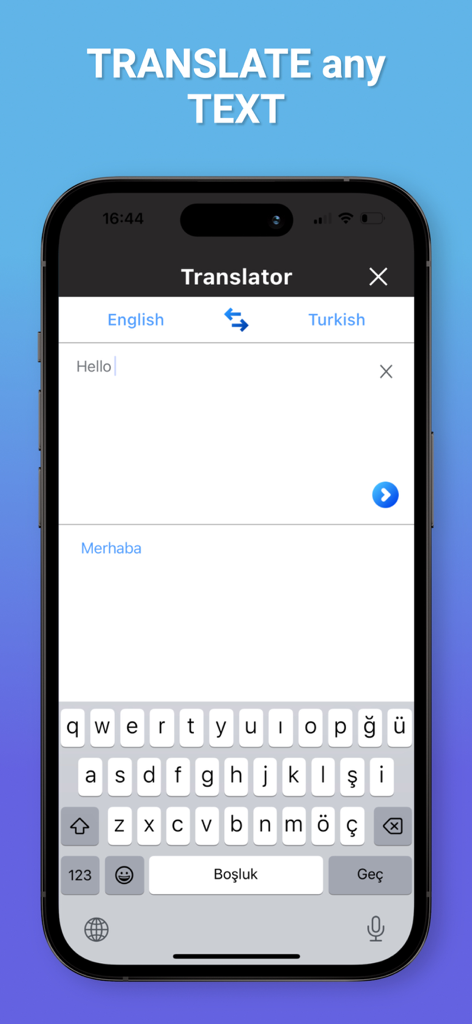
Scanner ProMax : PDF Converter - Scanner ProMax app screen showing text translation from English to Turkish

Scanner ProMax app screen showing text translation from English to Turkish

Description

Scanner ProMax is currently the fastest and most powerful tool for scanning documents. Scanner ProMax will turn your iPhone or iPad into a powerful mobile scanner. You can create and manage a virtual copy of credit cards, books, checks, recipes, timetables and any paper documents by using Scanner ProMax. Quickly scan, edit, sign, save, and share any document in PDF JPEG or TXT format. The application supports optical character recognition (OCR) technology and allows you to extract the text from the image. It doesn’t require an Internet connection, as all scans are stored locally on your device. Scanner ProMax can process the captured from the camera images and already existing photos in the gallery. The application allows you to adjust and apply the filters for images with the built-in editor. Experiment with your documents and edit and signature them, you can always revert to the original image. You can save your finished pictures to gallery, send by mail, message in JPEG, TXT and PDF formats. Say goodbye to old office scanners and get this PDF scanner for your daily business needs! High speed and quality of image processing without tedious manual corrections will make Scanner ProMax your ideal companion for business and education. FEATURE HIGHLIGHTS: — Scan premium quality PDFs or JPGs; — Signature Documents; — An automatic or manual image capturing modes; — Enhance your scans: edge detection, optimization and color corrections; — Flash settings; — Ability to turn on a grid; — Fastest recognition using Vision API; — Cloud integrations: iCloud, Dropbox, Evernote, Yandex Disk, Box, OneDrive, Google Drive, and other cloud services; — Creating and saving the documents in colored, grayscale, black and white formats; — High performance and stability of the application — User friendly navigation Scan HIGH-QUALITY: Scanner ProMax captures the best possible image in the perfect moment. The edges of the document are automatically identified so that only the document itself is scanned. Scan QUICKLY: Scanner ProMax is very quickly. Make scans with just a tap. Scan ANYTHING: Scanner ProMax works on all occasions with all kind of documents. Scan to SHARE: Scanned documents can be shared anywhere. Share and upload scanned documents to cloud services like iCloud, Dropbox, Evernote, Yandex Disk, Box, OneDrive, or Google Drive. The app contains the following subscription options: - Current Scanner ProMax subscription price starts at $5.99 USD/week, one-month and 12-month packages are available. - Payment will be charged to iTunes Account at confirmation of purchase. - Subscription automatically renews unless auto-renew is turned off at least 24-hours before the end of the current period. - Account will be charged for renewal within 24 hours prior to the end of the current period, and identify the cost of the renewal. - Subscriptions may be managed by the user and auto-renewal may be turned off by going to the user's Account Settings at iTunes Store after purchase. - No cancellation of the current subscription is allowed during active subscription period. - Privacy Policy: https://scnpromax.com/privacy-policy - Terms of Use: https://scnpromax.com/terms-of-use

Download

Download on App Store

This page is not an official page of the app or its developer, but an independent editorial publication created for informational and commentary purposes. Unless expressly stated otherwise, neither the app nor its developer is affiliated with, endorsed by, sponsored by, authorized by, or otherwise officially connected with MWM, Apple, Google Play, the app publisher, or the app's developer, and nothing on this page implies that the app was developed using MWM's services. Any trademarks, logos, screenshots, and other content remain the property of their respective owners.








