
This page is not an official page of the app or its developer, but an independent editorial publication created for informational and commentary purposes. Unless expressly stated otherwise, neither the app nor its developer is affiliated with, endorsed by, sponsored by, authorized by, or otherwise officially connected with MWM, Apple, Google Play, the app publisher, or the app's developer, and nothing on this page implies that the app was developed using MWM's services. Any trademarks, logos, screenshots, and other content remain the property of their respective owners.


Screen Recorder: Capture Video
Level up your TikTok and YouTube game with crystal-clear recording, Face Cam reactions, and built-in pro editing tools designed for the next generation of creators.
Downloads
43K+User Rating
Total Ratings
200Publisher
Category
UtilitiesLocales
1Latest Version
1.2.0Size
72.7 MBFirst Released
Apr 13, 2021Your All-in-One Content Studio
From high-stakes gaming to viral reactions, capture every pixel and emotion with pro-level tools designed for the modern creator.
Pro Face Cam Reactions
Record your screen and your reaction simultaneously to create engaging PIP content for TikTok and YouTube Shorts.
Studio-Quality Editing
Trim, crop, and rotate your clips instantly within the app—no expensive PC software or complex workflows required.
Frequently Asked Questions
Everything you need to know about Screen Recorder: Capture Video
What is "Screen Recorder: Capture Video"?
Screen Recorder: Capture Video is a video editor that offers screen recording and face cam capabilities for iPhone and iPad. Users can record games, walkthroughs, and training videos.
Can I edit videos within the Screen Recorder app?
Yes, "Screen Recorder: Capture Video" includes advanced video editing capabilities. Users can trim, crop, rotate, and adjust the canvas of their recordings directly within the app.
Does Screen Recorder support face cam reactions?
Yes, "Screen Recorder: Capture Video" allows users to record face cam reactions. These reactions can be combined with screen recordings or imported videos to enhance content.
How much does a premium subscription to Screen Recorder cost?
A premium subscription for "Screen Recorder: Capture Video" costs $9.99 USD per month. This amount is charged to your iTunes account and renews automatically.
Can users choose the video resolution and framerate in Screen Recorder?
Yes, "Screen Recorder: Capture Video" allows users to choose their preferred resolution, bitrate, and framerate for recordings. Options include 1080p, 12 Mbps, and 60 fps.
How can I cancel my Screen Recorder subscription?
Users can cancel their "Screen Recorder: Capture Video" auto-renewable subscription at least 24 hours before the current period ends. Auto-renewal can be turned off in account settings after purchase.
Does "Screen Recorder: Capture Video" offer a free trial?
Yes, "Screen Recorder: Capture Video" provides a 3-day free trial with its auto-renewable premium subscription. Any unused portion of the free trial is forfeited upon purchase.
Where can I find the privacy policy for "Screen Recorder: Capture Video"?
The privacy policy for "Screen Recorder: Capture Video" is available at https://appnation.co/privacy. This link provides details on data handling and user privacy practices.
The following screenshots and description are sourced directly from the app's official store listing and are the property of the app developer.
App Store
Screenshots
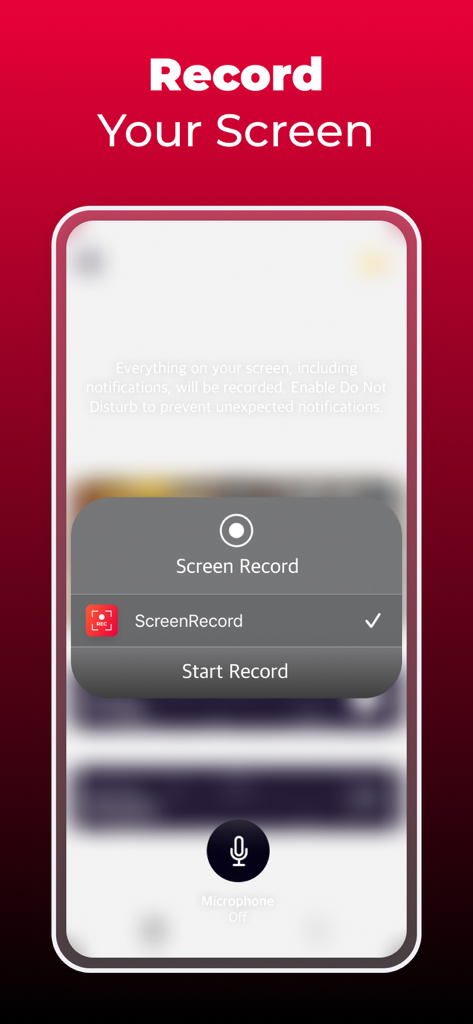
iPhone screen recording interface with start record button and microphone toggle
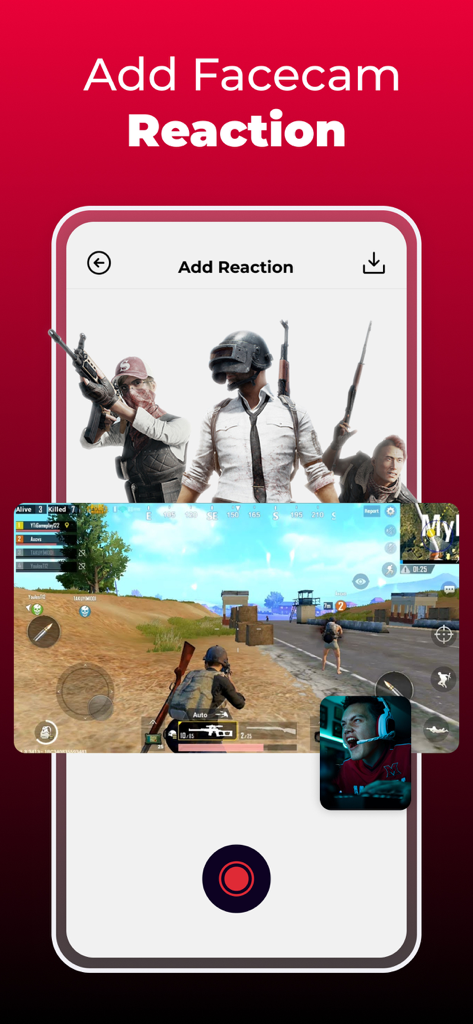
Mobile screen recorder interface showing a facecam reaction overlay on a gaming video
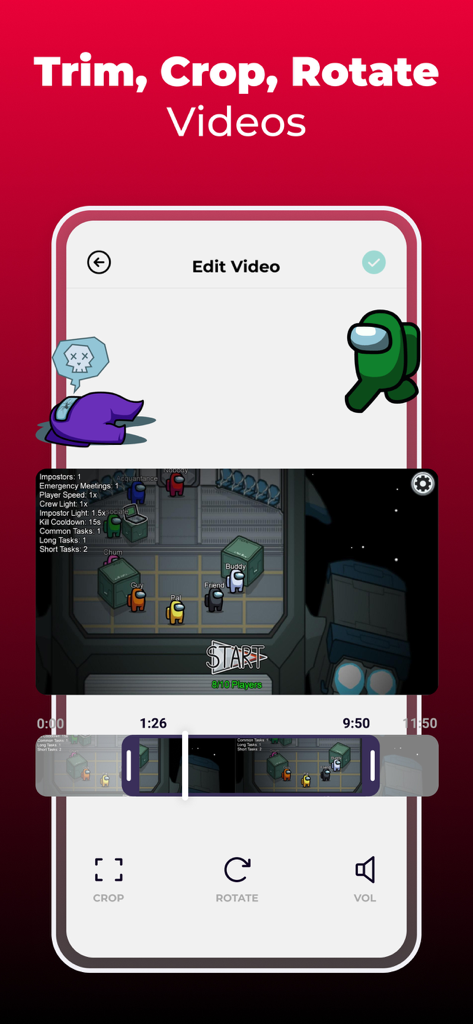
Mobile app interface for editing screen recordings with trim crop and rotate tools
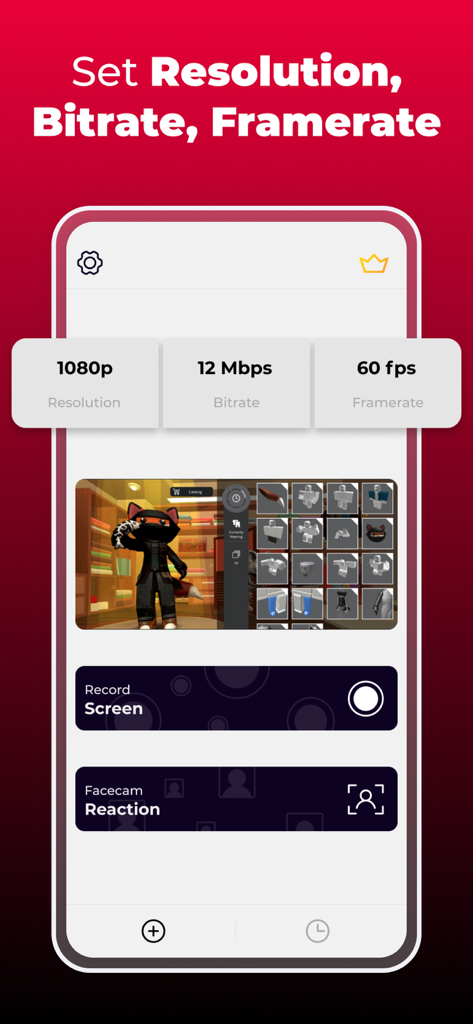
Interface for setting resolution bitrate and framerate in screen recorder app
Description
Download
More Like This
Top-ranked apps in the same category

Google LLC

Google Chrome
Google LLC

中国移动(手机营业厅)
China Mobile Online Services Co., Ltd.

Google Authenticator
Google LLC

CNH do Brasil
Servicos e Informacoes do Brasil

Cleanup: Phone Storage Cleaner
DEEP FLOW SOFTWARE SERVICES - FZCO

gov.br
Servicos e Informacoes do Brasil

中国电信-全国统一官方服务平台
CHINA TELECOM Corporation Ltd.

Microsoft Edge: AI Browser
Microsoft Corporation
This page is not an official page of the app or its developer, but an independent editorial publication created for informational and commentary purposes. Unless expressly stated otherwise, neither the app nor its developer is affiliated with, endorsed by, sponsored by, authorized by, or otherwise officially connected with MWM, Apple, Google Play, the app publisher, or the app's developer, and nothing on this page implies that the app was developed using MWM's services. Any trademarks, logos, screenshots, and other content remain the property of their respective owners.