SensorLog
SensorLog
Download on App Store

This page is not an official page of the app or its developer, but an independent editorial publication created for informational and commentary purposes. Unless expressly stated otherwise, neither the app nor its developer is affiliated with, endorsed by, sponsored by, authorized by, or otherwise officially connected with MWM, Apple, Google Play, the app publisher, or the app's developer, and nothing on this page implies that the app was developed using MWM's services. Any trademarks, logos, screenshots, and other content remain the property of their respective owners.

Logo of SensorLog
Download on App Store

SensorLog

Unlock high-fidelity raw data from your iPhone and Apple Watch at up to 100Hz. Export to CSV/JSON, stream live via TCP/UDP/HTTP, and power your Core ML research with precision.

Key Figures

Downloads

117K+

User Rating

4.1/5

Total Ratings

200

Publisher

Bernd Thomas

Category

Utilities

Locales

2

Latest Version

6.1

Size

3.9 MB

First Released

Sep 8, 2010
Features

High-Precision Sensor Data Acquisition

Unlock the full potential of your Apple hardware. Stream raw sensor data in real-time or export logs for advanced research, IoT prototyping, and machine learning.

Ultra-High Frequency Logging

Record data at up to 100Hz for motion analysis and high-speed telemetry, capturing every detail with the precision required for scientific research.

Live Streaming & Connectivity

Instantly broadcast data via TCP, UDP, or HTTP POST to your custom servers or REST APIs, turning your device into a versatile IoT sensor node.

The following screenshots and description are sourced directly from the app's official store listing and are the property of the app developer.

App Store

Screenshots
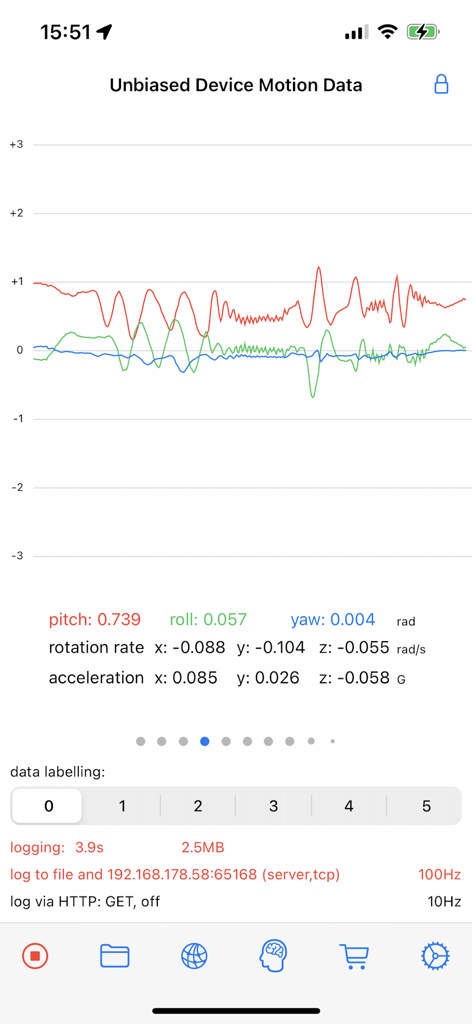
SensorLog - SensorLog interface displaying unbiased device motion data with real-time graphs for pitch roll and yaw
SensorLog interface displaying unbiased device motion data with real-time graphs for pitch roll and yaw

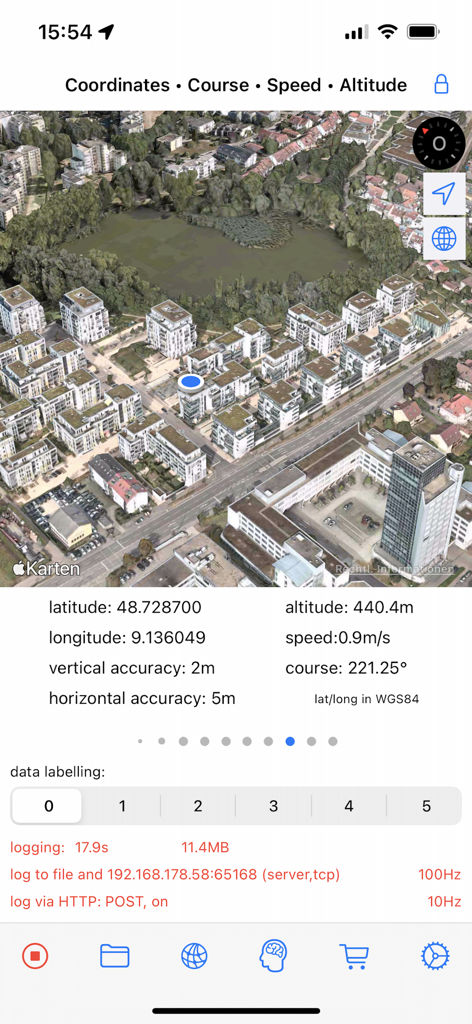
SensorLog - SensorLog app interface displaying 3D satellite map and real-time GPS sensor data including latitude and longitude
SensorLog app interface displaying 3D satellite map and real-time GPS sensor data including latitude and longitude

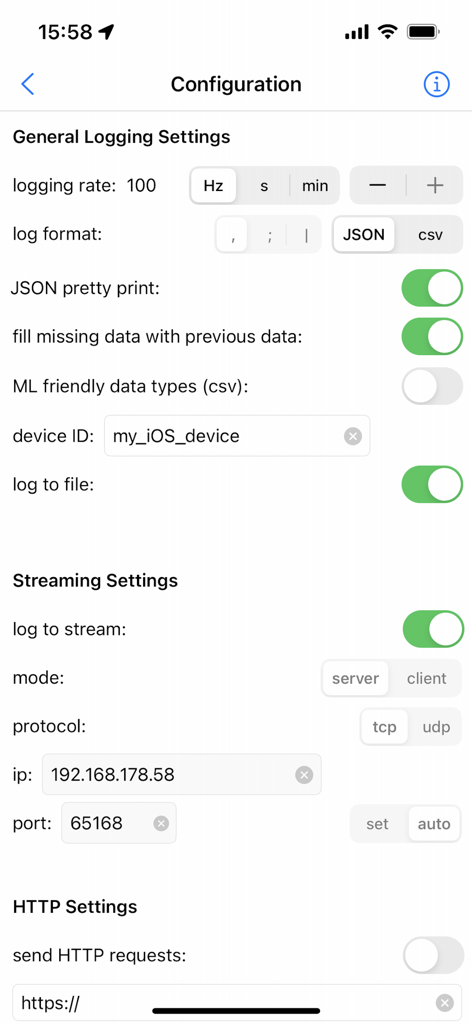
SensorLog - SensorLog app configuration screen showing logging and streaming settings for data collection.
SensorLog app configuration screen showing logging and streaming settings for data collection.

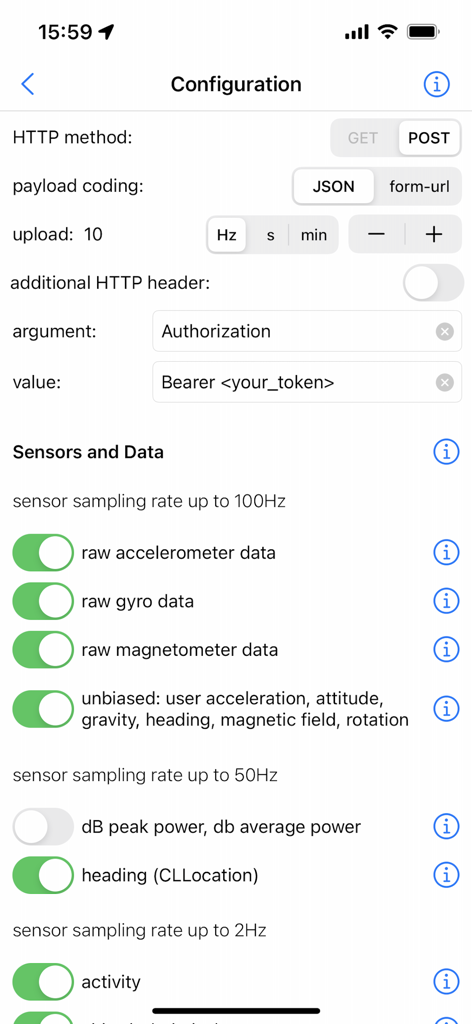
SensorLog - SensorLog app configuration screen showing HTTP settings and sensor sampling rate toggles for raw data collection.
SensorLog app configuration screen showing HTTP settings and sensor sampling rate toggles for raw data collection.

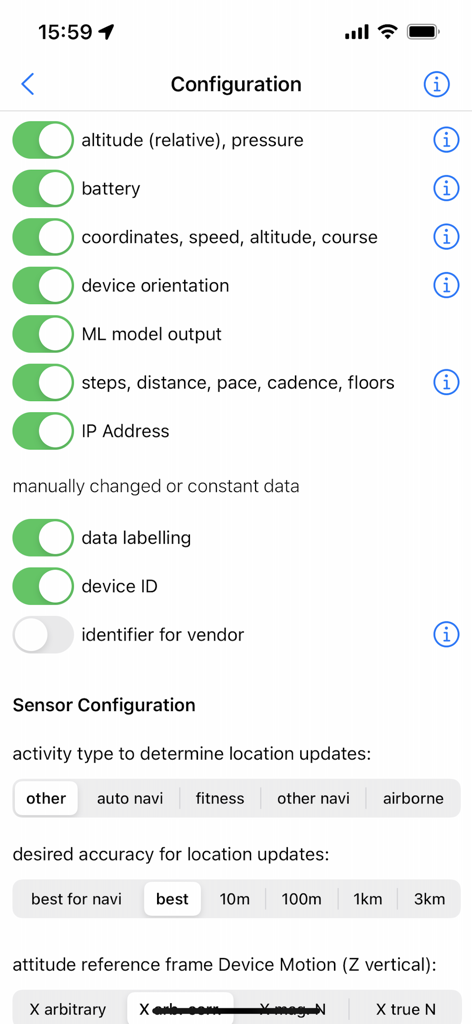
SensorLog - SensorLog app configuration screen with toggles for sensor data collection including altitude, battery, coordinates, and ML model output
SensorLog app configuration screen with toggles for sensor data collection including altitude, battery, coordinates, and ML model output

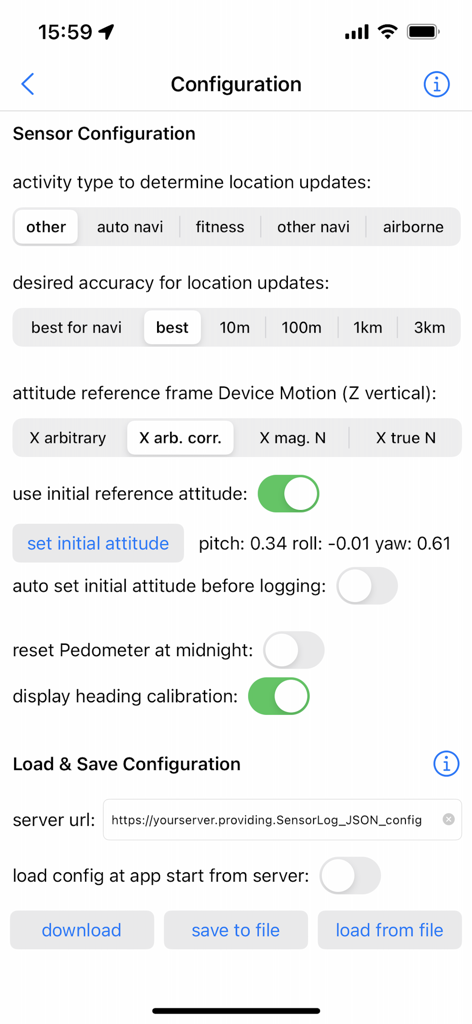
SensorLog - Configuration interface of SensorLog app showing sensor accuracy and data storage options
Configuration interface of SensorLog app showing sensor accuracy and data storage options

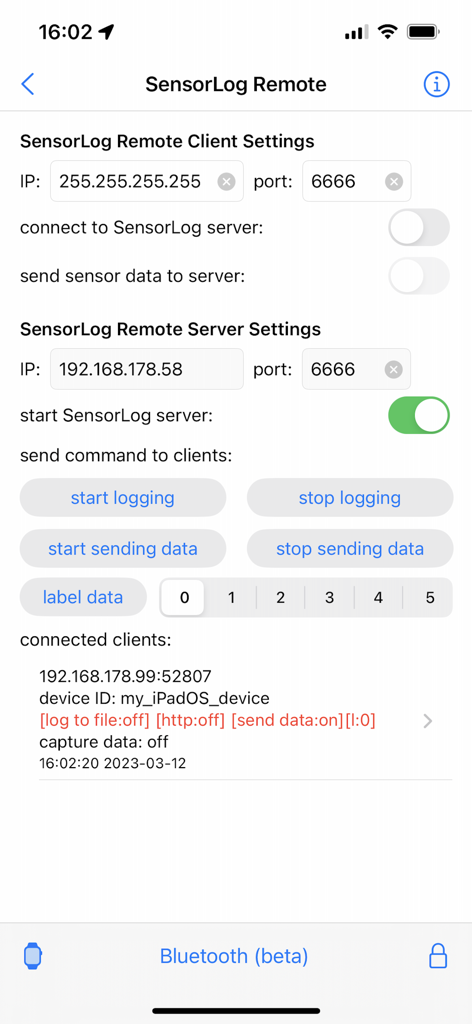
SensorLog - SensorLog Remote interface showing client and server configuration settings and connected device status
SensorLog Remote interface showing client and server configuration settings and connected device status

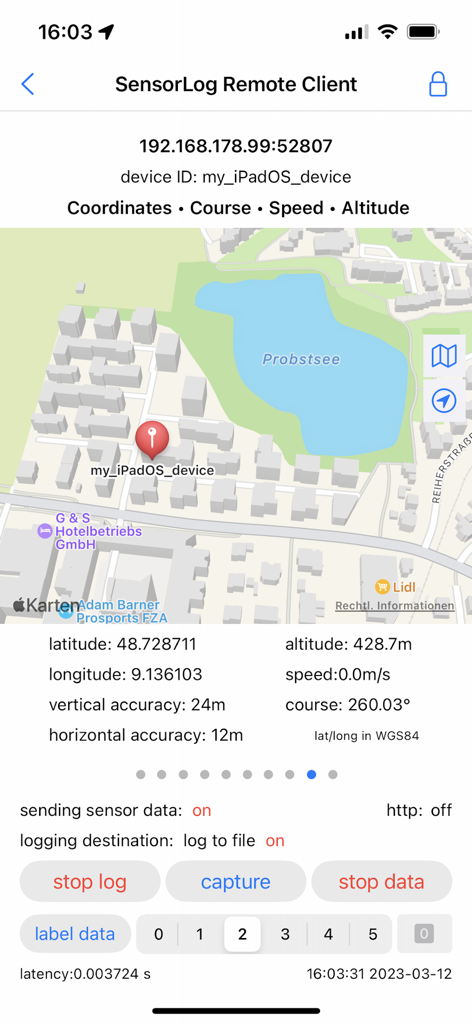
SensorLog - SensorLog app interface showing remote client GPS tracking with map and coordinates
SensorLog app interface showing remote client GPS tracking with map and coordinates

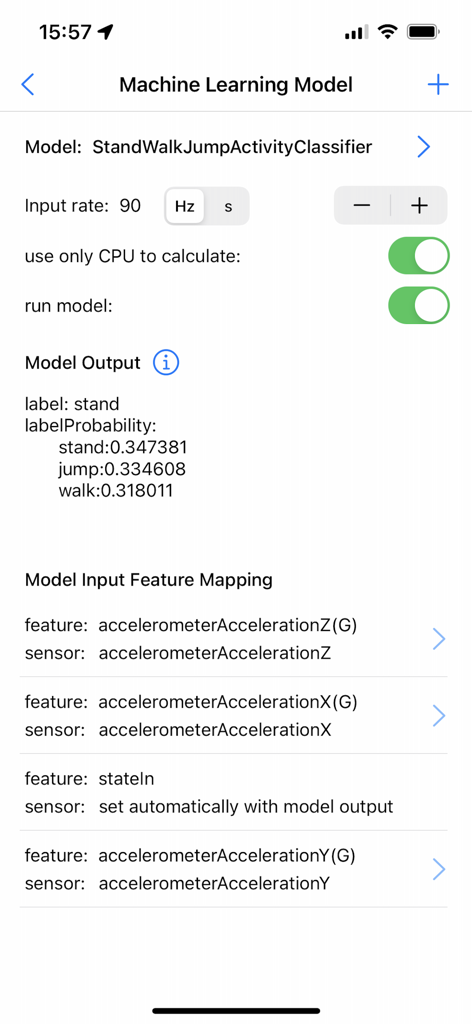
SensorLog - Machine learning model interface in SensorLog app showing activity classification probabilities and sensor input feature mapping.
Machine learning model interface in SensorLog app showing activity classification probabilities and sensor input feature mapping.

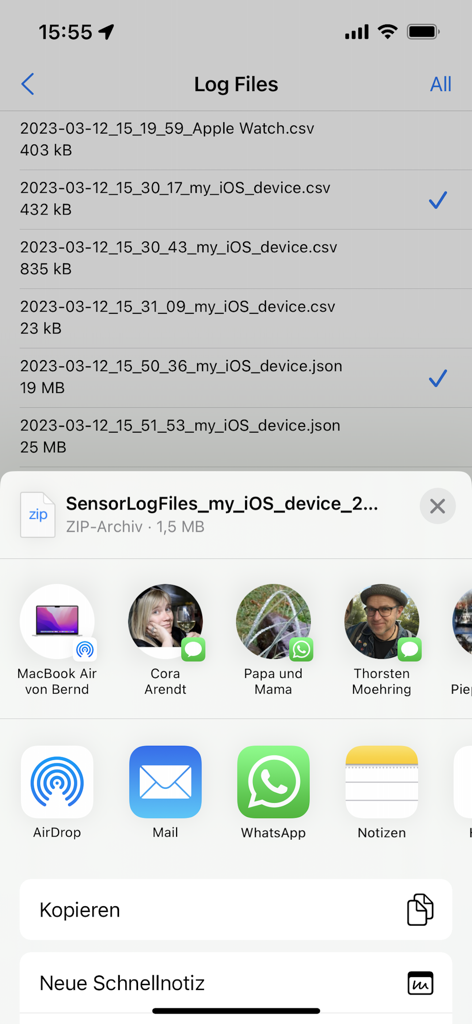
SensorLog - List of recorded sensor data files in CSV and JSON formats being exported via the iOS share sheet

List of recorded sensor data files in CSV and JSON formats being exported via the iOS share sheet

Description

With SensorLog you can read sensor data from the iPhone, iPad and Apple Watch. The sensor data can be saved as a file in CSV or JSON format, streamed via TCP/UDP or sent as an HTTP request. The most important functions for iPhone and iPad: - Sensor data can be recorded at up to 100Hz (depending on the iOS device version and sensor type). - Sensor data can be streamed in server or client mode using TCP or UDP. Depending on the network speed and the server or client configuration used, this is possible with up to 100Hz. - Via HTTP(S) GET/POST request, sensor data in JSON format (POST) or form-url encoded (POST and GET) can be transmitted to a REST API with up to 20Hz. - With the SensorLog Remote Client/Server function, an iPad or iPhone can connect as a SensorLog Remote Client to an iPhone or iPad, which takes on the role of SensorLog Remote Server. The client's sensor data can be visualized on the server, and the server can control the clients (start/stop logging, start/stop sending data). - Logging can be started and stopped using Siri and shortcuts. - SensorLog supports Core ML models created with Apple's Create ML app. Log data with SensorLog, train a model with the data in Create ML, load exported models in SensorLog and log the model prediction. Supported Create ML models are: Activity Classifier, Tabular Regressor and Tabular Classifier. - If you have an Apple Watch, HealthKit data such as heart rate, energy used, sleep and movement data can be exported on the watch as a csv or json file and then transferred to your iPhone. Sensor data iPhone / iPad: For sample log files, please visit the SensorLog homepage (link App Support). - CLLocation, CLHeading, CMAccelerometer, CMGyroData, CMMagnetometer, CMDeviceMotion, CMActivity, CMPedometer, CMAltimeter, WLAN and network provider IP addresses, device orientation, battery info, decibels. The most important functions for Apple Watch: - Logging Option 1: Logging duration up to 1 hour Simultaneous logging of all selectable sensor data is supported in the background with up to 50Hz. Individual sensors can be logged with a higher frequency of up to 100Hz. Sending data via HTTP requests is supported. - Logging option 2: Logging duration greater than 1 hour In the background only logging of the accelerometer data with max. 50Hz is supported. In the foreground all sensor data with up to 100Hz. Sending data via HTTP requests is only supported when the app is in the foreground. - Via HTTP(S) GET/POST request, sensor data can be transmitted to a REST API with up to 10Hz in JSON format (POST) or form-url encoded (POST and GET). - The Health Store data feature off the SensorLog Watch app allows you to export HealthKit data like heart rate, energy burned, sleep, and movement data. This data is automatically recorded by your Watch and can be read out and exported by SensorLog as csv or json file and transferred to your iPhone. - Logging can be started and stopped using Siri and Shortcuts. Sensor Data Watch: For sample log files, please visit the SensorLog homepage (link App Support). - CLLocation, CMAccelerometer, CMDeviceMotion, CMActivity, CMPedometer, CMAltimeter, battery info

Download

Download on App Store

This page is not an official page of the app or its developer, but an independent editorial publication created for informational and commentary purposes. Unless expressly stated otherwise, neither the app nor its developer is affiliated with, endorsed by, sponsored by, authorized by, or otherwise officially connected with MWM, Apple, Google Play, the app publisher, or the app's developer, and nothing on this page implies that the app was developed using MWM's services. Any trademarks, logos, screenshots, and other content remain the property of their respective owners.








