
This page is not an official page of the app or its developer, but an independent editorial publication created for informational and commentary purposes. Unless expressly stated otherwise, neither the app nor its developer is affiliated with, endorsed by, sponsored by, authorized by, or otherwise officially connected with MWM, Apple, Google Play, the app publisher, or the app's developer, and nothing on this page implies that the app was developed using MWM's services. Any trademarks, logos, screenshots, and other content remain the property of their respective owners.

Shift Day Work Calendar: Spoke
The ultimate visual rotation planner built for nurses, first responders, and essential professionals. Automate your shift cycles, color-code your month, and reclaim your work-life balance effortlessly.
Downloads
808K+User Rating
Total Ratings
3K+Publisher
Category
ProductivityLocales
31Latest Version
2.5.5Size
195.5 MBFirst Released
Jul 16, 2015Master Your Shift Schedule
The all-in-one tool to visualize your rotations, sync with your family, and reclaim your work-life balance.
Instant Visual Clarity
Stop clicking into every day. Use color-coded shifts to see your entire month's schedule and availability at a single glance.
Automate Your Rotations
Set your pattern once—like 4-on, 4-off—and let Spoke automatically populate your calendar for months in advance.
Frequently Asked Questions
Everything you need to know about Shift Day Work Calendar: Spoke
What is Spoke: Shift Day Work Calendar?
Spoke: Shift Day Work Calendar is an app designed for shift workers. It allows users to track, manage, and organize their work shifts on iPhone and iPad with a clear, readable calendar interface.
Is Spoke: Shift Day Work Calendar available on both iPhone and iPad?
Yes, Spoke: Shift Day Work Calendar is suitable for both iPhone and iPad. Users can track their working days and hours on either device.
Can I color-code my shifts in the Spoke app?
Yes, the Spoke app allows users to color-code their shifts and assign short-names for quick insights into their schedule, enhancing visual organization.
Does Spoke: Shift Day Work Calendar offer a widget for quick viewing?
Yes, Spoke includes a shift widget feature. This allows users to view their upcoming shifts directly from their device's home screen without opening the app.
Can I sync my Spoke app schedule across multiple Apple devices?
Yes, Spoke: Shift Day Work Calendar supports syncing with iCloud. This feature provides real-time updates of your shift schedule across all your linked iPad and iPhone devices.
What is the price of a Spoke: Shift Day Work Calendar subscription?
Spoke offers two auto-renewing subscription options in the US: $2.99 monthly or $24.99 annually. The app is free to download, with subscriptions unlocking premium content and features.
Is there a free trial for Spoke: Shift Day Work Calendar?
The Spoke app description states that any unused portion of a free trial period, if offered, will be forfeited when a user purchases a subscription. The availability of a free trial is not explicitly confirmed.
How do I manage auto-renewal for my Spoke: Shift Day Work Calendar subscription?
Users can turn off auto-renewal for their Spoke subscription at any time. This must be done through iTunes account settings at least 24 hours before the end of the current billing period.
Who is the Spoke: Shift Day Work Calendar app designed for?
Spoke is designed for a wide range of shift workers, including nurses, doctors, emergency personnel, and students. It is suitable for individuals with random hours, fixed shifts, or rotation schedules.
Can I easily add or change shifts in the Spoke calendar?
Yes, Spoke enables easy shift management. Users can add or remove a shift with a single tap, and change their shift schedule by simply tapping on the calendar.
Does Spoke: Shift Day Work Calendar support custom shift rotations?
Yes, Spoke features an intuitive rota interface. Users can define and add their shift rotations, which then automatically fill the calendar with recurring shift patterns in a few simple steps.
Can I add reminders or memos to specific days in the Spoke app?
Yes, the Spoke app allows users to add multiple memos. These memos provide quick reminders for specific events or notes associated with each day on the calendar.
Can I share my shift schedule from Spoke: Shift Day Work Calendar?
Yes, Spoke allows users to easily share their shift schedule with friends and family. The app also supports sharing the monthly shift view via email, SMS, print, or photo album.
The following screenshots and description are sourced directly from the app's official store listing and are the property of the app developer.
App Store
Screenshots
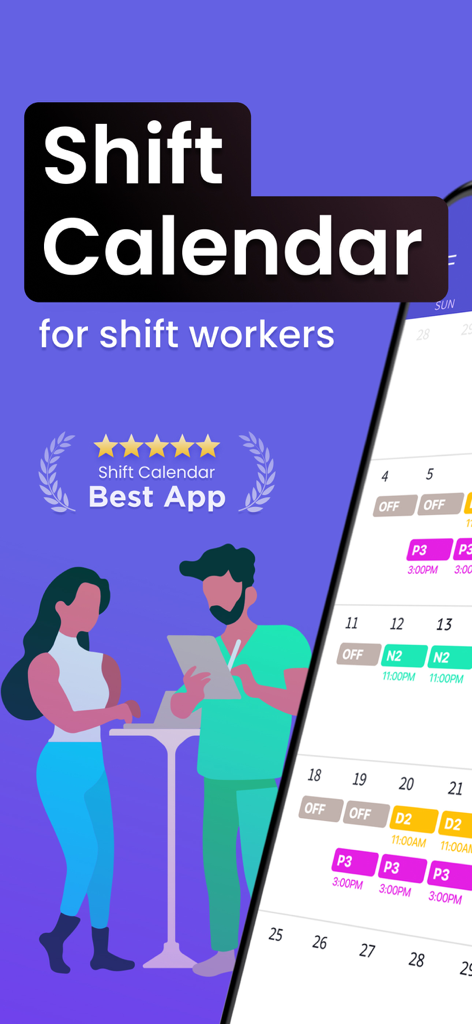
Interface of Shift Day Work Calendar Spoke showing color coded shifts for healthcare and essential workers
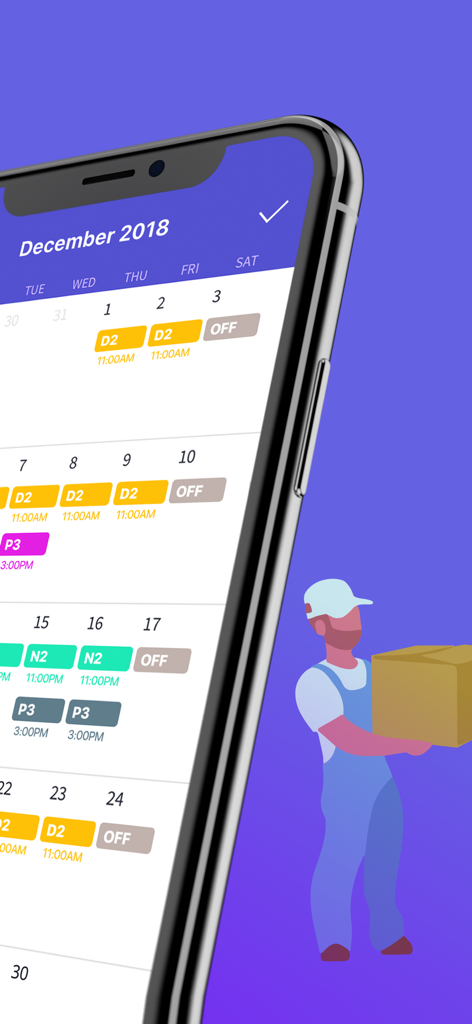
Smartphone showing a color coded shift work calendar and an illustration of a delivery worker
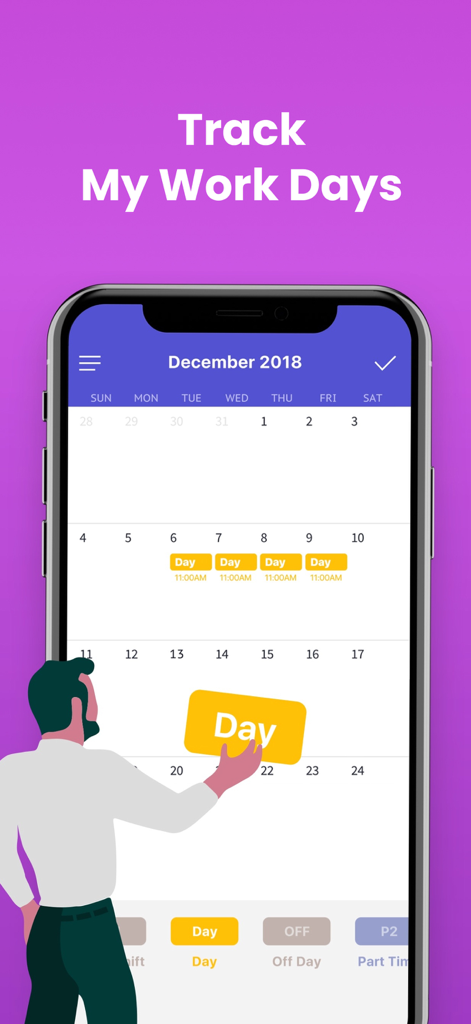
Mobile app interface showing a monthly work calendar with color coded shift assignments.
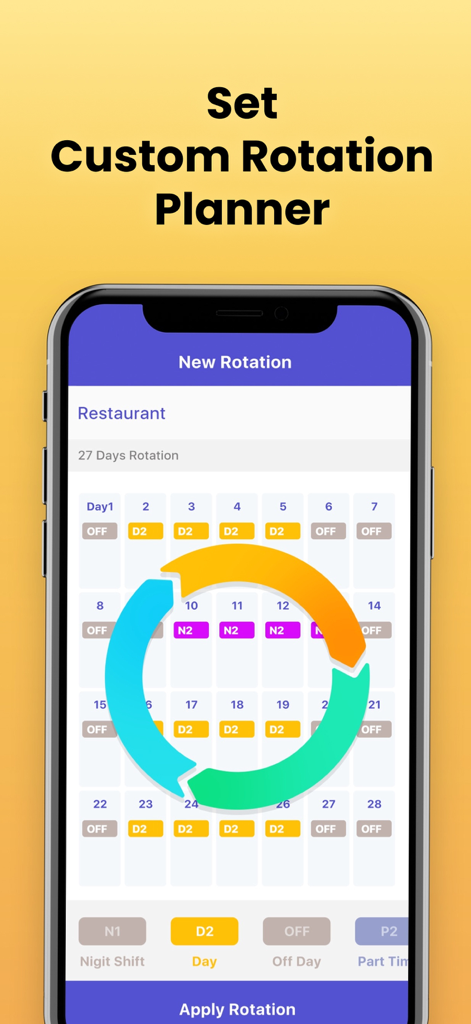
The custom rotation planner screen in the Spoke app for setting up recurring work shifts
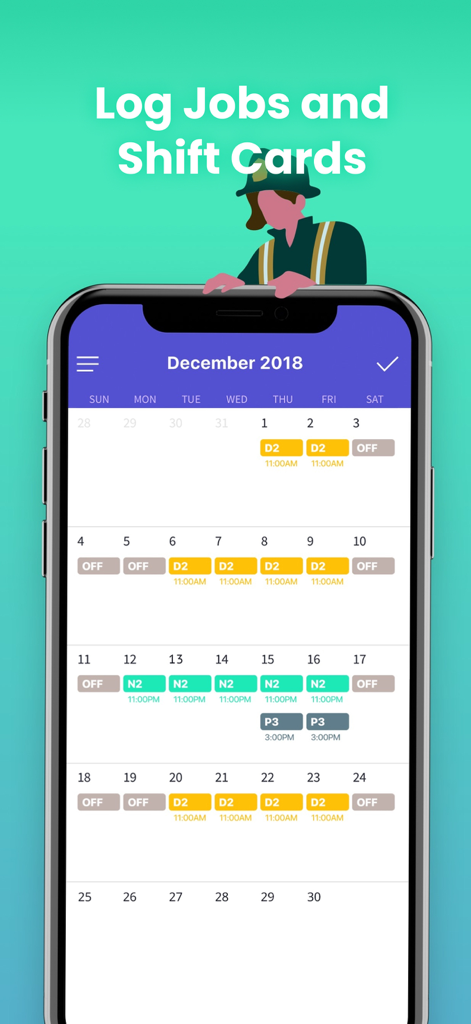
Monthly calendar view of the Spoke shift work app with color coded shifts
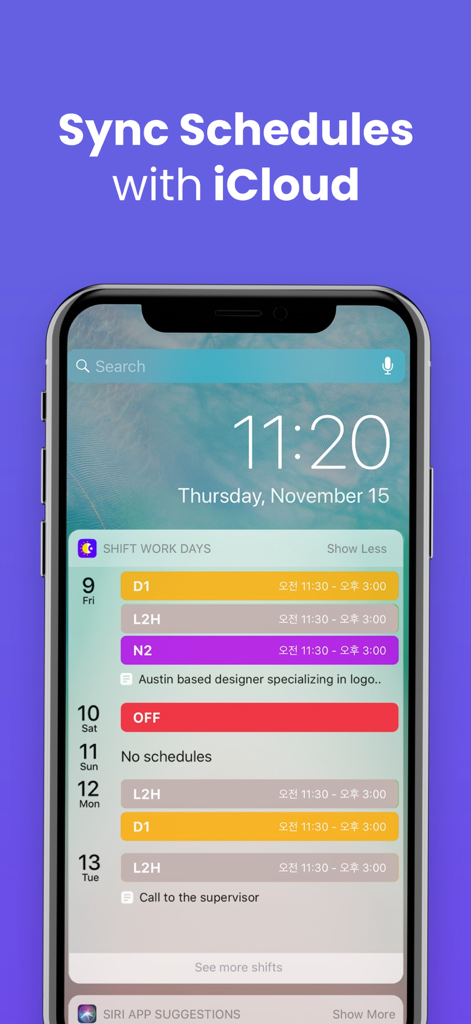
iPhone screen displaying the Shift Work Days widget with color coded schedules and iCloud sync text
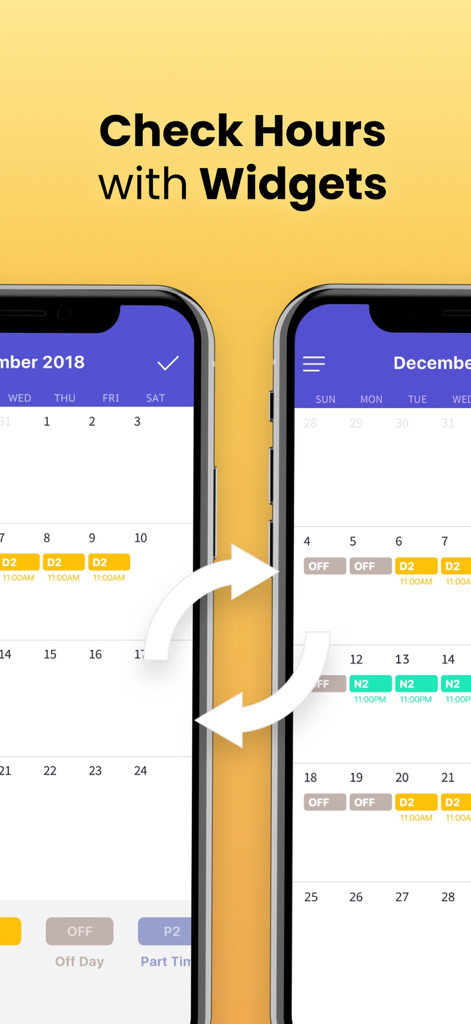
Spoke app screenshot showing a color coded shift work calendar and synchronization features with widgets
Description
Download
More Like This
Apps with similar features and user experience

排班日历-值班倒班排班轮班助手
Shanghai Anjiaxin Network Technology Co., Ltd

NurseGrid Nurse Shift Calendar
HCT2 CO
Simple Working Calendar
Нико Беллик
Easy Time Tracker ◴
NR Mobile App Solutions

My Calendar - Shift schedule
Mikhail Eremkin

JW Service
Bartlomiej Semanczyk
Shift Work Calendar & Schedule
4TH FLOOR APPS SIA

MYDUTY - Nurse Calendar
Fourwheels Inc.

Shift Work Calendar Planner
Ebisu Soft Inc.
This page is not an official page of the app or its developer, but an independent editorial publication created for informational and commentary purposes. Unless expressly stated otherwise, neither the app nor its developer is affiliated with, endorsed by, sponsored by, authorized by, or otherwise officially connected with MWM, Apple, Google Play, the app publisher, or the app's developer, and nothing on this page implies that the app was developed using MWM's services. Any trademarks, logos, screenshots, and other content remain the property of their respective owners.