SignalScope X
SignalScope X
Download on App Store

This page is not an official page of the app or its developer, but an independent editorial publication created for informational and commentary purposes. Unless expressly stated otherwise, neither the app nor its developer is affiliated with, endorsed by, sponsored by, authorized by, or otherwise officially connected with MWM, Apple, Google Play, the app publisher, or the app's developer, and nothing on this page implies that the app was developed using MWM's services. Any trademarks, logos, screenshots, and other content remain the property of their respective owners.

Logo of SignalScope X
Download on App Store

SignalScope X

Turn your iPhone, iPad, or Mac into a powerful engineering laboratory. Conduct precise, calibrated measurements for acoustics, audio, and electronics with lab-grade FFT analyzers, spectrograms, and room acoustics tools.

Key Figures

Downloads

13K+

User Rating

2.5/5

Total Ratings

100

Publisher

Faber Acoustical, LLC

Category

Utilities

Locales

1

Latest Version

12.7.3

Size

13.3 MB

First Released

Jan 8, 2018
Features

Professional-Grade Analysis in the Palm of Your Hand

Transform your iOS device or Mac into a sophisticated laboratory with high-precision tools for acoustics, audio, and electronics engineering.

Lab-Grade Calibration

Achieve absolute accuracy by connecting external sensors and microphones with full support for engineering units and sensitivity calibration.

Advanced Engineering Suite

Access high-end tools including FFT Analyzers, RT60 Room Acoustics, and Sound Intensity meters designed for mission-critical measurements.

The following screenshots and description are sourced directly from the app's official store listing and are the property of the app developer.

App Store

Screenshots
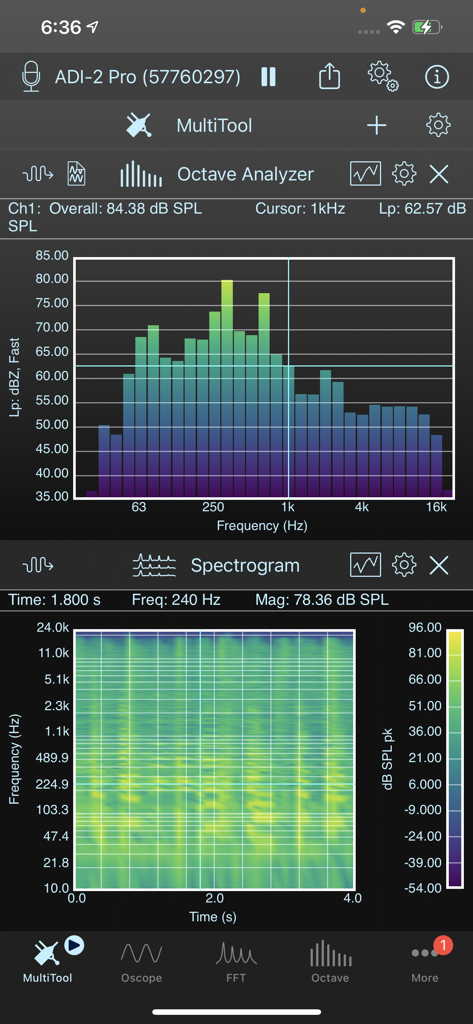
SignalScope X - Octave Analyzer and Spectrogram tools in SignalScope X.
Octave Analyzer and Spectrogram tools in SignalScope X.

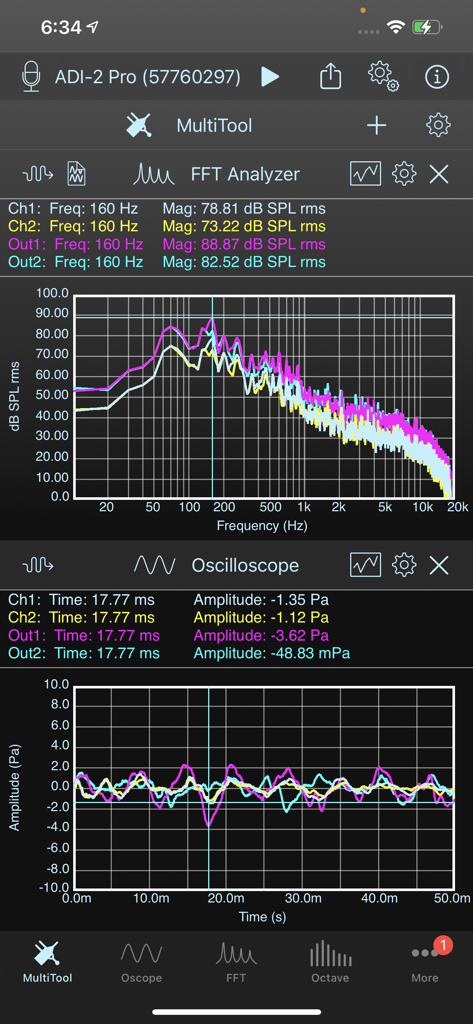
SignalScope X - SignalScope X MultiTool interface with simultaneous FFT spectrum and oscilloscope plots
SignalScope X MultiTool interface with simultaneous FFT spectrum and oscilloscope plots

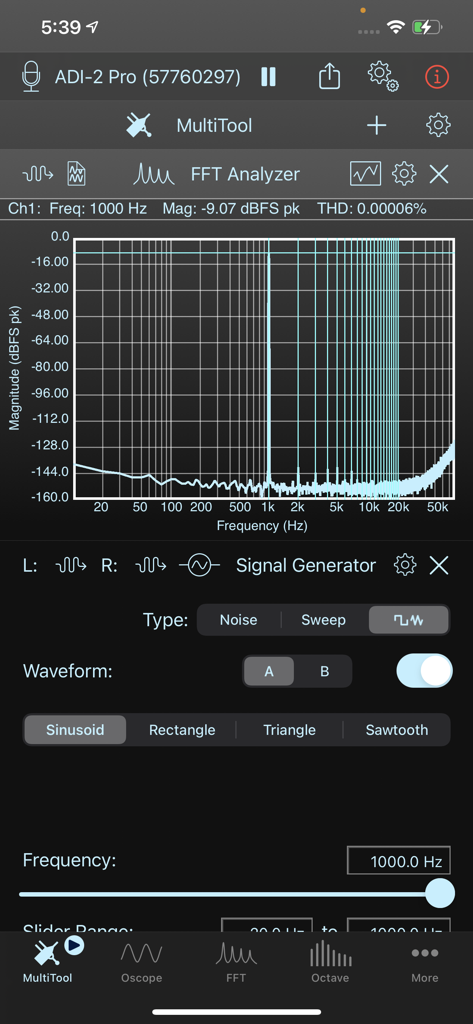
SignalScope X - SignalScope X app interface showing the MultiTool view with an FFT spectrum analyzer and signal generator controls.
SignalScope X app interface showing the MultiTool view with an FFT spectrum analyzer and signal generator controls.

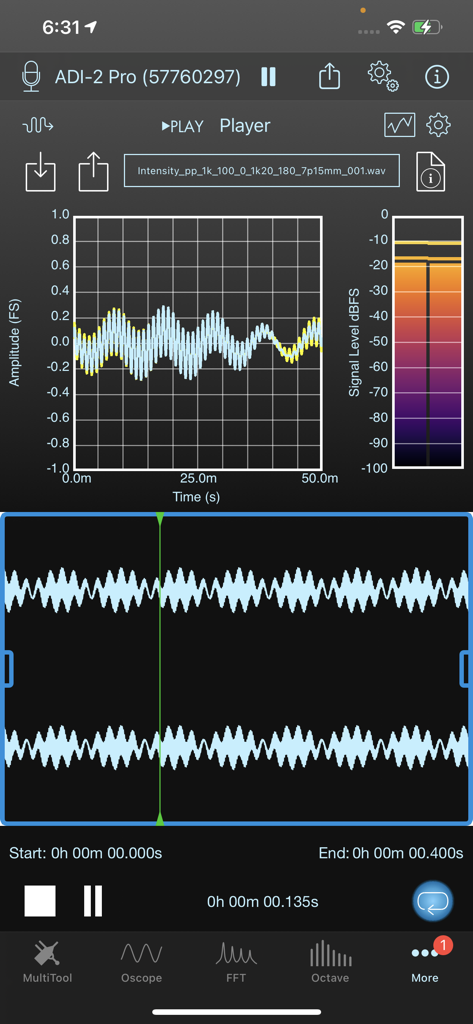
SignalScope X - SignalScope X app interface displaying real-time audio waveform and signal level meter.
SignalScope X app interface displaying real-time audio waveform and signal level meter.

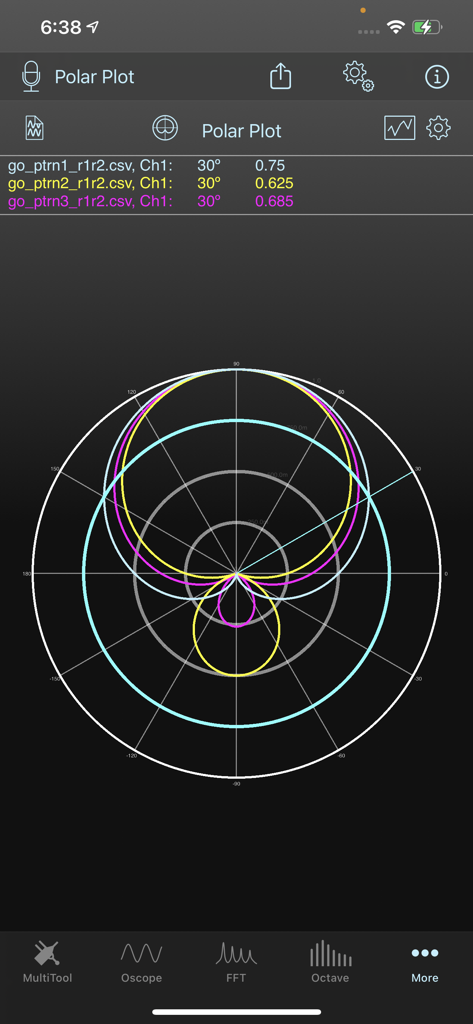
SignalScope X - SignalScope X app showing a polar plot analysis for sound intensity and directionality
SignalScope X app showing a polar plot analysis for sound intensity and directionality

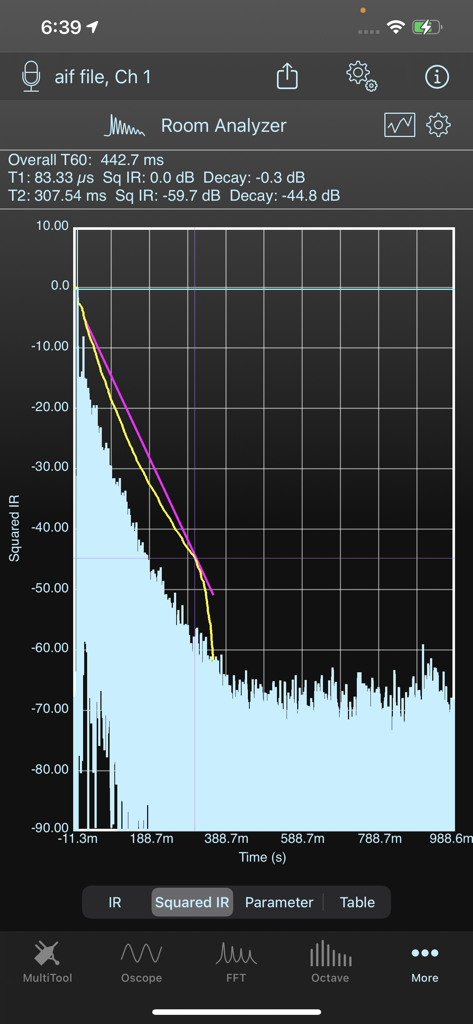
SignalScope X - SignalScope X Room Analyzer showing squared impulse response graph and T60 reverb time measurements
SignalScope X Room Analyzer showing squared impulse response graph and T60 reverb time measurements

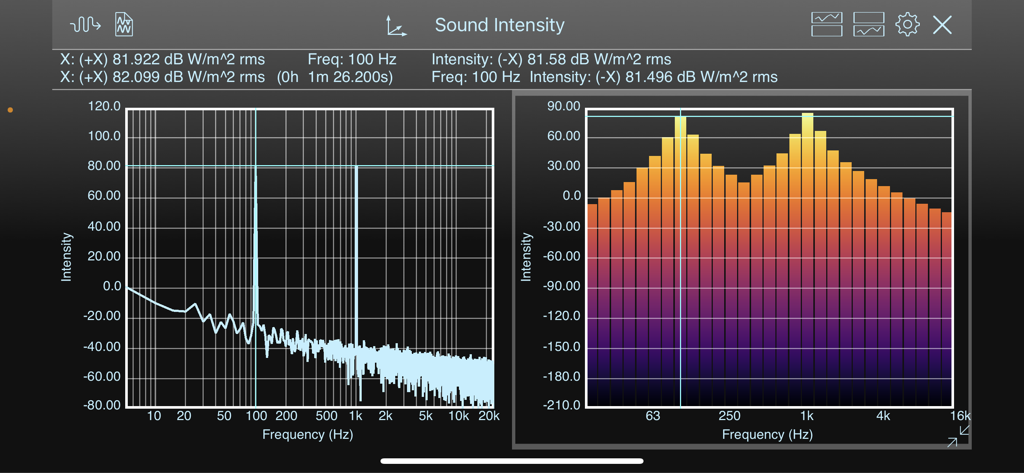
SignalScope X - SignalScope X app interface showing sound intensity measurements with FFT spectrum and octave band bar graphs
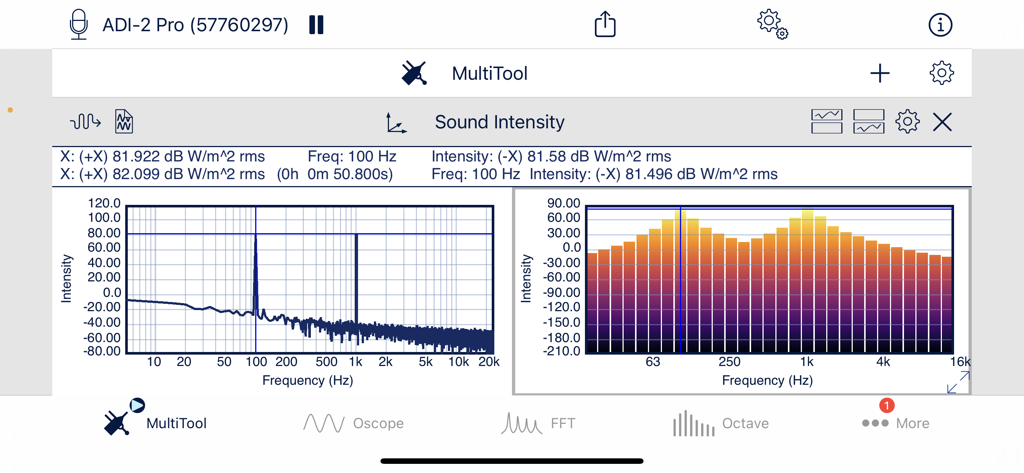
SignalScope X app interface showing sound intensity measurements with FFT spectrum and octave band bar graphs

SignalScope X - SignalScope X app displaying real time sound intensity measurements and frequency analysis graphs

SignalScope X app displaying real time sound intensity measurements and frequency analysis graphs
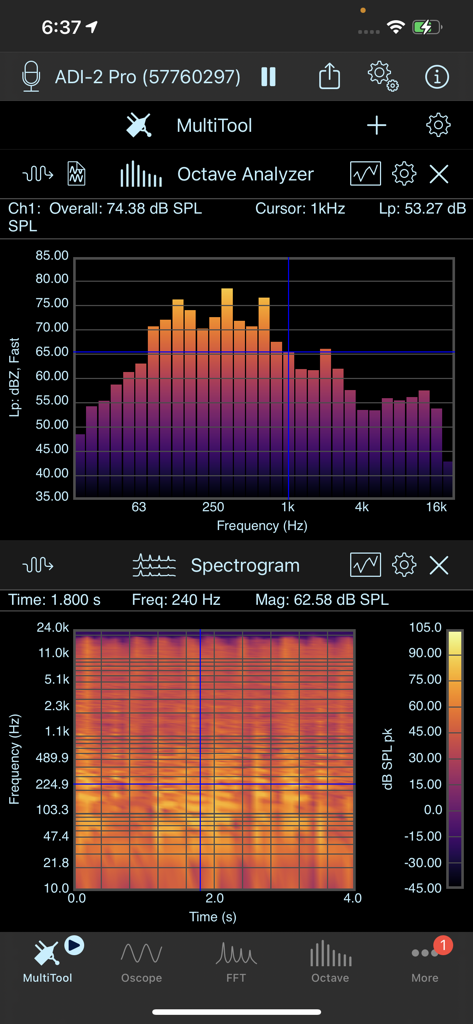
SignalScope X - SignalScope X MultiTool screen showing Octave Analyzer bar chart and a real-time Spectrogram for acoustic analysis.
SignalScope X MultiTool screen showing Octave Analyzer bar chart and a real-time Spectrogram for acoustic analysis.

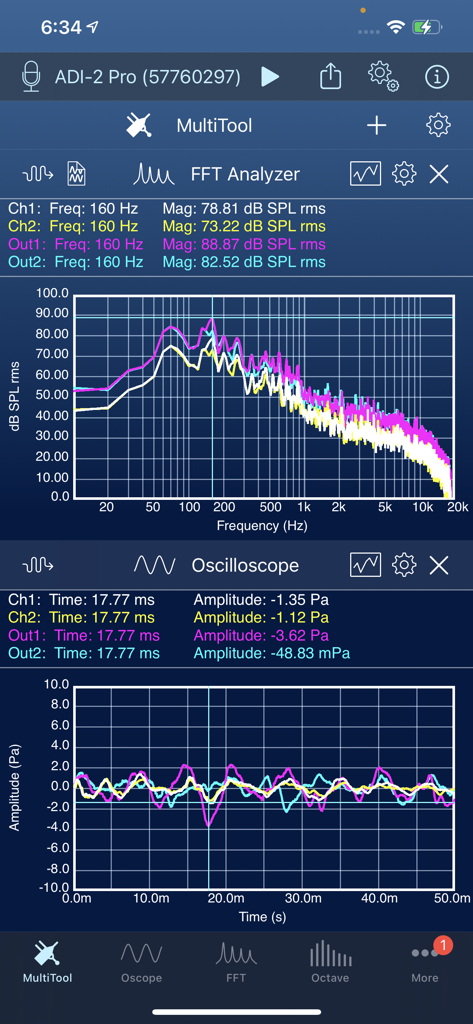
SignalScope X - SignalScope X MultiTool displaying a real time FFT spectrum analyzer and oscilloscope for professional audio engineering.

SignalScope X MultiTool displaying a real time FFT spectrum analyzer and oscilloscope for professional audio engineering.

Description

SignalScope X offers a range of powerful measurement and analysis tools to enhance your productivity in areas such as acoustics (sound and vibration), audio, electronics, and electroacoustics. SignalScope X includes a free oscilloscope tool. SignalScope X makes additional tools available via 3 tiers of subscription-based tool sets to meet your basic, advanced, and professional needs. Each subscription works on your iPhone, iPad, and Mac. Features: - Analyze signals coming from the Mac or iOS device’s current audio input device. - Assign engineering units to your input signals and calibrate external transducers for accurate measurements. - Assign input channel units and sensitivities for individual USB Audio devices. - Connect lab-grade microphones and sensors to your Mac, iPad, or iPhone with suitable interface hardware for precise measurements. - SignalScope offers enhanced support for select hardware from Digiducer, The Modal Shop, and miniDSP. - Nominal acoustic sensitivities included for iPhone and iPad built-in microphones, voltage sensitivities for headset input (including the standard Lightning-to-headset adapter). - Manually switch between available audio input and output sources. - Load microphone frequency response data (FRD) and apply frequency response correction (FRC) to FFT-based measurements. - Manually adjust audio sample rates, even up to 768 kHz, depending on hardware. - Save acquired measurement data to CSV, TXT (tab-delimited), or MAT files. - Save high-resolution analyzer display images to PDF files. - Retrieve your data files from your device via Files (iCloud Drive), iTunes File Sharing, or through a web browser on another device. Files may also be opened in other compatible apps (e.g. Mail, Notes, Numbers, Dropbox, etc). Basic Tools: - Oscilloscope - FFT Analyzer - Spectrum analyzer with user-settable frequency limits and input triggering - 2D Real-time Spectrogram Analyzer - XY Plotter - Create Lissajous curves or visualize your stereo mix - Stereo Signal Generator Advanced Tools: (Advanced Tool Set also includes basic tools) - 3D Real-time Spectrogram Analyzer - Stunning live visualization of incoming data - Octave-band Analyzer - Whole and 1/3-octave RTA - Level Meter - Overall signal level meter - Max Levels - Noise Dosimeter - Data Recorder - Stream up to 8 channels to WAV, AIF, or CAF audio files - Multi-channel Audio File Player - Analyze pre-recorded data Pro Tools: (Pro Tool Set subscription includes basic and advanced tools) - Dual-channel System Analyzer (Dual FFT analysis with support for Frequency Response Magnitude/Phase, Phase Delay, Group Delay, Coherence, Impulse Response and Cross-Correlation) - Sound Intensity Analyzer - With a suitable p-p probe, measure sound intensity and acoustic particle velocity spectra (narrowband FFT and whole or 1/3-octave bands) and time waveforms. - Room Acoustics Analyzer (T20, T30, T60, nonlinearity, EDT, Early Decay Time, Center Time, Clarity, and Definition in various frequency bands, adjustable Schroeder integration limits) - MultiTool - Powerful data monitoring and project management (Add 2-6 subtools, depending on screen size, and save configurations for easy recall at a later time.) - Polar Plot - Generate beautiful high-resolution plots of polar data loaded from properly formatted data in a text or csv file. Additional Pro Features: - User-defined custom metadata in saved audio and data files - Data logging support in the Level Meter, Octave Analyzer, and Noise Dosimeter - Percentile exceeded sound levels in the Level Meter and Octave Analyzer - NC, RNC, and NR references curves, NC, SIL, and NR values in the Octave Analyzer - Voltage decibel levels can be displayed in dBV or dBu Subscription Terms: - https://www.faberacoustical.com/apps/subscriptions/terms.html Privacy Policy: - https://www.faberacoustical.com/about/privacy.html Terms and Conditions for FaberAcoustical.com: - https://www.faberacoustical.com/about/terms.html

Download

Download on App Store

This page is not an official page of the app or its developer, but an independent editorial publication created for informational and commentary purposes. Unless expressly stated otherwise, neither the app nor its developer is affiliated with, endorsed by, sponsored by, authorized by, or otherwise officially connected with MWM, Apple, Google Play, the app publisher, or the app's developer, and nothing on this page implies that the app was developed using MWM's services. Any trademarks, logos, screenshots, and other content remain the property of their respective owners.








