
This page is not an official page of the app or its developer, but an independent editorial publication created for informational and commentary purposes. Unless expressly stated otherwise, neither the app nor its developer is affiliated with, endorsed by, sponsored by, authorized by, or otherwise officially connected with MWM, Apple, Google Play, the app publisher, or the app's developer, and nothing on this page implies that the app was developed using MWM's services. Any trademarks, logos, screenshots, and other content remain the property of their respective owners.


Simple Calendar: ToDo Planner
Users regain control over their day; this app makes organization effortless.
Downloads
12.5M+User Rating
Total Ratings
475.9KPublisher
Category
ProductivityLocales
35Latest Version
5.8.0Size
111.9 MBFirst Released
Nov 16, 2018An Analytical Overview of Key Functionalities and User Benefits
Simple Calendar: ToDo Planner - Core Feature Analysis
Seamless iOS & External Sync
The app seamlessly synchronizes with the standard iOS Calendar and other scheduling applications, ensuring all events are unified across platforms.
Collaborative Schedule Sharing
It allows users to effortlessly share schedules with family, partners, and colleagues by leveraging iCloud Calendar and Google Calendar integration.
Color-Coded Organization
The app provides robust color-coding capabilities for different calendars (e.g., work, home), significantly improving organization and visual clarity.
Flexible Calendar Views
It offers flexible viewing modes, including monthly, weekly (7, 5, or 3-day options), and daily displays, allowing users to adapt the calendar to their specific planning needs.
Comprehensive Notification System
It provides comprehensive notification settings, allowing users to set reminders at event times or pre-defined intervals, ensuring no important appointments are missed.
Secure Access Control
The app offers secure access control through passcode, Face ID, and Touch ID locks, protecting sensitive schedule information.
Extensive Font Customization
This tool features extensive font customization options, including 10 font sizes and the ability to choose between light and bold fonts, enhancing readability and personal preference.
Enhanced Event Details
It allows users to enrich event details by adding notes, URLs, and map locations, centralizing all relevant information.
Frequently Asked Questions
Everything you need to know about Simple Calendar: ToDo Planner
Is Simple Calendar a free application?
Yes, the Simple Calendar app is completely free to download and use. It emphasizes simplicity and core functionality for users.
Can I share my schedules with others using Simple Calendar?
Yes, Simple Calendar supports sharing features with iCloud Calendar and Google Calendar. This enables easy schedule sharing with family, partners, and colleagues.
How many widgets does Simple Calendar offer?
Simple Calendar provides 15 widgets to help users see their events at a glance directly from their device's home screen.
Does Simple Calendar allow for font size adjustment?
Yes, Simple Calendar offers extensive font size adjustment with 10 options, including five specific sizes (extra-small, small, medium, large, extra-large) and bold/light styles.
What display options are available in the Simple Calendar app?
Simple Calendar provides monthly, weekly (7, 5, or 3 days), and daily display options. Users can switch between these views with a single tap.
Can users customize the color scheme within Simple Calendar?
Yes, Simple Calendar supports color coding for different calendars (e.g., work, home) and allows switching the background color between white and black. It offers 20 color themes.
How does Simple Calendar ensure event synchronization?
Simple Calendar utilizes the standard iOS calendar function. This ensures that schedules created within the app synchronize with other scheduling applications and the iOS standard calendar.
Can Simple Calendar be secured with a passcode?
Yes, Simple Calendar provides a secure passcode lock feature. Users can also secure the app using Face ID and Touch ID to protect their calendar privacy.
Does Simple Calendar support event notification settings?
Yes, Simple Calendar allows users to set up notifications for scheduled events. Notifications can be configured for the event time, or at intervals like 5 minutes, 15 minutes, or more prior.
Why do old events disappear in Simple Calendar, and how can I fix it?
Old events may disappear because the app uses the iOS calendar's default sync settings. To fix this, go to iOS Settings > Calendar > Sync, and select 'All Events.'
Can I create event templates in Simple Calendar?
Yes, Simple Calendar allows users to create templates for adding similar events easily. This streamlines the process of scheduling recurring or common activities.
The following screenshots and description are sourced directly from the app's official store listing and are the property of the app developer.
App Store
Screenshots
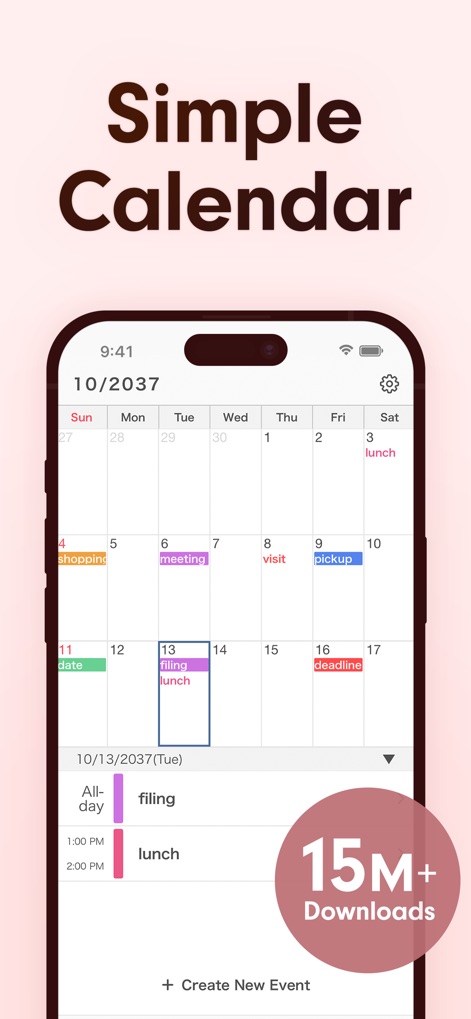
The app presents a clean monthly calendar layout with color-coded events and clear time block indications, streamlining daily planning.
Effortless Planning
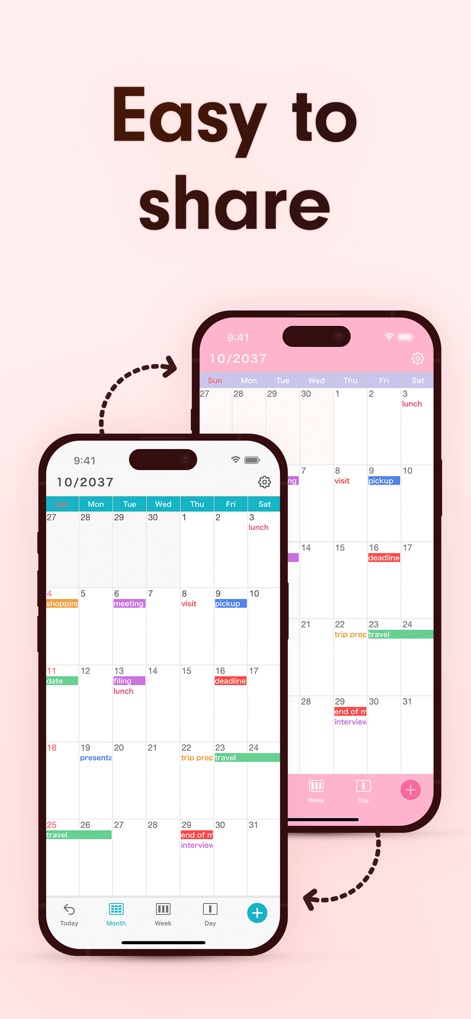
Users can easily share schedules with family and colleagues, leveraging direct synchronization with iCloud and Google Calendar.
Seamless Sharing
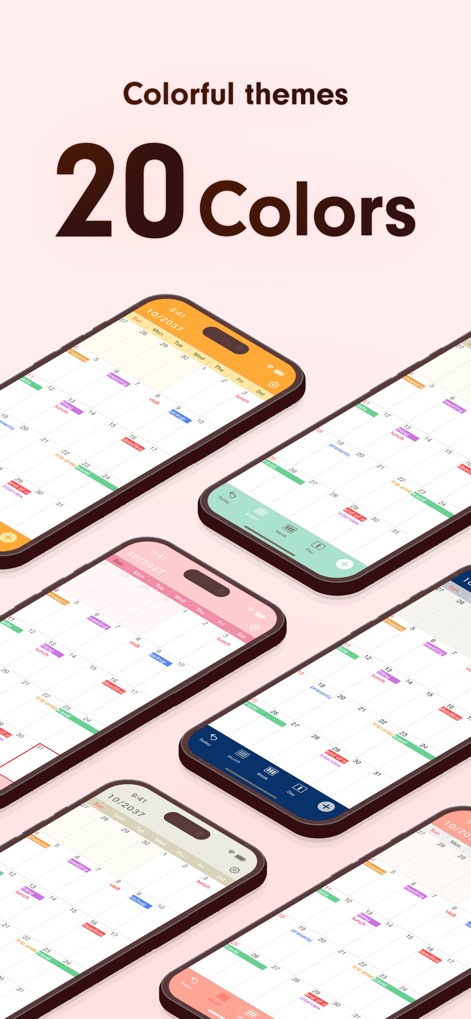
This tool offers a variety of colorful themes, allowing users to customize the interface with over 20 distinct color options.
Personalized Aesthetics
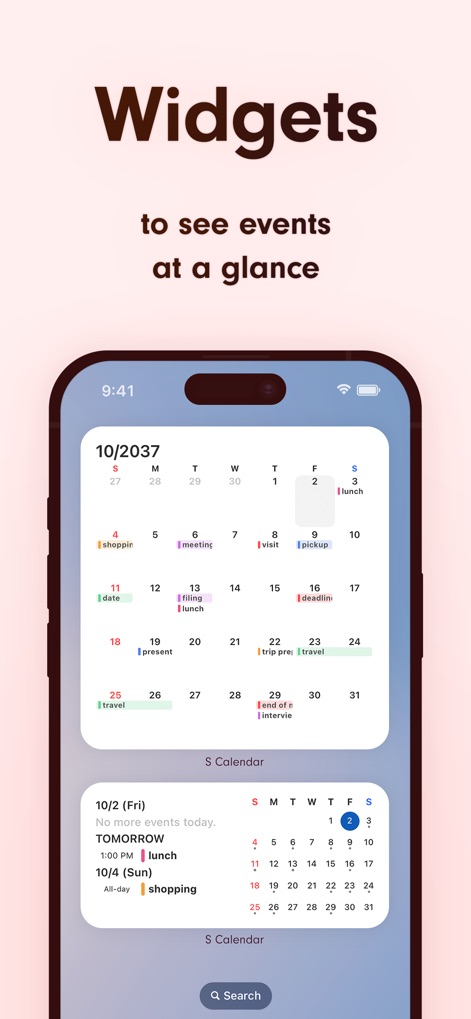
See upcoming events at a glance directly from the home screen, with practical widgets displaying daily agendas and monthly overviews.
Glanceable Widgets
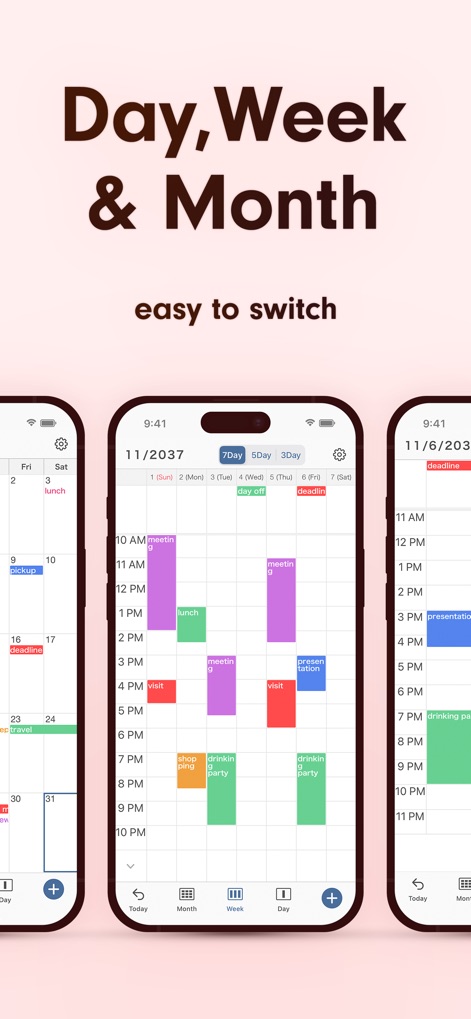
Navigate schedules with ease by switching between detailed daily, customizable weekly (7, 5, or 3-day), and comprehensive monthly calendar views.
Flexible Views
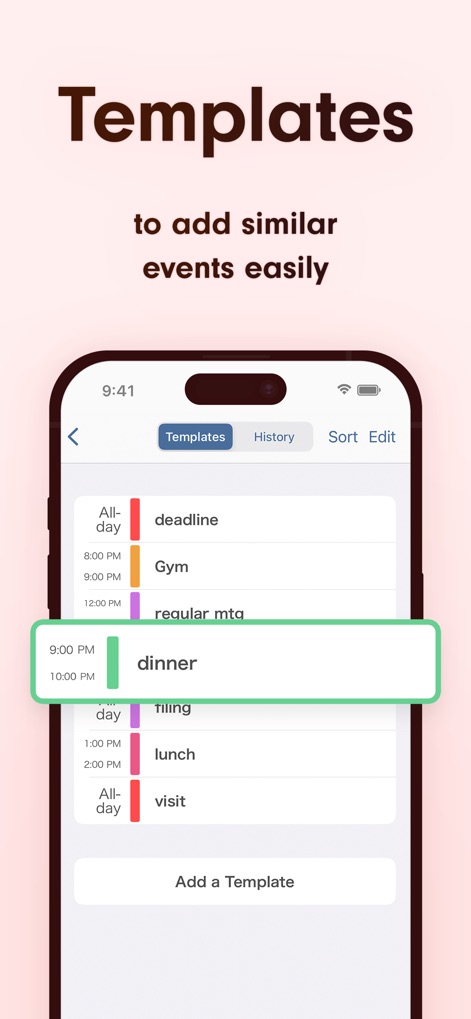
Streamline event creation using predefined templates and a clear history of past entries, significantly reducing data input time.
Quick Event Entry
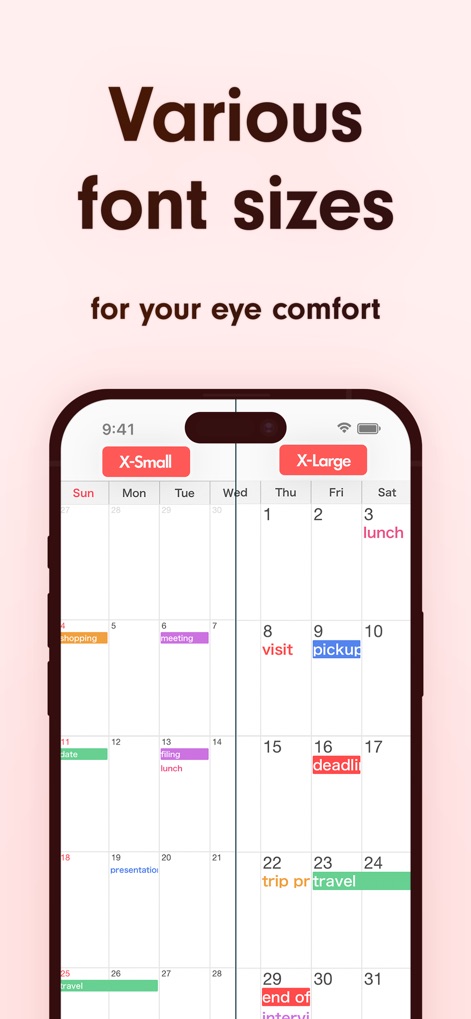
Customize the calendar's appearance with various font sizes and styles, ensuring optimal eye comfort and clear event display.
Enhanced Readability
Description
Download
More Like This
Apps with similar features and user experience

Notion: Notes, Tasks, AI
Notion Labs, Incorporated

Freenotes®: AI Notes Taking
Hangzhou Free Notes Technology Co., Ltd

Structured - Daily Planner
unorderly GmbH

Google Tasks: Get Things Done
Google LLC

TickTick:To-Do List & Calendar
Appest Limited

Noteful: Notes & PDF Markup
Noteful Technologies Ltd

Todoist: To Do List & Calendar
Doist Inc.

To do list MinimaList & Widget
Inner Grow Limited

monday.com - Work Platform
monday.com Ltd.
This page is not an official page of the app or its developer, but an independent editorial publication created for informational and commentary purposes. Unless expressly stated otherwise, neither the app nor its developer is affiliated with, endorsed by, sponsored by, authorized by, or otherwise officially connected with MWM, Apple, Google Play, the app publisher, or the app's developer, and nothing on this page implies that the app was developed using MWM's services. Any trademarks, logos, screenshots, and other content remain the property of their respective owners.