Smart Alarm Clock - Alarmer
Download on App Store

This page is not an official page of the app or its developer, but an independent editorial publication created for informational and commentary purposes. Unless expressly stated otherwise, neither the app nor its developer is affiliated with, endorsed by, sponsored by, authorized by, or otherwise officially connected with MWM, Apple, Google Play, the app publisher, or the app's developer, and nothing on this page implies that the app was developed using MWM's services. Any trademarks, logos, screenshots, and other content remain the property of their respective owners.

Logo of Smart Alarm Clock - Alarmer
Download on App Store

Smart Alarm Clock - Alarmer

The ultimate wake-up call for heavy sleepers and productivity hackers. Beat sleep inertia with interactive tasks—from math puzzles to face recognition—that force your brain to wake up before you can hit snooze.

Key Figures

Downloads

0

User Rating

4.5/5

Total Ratings

0

Publisher

Oleksandr Maltsev

Category

Utilities

Locales

7

Latest Version

2.5.5

Size

21.8 MB

First Released

Sep 13, 2018
Features

Stop Oversleeping and Own Your Morning

Designed for heavy sleepers and high-achievers, Alarmer uses interactive tasks to break your snooze habit and jumpstart your productivity the moment you wake up.

Cognitive Kickstarters

Defeat sleep inertia by solving math problems or rewriting words that force your brain to transition from groggy to sharp in seconds.

Physical Wake-Up Tasks

Make it impossible to stay in bed by requiring a barcode scan in your kitchen or a specific number of phone shakes to silence the alarm.

The following screenshots and description are sourced directly from the app's official store listing and are the property of the app developer.

App Store

Screenshots
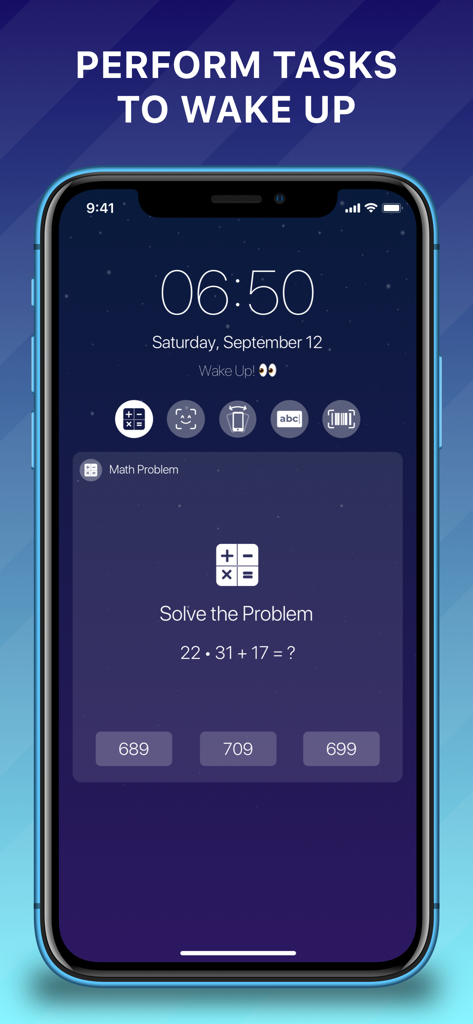
Smart Alarm Clock - Alarmer - Smartphone screen showing a math problem task on the Alarmer app to wake up
Smartphone screen showing a math problem task on the Alarmer app to wake up

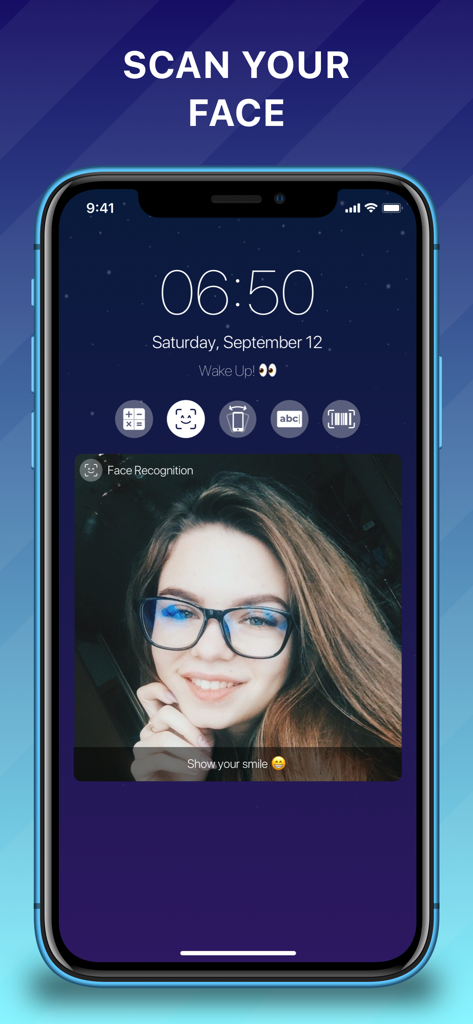
Smart Alarm Clock - Alarmer - Smart Alarm Clock Alarmer interface showing the face recognition task where a user must smile to stop the alarm.
Smart Alarm Clock Alarmer interface showing the face recognition task where a user must smile to stop the alarm.

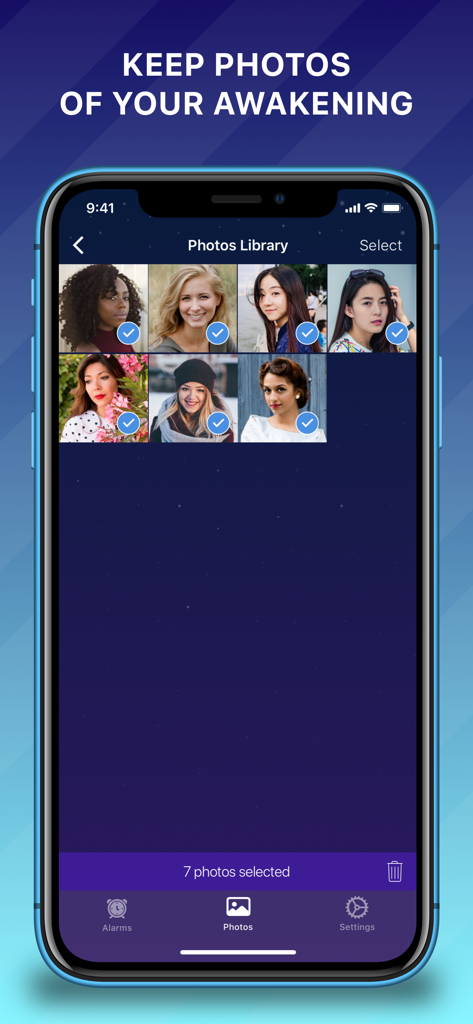
Smart Alarm Clock - Alarmer - Alarmer app photos library showing saved face recognition awakening photos
Alarmer app photos library showing saved face recognition awakening photos

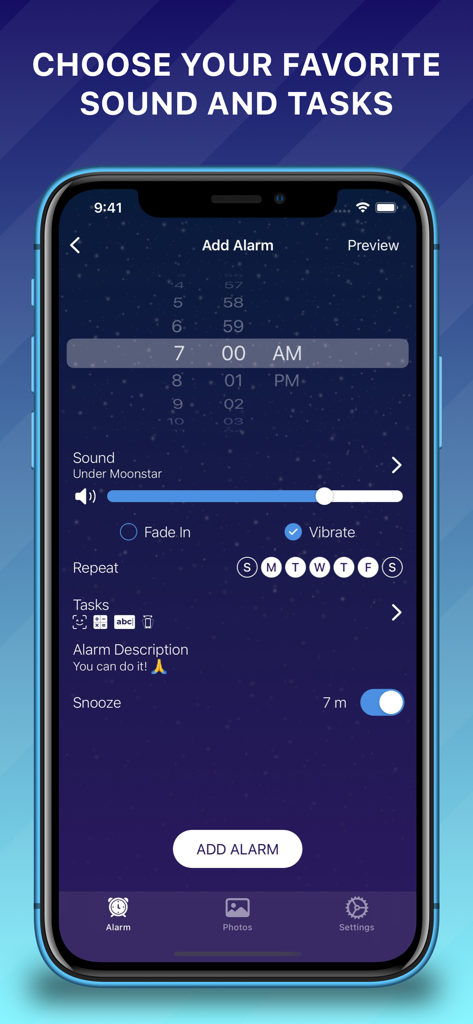
Smart Alarm Clock - Alarmer - Interface of the Alarmer app showing settings for a new alarm including time selection, sound volume, and wake-up tasks like math or face recognition.
Interface of the Alarmer app showing settings for a new alarm including time selection, sound volume, and wake-up tasks like math or face recognition.

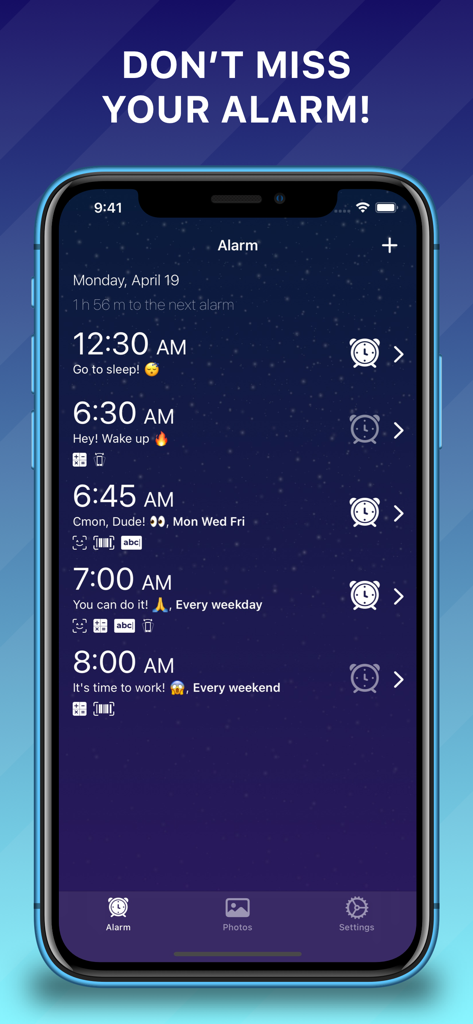
Smart Alarm Clock - Alarmer - Smart Alarm Clock Alarmer interface showing multiple scheduled alarms with custom tasks like math and barcode scanning on a starry background
Smart Alarm Clock Alarmer interface showing multiple scheduled alarms with custom tasks like math and barcode scanning on a starry background

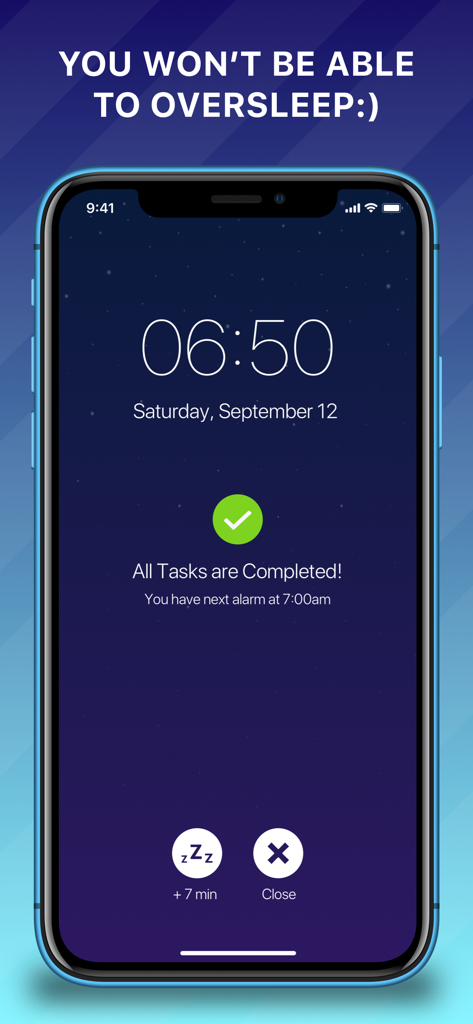
Smart Alarm Clock - Alarmer - Smart Alarm Clock Alarmer interface showing all morning tasks completed and the next scheduled alarm

Smart Alarm Clock Alarmer interface showing all morning tasks completed and the next scheduled alarm

Description

Alarmer is an app that will become your assistant to wake up easily and fast. It's very difficult to oversleep using exciting tasks to stop the alarm clock. Wake up every morning with the Alarmer - the smartest alarm clock. HOW IT WORKS: At first, select the time of waking up. Then select a ringtone to start your day with nice sounds or your own music. Also, there is an ability to add one or multiple tasks and in the morning be ready to complete them to stop the alarm. They are barcode scanning, face recognition, solving a math problem, word rewriting, and shaking the phone. If you just close the application in the morning, the alarm clock will start sending notifications, reminding you to complete the tasks. MAIN FEATURES: - Set unlimited alarms - Set alarm ringtone. You can use the app's default nice ringtone or select your own one from the iTunes Library - Pick one or multiple tasks to prevent oversleeping - Ability to select days of the week for repeating alarms - Ability to enable/disable vibration - Ability to change the volume level - Ability to enable/disable fade-in of the ringtone - Ability to snooze the alarm, select the snooze duration and disable this option - Take photos. You can save a photo of your face after successful face recognition. Saved photos are stored in the app's Photos Library (Settings > Photos Library). There you can view, share or delete them - Set a suitable color theme LIST OF TASKS: - Face recognition. You should show your face in front of a camera and smile. - Barcode scanning. It supports all types of barcodes, so you can scan any of them using the rear camera. There is an option to scan any of the barcodes or some specific. - Solving a math problem. Choose the correct answer out of the proposed options. Also, you can select the difficulty level: easy, medium, or hard. - Word Rewriting. Repeat randomly generated word without any mistakes. - Shake your phone several times. PREMIUM FEATURES: - 'Guess the country flag' task - 'Bubble pop game' task - Premium themes SUBSCRIPTION TERMS: Many features in the app are free, but you will need a subscription to access all the features of this app. You can choose the subscription plan that suits you best: - Monthly subscription (with 7-day free trial) - Annual subscription (with 7-day free trial) Please note: - The subscription is charged to your Apple ID account at confirmation of purchase; - If you start a free trial, it will be automatically upgraded to a paid subscription unless auto-renew is turned off at least 24 hours before the end of the trial period; - You can cancel your subscription or free trial at any time by turning off auto-renewal in your iTunes account settings. This must be done 24 hours before the end of the free trial or subscription period to avoid being charged. Cancellation will take effect the day after the last day of the current subscription period, and you will be downgraded to the free version; - Any unused portion of the free trial period (if offered) is lost when purchasing a paid subscription during the free trial period. IMPORTANT NOTES: For complete ability to use all features and set alarms, you will need to allow access to the following: - Notifications – to receive notifications when the app in background mode. - Media Library – to set your own music as an alarm sound. - Camera - to use Face Recognition & Barcode Scanning tasks, i.e, recognize your face, and scan any barcode. - Photo Library - to save your photos. We really appreciate our users and we are looking forward to your feedback. If you have any suggestions, issues, or questions please contact us at sawasapps@gmail.com. If you like and enjoy our app please rate us and write feedback in the App Store. Thanks Terms: https://sawasapps.wixsite.com/alarmer/terms-and-conditions Privacy Policy: https://sawasapps.wixsite.com/alarmer/privacy-policy

Download

Download on App Store

This page is not an official page of the app or its developer, but an independent editorial publication created for informational and commentary purposes. Unless expressly stated otherwise, neither the app nor its developer is affiliated with, endorsed by, sponsored by, authorized by, or otherwise officially connected with MWM, Apple, Google Play, the app publisher, or the app's developer, and nothing on this page implies that the app was developed using MWM's services. Any trademarks, logos, screenshots, and other content remain the property of their respective owners.