
This page is not an official page of the app or its developer, but an independent editorial publication created for informational and commentary purposes. Unless expressly stated otherwise, neither the app nor its developer is affiliated with, endorsed by, sponsored by, authorized by, or otherwise officially connected with MWM, Apple, Google Play, the app publisher, or the app's developer, and nothing on this page implies that the app was developed using MWM's services. Any trademarks, logos, screenshots, and other content remain the property of their respective owners.


Smart Switch: Copy my data
Phone upgrades just got painless. Users find the app delivers seamless data migration, turning device swaps into instant transitions.
Downloads
100k+User Rating
Total Ratings
84Publisher
Category
UtilitiesLocales
1Latest Version
1.1.4Size
76.5 MBFirst Released
Sep 4, 2024An evaluation of core functionalities for seamless mobile data transitions.
Key Features Analysis: Smart Switch: Copy my data
Complete Phone Cloning
It allows users to clone their entire phone, ensuring that contacts, photos, videos, music, messages, and applications are all transferred efficiently to a new device.
Cross-Platform Data Migration
The app facilitates seamless data transfer between various mobile devices, including iOS to iOS, iOS to Android, and Android to iOS, catering to diverse migration needs.
Secure Data Migration
The app ensures a fully secure transfer process, protecting sensitive personal data throughout the migration from one device to another.
Intuitive & Rapid Transfer
The app provides a straightforward and quick data transfer experience, designed with simple steps and fast file sharing capabilities to minimize user effort and waiting time.
Wireless Data Transfer
This tool enables users to transfer data effortlessly without the need for cables or computers, simplifying the process and removing physical connectivity barriers.
Dedicated iOS Migration
This tool specifically streamlines the process of moving various data types, such as contacts, photos, videos, and music, directly to an iPhone, simplifying transitions for iOS users.
Frequently Asked Questions
Everything you need to know about Smart Switch: Copy my data
What is the primary function of Smart Switch: Copy my data?
Smart Switch: Copy my data is an app for unlimited, wireless data transfer between any two mobile devices, supporting iOS to iOS, iOS to Android, and Android to iOS.
Can Smart Switch: Copy my data transfer data without cables?
Yes, Smart Switch: Copy my data enables wireless data transfer. It does not require cables or computers to move contacts, photos, videos, and other data between devices.
How does Smart Switch: Copy my data transfer data to iOS?
Smart Switch: Copy my data allows effortless transfer of contacts, photos, videos, music, and more from your current device to an iPhone with just a few simple taps.
What content can I transfer using Smart Switch: Copy my data?
You can transfer contacts, photos, videos, music, applications, messages, documents, and media files. The app also supports cloning an entire phone's data.
Is data transfer secure with Smart Switch: Copy my data?
Yes, Smart Switch: Copy my data ensures a fully secure and smart transfer process. All your data remains protected when being sent and received between devices.
Can Smart Switch: Copy my data move files from iPhone to Android?
Yes, Smart Switch: Copy my data enables data transfer from an iPhone to any mobile device, including Android, facilitating cross-platform content migration.
Does Smart Switch: Copy my data offer fast file sharing?
Yes, Smart Switch: Copy my data provides fast file sharing. It transfers large files quickly in seconds, streamlining the process and avoiding common transfer delays.
How do I start receiving data with Smart Switch: Copy my data?
To receive data, Smart Switch: Copy my data offers two modes: Quick Scan Mode and QR Scan Mode. Users choose one to establish connection and begin transfer.
The following screenshots and description are sourced directly from the app's official store listing and are the property of the app developer.
App Store
Screenshots
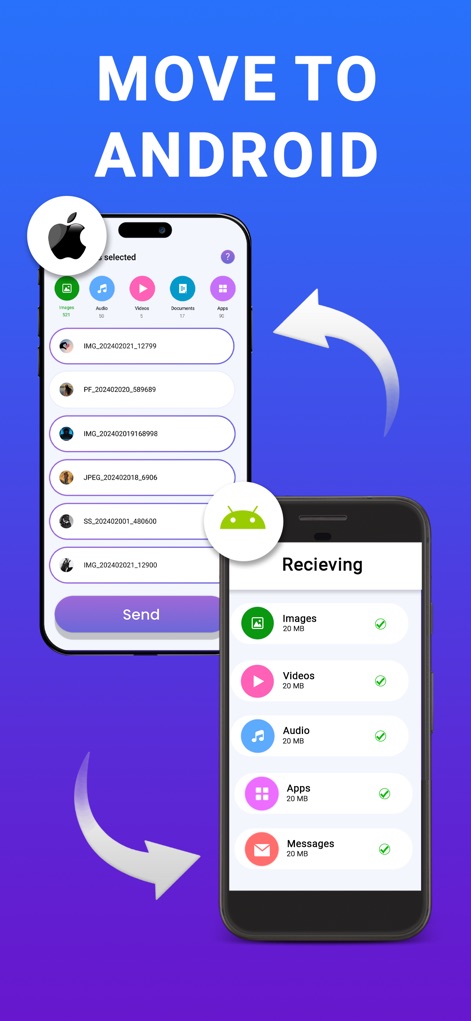
Witness the effortless data transfer from an iOS device to Android, showcasing selectable file categories and a clear receiving interface.
Seamless Android Migration
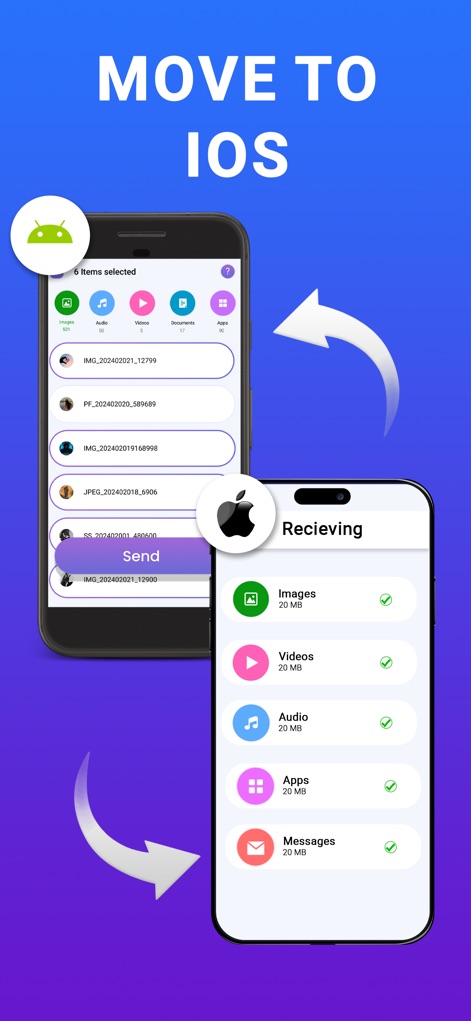
Observe how this tool facilitates smooth data migration from Android to iOS, highlighting diverse file type selection and organized data reception.
Effortless iOS Transition
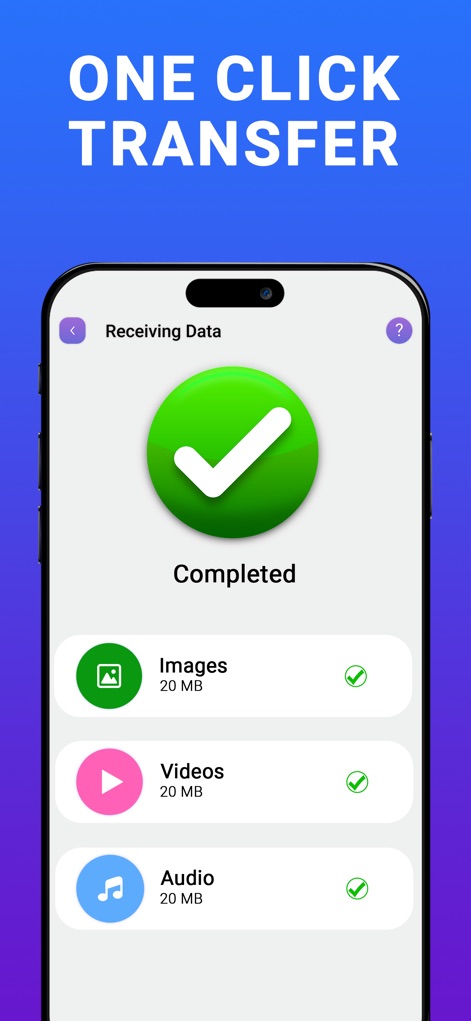
This view confirms the successful completion of data transfer, providing a clear 'Completed' status and an itemized list of received content categories.
Instant Transfer Confirmation
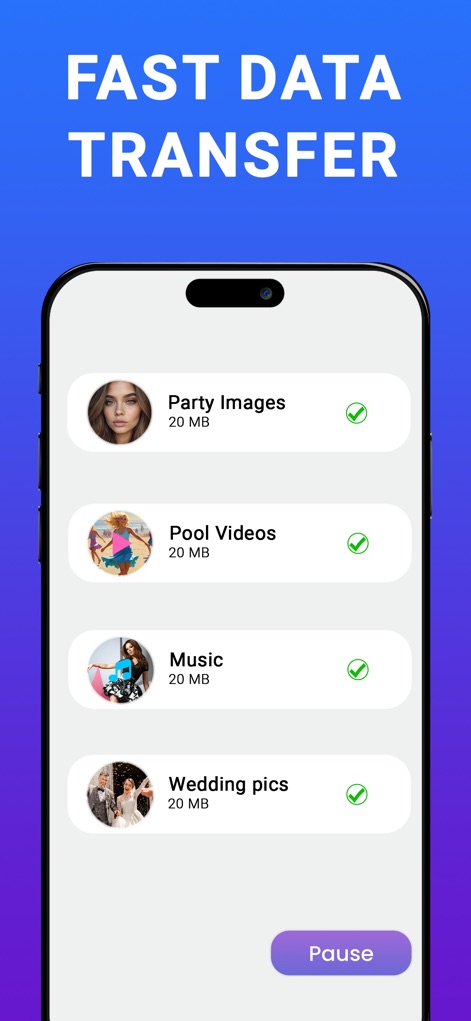
Experience the speed of data transfer with a real-time progress display for various media files, including a convenient 'Pause' option.
Accelerated Data Movement
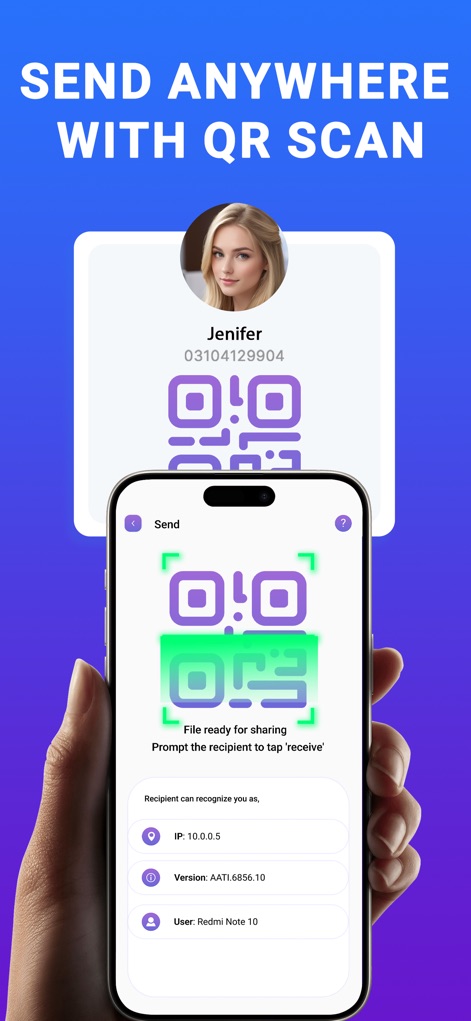
This screen demonstrates the secure QR code scanning for effortless file sharing, displaying both the sharable QR and detailed recipient network information.
QR Powered Sharing
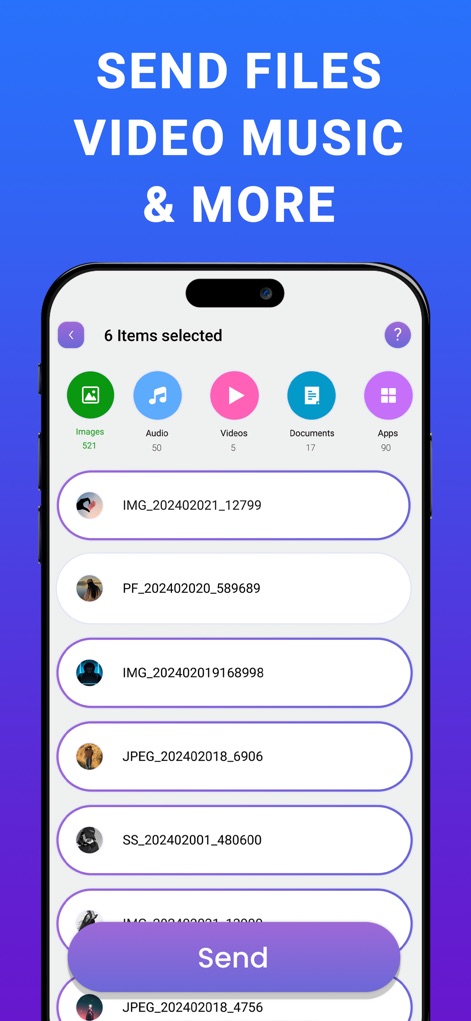
Users can easily select multiple file types like images and videos, viewing an organized list of items before initiating the transfer process.
Comprehensive File Selection

The app offers versatile connection methods for receiving data, presenting clear options for both 'Quick Scan Mode' and 'QR Scan Mode'.
Flexible Connection Modes
Description
Download
More Like This
Apps with similar features and user experience

Data Transfer - Copy My Data
Simple Health Limited

互传 - 快速换机数据迁移智能助手
家呈 郭

Copy My Data - Smart Transfer
Red Sky Labs, SOCIEDAD LIMITADA
Smart Switch - Copy My Data
学斌 林
Copy My Data - Mobile Transfer
KHD Plaza LLC

Phone Clone - Smart Switch .
俊杰 刘

Smart Switch: Data Transfer
Zadore Tracy
Smart Switch: Copy & Move Data
JW Marketing group s.r.o.
手机同步传输-同步转移数据文件
冰 杜
This page is not an official page of the app or its developer, but an independent editorial publication created for informational and commentary purposes. Unless expressly stated otherwise, neither the app nor its developer is affiliated with, endorsed by, sponsored by, authorized by, or otherwise officially connected with MWM, Apple, Google Play, the app publisher, or the app's developer, and nothing on this page implies that the app was developed using MWM's services. Any trademarks, logos, screenshots, and other content remain the property of their respective owners.