
This page is not an official page of the app or its developer, but an independent editorial publication created for informational and commentary purposes. Unless expressly stated otherwise, neither the app nor its developer is affiliated with, endorsed by, sponsored by, authorized by, or otherwise officially connected with MWM, Apple, Google Play, the app publisher, or the app's developer, and nothing on this page implies that the app was developed using MWM's services. Any trademarks, logos, screenshots, and other content remain the property of their respective owners.


SongShift
Stop being held hostage by your music service. This app gives you the power to break free and take your tunes with you, wherever you go.
Downloads
5M+User Rating
Total Ratings
121.5KPublisher
Category
MusicLocales
12Latest Version
6.3.2Size
149.3 MBFirst Released
Apr 18, 2016An in-depth look at its core functionalities for cross-platform music management.
SongShift: Key Feature Analysis
Seamless Music Library Migration
The app provides efficient and quick transfer of users' favorite music libraries between various streaming platforms.
Extensive Platform Compatibility
It supports a wide array of popular music streaming services, including Apple Music, Spotify, Tidal, YouTube, and Amazon Music, facilitating broad interoperability.
Cross-Platform Playlist Sharing (SongShare)
This tool allows users to share playlists with friends, irrespective of their preferred music streaming service, and enables social media integration for sharing.
Manual Match Review and Correction
The app features a match review process, empowering users to confirm song matches and correct any inaccuracies, ensuring precise data transfer.
Automatic Playlist Synchronization
It monitors playlists for new song additions, automatically updating transferred playlists across services to keep libraries current.
Batch Transfer Setup
This tool allows for the queuing of multiple transfers simultaneously, significantly boosting efficiency for users managing extensive music collections.
Web Link Initiated Transfers
The app enables the initiation of new transfers by simply pasting a web link from a music service, streamlining the setup process.
Intuitive User Interface
It offers a clean, minimal design with intuitive features, enhancing the overall user experience and ease of navigation.
Frequently Asked Questions
Everything you need to know about SongShift
What is SongShift?
SongShift is an application that transfers your music, including albums, playlists, and songs, between various music streaming providers. It also enables sharing playlists across different services.
How does SongShift work to transfer music?
SongShift works by connecting your music services, allowing you to configure transfers, finding suitable matches for your music, and then performing the transfer after your confirmation.
Does SongShift support Spotify?
Yes, SongShift supports Spotify. You can transfer music to and from Spotify, as well as share playlists with users on this platform.
Can I transfer music into Apple Music with SongShift?
Yes, you can transfer music into Apple Music using SongShift. An active Apple Music subscription is required for successful transfers into the service.
Which music streaming services does SongShift support?
SongShift supports popular music services including Apple Music, Amazon Music, Discogs, HypeMachine, LastFM, Napster, Pandora, Qobuz, Spotify, Tidal, and YouTube.
Does SongShift allow sharing playlists?
Yes, SongShift includes a feature called SongShare that allows you to share playlists with friends, even if they use a different music streaming service.
Is SongShift private? Does it share my data?
SongShift states it is fully private and does not share user data. The application maintains strict privacy standards.
How does SongShift handle song matching during transfers?
SongShift includes a match review process. This feature allows users to confirm the suggested song matches and correct any discrepancies before the transfer completes.
Can SongShift update transferred playlists with new songs?
Yes, SongShift offers a feature to monitor playlists for new song additions. This keeps your transferred playlists up to date automatically.
How do I contact SongShift support?
You can contact SongShift support by sending an email to support@songshift.com for assistance with any issues.
The following screenshots and description are sourced directly from the app's official store listing and are the property of the app developer.
App Store
Screenshots
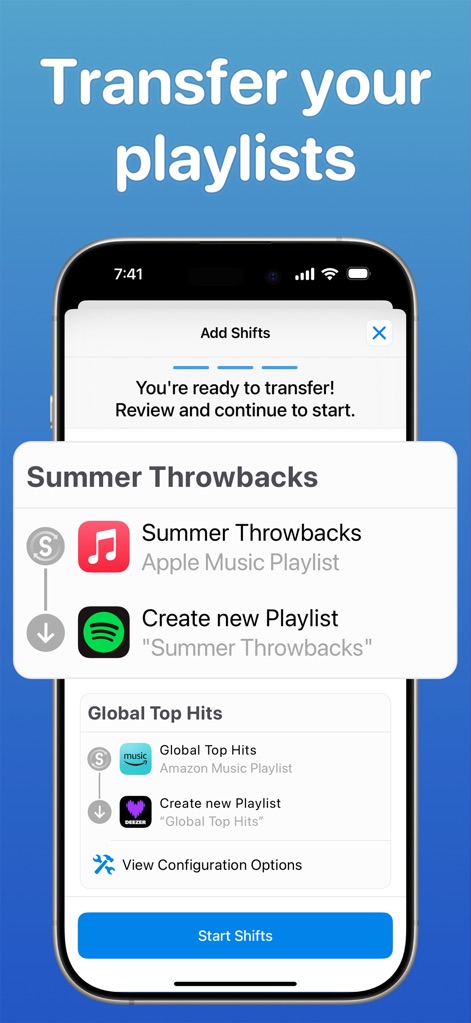
Observe how the app’s intuitive "Add Shifts" interface guides users through configuring playlist transfers, clearly displaying source and destination platforms.
Seamless Transfer Setup
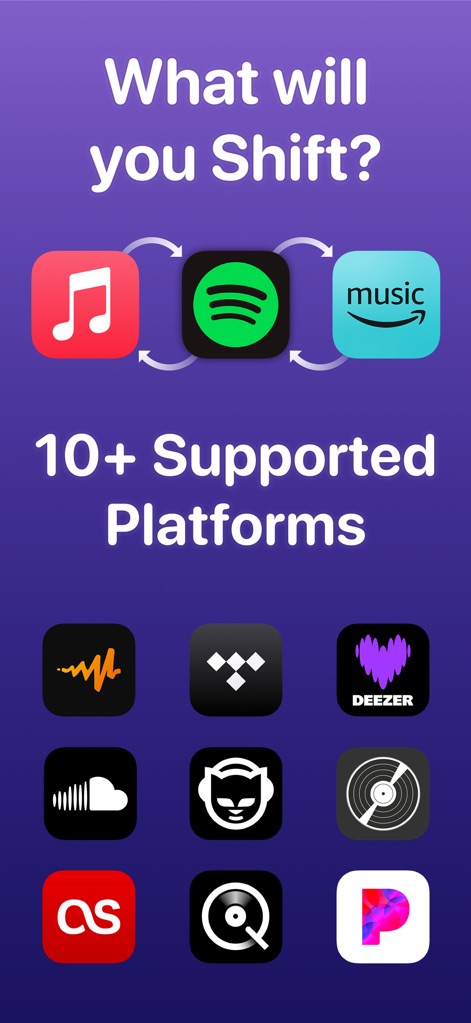
This tool showcases its extensive compatibility, featuring prominent streaming service icons with directional arrows, alongside a comprehensive list of supported platform logos.
Broad Platform Support
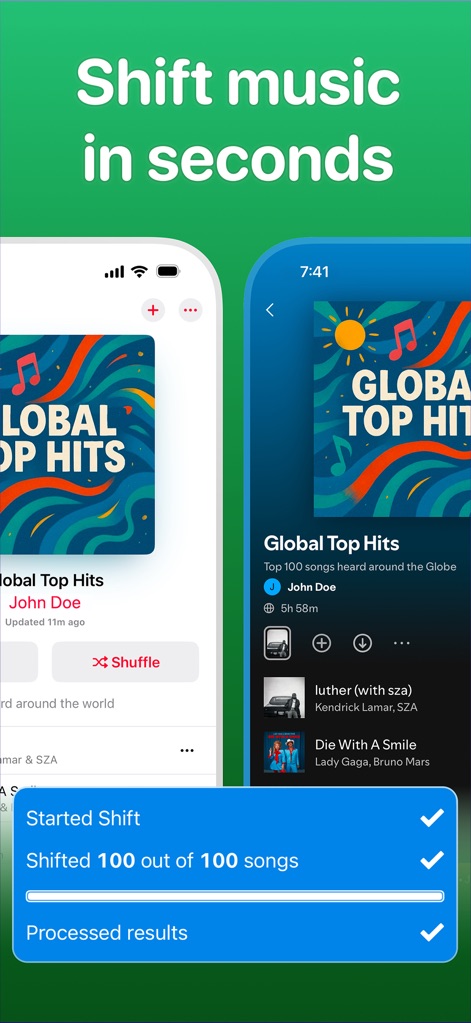
Witness the efficiency of transfers as the app presents a side-by-side playlist comparison and provides a real-time transfer progress checklist.
Rapid Music Migration

Users can explore the precise "Match Review" interface, ensuring accuracy with a detailed display of successful song matches including artist and title information.
Intelligent Match Review
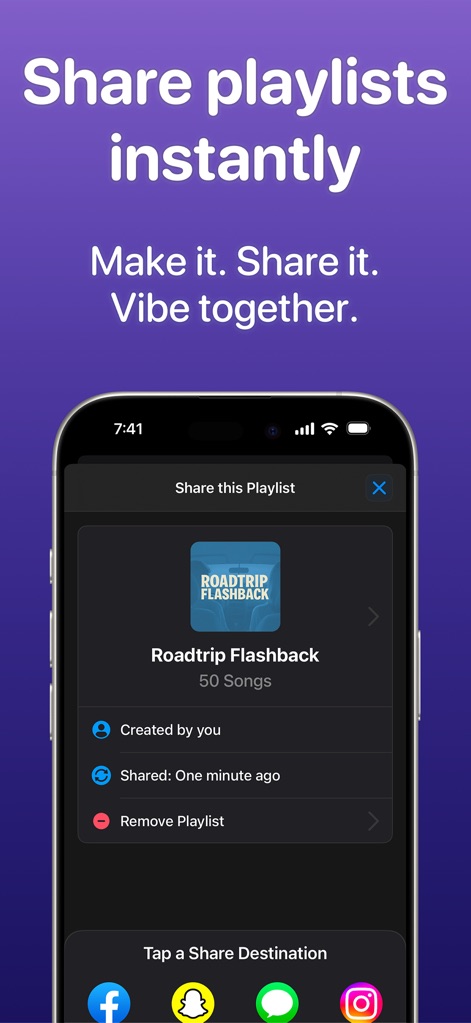
The app highlights its dedicated "Share this Playlist" screen, allowing users to instantly distribute music across various social media sharing icons.
Effortless Playlist Sharing
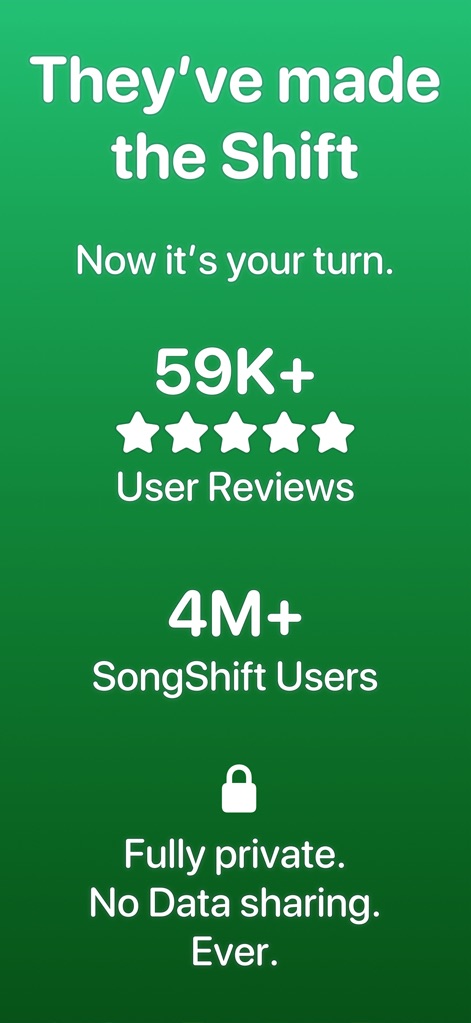
This screenshot conveys the app's reliability through a prominent user review count and star rating, reinforced by an explicit privacy and data sharing statement.
Trusted User Experience
Description
Download
More Like This
Apps with similar features and user experience
Playlisty for Apple Music
Obdura Ltd

TuneMySong
亮 何

TuneShift
建新 李

Playlist Transfer for My Music
Virals Dijital Hizmetler Anonim Sirketi

Transfer Music
DANIIL VOIDILOV, IE

FreeYourMusic
Hernas OU

Music transfer & stats: Swapy
Maryana Yurieva

Youtify + for Spotify Premium
KISSAPP, S.L.
Playlisty for Spotify
Obdura Ltd
This page is not an official page of the app or its developer, but an independent editorial publication created for informational and commentary purposes. Unless expressly stated otherwise, neither the app nor its developer is affiliated with, endorsed by, sponsored by, authorized by, or otherwise officially connected with MWM, Apple, Google Play, the app publisher, or the app's developer, and nothing on this page implies that the app was developed using MWM's services. Any trademarks, logos, screenshots, and other content remain the property of their respective owners.