
This page is not an official page of the app or its developer, but an independent editorial publication created for informational and commentary purposes. Unless expressly stated otherwise, neither the app nor its developer is affiliated with, endorsed by, sponsored by, authorized by, or otherwise officially connected with MWM, Apple, Google Play, the app publisher, or the app's developer, and nothing on this page implies that the app was developed using MWM's services. Any trademarks, logos, screenshots, and other content remain the property of their respective owners.


Downloads
1M+User Rating
Total Ratings
15.6KPublisher
Category
MusicLocales
16Latest Version
3.2.9Size
56.2 MBFirst Released
Aug 16, 2019An analytical overview of 'Transfer Music' focusing on its core capabilities for digital music enthusiasts managing diverse streaming libraries.
Evaluation: Transfer Music - Bridging Streaming Ecosystems
Cross-platform Music Migration
The app provides seamless migration of music collections between a multitude of different streaming services.
Broad Service Compatibility
This tool features extensive compatibility, supporting popular platforms such as Spotify, Apple Music, YouTube Music, Amazon Music, Tidal, SoundCloud, and Yandex Music.
Comprehensive Library & Playlist Transfer
It allows users to transfer their entire music library or selectively migrate specific curated playlists, offering flexible migration options.
Simplified Transfer Workflow
The app simplifies the migration process through an intuitive workflow, guiding users from source selection to track addition effortlessly.
Consolidated Music Access
This tool features the ability to centralize and enjoy all transferred tracks from various sources within a single application interface.
Granular Track Selection
It allows users to precisely select and transfer individual tracks, providing fine-tuned control over the content being moved.
Frequently Asked Questions
Everything you need to know about Transfer Music
What is the purpose of the Transfer Music app?
The Transfer Music app transfers music libraries between services like Spotify and Apple Music. It also allows users to play all their tracks from various services in one app.
Which music streaming services does Transfer Music support?
Transfer Music supports Spotify, Apple Music, YouTube Music, Amazon Music, Tidal, SoundCloud, and Yandex Music for transfers and playback.
How does Transfer Music transfer tracks between services?
Users select a source service, the app searches for tracks, then they choose desired tracks or all. Finally, they hit the 'Add' button to transfer them to the destination.
Does Transfer Music offer an all-in-one music player?
Yes, Transfer Music includes an "All-in-One Player" feature. This allows users to consolidate and listen to all their tracks from supported music services within a single app.
Are subscriptions required for destination services when using Transfer Music?
Yes, an active and paid subscription is required for the destination music app. This ensures successful transfer and access to your music library within that service.
Why might some tracks be missing after a Transfer Music transfer?
Missing tracks depend on their names and regional availability within the destination service. Transfer Music only transfers what is available and matched.
Can users select specific songs or playlists to transfer with Transfer Music?
Yes, Transfer Music allows users to choose specific tracks or entire playlists for transfer. This provides flexibility to move only desired content.
The following screenshots and description are sourced directly from the app's official store listing and are the property of the app developer.
App Store
Screenshots
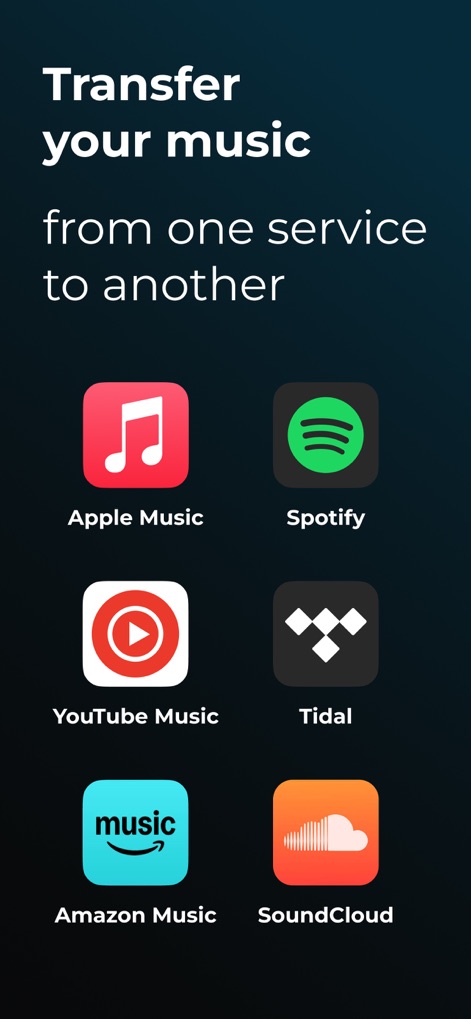
Explore the app's broad compatibility, showcasing multiple streaming service logos and the clear introductory text explaining its core function.
Service Compatibility Preview
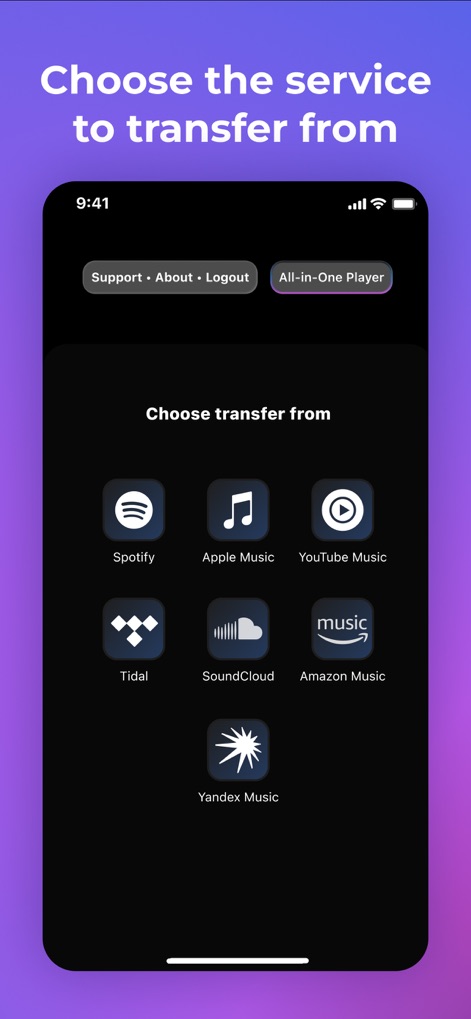
This screen details the seamless selection process, displaying an extensive list of music services and the convenient 'All-in-One Player' option for consolidated listening.
Source Selection Screen
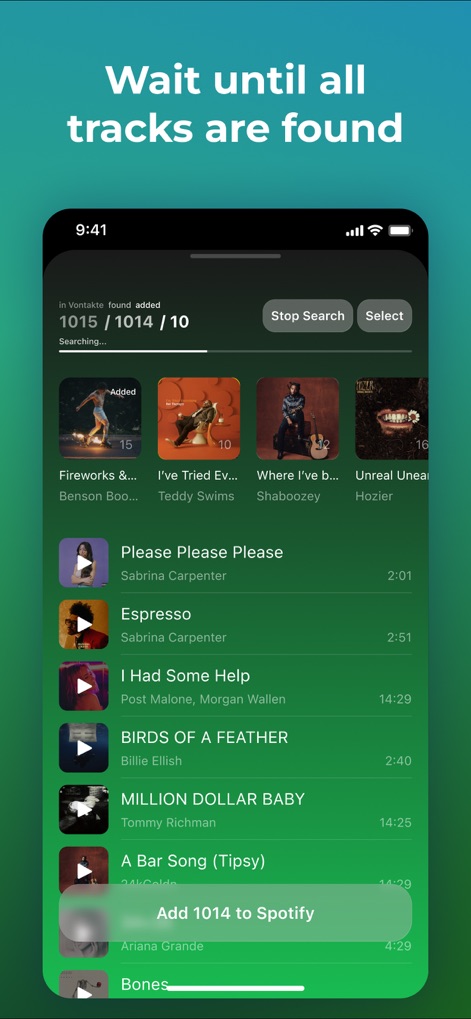
Observe the efficient track discovery process, featuring a real-time search progress indicator and comprehensive individual track listings with corresponding album art.
Track Discovery Process
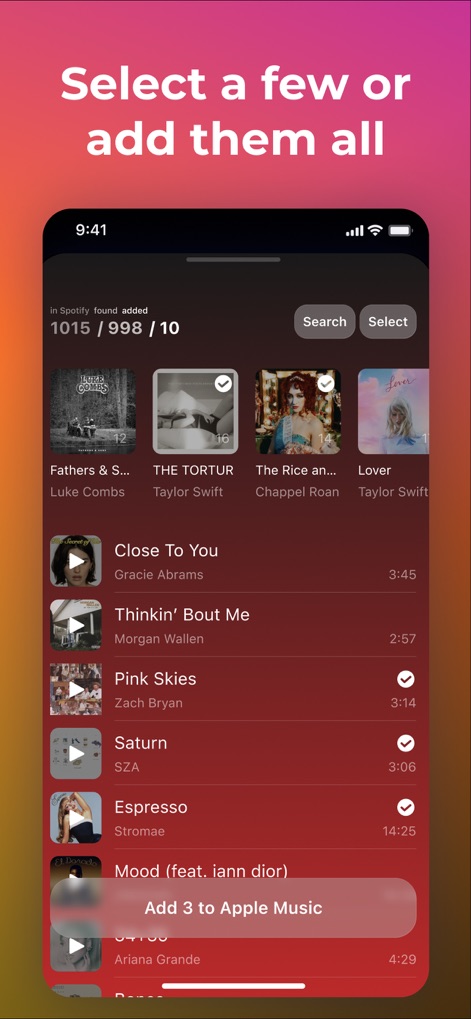
Examine the flexible transfer options, highlighting intuitive track selection with checkmarks and the streamlined batch add functionality for effortless library management.
Flexible Transfer Options
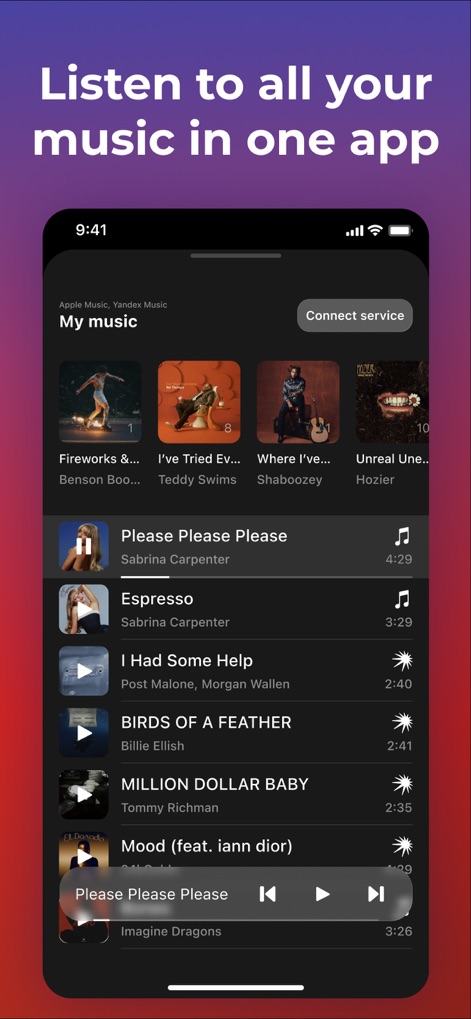
Witness the consolidated listening experience, featuring an integrated music player with playback controls and a unified 'My Music' library view pulling from various sources.
Unified Playback Experience
Description
Download
More Like This
Apps with similar features and user experience

Playlisty for Apple Music
Obdura Ltd

SongShift
SongShift, LLC

TuneMySong
亮 何

TuneShift
建新 李

Playlist Transfer for My Music
Virals Dijital Hizmetler Anonim Sirketi

FreeYourMusic
Hernas OU

Music transfer & stats: Swapy
Maryana Yurieva

Youtify + for Spotify Premium
KISSAPP, S.L.
Playlisty for Spotify
Obdura Ltd
This page is not an official page of the app or its developer, but an independent editorial publication created for informational and commentary purposes. Unless expressly stated otherwise, neither the app nor its developer is affiliated with, endorsed by, sponsored by, authorized by, or otherwise officially connected with MWM, Apple, Google Play, the app publisher, or the app's developer, and nothing on this page implies that the app was developed using MWM's services. Any trademarks, logos, screenshots, and other content remain the property of their respective owners.