Sony | BRAVIA Connect
Download on App Store

This page is not an official page of the app or its developer, but an independent editorial publication created for informational and commentary purposes. Unless expressly stated otherwise, neither the app nor its developer is affiliated with, endorsed by, sponsored by, authorized by, or otherwise officially connected with MWM, Apple, Google Play, the app publisher, or the app's developer, and nothing on this page implies that the app was developed using MWM's services. Any trademarks, logos, screenshots, and other content remain the property of their respective owners.

Logo of Sony | BRAVIA Connect
Download on App Store

Sony | BRAVIA Connect

Transform your smartphone into a sophisticated remote and setup guide for your premium Sony TV and soundbar. Experience effortless installation, real-time updates, and intuitive control designed for the modern home theater enthusiast.

Key Figures

Downloads

0

User Rating

4.5/5

Total Ratings

0

Publisher

Sony Corporation

Category

Utilities

Locales

20

Latest Version

3.6.3

Size

162.6 MB

First Released

Mar 26, 2023
Features

Complete Command of Your Cinema

Ditch the manuals and multiple remotes. Experience the seamless integration of your Sony TV and Soundbar through an intuitive, premium interface designed for your lifestyle.

Guided Pro-Level Setup

Skip the manual. Follow animated, step-by-step instructions to calibrate your premium sound and vision in minutes.

One-Touch Universal Control

Your iPhone is now the only remote you need. Adjust volume, settings, and inputs across all your connected devices instantly.

The following screenshots and description are sourced directly from the app's official store listing and are the property of the app developer.

App Store

Screenshots
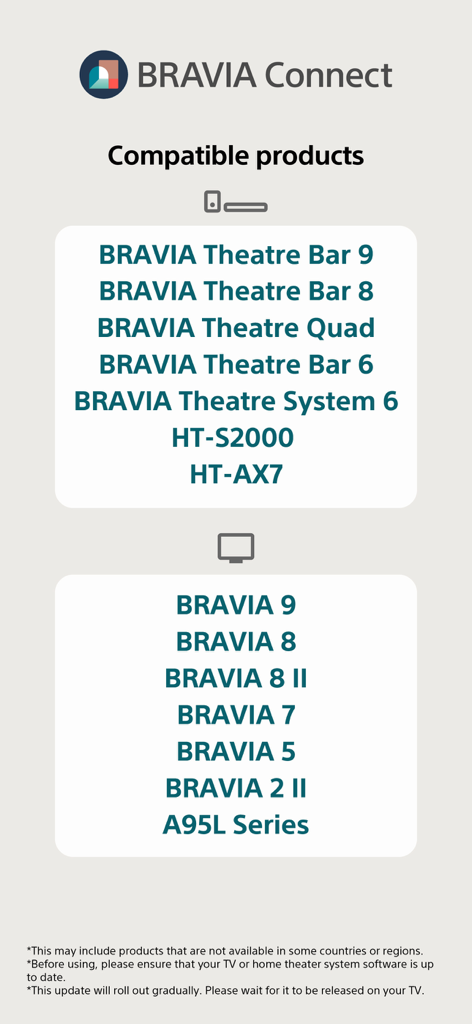
Sony | BRAVIA Connect - List of compatible Sony BRAVIA TVs and soundbars for the BRAVIA Connect app
List of compatible Sony BRAVIA TVs and soundbars for the BRAVIA Connect app

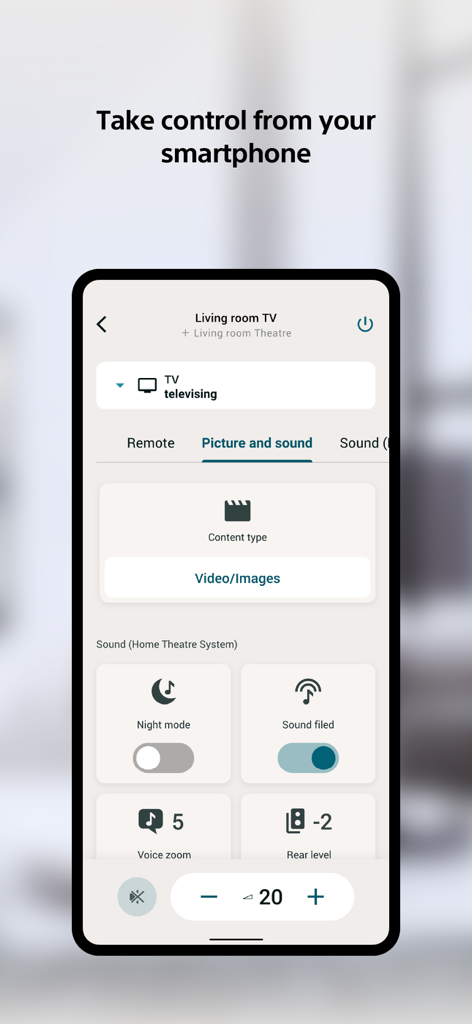
Sony | BRAVIA Connect - Sony BRAVIA Connect app interface on a smartphone showing TV and home theater sound controls
Sony BRAVIA Connect app interface on a smartphone showing TV and home theater sound controls

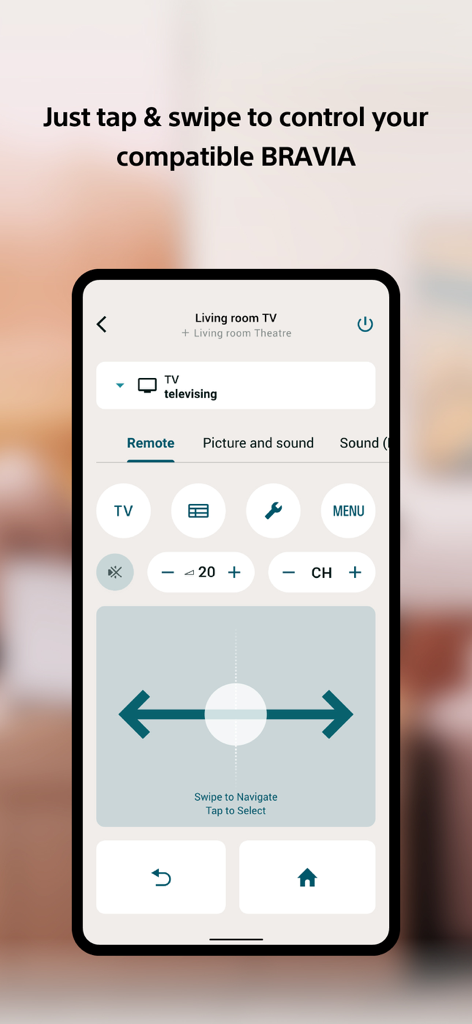
Sony | BRAVIA Connect - Digital remote control interface on the Sony BRAVIA Connect app
Digital remote control interface on the Sony BRAVIA Connect app

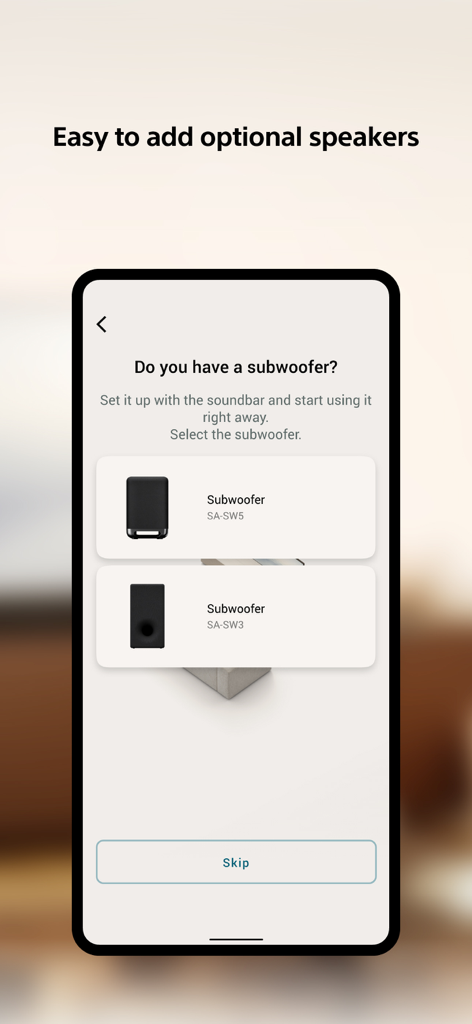
Sony | BRAVIA Connect - Sony BRAVIA Connect app screen for subwoofer setup showing SA-SW5 and SA-SW3 options.
Sony BRAVIA Connect app screen for subwoofer setup showing SA-SW5 and SA-SW3 options.

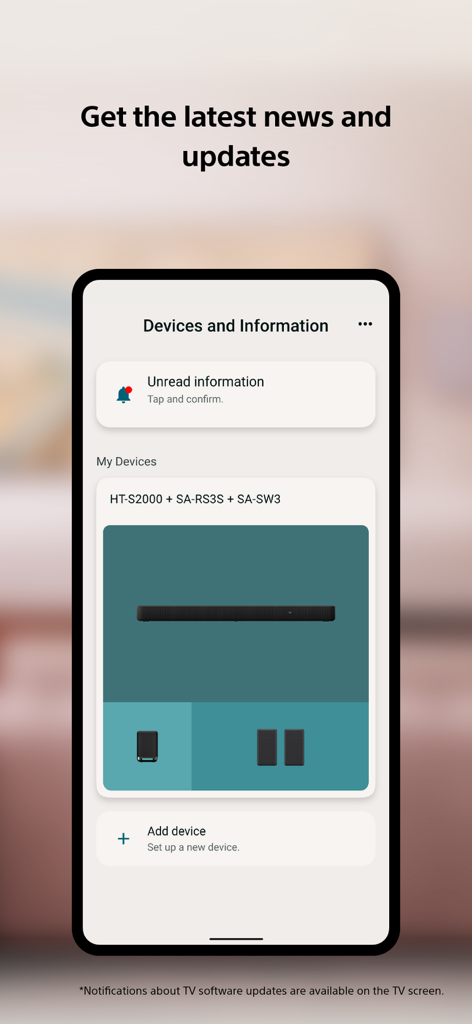
Sony | BRAVIA Connect - Sony BRAVIA Connect app interface showing connected home theater devices and system notifications

Sony BRAVIA Connect app interface showing connected home theater devices and system notifications
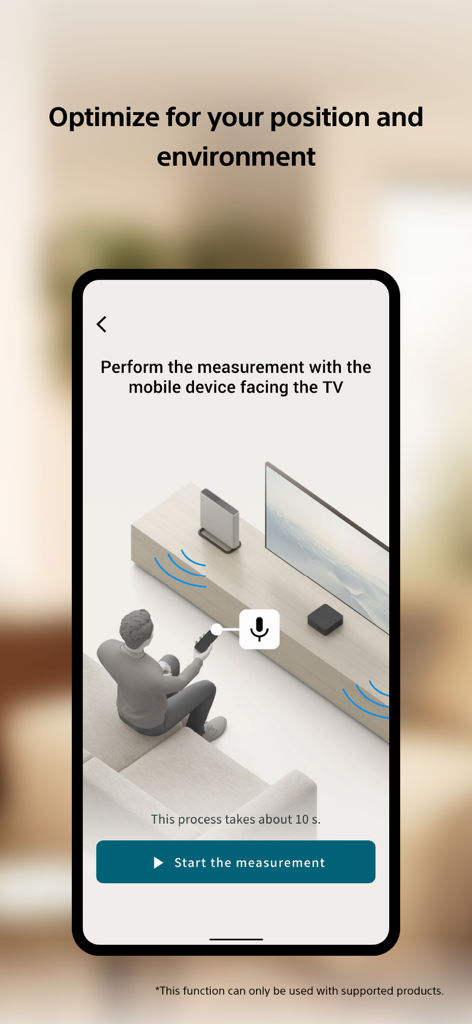
Sony | BRAVIA Connect - Sony BRAVIA Connect app interface showing a step by step guide for optimizing home theater audio based on the users position

Sony BRAVIA Connect app interface showing a step by step guide for optimizing home theater audio based on the users position

Description

This is a control app for easy use of Sony TVs and home theater products. Operate easily from your smartphone. For smooth setup and easy troubleshooting. "Home Entertainment Connect" has changed its name to "Sony | BRAVIA Connect". You can continue to use Home Entertainment Connect-compatible devices with Sony | BRAVIA Connect. The following Sony product models are compatible with this app. You can look forward to an growing lineup of compatible products in the future. Home Theatre & Soundbars:BRAVIA Theatre Bar 9, Bar 8, Quad, Bar 6, System 6, HT-AX7, HT-S2000 TVs:BRAVIA 9, 8 II, 8, 7, 5, 2 II, A95L Series *This may include products that are not available in some countries or regions. *Before using, please ensure that your TV or home theater system software is up to date. *This update will roll out gradually. Please wait for it to be released on your TV. Main Feature ■Easily set up your home theater products without the need for the manual. No need to read the manual anymore. Everything you need for setup is already integrated into the app, so all you have to do is open the app and it will guide you step by step. With animations that have been optimized for the device you purchased, anyone can easily complete the setup process without hesitation. *Please set up your TV on the TV screen before using the app. ■Take control from your smartphone Have you ever wanted to control a device, but the remote control isn't near or you can't find it quickly? Now you can use your smartphone to control a device for situations just like that. Furthermore, by connecting a compatible TV and audio device, you can control them all from your smartphone. You no longer have to go back and forth between settings screens or switching remotes.  ■Get the latest news and updates Full support is provided to ensure that each device is used in the most up-to-date and optimal condition. Even after setup is complete, the app will notify you of recommended features, settings, software updates*, etc. The software wasn't updated. I didn't know it had the feature! These surprises are a thing of the past. The app provides support so that you can maximize the value of the equipment you have purchased. *Notifications about TV software updates are available on the TV screen. ■Vision assistance Use the built-in iOS VoiceOver function to assist with setup and remote control operations using voice narration. You no longer need to memorize the layout of buttons on the remote control or the order of items on the screen. *Depending on the function or screen, the audio may not be read out correctly. We will continue to improve and update the read-out content in the future. Note *This app is not guaranteed to work with all smartphones/tablets. And Chromebooks are not compatible with the app. *Some functions and services may not be supported in certain regions/countries. *Bluetooth® and its logos are trademarks owned by Bluetooth SIG, Inc., and their use by Sony Corporation is under license. *Wi-Fi® is a registered trademark of the Wi-Fi Alliance.

Download

Download on App Store

This page is not an official page of the app or its developer, but an independent editorial publication created for informational and commentary purposes. Unless expressly stated otherwise, neither the app nor its developer is affiliated with, endorsed by, sponsored by, authorized by, or otherwise officially connected with MWM, Apple, Google Play, the app publisher, or the app's developer, and nothing on this page implies that the app was developed using MWM's services. Any trademarks, logos, screenshots, and other content remain the property of their respective owners.