
This page is not an official page of the app or its developer, but an independent editorial publication created for informational and commentary purposes. Unless expressly stated otherwise, neither the app nor its developer is affiliated with, endorsed by, sponsored by, authorized by, or otherwise officially connected with MWM, Apple, Google Play, the app publisher, or the app's developer, and nothing on this page implies that the app was developed using MWM's services. Any trademarks, logos, screenshots, and other content remain the property of their respective owners.

Sound Level Analyzer
Turn your iPhone into a laboratory-grade sound meter. Master your environment with high-precision dB measurement, real-time FFT analysis, and expert calibration tools designed for engineers and audiophiles.
Downloads
37K+User Rating
Total Ratings
0Publisher
Category
UtilitiesLocales
1Latest Version
9.0Size
0.6 MBFirst Released
Jun 10, 2014Professional-Grade Acoustic Intelligence
Transform your iPhone into a laboratory-grade analyzer. From live sound tuning to workplace safety audits, get the high-resolution data you need to make informed decisions.
Advanced Spectrum Analysis
Pinpoint acoustic anomalies with surgical precision using real-time FFT and 1/3-octave RTA mapping to identify specific frequency peaks.
Regulatory Compliance Tools
Measure Leq, Max, and Min values with A, C, or Z frequency weighting to meet OSHA safety standards and municipal noise codes.
Frequently Asked Questions
Everything you need to know about Sound Level Analyzer
What is Sound Level Analyzer?
Sound Level Analyzer is a standard sound level measurement app with advanced sound frequency analysis tools. It measures ambient noise, tests audio systems, and analyzes sound source characteristics using features like Leq, RTA, and FFT.
What types of sound level measurements does the Sound Level Analyzer app provide?
The Sound Level Analyzer app provides Leq (equivalent noise level), Min, Max, and Avg (time average equivalent noise level) measurements in dB. It also offers frequency weighting characteristics (A, C, Z) and time weighting (Fast, Slow).
Does Sound Level Analyzer include a frequency spectrum analyzer?
Yes, Sound Level Analyzer includes a Power Spectrum (P.S.) view with real-time frequency spectrum analysis. It performs FFT analysis and 1/3-octave band response analysis. Users can set FFT frequency ranges from 100Hz to 20kHz.
How does the Sound Level Analyzer app handle microphone and photo access on iOS?
The iOS system asks for permission to access the built-in microphone and Photos on the first use. Users must enable these permissions in iOS Settings under 'Privacy & Security' to ensure the Sound Level Analyzer app functions correctly.
Can users calibrate the Sound Level Analyzer app?
Yes, Sound Level Analyzer allows users to calibrate the measurement by setting a level correction value. This value ranges from -20dB to +20dB, enabling precise adjustments for accurate sound analysis.
What is the purpose of the 'Snap' feature in Sound Level Analyzer?
The 'Snap' feature in Sound Level Analyzer allows users to save the current measurement display with a timestamp to their Photos. This function captures a snapshot of the analysis results for later review.
What are the primary applications of the Sound Level Analyzer app?
Sound Level Analyzer applies to live sound monitoring, environmental noise measurement, audio equipment installation and tuning, architectural acoustics, broadcast, and device management. It serves diverse professional and personal needs.
What frequency weighting characteristics does Sound Level Analyzer offer?
Sound Level Analyzer offers A, C, and Z frequency weighting characteristics. A-weighting is for noise level meters, C-weighting for general sound level measurement, and Z-weighting provides no correction.
Can Sound Level Analyzer display a time graph of sound levels?
Yes, Sound Level Analyzer features a time graph, which is part of its additional analysis capabilities. This graph visually represents sound level changes over time, aiding in the interpretation of fluctuating noise.
The following screenshots and description are sourced directly from the app's official store listing and are the property of the app developer.
App Store
Screenshots
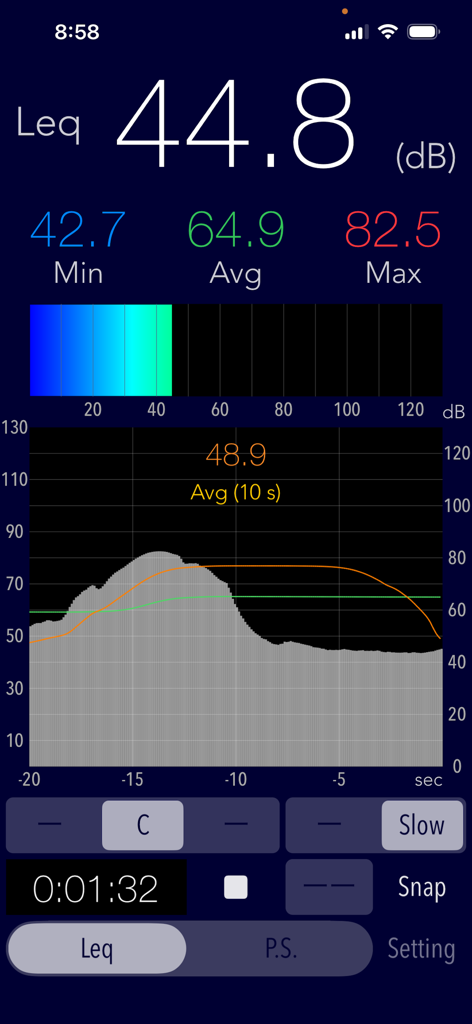
Sound Level Analyzer app interface showing 44.8 decibels Leq measurement and a noise level time graph
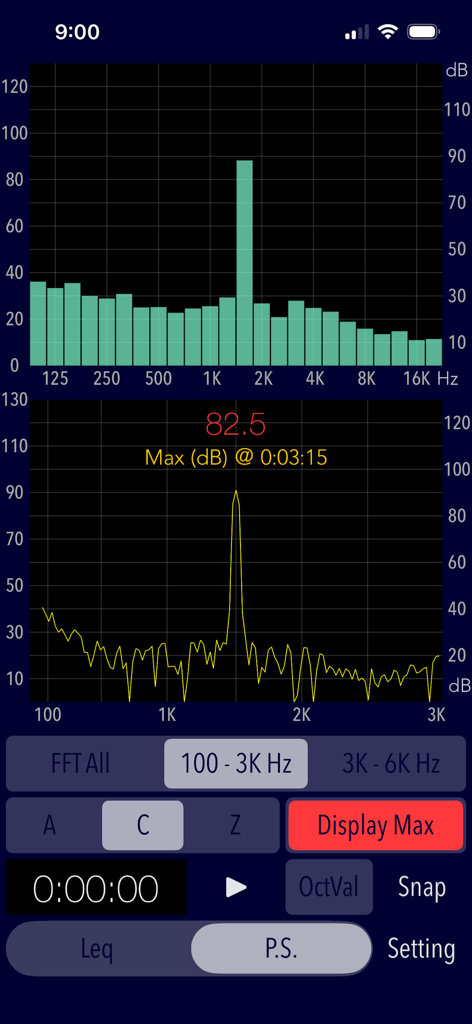
Sound Level Analyzer app interface displaying real time FFT and RTA frequency spectrum graphs
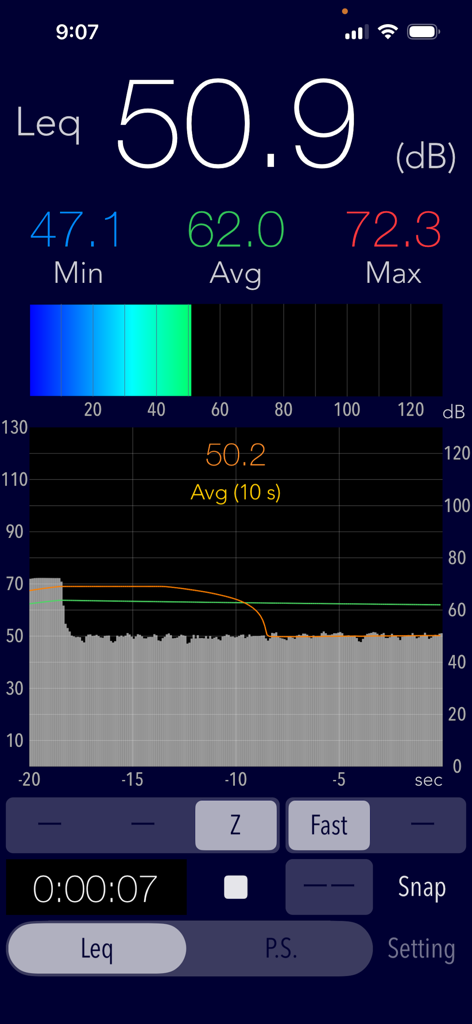
Interface of the Sound Level Analyzer app showing a real-time decibel measurement of 50.9 dB with a historical noise level graph.
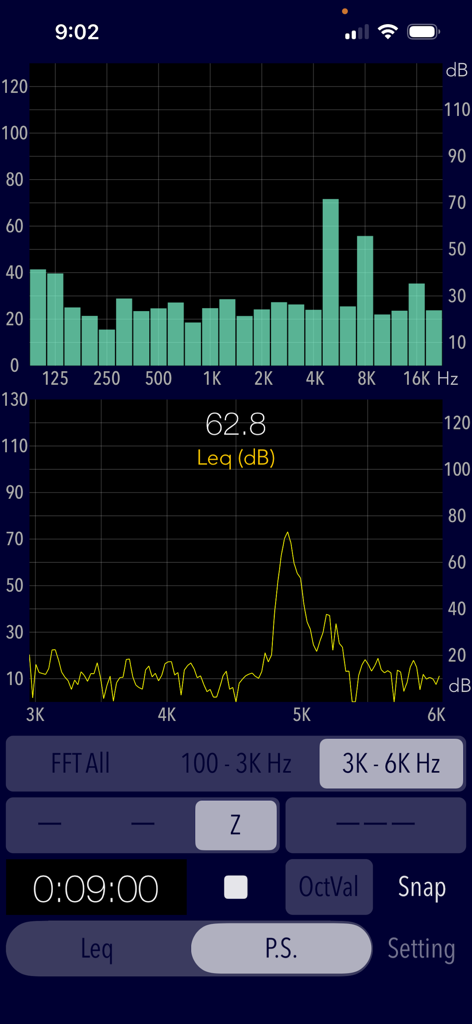
Interface of the Sound Level Analyzer app displaying real-time frequency spectrum and equivalent noise level measurement.
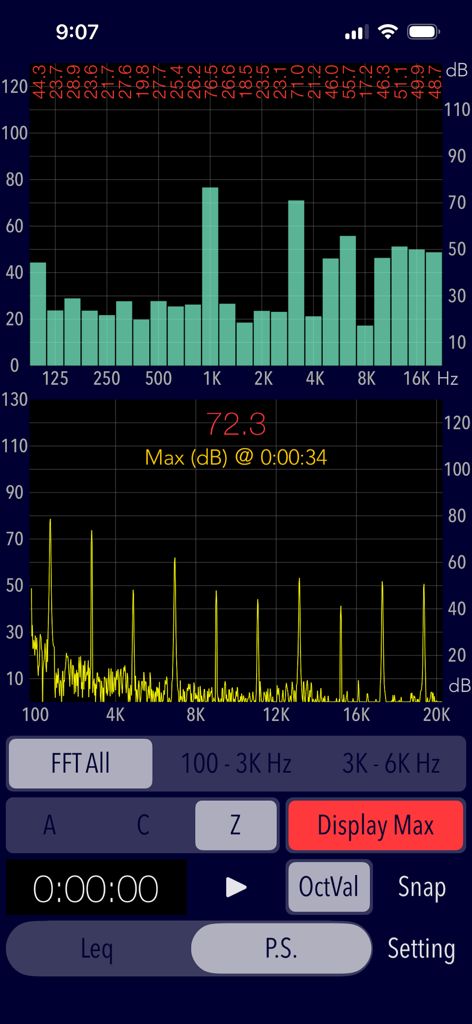
Real-time FFT and 1/3-octave band spectrum analyzer interface
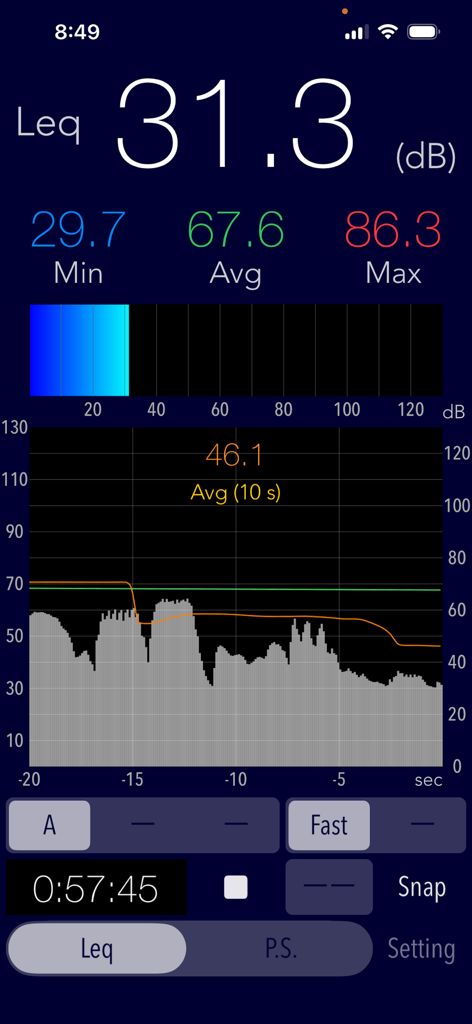
Real-time decibel measurement interface of the Sound Level Analyzer app showing SPL data and history graph
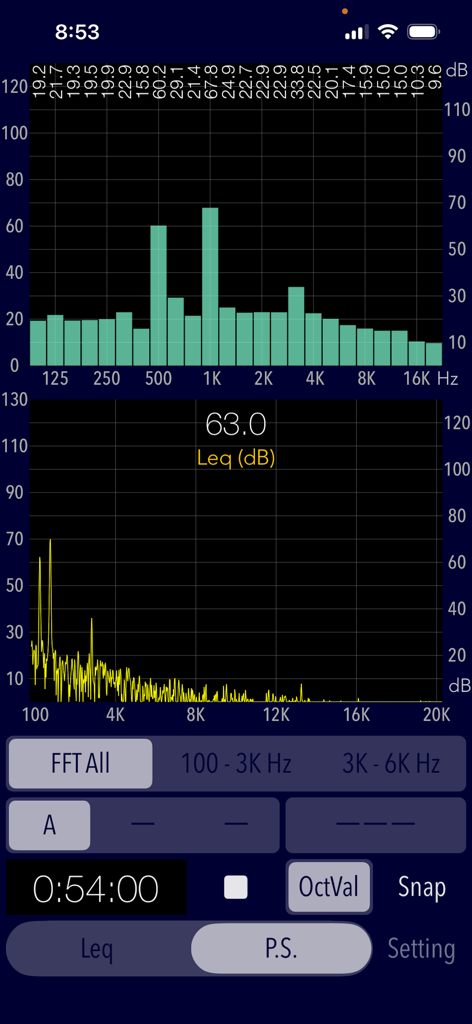
Real-time frequency spectrum analysis and FFT graph in the Sound Level Analyzer app.
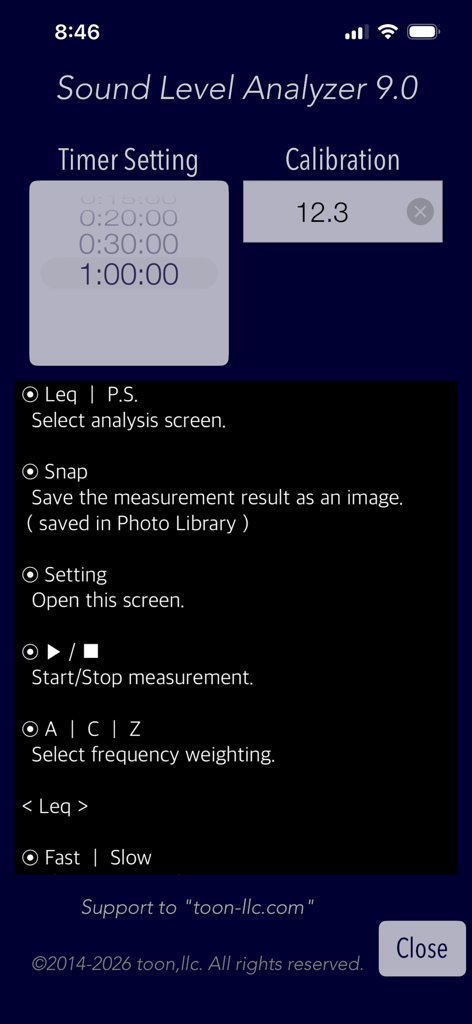
Settings menu of the Sound Level Analyzer app showing calibration and timer controls.
Description
Download
More Like This
Top-ranked apps in the same category

Google LLC

Google Chrome
Google LLC

中国移动(手机营业厅)
China Mobile Online Services Co., Ltd.

Google Authenticator
Google LLC

CNH do Brasil
Servicos e Informacoes do Brasil

Cleanup: Phone Storage Cleaner
DEEP FLOW SOFTWARE SERVICES - FZCO

gov.br
Servicos e Informacoes do Brasil

中国电信-全国统一官方服务平台
CHINA TELECOM Corporation Ltd.

Microsoft Edge: AI Browser
Microsoft Corporation
This page is not an official page of the app or its developer, but an independent editorial publication created for informational and commentary purposes. Unless expressly stated otherwise, neither the app nor its developer is affiliated with, endorsed by, sponsored by, authorized by, or otherwise officially connected with MWM, Apple, Google Play, the app publisher, or the app's developer, and nothing on this page implies that the app was developed using MWM's services. Any trademarks, logos, screenshots, and other content remain the property of their respective owners.