SoundMeter X
SoundMeter X
Download on App Store

This page is not an official page of the app or its developer, but an independent editorial publication created for informational and commentary purposes. Unless expressly stated otherwise, neither the app nor its developer is affiliated with, endorsed by, sponsored by, authorized by, or otherwise officially connected with MWM, Apple, Google Play, the app publisher, or the app's developer, and nothing on this page implies that the app was developed using MWM's services. Any trademarks, logos, screenshots, and other content remain the property of their respective owners.

Logo of SoundMeter X
Download on App Store

SoundMeter X

Transform your iPhone or iPad into a high-precision sound level meter and noise dosimeter. Designed for engineers and safety professionals, it offers lab-quality spectrum analysis, OSHA/NIOSH compliance tools, and seamless integration with hardware like miniDSP and The Modal Shop.

Key Figures

Downloads

10K+

User Rating

3.2/5

Total Ratings

0

Publisher

Faber Acoustical, LLC

Category

Utilities

Locales

1

Latest Version

12.6

Size

11.3 MB

First Released

Mar 21, 2018
Features

Professional Acoustic Analysis Anywhere

Transform your iOS device into a lab-grade sound level meter and data logger designed for engineering precision and regulatory compliance.

Precision Data Logging

Track sound levels (Leq, Lp, Lx) for up to 14 days and export professional CSV, MAT, or PDF reports for OSHA or client documentation.

Real-Time Octave Analysis

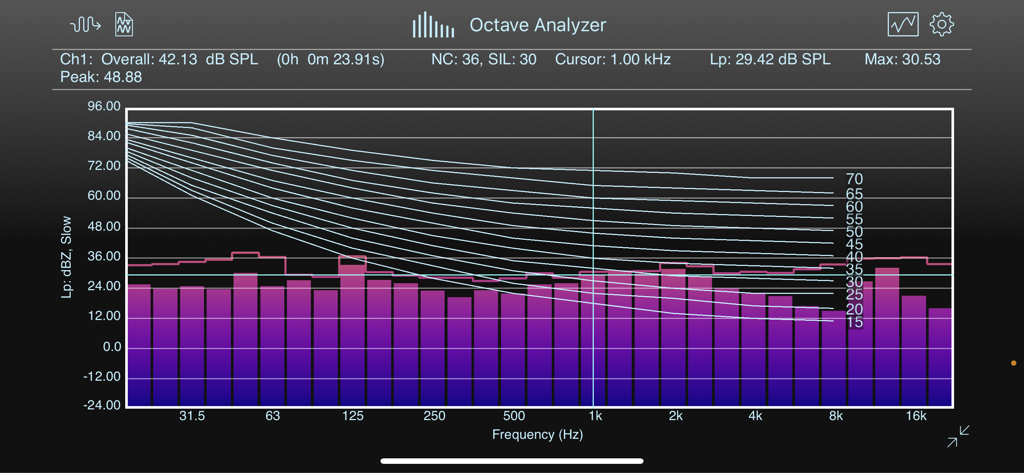
Visualize audio spectrums with 1/3 octave band resolution and integrated NC, RNC, and NR curves for advanced environmental noise assessment.

The following screenshots and description are sourced directly from the app's official store listing and are the property of the app developer.

App Store

Screenshots
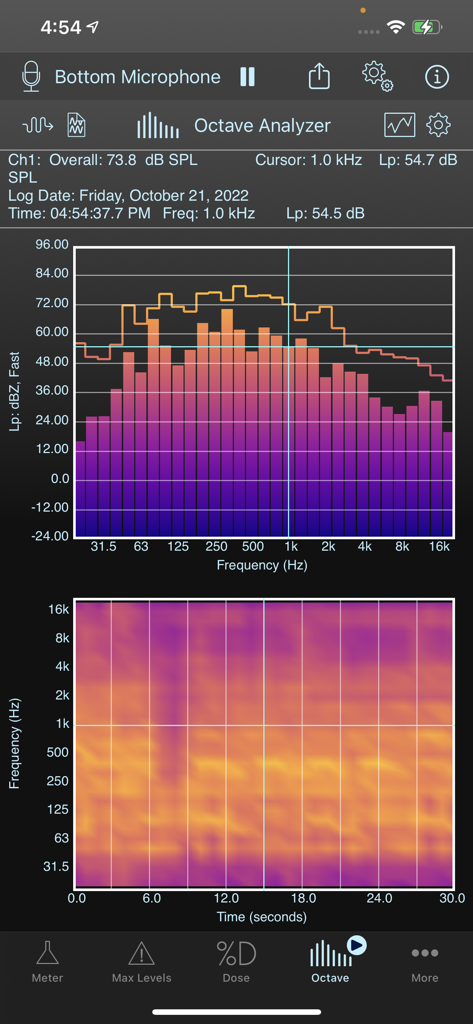
SoundMeter X - SoundMeter X app interface showing real-time octave spectrum analyzer and spectrogram for acoustic measurement
SoundMeter X app interface showing real-time octave spectrum analyzer and spectrogram for acoustic measurement

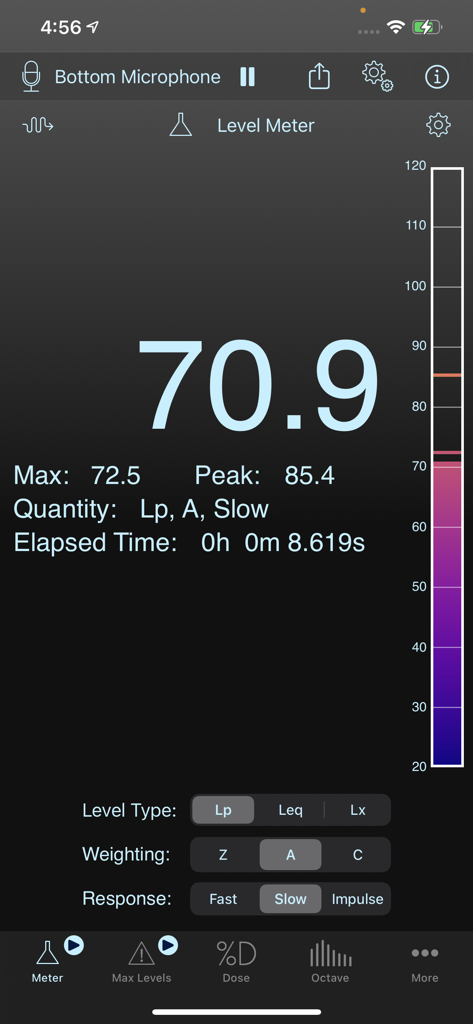
SoundMeter X - SoundMeter X professional acoustic measurement app showing real-time decibel levels
SoundMeter X professional acoustic measurement app showing real-time decibel levels

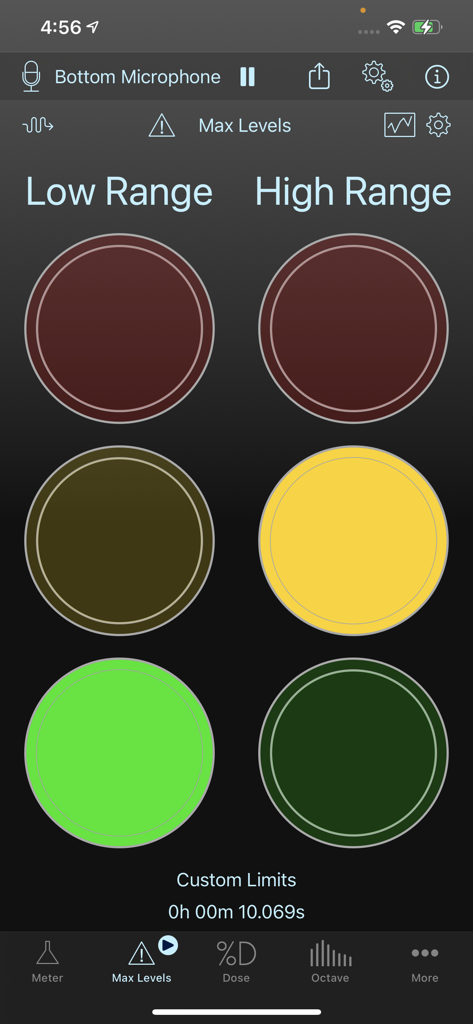
SoundMeter X - SoundMeter X app interface showing the Max Levels tool with traffic light style indicators for low and high range sound monitoring
SoundMeter X app interface showing the Max Levels tool with traffic light style indicators for low and high range sound monitoring

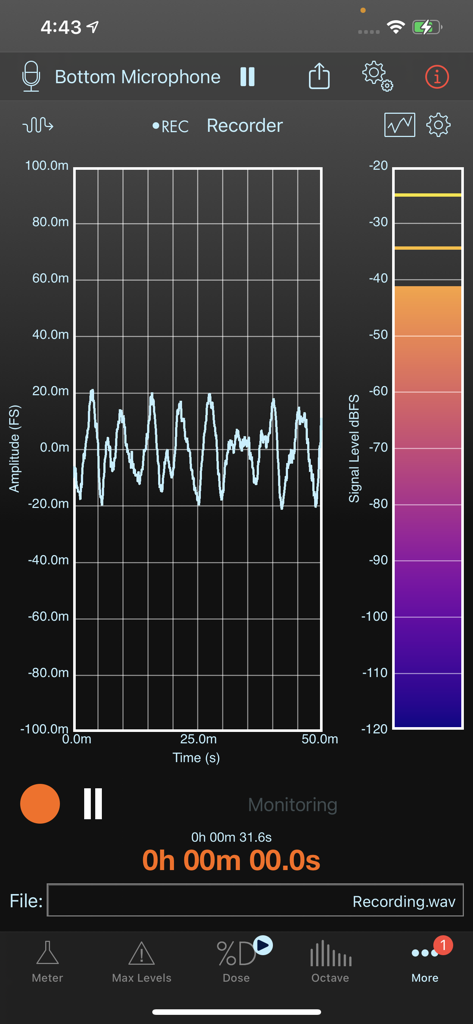
SoundMeter X - SoundMeter X app recorder screen displaying a real-time amplitude waveform graph and color-coded signal level meter
SoundMeter X app recorder screen displaying a real-time amplitude waveform graph and color-coded signal level meter

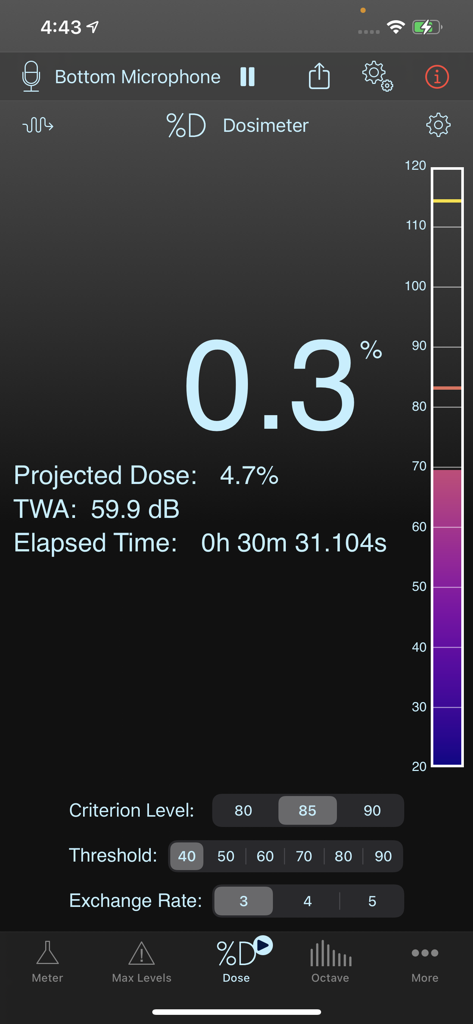
SoundMeter X - SoundMeter X app interface showing the noise dosimeter tool with dose percentage and TWA values.
SoundMeter X app interface showing the noise dosimeter tool with dose percentage and TWA values.

SoundMeter X - SoundMeter X Octave Analyzer screen showing real-time frequency spectrum bars and noise criteria curves
SoundMeter X Octave Analyzer screen showing real-time frequency spectrum bars and noise criteria curves

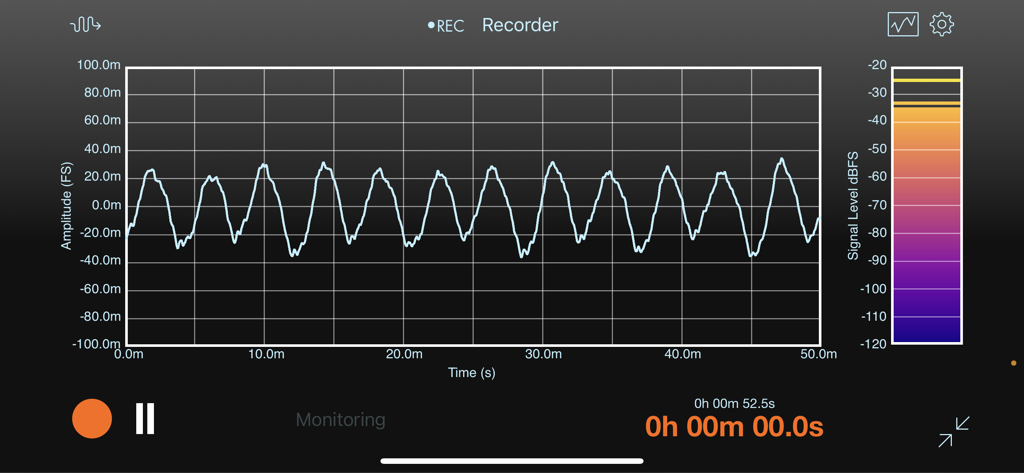
SoundMeter X - Real time waveform graph and signal level meter in the SoundMeter X recorder interface
Real time waveform graph and signal level meter in the SoundMeter X recorder interface

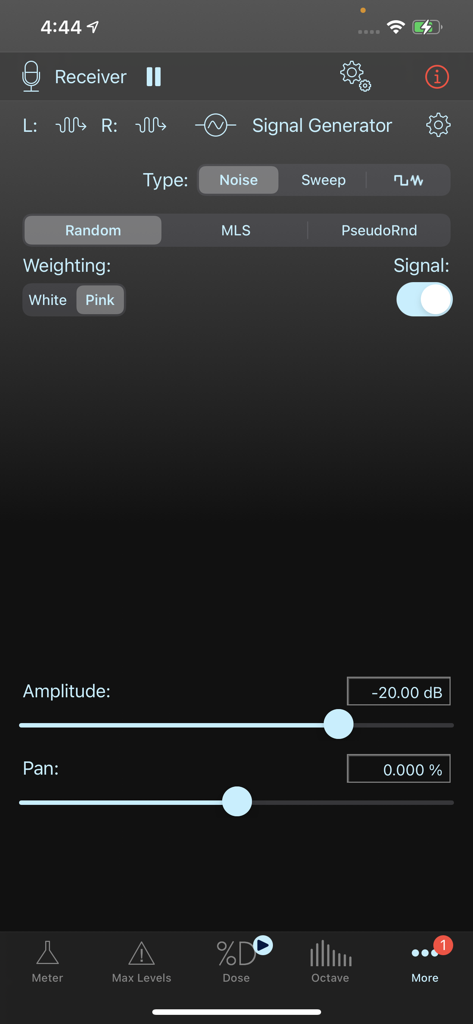
SoundMeter X - SoundMeter X app signal generator interface showing noise and weighting settings for professional acoustic testing
SoundMeter X app signal generator interface showing noise and weighting settings for professional acoustic testing

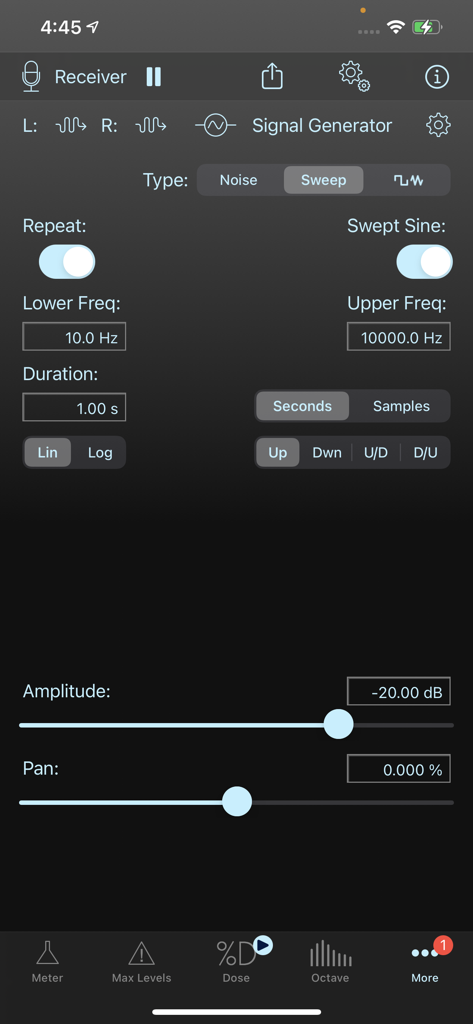
SoundMeter X - Interface of SoundMeter X showing signal generator settings for frequency sweeps and amplitude
Interface of SoundMeter X showing signal generator settings for frequency sweeps and amplitude

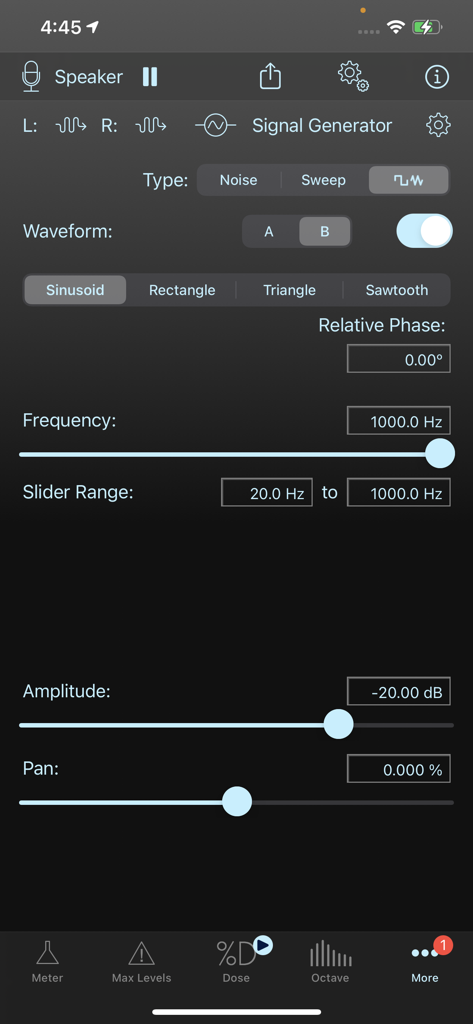
SoundMeter X - Interface of the SoundMeter X signal generator showing frequency, waveform, and amplitude settings.

Interface of the SoundMeter X signal generator showing frequency, waveform, and amplitude settings.

Description

SoundMeter X turns your iPhone or iPad into a handheld data-logging sound level meter (SLM), data-logging noise dosimeter, stereo signal generator, multi-channel data recorder, and real-time whole or 1/3 octave band spectrum analyzer (subscription required for most features--try it out with a 14-day free trial). Input signals can be acquired from the current (manually selectable) audio input path. Sensitivity calibration can also be performed for any audio input device and/or input channel. Direct hardware support (automatic sensitivity calibration, based on factory-defined values) for The Modal Shop’s 2-channel 485B39 USB-ICP interface and miniDSP’s UMIK-1, UMIK-2, and E.A.R.S. microphones. In addition to real-time sound level measurements, SoundMeter can stream raw sound data to audio files, and store acquired sound level data, including date, time, and location, in CSV or TXT (tab-delimited) files, MAT-files, or high-resolution PDF images for later retrieval from your device. SoundMeter may be downloaded for free from the App Store. Additional tools and features are offered via auto-renewable subscriptions. The SoundMeter Pro subscription includes: - User-defined custom metadata in saved audio and data files - Level MeterLp, Leq, Lx sound levels -- Standard Flat, A, C frequency weighting -- Standard Fast, Slow, Impulse time weighting -- Data logging. Data can be logged as often as every 0.1 seconds for up to 8 hours, every second for up to 72 hours, or every 10 seconds for up to two weeks. -- Event notifications - Max Levels Meter -- Traffic-light-style meters make it easy to monitor 2 separate sound level thresholds in 2 independent user-defined frequency bands. -- Define lower (warning) and higher (limit) sound level thresholds for overall (full audio band) levels as well as for individual octave frequency bands. -- Store user-defined thresholds in files for later recall. - Noise Dosimeter -- 8-hour Noise Dose, Projected Dose, TWA calculations -- Criterion Levels: 80, 85, 90 dB -- Exchange Rates: 3, 4, 5 dB -- Data logging. Data can be logged as often as every 0.1 seconds for up to 8 hours, every second for up to 72 hours, or every 10 seconds for up to two weeks. - Real-time Octave Spectrum Analyzer (RTA) -- Lp, Leq, Lx sound levels -- Supports whole or 1/3-octave frequency bands -- Standard Flat, A, C frequency weighting -- Standard Fast, Slow, Impulse time weighting -- NC, RNC, and NR references curves, NC, SIL, and NR values -- Data logging. Data can be logged as often as every 0.1 seconds for up to 8 hours, every second for up to 72 hours, or every 10 seconds for up to two weeks. - Multi-channel Data Recorder -- Supports up to 8 channels -- Live monitoring of recorded data -- Metadata (including calibrated sensitivity) embedded in audio file (AIF, CAF, WAV), optionally saved in separate data file - Stereo Signal Generator -- Left and right outputs assigned to arbitrary hardware output channels -- Random and pseudorandom (periodic) noise sequences with white or pink spectrum -- Linear and logarithmic frequency sweeps -- Dual periodic waveforms with arbitrary frequency and phase difference The Pro Tool Set subscription can be shared between SoundMeter X and SignalScope X. It unlocks all tools and features of the SoundMeter Pro subscription in SoundMeter X and all tools and features of the Pro Tool Set subscription in SignalScope X (iCloud login required). Learn more about SoundMeter X at FaberAcoustical.com. Subscription Terms: - https://www.faberacoustical.com/apps/subscriptions/terms.html Privacy Policy: - https://www.faberacoustical.com/about/privacy.html Terms and Conditions for FaberAcoustical.com: https://www.faberacoustical.com/about/terms.html

Download

Download on App Store

This page is not an official page of the app or its developer, but an independent editorial publication created for informational and commentary purposes. Unless expressly stated otherwise, neither the app nor its developer is affiliated with, endorsed by, sponsored by, authorized by, or otherwise officially connected with MWM, Apple, Google Play, the app publisher, or the app's developer, and nothing on this page implies that the app was developed using MWM's services. Any trademarks, logos, screenshots, and other content remain the property of their respective owners.








