Speechless: audios to texts
Download on App Store

This page is not an official page of the app or its developer, but an independent editorial publication created for informational and commentary purposes. Unless expressly stated otherwise, neither the app nor its developer is affiliated with, endorsed by, sponsored by, authorized by, or otherwise officially connected with MWM, Apple, Google Play, the app publisher, or the app's developer, and nothing on this page implies that the app was developed using MWM's services. Any trademarks, logos, screenshots, and other content remain the property of their respective owners.


Logo of Speechless: audios to texts
Download on App Store

Speechless: audios to texts

Skip the audio dread and save time. Use OpenAI-powered transcription to convert WhatsApp, iMessage, and Voice Memos into accurate text or translations directly from your share sheet.

Key Figures

Downloads

0

User Rating

3.6/5

Total Ratings

0

Publisher

Elsayed Hussein

Category

Utilities

Locales

2

Latest Version

1.14

Size

17.2 MB

First Released

Aug 8, 2023
Features

Read Your Audio, Reclaim Your Time

Stop scrubbing through long voice notes. Get instant, high-accuracy transcriptions and translations powered by OpenAI's Whisper technology, integrated directly into your iOS workflow.

Seamless Share Integration

Transcribe audio from WhatsApp, iMessage, and Voice Memos instantly through the iOS Share Sheet without ever leaving your conversation.

Pro-Grade AI Accuracy

Leverage OpenAI’s Whisper API to perfectly capture every word, handling technical jargon, background noise, and diverse accents with ease.

The following screenshots and description are sourced directly from the app's official store listing and are the property of the app developer.

App Store

Screenshots
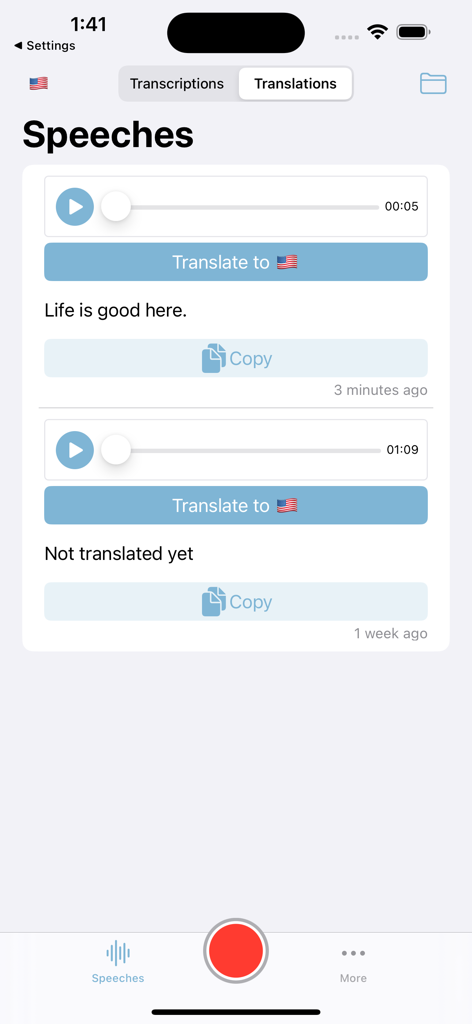
Speechless: audios to texts - Speechless app interface displaying audio files translated into English text
Speechless app interface displaying audio files translated into English text

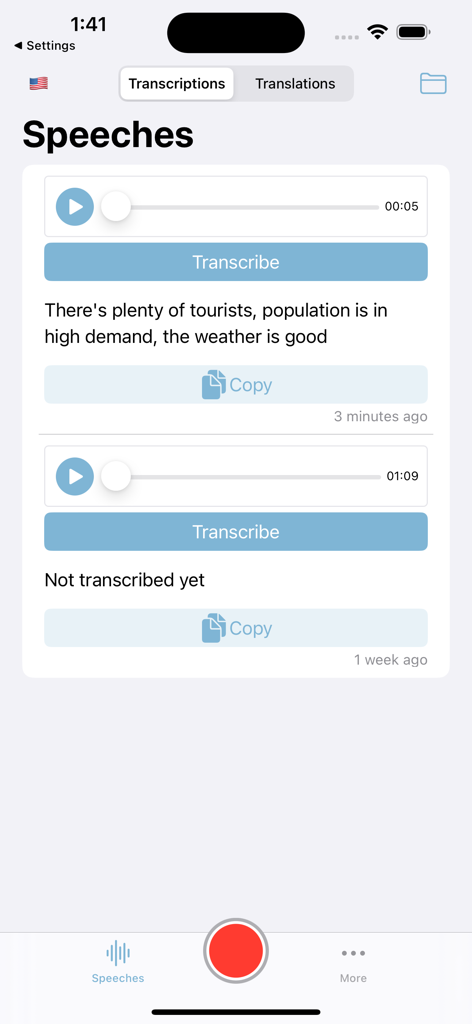
Speechless: audios to texts - Transcription list screen in the Speechless app showing audio recordings and their text results.
Transcription list screen in the Speechless app showing audio recordings and their text results.

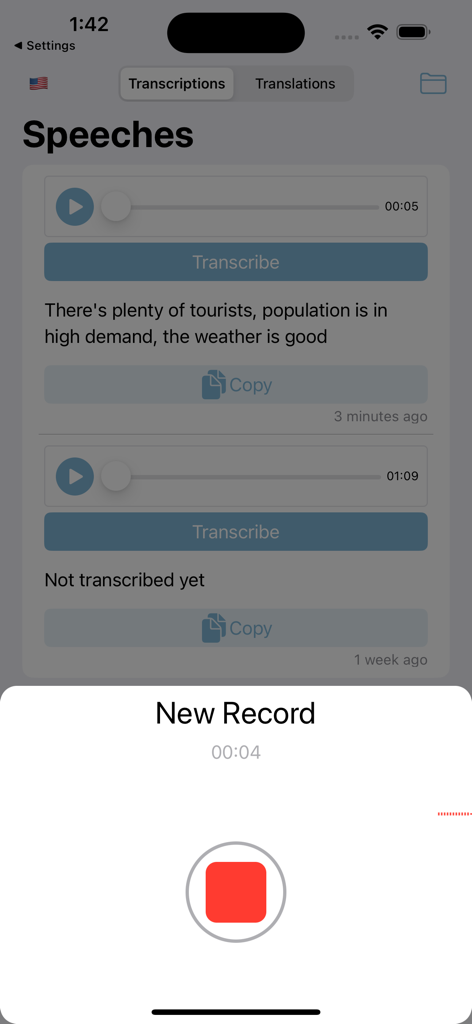
Speechless: audios to texts - Interface of the Speechless app showing a live voice recording and transcribed audio messages
Interface of the Speechless app showing a live voice recording and transcribed audio messages

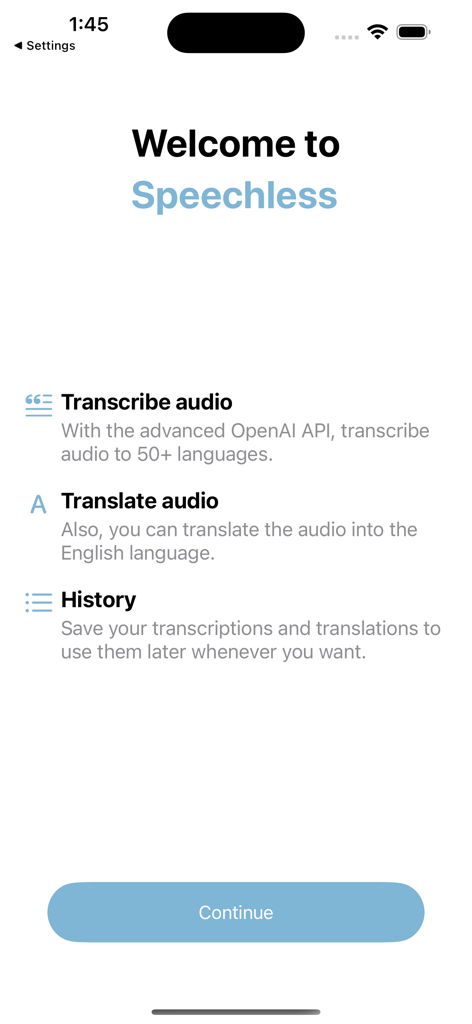
Speechless: audios to texts - Welcome screen for the Speechless app highlighting audio transcription and translation features powered by OpenAI.
Welcome screen for the Speechless app highlighting audio transcription and translation features powered by OpenAI.

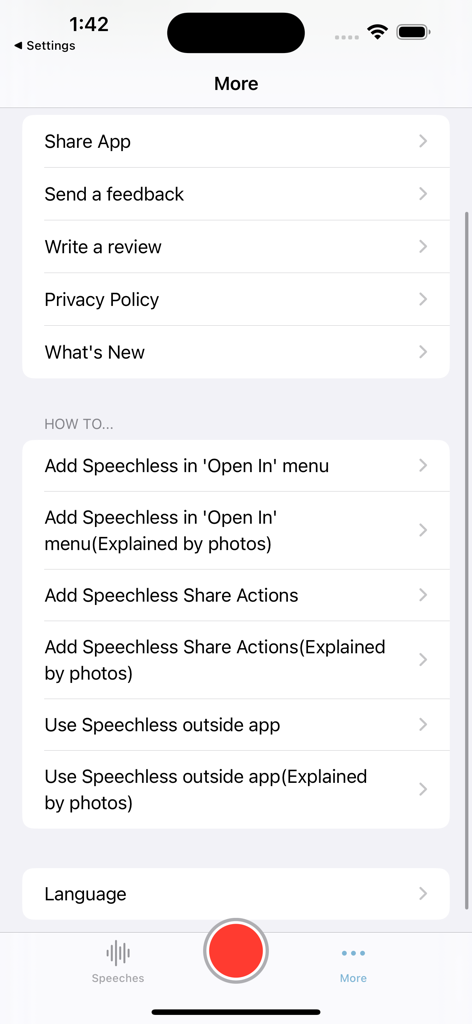
Speechless: audios to texts - Settings and how-to guides screen of the Speechless transcription app

Settings and how-to guides screen of the Speechless transcription app

Description

Introducing Speechless – the ultimate app powered by OpenAI's Whisper API, offering seamless audio transcription and translation. With Speechless, you can effortlessly import audio from the app or iPhone share menu and receive accurate transcriptions instantly. Break language barriers with real-time translations and effortlessly share your transcriptions with others, enabling unparalleled connection and communication. You can transcribe or translate audio directly from other apps, such as WhatsApp, Voice Memos, and Messages, and more: 1- For WhatsApp: - Long press on the voice message. - Click 'Forward,' then tap the share icon in the bottom right. - Finally, select 'Transcribe the audio' or 'Translate the audio' from the share sheet. (If they don't appear, please check the 'More' screen for the 'Transcribe the audio' option.) 2- For Messages: - Long press on the voice message. - Click on the wave icon. - Tap the share icon in the bottom left. - Select 'Transcribe the audio' or 'Translate the audio'from the share sheet. 3- For Voice Memos: - Click on the more icon on the voice memo. - Choose 'Share' from the menu. - Finally, select 'Transcribe the audio' or 'Translate the audio' from the share sheet. How it works: You can use Speechless in 4 ways: 1. Importing audio within the app: - Open the Speechless app. - Import your audio in one of the supported formats (mp3, mp4, mpeg, mpga, m4a, wav, or webm). - Easily switch between Transcriptions and Translations (optional). - Click on "Transcribe" or "Translate to English". - Wait for the process to finish, and then copy the results. 2. Importing audio using the Share sheet: - After selecting an audio file, click the Share button. - Find the Speechless app icon among other apps and select it to redirect to the app. - If you don't see the Speechless app icon, tap on "More," and enable it from there. 3. Translating audio in the Share menu (outside the app): - Select the audio file, then click the Share button. - If you don't see "Translate the audio," click on "Edit actions" and make sure it is enabled. - Choose "Translate the audio" in the share sheet. - The translation screen will open, and the audio translation will begin without using the app. - Once the translation is complete, the "Copy" button will become enabled. Copy the translation to your clipboard. 4. Transcribing audio in the Share menu (outside the app): - Select the audio file, then click the Share button. - If you don't see "Transcribe the audio," click on "Edit actions" and make sure it is enabled. - Choose "Transcribe the audio" in the share sheet. - The transcription screen will open, and the audio transcription will begin without using the app. - Once the transcription is complete, the "Copy" button will become enabled. Copy the transcription to your clipboard. With Speechless, experience the ease and convenience of audio transcription and translation, making communication across languages effortless and efficient. For more information: Terms of Use - https://sites.google.com/view/speechlessapp/terms-and-conditions Privacy Policy - https://sites.google.com/view/speechlessapp/privacy-policy Payment Policy - https://sites.google.com/view/speechlessapp/payment-policy

Download

Download on App Store

This page is not an official page of the app or its developer, but an independent editorial publication created for informational and commentary purposes. Unless expressly stated otherwise, neither the app nor its developer is affiliated with, endorsed by, sponsored by, authorized by, or otherwise officially connected with MWM, Apple, Google Play, the app publisher, or the app's developer, and nothing on this page implies that the app was developed using MWM's services. Any trademarks, logos, screenshots, and other content remain the property of their respective owners.








