Spin - Lucky Wheel Random Draw
Download on App Store

This page is not an official page of the app or its developer, but an independent editorial publication created for informational and commentary purposes. Unless expressly stated otherwise, neither the app nor its developer is affiliated with, endorsed by, sponsored by, authorized by, or otherwise officially connected with MWM, Apple, Google Play, the app publisher, or the app's developer, and nothing on this page implies that the app was developed using MWM's services. Any trademarks, logos, screenshots, and other content remain the property of their respective owners.

Logo of Spin - Lucky Wheel Random Draw
Download on App Store

Spin - Lucky Wheel Random Draw

End the "I don't know, what do you want to do?" loop forever. Turn everyday choices into engaging games with SpinAI, immersive haptics, and seamless iCloud sync across your iPhone, Watch, and Mac.

Key Figures

Downloads

0

User Rating

4.7/5

Total Ratings

0

Publisher

Leon Boettger

Category

Utilities

Locales

32

Latest Version

6.0

Size

32.7 MB

First Released

Jan 24, 2021
Features

Decide Faster, Live Better

The most polished decision-maker on the App Store. Stop the overthinking and turn every choice into a beautifully animated, tactile experience across all your Apple devices.

Instant AI Inspiration

Beat decision fatigue with SpinAI. Let our intelligent generator create custom wheels for any topic—from movie nights to meal prep—in a single tap.

Seamless Apple Ecosystem

Your wheels follow you everywhere. Start on your Mac, tweak on your iPhone, and spin on your Apple Watch or project to the big screen with Apple TV.

The following screenshots and description are sourced directly from the app's official store listing and are the property of the app developer.

App Store

Screenshots
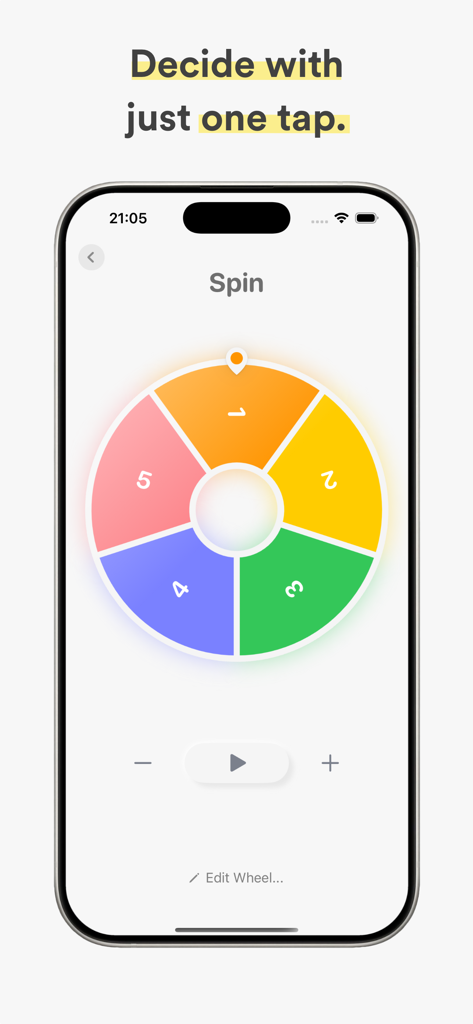
Spin - Lucky Wheel Random Draw - A colorful five-segment lucky wheel on an iPhone for making quick decisions
A colorful five-segment lucky wheel on an iPhone for making quick decisions

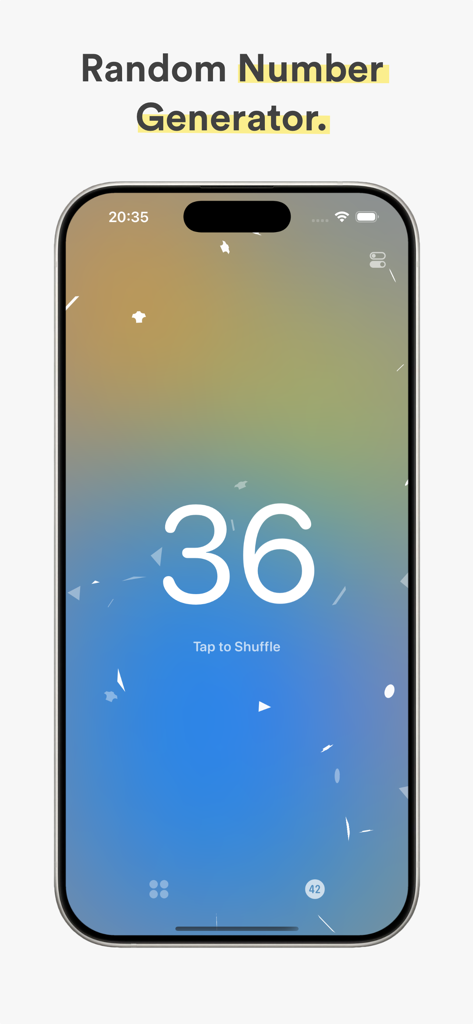
Spin - Lucky Wheel Random Draw - Spin app random number generator interface showing number thirty six with a gradient background
Spin app random number generator interface showing number thirty six with a gradient background

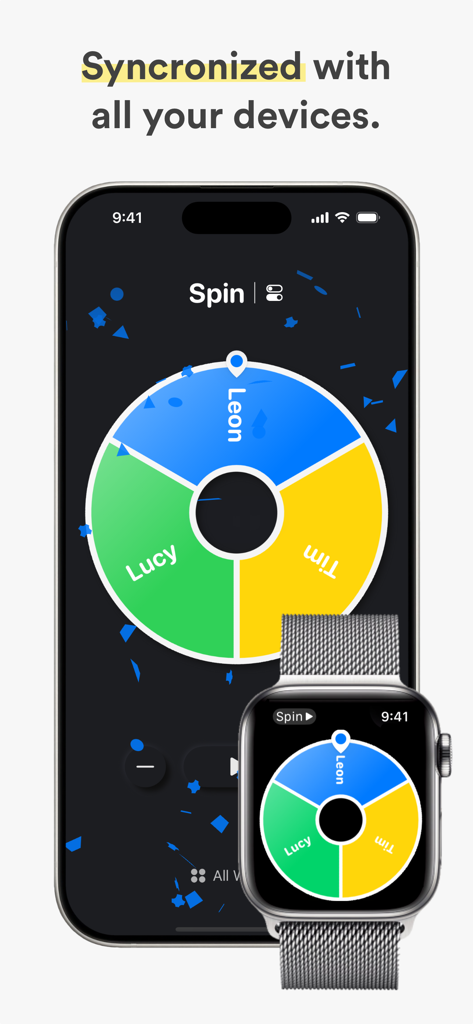
Spin - Lucky Wheel Random Draw - Spin lucky wheel app synchronized across iPhone and Apple Watch
Spin lucky wheel app synchronized across iPhone and Apple Watch

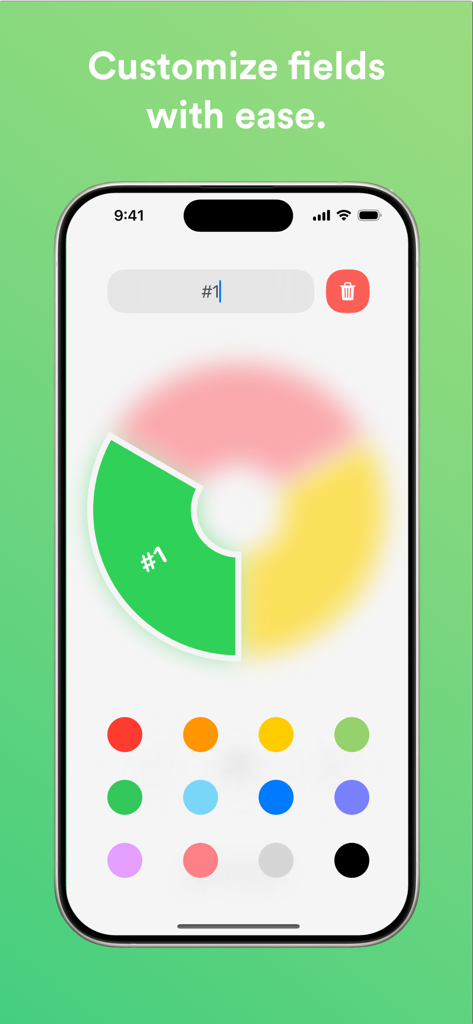
Spin - Lucky Wheel Random Draw - Customizing wheel fields and colors in the Spin app
Customizing wheel fields and colors in the Spin app

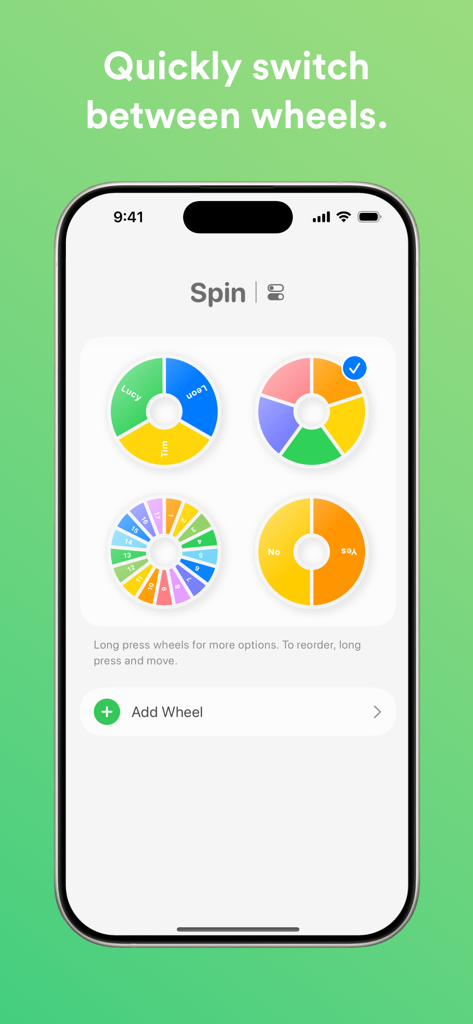
Spin - Lucky Wheel Random Draw - A smartphone display showing the Spin app interface with four different customizable lucky wheels for quick switching.

A smartphone display showing the Spin app interface with four different customizable lucky wheels for quick switching.

Description

Spin makes difficult decisions easier, faster and more beautiful. Create multiple lucky wheels and customize them by choosing the number of fields, change the colors, add a name to fields and much more! The following features are included in Spin: - Easy Start: Tap the start button once to start the lucky wheel, or press the space bar. Tap again to make it spin faster. - Number of Entries: Click on the plus and minus buttons, or use your keyboard to specify how many fields the lucky wheel should have. You can also quickly adjust the number of fields in the wheel settings. - Customize Entries: Click on a field of the lucky wheel to change its color or name. The available colors can be adjusted in the app settings. Every entry can also have a weight, that controls the likelihood of it being selected. - Templates & SpinAI: Create new wheels from a variety of templates, or let AI automatically generate one for any topic. - Multiple Lucky Wheels, Apple Watch & iCloud: You can create as many wheels as you like and quickly switch between them. All wheels are synchronized via iCloud with Spin on your iPhone, Apple Watch, iPad, Mac and Apple TV. Wheels can be named to find them quickly. - Look and Feel: Spinning the wheel feels amazingly real thanks to your iPhone's Taptic Engine and is smoothly animated at the same time! Depending on your preference, the vibration and sound can also be deactivated. When the wheel comes to a stop, the field name is displayed (if available) and a beautiful confetti animation is played. - Elimination Mode: In Elimination Mode, selected fields are not selected again. If all fields have been selected, the process starts again from the beginning. - Counting Mode: In Counting Mode, the fields are numbered consecutively. You can also set the starting value from which to start counting. This means you can also use Spin as a random number generator! The counting mode can be switched on and off individually for each wheel. Please note that for space reasons, this function is not suitable for more than 30 numbers. - Color Pattern: You can define a color pattern for each wheel. The color pattern determines the colors of the new wheel fields. For many entries, the pattern is repeated. - Wheel Behavior: The rotation speed and also the duration of the wheel can be adapted to your needs. - Sounds: The sounds, which are played when the wheel spins or comes to a stop, can be personalized. In total, there are 6 sounds available. - Dark Mode: The system-wide dark or light mode is used as the primary color scheme. This application is governed by Apple’s standard Licensed Application End User License Agreement (EULA), available at https://www.apple.com/legal/internet-services/itunes/dev/stdeula/

Download

Download on App Store

This page is not an official page of the app or its developer, but an independent editorial publication created for informational and commentary purposes. Unless expressly stated otherwise, neither the app nor its developer is affiliated with, endorsed by, sponsored by, authorized by, or otherwise officially connected with MWM, Apple, Google Play, the app publisher, or the app's developer, and nothing on this page implies that the app was developed using MWM's services. Any trademarks, logos, screenshots, and other content remain the property of their respective owners.








