
This page is not an official page of the app or its developer, but an independent editorial publication created for informational and commentary purposes. Unless expressly stated otherwise, neither the app nor its developer is affiliated with, endorsed by, sponsored by, authorized by, or otherwise officially connected with MWM, Apple, Google Play, the app publisher, or the app's developer, and nothing on this page implies that the app was developed using MWM's services. Any trademarks, logos, screenshots, and other content remain the property of their respective owners.


Split Camera - Mirror Pic Crop
Conquer composition. This app empowers users to sculpt visual narratives, transforming mundane shots into striking, multi-perspective art.
Downloads
1M+User Rating
Total Ratings
12.9KPublisher
Category
BusinessLocales
2Latest Version
1.16.2Size
130.2 MBFirst Released
May 1, 2015An evaluation of core functionalities impacting creative mobile photography and social sharing.
Key Feature Analysis: Split Camera - Mirror Pic Crop
Creative Image Blending
It allows users to seamlessly blend different image sections, creating artistic and special photographic effects.
Integrated Sharing & Saving
The app enables direct saving of edited creations to the camera roll or effortless sharing with friends on social platforms.
Advanced Multi-Section Layouts
The app provides diverse layouts to divide the camera view into multiple sections, enabling unique photographic compositions.
Precise Image Adjustment Suite
Users can precisely adjust images with tools for zooming, moving split bars, cropping, rotating, and color correction.
Vibrant Filter Library
The app offers a wide array of filter effects to instantly enhance the mood and aesthetic of images.
Dynamic Multi-Image Collaging
This tool features the ability to contrast multiple photos within a single frame, facilitating dynamic multi-image collages.
The following screenshots and description are sourced directly from the app's official store listing and are the property of the app developer.
App Store
Screenshots
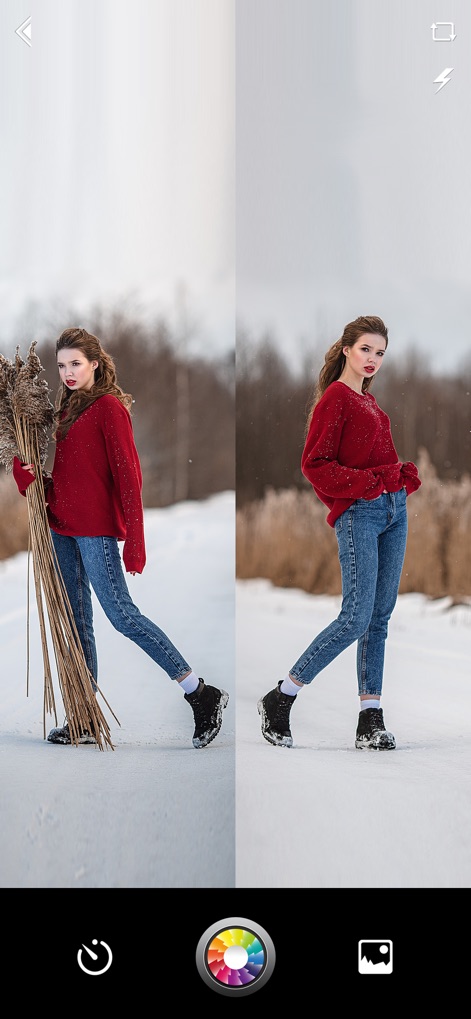
Explore the app's dynamic split-screen layouts, perfect for capturing unique mirrored or contrasted shots, complemented by an intuitive filter selection wheel for instant visual enhancements.
Split Screen Magic
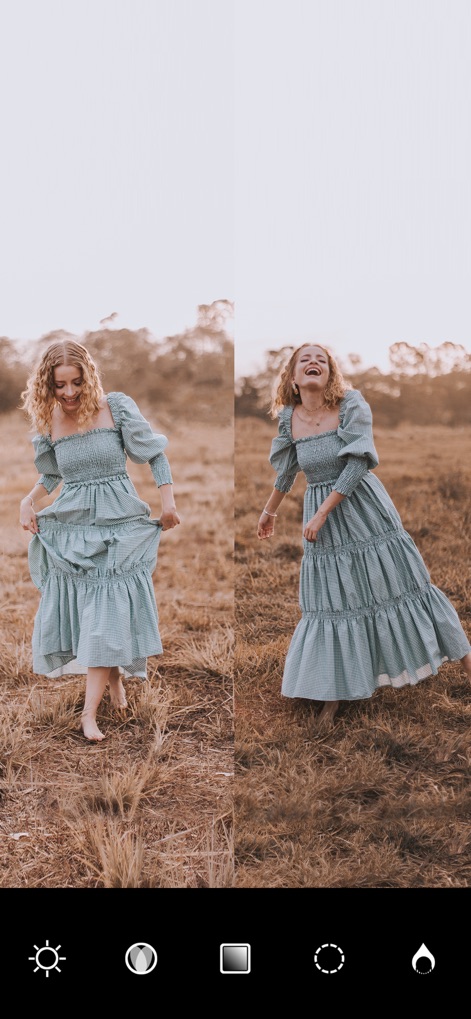
This tool empowers users with precise image adjustments, from managing brightness and exposure to customizing the layout's split configuration for optimal visual impact.
Precision Adjustments
Description
Download
More Like This
Apps with similar features and user experience

SCRL: Photo Collage Maker
Appostrophe AB

PhotoGrid: Video Collage Maker
JUPITER PALACE PTE. LTD.

Layout for Instagram: Collage
Shamble, Inc.

Photo Collage Maker: InCollage
SHANTANU PTE. LTD.

TicPic
Zhuhai Kuxiong Network Technology Co., Ltd.

Collage Maker: CollagePlus
Shamble, Inc.

Photo Collage Montage Maker
Honk Honk Punch Pty Ltd

Photo Collage Maker & Creator
Honk Honk Punch Pty Ltd

Photo Collage Montage & Layout
Honk Honk Punch Pty Ltd
This page is not an official page of the app or its developer, but an independent editorial publication created for informational and commentary purposes. Unless expressly stated otherwise, neither the app nor its developer is affiliated with, endorsed by, sponsored by, authorized by, or otherwise officially connected with MWM, Apple, Google Play, the app publisher, or the app's developer, and nothing on this page implies that the app was developed using MWM's services. Any trademarks, logos, screenshots, and other content remain the property of their respective owners.