
This page is not an official page of the app or its developer, but an independent editorial publication created for informational and commentary purposes. Unless expressly stated otherwise, neither the app nor its developer is affiliated with, endorsed by, sponsored by, authorized by, or otherwise officially connected with MWM, Apple, Google Play, the app publisher, or the app's developer, and nothing on this page implies that the app was developed using MWM's services. Any trademarks, logos, screenshots, and other content remain the property of their respective owners.


Statistics Calculator++
The powerful alternative to bulky graphing calculators. Perform complex regressions, visualize distributions, and import data from Excel with ease—tailored for students, engineers, and researchers.
Downloads
13K+User Rating
Total Ratings
400Publisher
Category
UtilitiesLocales
1Latest Version
1.73Size
4.0 MBFirst Released
Aug 8, 2012Master Statistics Without the Complexity
A professional-grade statistical lab for your iPhone. Ditch the manual and perform powerful regressions, hypothesis tests, and data visualizations in seconds.
Instant Data Visualization
Turn complex datasets into clear box plots and histograms. Get comprehensive summaries including mean, quartiles, and standard deviation instantly.
Guided Academic Tools
Perfect for students and researchers. Access step-by-step explanations for hypothesis tests and 10+ probability distributions to master your coursework.
The following screenshots and description are sourced directly from the app's official store listing and are the property of the app developer.
App Store
Screenshots
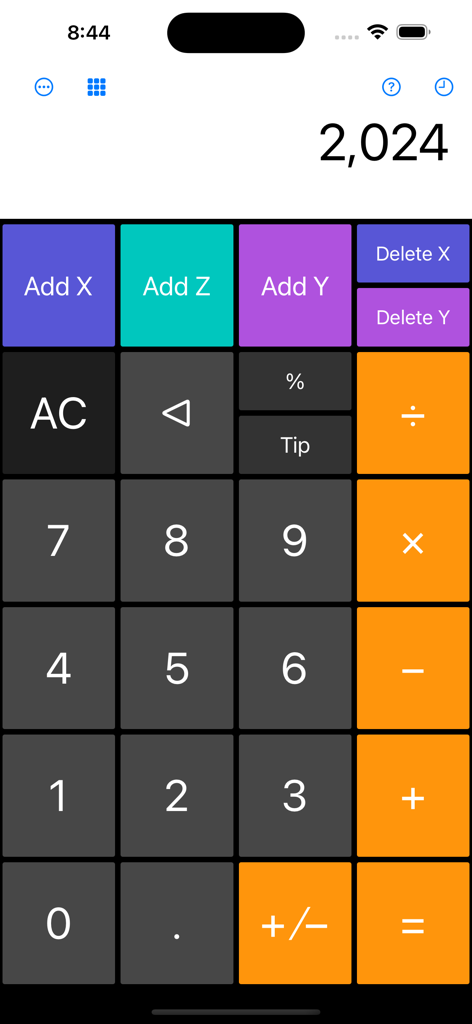
Main interface of Statistics Calculator++ showing a numeric keypad and specialized buttons for adding data points.
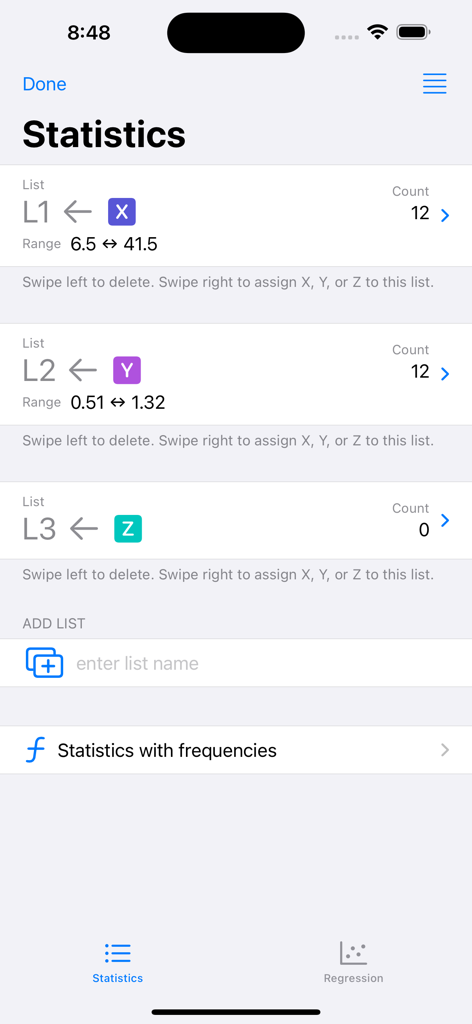
Statistics Calculator app interface showing data lists for variables X Y and Z
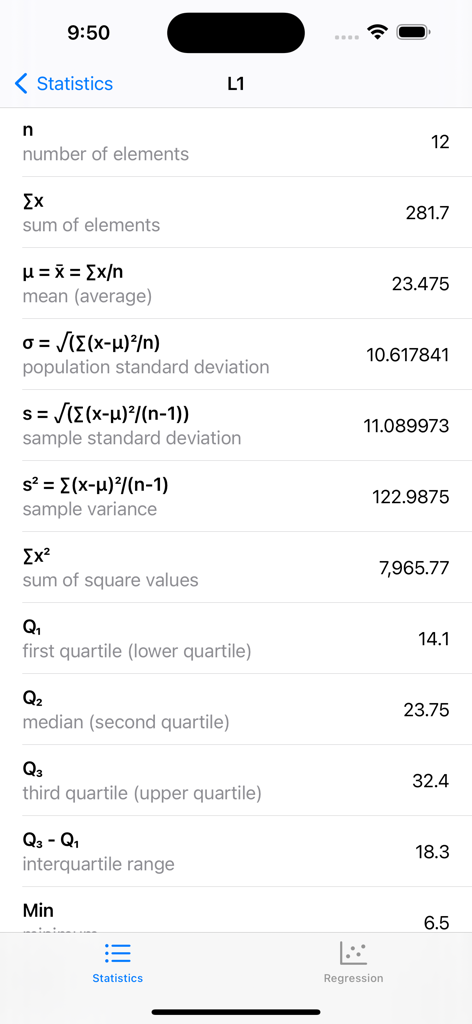
A summary screen from the Statistics Calculator++ app showing calculated values for mean, standard deviation, variance, and quartiles.
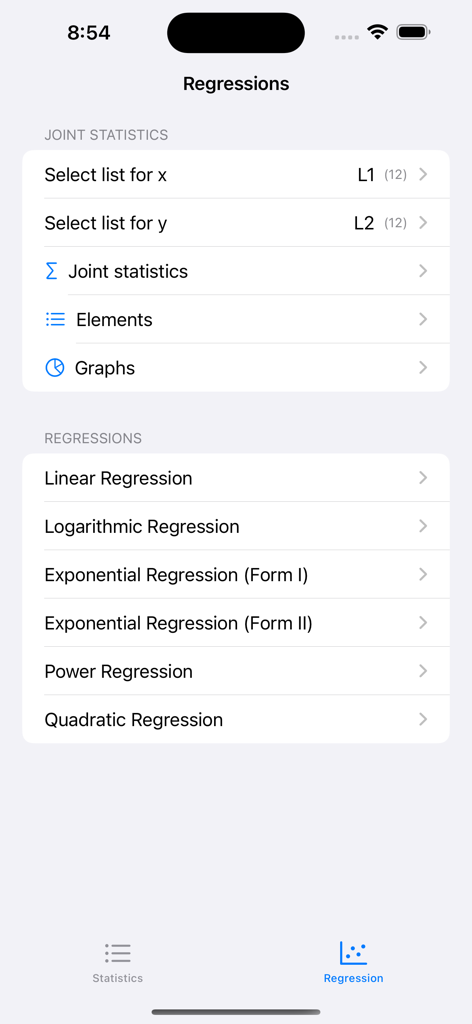
Regression analysis menu in the Statistics Calculator app showing various models like linear and logarithmic regressions
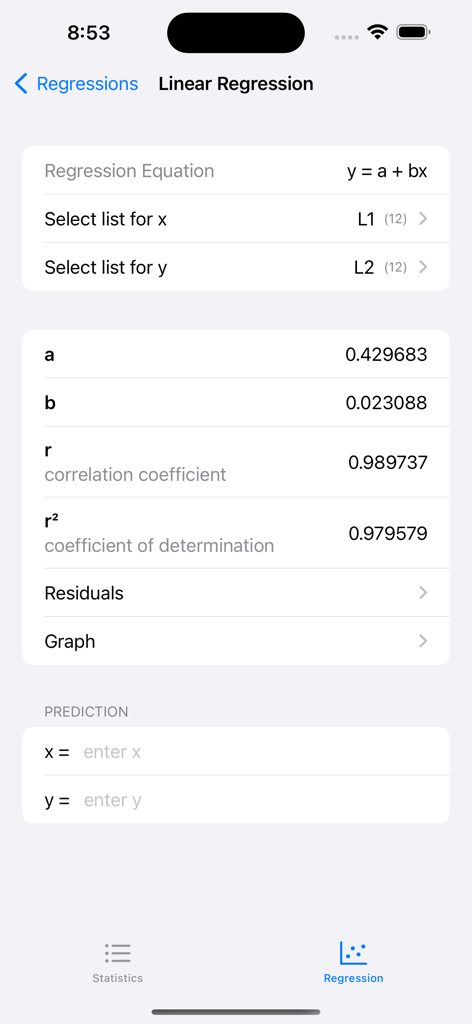
Linear regression analysis screen in the Statistics Calculator app showing correlation coefficients and prediction tools
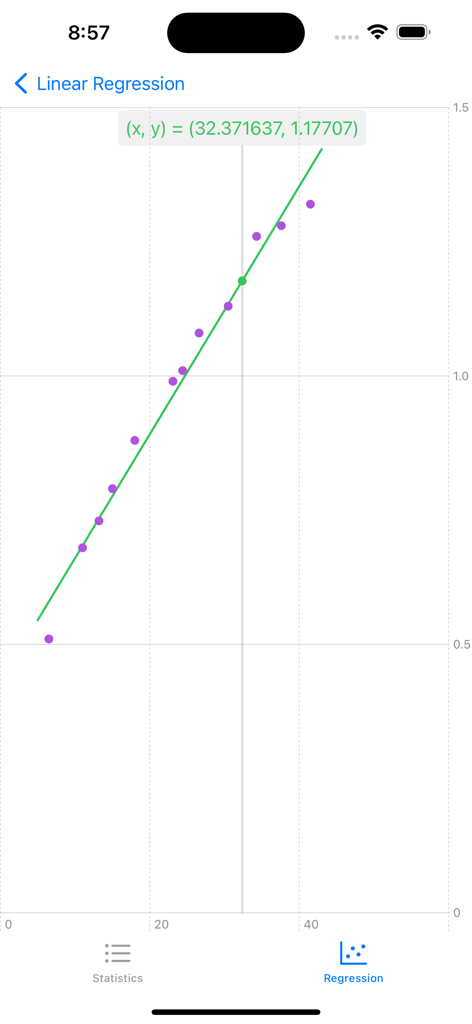
Linear regression graph with data points and a line of best fit in the app interface
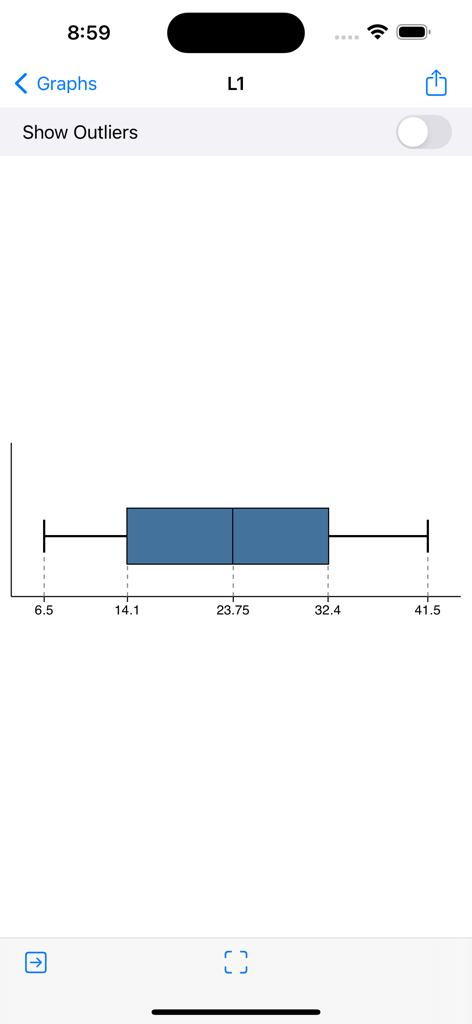
Box and whisker plot showing data distribution and quartiles in the app
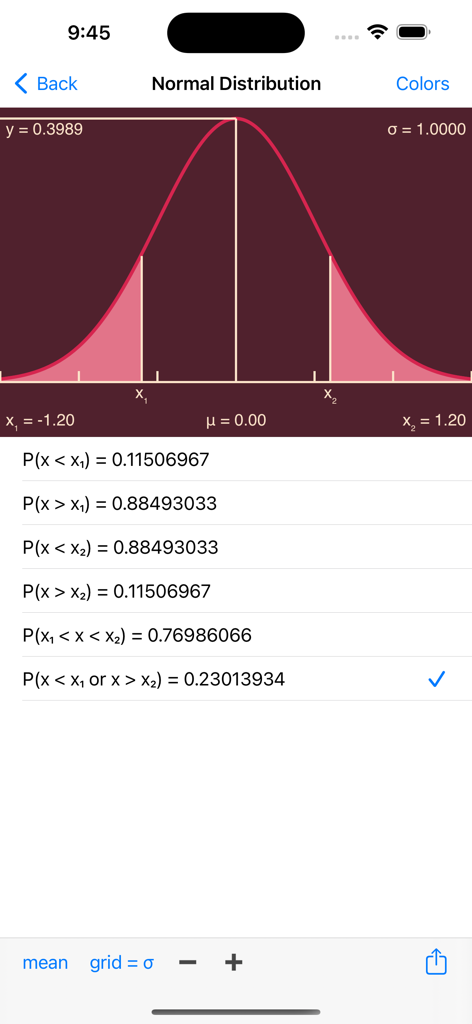
Normal distribution bell curve and probability calculations on a mobile app interface
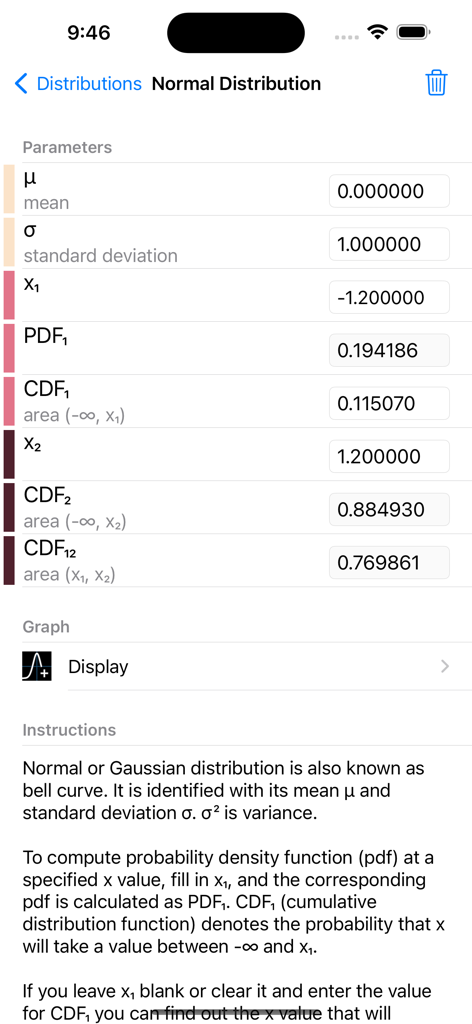
Normal distribution calculation screen showing mean, standard deviation, and cumulative distribution function parameters.
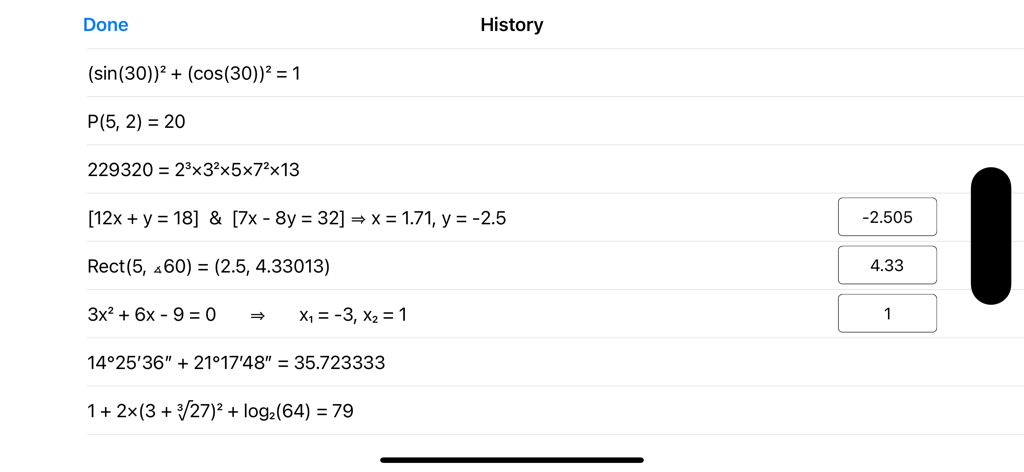
Display of previous math calculations and equation solutions in the history view
Description
Download
More Like This
Top-ranked apps in the same category

Google LLC

Google Chrome
Google LLC

中国移动(手机营业厅)
China Mobile Online Services Co., Ltd.

Google Authenticator
Google LLC

CNH do Brasil
Servicos e Informacoes do Brasil

Cleanup: Phone Storage Cleaner
DEEP FLOW SOFTWARE SERVICES - FZCO

gov.br
Servicos e Informacoes do Brasil

中国电信-全国统一官方服务平台
CHINA TELECOM Corporation Ltd.

Microsoft Edge: AI Browser
Microsoft Corporation
This page is not an official page of the app or its developer, but an independent editorial publication created for informational and commentary purposes. Unless expressly stated otherwise, neither the app nor its developer is affiliated with, endorsed by, sponsored by, authorized by, or otherwise officially connected with MWM, Apple, Google Play, the app publisher, or the app's developer, and nothing on this page implies that the app was developed using MWM's services. Any trademarks, logos, screenshots, and other content remain the property of their respective owners.