Structural Engineering lite
Download on App Store

This page is not an official page of the app or its developer, but an independent editorial publication created for informational and commentary purposes. Unless expressly stated otherwise, neither the app nor its developer is affiliated with, endorsed by, sponsored by, authorized by, or otherwise officially connected with MWM, Apple, Google Play, the app publisher, or the app's developer, and nothing on this page implies that the app was developed using MWM's services. Any trademarks, logos, screenshots, and other content remain the property of their respective owners.


Logo of Structural Engineering lite
Download on App Store

Structural Engineering lite

The essential mobile companion for civil and structural engineers. Streamline your workflow with professional-grade calculators for both USCS and Metric units.

Key Figures

Downloads

3K+

User Rating

4.9/5

Total Ratings

0

Publisher

V PUGAZHENTHI

Category

Utilities

Locales

8

Latest Version

7.2

Size

37.0 MB

First Released

Apr 26, 2013
Features

Professional Engineering Precision

Empower your workflow with 58 specialized tools designed for structural analysis, design verification, and on-site decision-making.

58 Specialized Calculators

Access a comprehensive suite of tools covering shear capacity, flexural members, and complex stress analysis with high mathematical reliability.

Dual-Unit Support (USCS & SI)

Switch instantly between Imperial and Metric units to ensure perfect accuracy for US construction projects and international standards.

The following screenshots and description are sourced directly from the app's official store listing and are the property of the app developer.

App Store

Screenshots
Structural Engineering lite - Structural Engineering app splash screen featuring a geometric truss logo and developer name
Structural Engineering app splash screen featuring a geometric truss logo and developer name

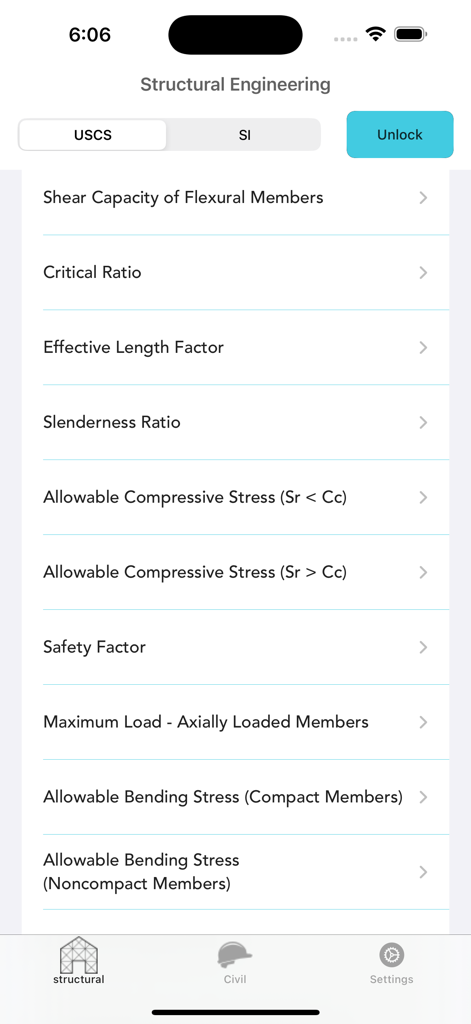
Structural Engineering lite - List of structural engineering calculation tools in the Structural Engineering lite app interface

List of structural engineering calculation tools in the Structural Engineering lite app interface
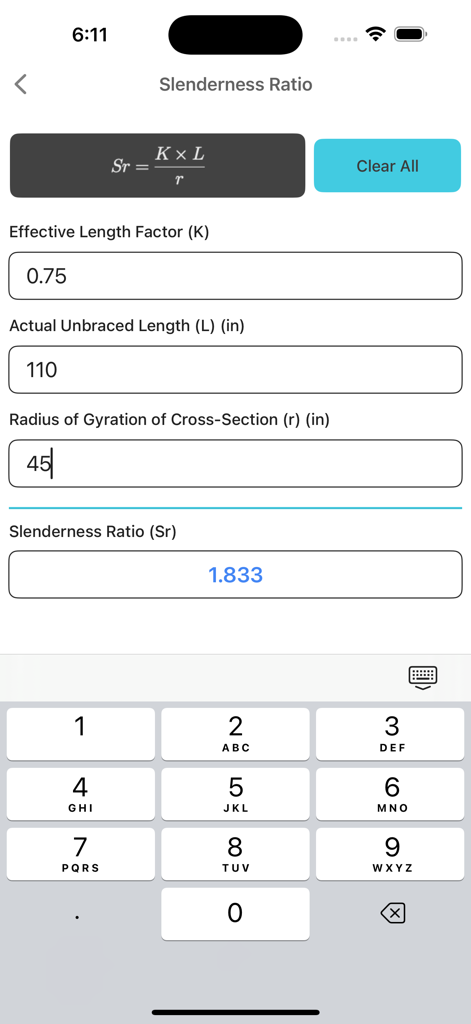
Structural Engineering lite - Interface of the Structural Engineering lite app showing the slenderness ratio calculator with input fields and a numeric keyboard
Interface of the Structural Engineering lite app showing the slenderness ratio calculator with input fields and a numeric keyboard

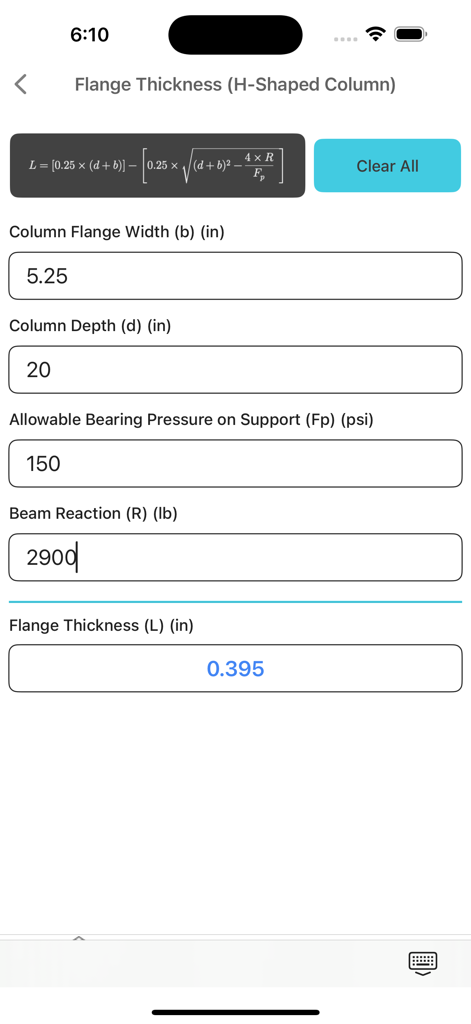
Structural Engineering lite - Interface of the Structural Engineering lite app showing a flange thickness calculator for H-shaped columns with input fields for width, depth, and pressure.
Interface of the Structural Engineering lite app showing a flange thickness calculator for H-shaped columns with input fields for width, depth, and pressure.

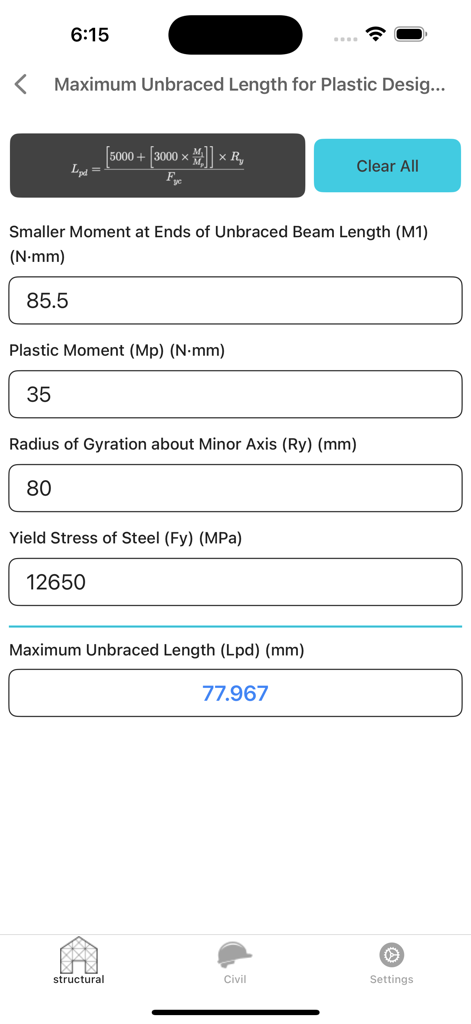
Structural Engineering lite - Interface of the Structural Engineering lite app showing a calculator for Maximum Unbraced Length for Plastic Design with metric unit inputs.
Interface of the Structural Engineering lite app showing a calculator for Maximum Unbraced Length for Plastic Design with metric unit inputs.

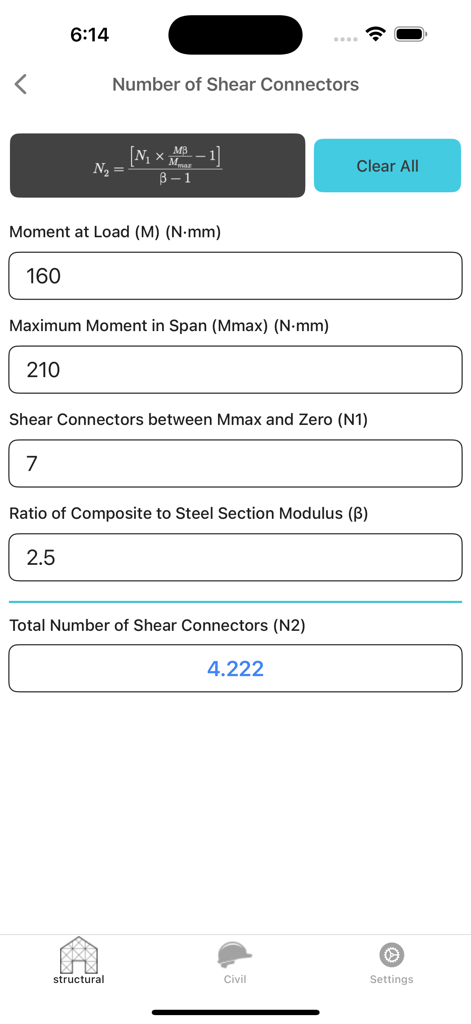
Structural Engineering lite - Structural Engineering lite app interface showing the calculation for total number of shear connectors
Structural Engineering lite app interface showing the calculation for total number of shear connectors

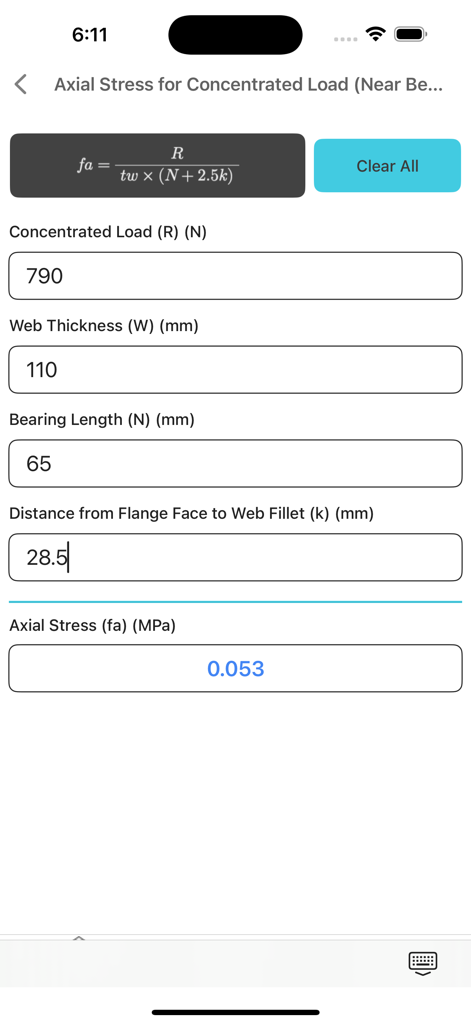
Structural Engineering lite - Mobile app interface of Structural Engineering lite showing a calculator for axial stress for concentrated loads with input fields and formula.
Mobile app interface of Structural Engineering lite showing a calculator for axial stress for concentrated loads with input fields and formula.

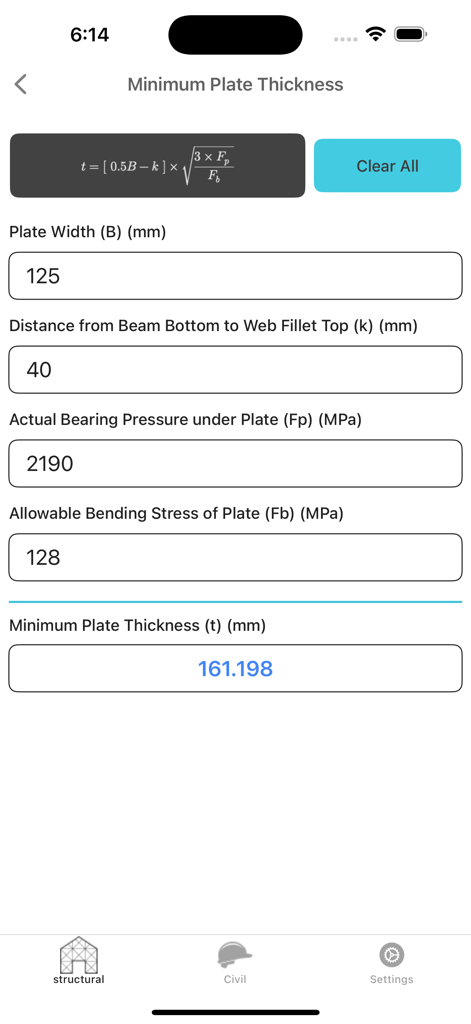
Structural Engineering lite - Structural Engineering lite app interface showing minimum plate thickness calculation with formula and inputs
Structural Engineering lite app interface showing minimum plate thickness calculation with formula and inputs

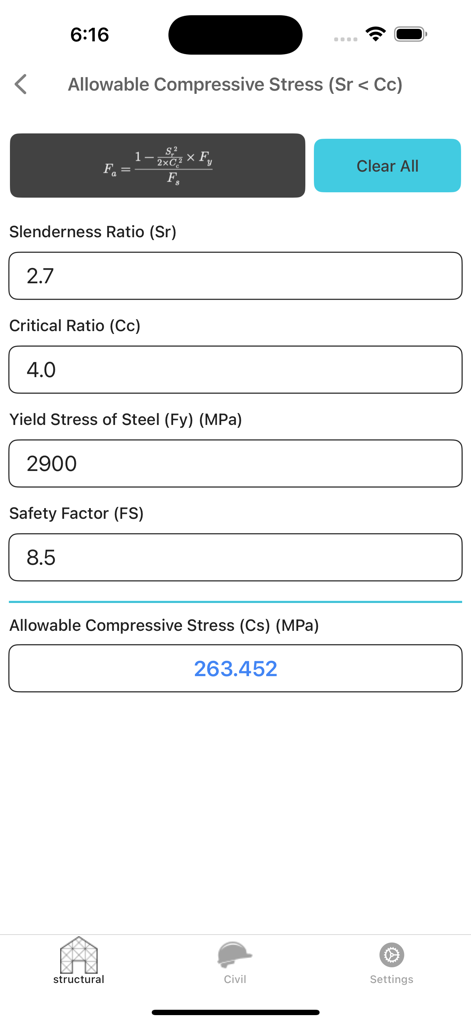
Structural Engineering lite - Interface of the Structural Engineering lite app showing an Allowable Compressive Stress calculator with input fields for Slenderness Ratio and Yield Stress
Interface of the Structural Engineering lite app showing an Allowable Compressive Stress calculator with input fields for Slenderness Ratio and Yield Stress

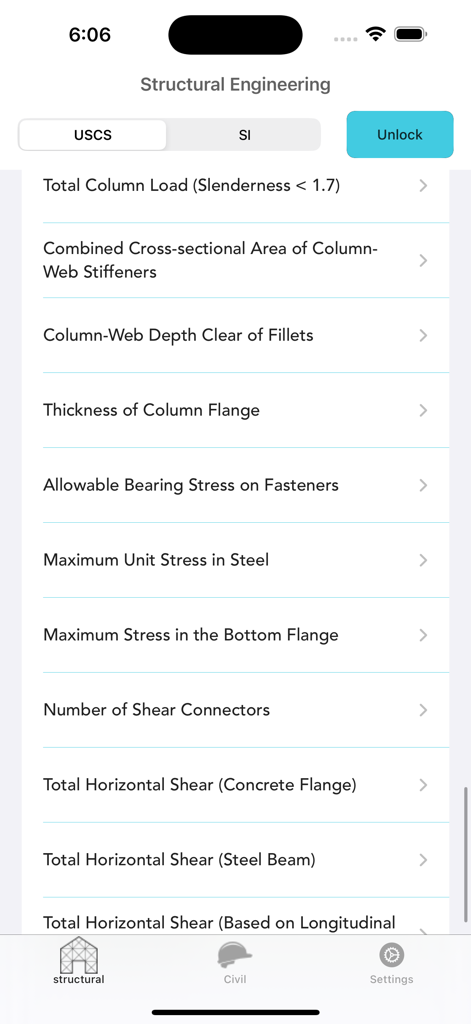
Structural Engineering lite - Structural Engineering lite app interface showing a list of structural analysis calculators and unit selection toggle

Structural Engineering lite app interface showing a list of structural analysis calculators and unit selection toggle

Description

Structural Engineering Calculator Structural Engineering Calculator provides 58 powerful tools for solving a wide range of structural and civil engineering problems. Ideal for students, engineers, and professionals. Supports both Imperial (USCS) and Metric (SI) units. Included Calculators (Free): 1. Shear Capacity of Flexural Members 2. Critical Ratio 3. Effective Length Factor 4. Slenderness Ratio 5. Allowable Compressive Stress (Slenderness Ratio is less than Critical Ratio) Additional Calculators Available via In-App Purchase: 6. Allowable Compressive Stress (Slenderness Ratio is greater than Critical Ratio) 7. Safety Factor 8. Maximum Load – Axially Loaded Members 9. Allowable Bending Stress (Compact Members) 10. Allowable Bending Stress (Non-Compact Members) 11. Moment Gradient Factor 12. Allowable Stress – Compression Flange 13. Plastic Moment 14. Maximum Unbraced Length – Plastic Design (I-Shaped Beams) 15. Maximum Unbraced Length – Plastic Design (Rectangular Bars and Box Beams) 16. Laterally Unbraced Length – Plastic Bending (I Shapes and Channels) 17. Laterally Unbraced Length – Plastic Bending (Box Beams and Rectangular Bars) 18. Laterally Unbraced Length – Plastic Bending (Major Axis) 19. Limiting Buckling Moment 20. Nominal Moment (Compact Beams) 21. Critical Elastic Moment – Compact Beams 22. Critical Elastic Moment – Rectangular Bars and Box Beams 23. Allowable Shear Stress 24. Allowable Shear Stress with Tension Field Action 25. Bearing Plate Area (Full Concrete Support) 26. Bearing Plate Area (Partial Concrete Support) 27. Minimum Plate Thickness 28. Base Plate Area Under Column 29. Plate Length 30. Plate Thickness (Cantilever Bending) 31. Flange Thickness (H-Shaped Column) 32. Web Thickness (H-Shaped Column) 33. Actual Bearing Pressure Under Plate 34. Allowable Bearing Stress (Rollers or Rockers) 35. Web Depth/Thickness Ratio (Unstiffened Web) 36. Web Depth/Thickness Ratio (With Stiffeners) 37. Wall Deflection – Solid Rectangular Cross Section 38. Wall Deflection – Shear Wall with Top Load 39. Wall Deflection – Fixed Against Top Rotation 40. Combined Axial Compression (Stress Ratio is less than 0.15) 41. Combined Axial Compression (Stress Ratio is less or equal 0.15) 42. Axial Stress – Load Applied Far from Beam End 43. Axial Stress – Load Applied Near Beam End 44. Reaction Load – Applied Far from Beam End 45. Reaction Load – Applied Close to Beam End 46. Relative Slenderness – Web and Flange 47. Total Column Load (Slenderness is less than 2.3) 48. Total Column Load (Slenderness is greater than 1.7) 49. Cross-Sectional Area of Column-Web Stiffeners 50. Column Web Depth Clear of Fillets 51. Column Flange Thickness 52. Bearing Stress – Projected Fastener Area 53. Maximum Unit Stress in Steel 54. Maximum Stress in Bottom Flange 55. Number of Shear Connectors 56. Total Horizontal Shear – Concrete Flange 57. Total Horizontal Shear – Steel Beam 58. Total Horizontal Shear – Longitudinal Reinforcement Whether you’re analyzing beams, checking stability, or verifying code-based limits, Structural Engineering Calculator is your essential tool for structural analysis on the go.

Download

Download on App Store

This page is not an official page of the app or its developer, but an independent editorial publication created for informational and commentary purposes. Unless expressly stated otherwise, neither the app nor its developer is affiliated with, endorsed by, sponsored by, authorized by, or otherwise officially connected with MWM, Apple, Google Play, the app publisher, or the app's developer, and nothing on this page implies that the app was developed using MWM's services. Any trademarks, logos, screenshots, and other content remain the property of their respective owners.








