
This page is not an official page of the app or its developer, but an independent editorial publication created for informational and commentary purposes. Unless expressly stated otherwise, neither the app nor its developer is affiliated with, endorsed by, sponsored by, authorized by, or otherwise officially connected with MWM, Apple, Google Play, the app publisher, or the app's developer, and nothing on this page implies that the app was developed using MWM's services. Any trademarks, logos, screenshots, and other content remain the property of their respective owners.


Super Proxy - Tunnel your apps
Network restrictions? Gone. This app routes every connection, giving users back control.
Downloads
50k+User Rating
Total Ratings
112Publisher
Category
UtilitiesLocales
1Latest Version
3.0.8Size
104.0 MBFirst Released
May 20, 2024An evaluation of core functionalities for technically aware users seeking network flexibility.
Super Proxy - Analytical Feature Overview
Comprehensive App Tunneling
The app provides the capability to route all application traffic through a designated proxy server, ensuring consistent internet access across the entire device.
Educational & Corporate Network Bypass
This tool enables users to circumvent internet restrictions prevalent in university, college, or corporate networks, facilitating unfettered online activity for productivity or study.
ISP Restriction Overcoming
It allows users to bypass limitations imposed by Internet Service Providers, including geo-restrictions or content blocks, offering independent control over their online experience.
Dual Protocol Support (HTTP/SOCKS5)
The app features compatibility with both HTTP and SOCKS5 proxy protocols, providing flexibility to connect to a wide range of proxy servers based on user preference or network requirements.
Frequently Asked Questions
Everything you need to know about Super Proxy - Tunnel your apps
What is Super Proxy?
Super Proxy tunnels all applications through an HTTP or SOCKS5 proxy server. It enables internet access within company or college networks and can bypass ISP restrictions using public proxy servers.
How does Super Proxy work?
Super Proxy implements its functionality using a local VPN service. This service tunnels all device traffic through a configured proxy server, ensuring all apps utilize the proxy.
What proxy types does Super Proxy support?
Yes, Super Proxy supports both SOCKS5 and HTTP proxy servers. For HTTP proxies, it utilizes the HTTP CONNECT method to tunnel traffic.
Can Super Proxy bypass ISP restrictions?
Yes, Super Proxy can be used with a public proxy server to bypass restrictions imposed by your Internet Service Provider.
How do I add a new proxy in Super Proxy?
Users add a new proxy by tapping the "Add proxy" button. This opens a configuration screen where details like profile name, protocol, server, port, and authentication method are entered.
Does Super Proxy support username and password authentication?
Yes, Super Proxy supports username and password authentication for proxy connections. The app provides specific input fields for these credentials during the proxy setup process.
The following screenshots and description are sourced directly from the app's official store listing and are the property of the app developer.
App Store
Screenshots
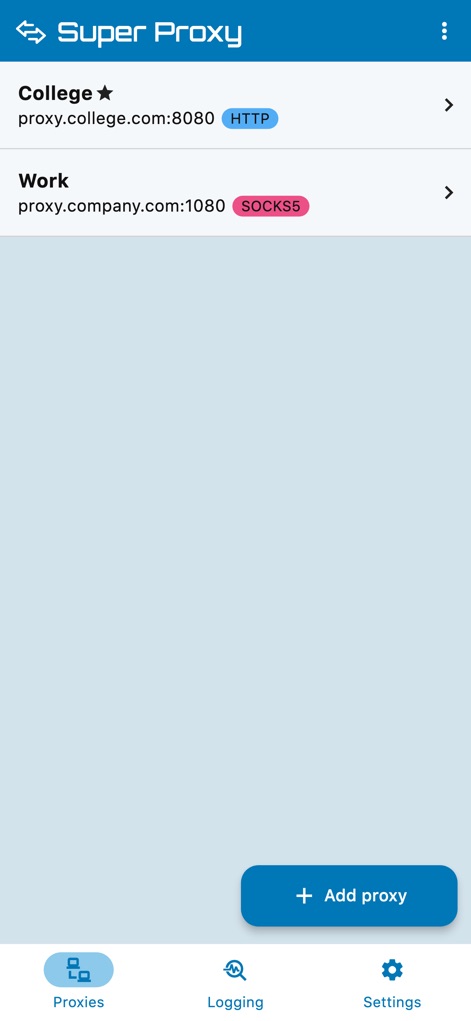
The app showcases its intuitive main screen, featuring a clear list of configured proxy profiles with their types (HTTP and SOCKS5) and a prominent "Add proxy" button for quick new configurations.
Proxy Profile Management
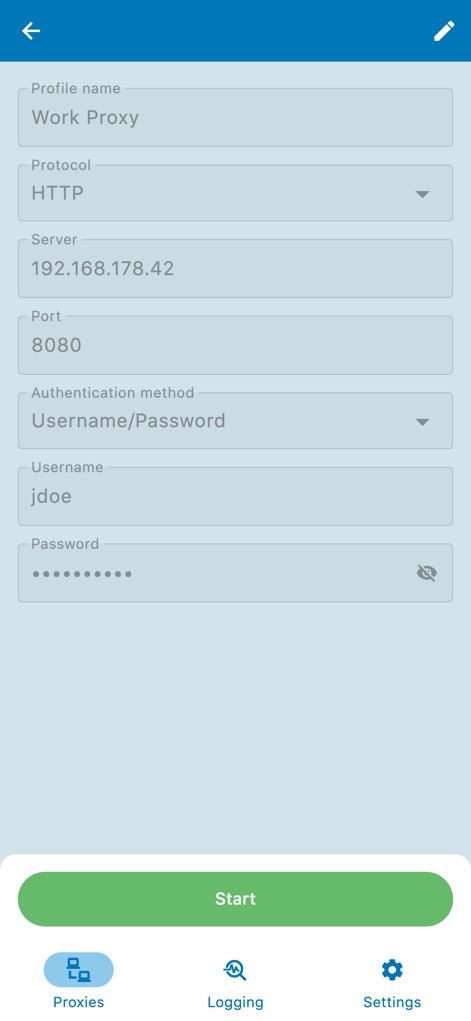
This view highlights the detailed proxy configuration form, allowing users to specify critical parameters like the Protocol type (HTTP) and server authentication credentials (Username and Password).
Proxy Configuration Form
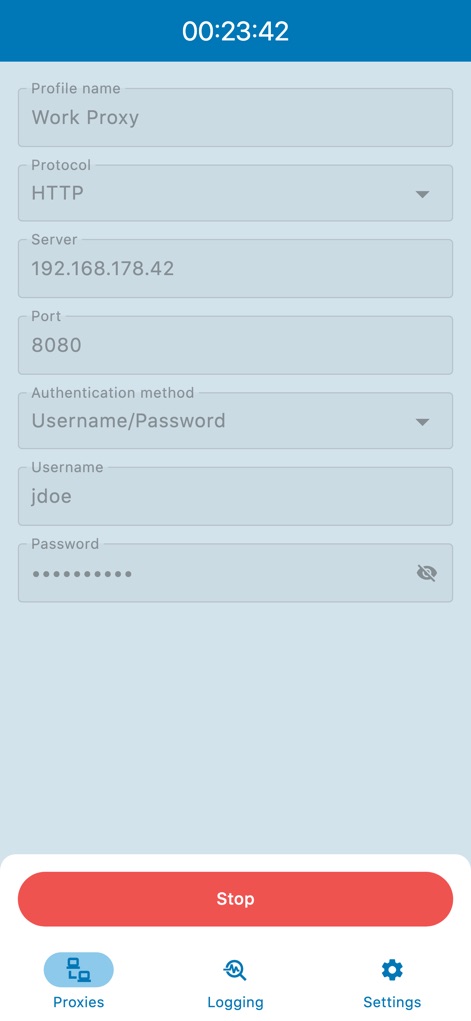
The app displays an active proxy connection, indicated by the running timer (00:23:42) at the top and the clearly visible "Stop" button at the bottom, giving users full control over their tunneling session.
Active Connection Control
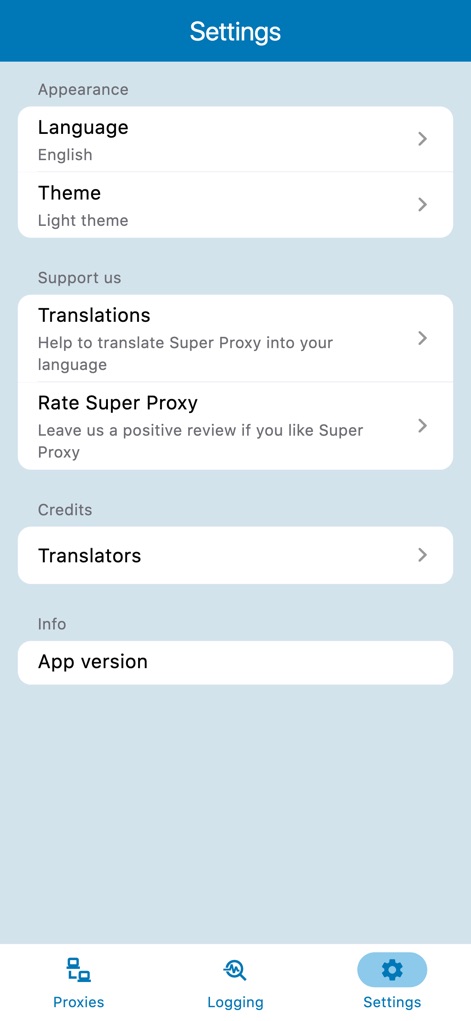
Users can fine-tune their experience through the comprehensive Settings menu, which includes options for customizing the app's appearance (Language and Theme) and accessing support features like "Rate Super Proxy".
Customizable App Settings
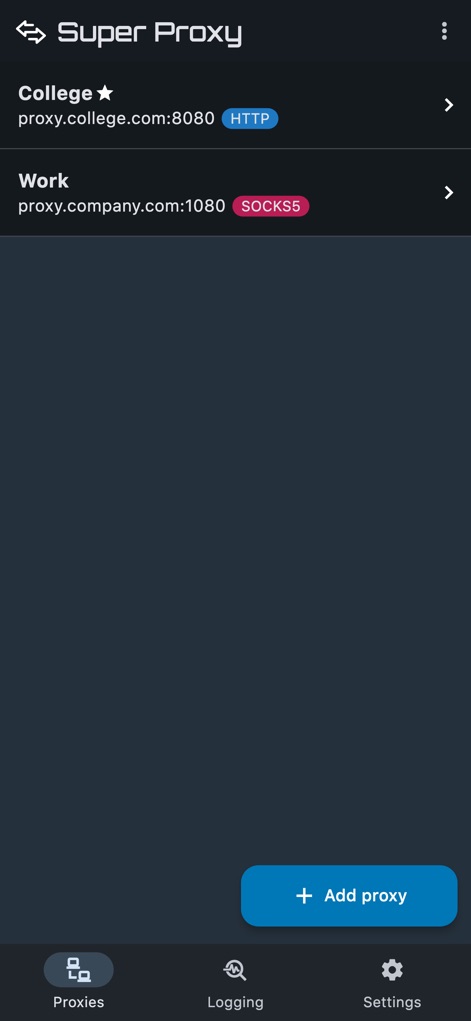
The app provides an organized overview of established proxy connections, distinguishing between HTTP and SOCKS5 protocols, and offers a straightforward way to manage profiles or add new ones via the "Add proxy" button.
Overview of Proxies
Description
Download
More Like This
Top-ranked apps in the same category

Google LLC

Google Chrome
Google LLC

中国移动(手机营业厅)
China Mobile Online Services Co., Ltd.

Google Authenticator
Google LLC

CNH do Brasil
Servicos e Informacoes do Brasil

Cleanup: Phone Storage Cleaner
DEEP FLOW SOFTWARE SERVICES - FZCO

gov.br
Servicos e Informacoes do Brasil

中国电信-全国统一官方服务平台
CHINA TELECOM Corporation Ltd.

Microsoft Edge: AI Browser
Microsoft Corporation
This page is not an official page of the app or its developer, but an independent editorial publication created for informational and commentary purposes. Unless expressly stated otherwise, neither the app nor its developer is affiliated with, endorsed by, sponsored by, authorized by, or otherwise officially connected with MWM, Apple, Google Play, the app publisher, or the app's developer, and nothing on this page implies that the app was developed using MWM's services. Any trademarks, logos, screenshots, and other content remain the property of their respective owners.