
This page is not an official page of the app or its developer, but an independent editorial publication created for informational and commentary purposes. Unless expressly stated otherwise, neither the app nor its developer is affiliated with, endorsed by, sponsored by, authorized by, or otherwise officially connected with MWM, Apple, Google Play, the app publisher, or the app's developer, and nothing on this page implies that the app was developed using MWM's services. Any trademarks, logos, screenshots, and other content remain the property of their respective owners.

Tally Watch: Simple Tally
Experience the most tactile way to track habits, fitness reps, and daily goals. Just turn the crown, feel the haptic click, and stay focused on what matters.
Downloads
500User Rating
Total Ratings
0Publisher
Category
UtilitiesLocales
1Latest Version
1.1Size
0.8 MBFirst Released
Apr 16, 2025Track Everything Without the Friction
Whether you are counting gym reps, tracking daily habits, or managing professional tasks, Tally Watch provides a seamless, tactile experience optimized for your Apple Watch.
Digital Crown Precision
Twist to count and feel every click with haptic feedback. Perfect for tracking sets or attendance without ever having to look at your screen.
Multi-Counter Management
Organize your life with unlimited counters. Rename them for specific goals like water intake or deep work sessions, with all data saved automatically.
Frequently Asked Questions
Everything you need to know about Tally Watch: Simple Tally
How do you count using Tally Watch: Simple Tally?
Yes, Tally Watch: Simple Tally allows counting using the digital crown. This feature enables effortless tracking directly from your Apple Watch.
Does Tally Watch: Simple Tally support multiple counters?
Yes, Tally Watch: Simple Tally supports managing multiple tally click counters. Users can create, rename, and track various counts simultaneously on their Apple Watch.
Can users customize themes in Tally Watch: Simple Tally?
Yes, Tally Watch: Simple Tally offers tons of beautiful themes for customization. Users can switch between various visual themes, including Classic, Ocean, and Sunset, to personalize their experience.
Does Tally Watch: Simple Tally have light and dark modes?
Yes, Tally Watch: Simple Tally supports both light and dark modes. Users can switch between these display modes to suit their preference and environment.
Does Tally Watch: Simple Tally provide haptic feedback?
Yes, Tally Watch: Simple Tally provides haptic feedback. This feature enhances the user experience by offering tactile confirmation for interactions.
Are counters automatically saved in Tally Watch: Simple Tally?
Yes, counters automatically save in Tally Watch: Simple Tally. This ensures that user data is preserved without manual saving, providing convenience and reliability.
Can I rename counters in the Tally Watch app?
Yes, users can rename counters in Tally Watch: Simple Tally. This feature allows for better organization and identification of individual tally counts.
The following screenshots and description are sourced directly from the app's official store listing and are the property of the app developer.
App Store
Screenshots
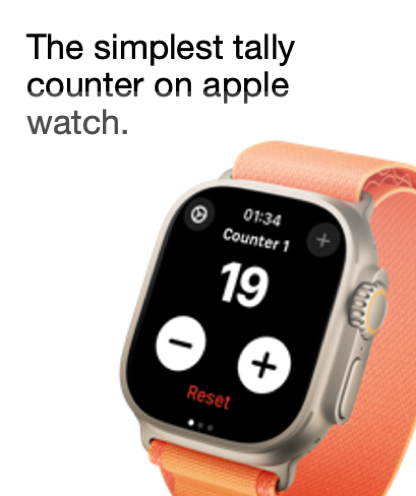
Interface of the Tally Watch app on an Apple Watch showing a simple digital tally counter
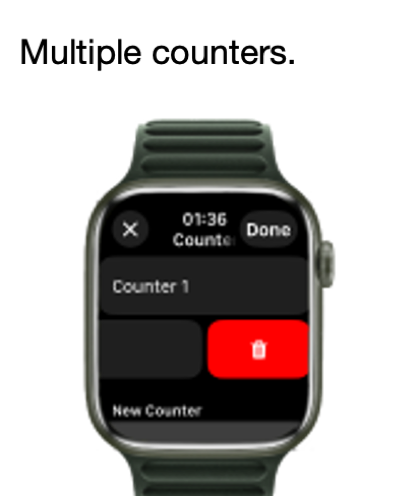
Apple Watch screen showing multiple counters and a button to add a new one in the Tally Watch app.
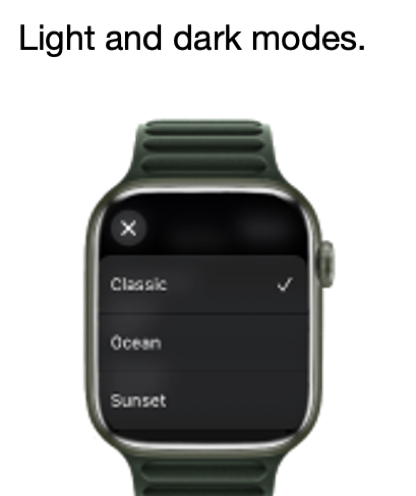
Apple Watch screen showing a list of theme options including Classic Ocean and Sunset for the Tally Watch app
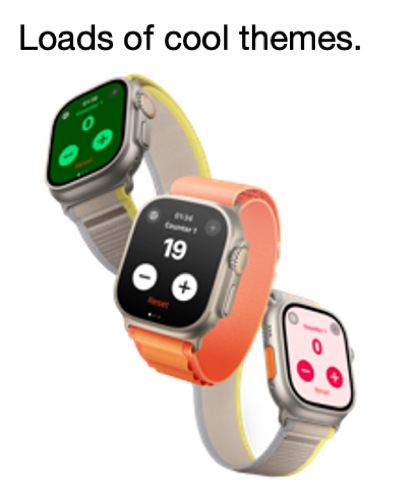
Three Apple Watches showcasing different colorful themes for the Tally Watch app
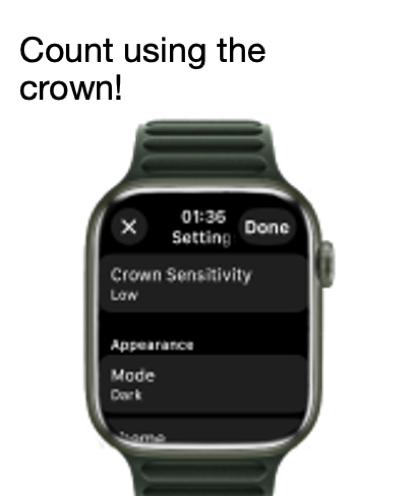
Settings screen of the Tally Watch app on Apple Watch showing crown sensitivity and dark mode options
Description
Download
More Like This
Top-ranked apps in the same category

Google LLC

Google Chrome
Google LLC

中国移动(手机营业厅)
China Mobile Online Services Co., Ltd.

Google Authenticator
Google LLC

CNH do Brasil
Servicos e Informacoes do Brasil

Cleanup: Phone Storage Cleaner
DEEP FLOW SOFTWARE SERVICES - FZCO

gov.br
Servicos e Informacoes do Brasil

Microsoft Edge: AI Browser
Microsoft Corporation

Super VPN Fly 2026
YUNFAN TECHNOLOGY CO., LIMITED
This page is not an official page of the app or its developer, but an independent editorial publication created for informational and commentary purposes. Unless expressly stated otherwise, neither the app nor its developer is affiliated with, endorsed by, sponsored by, authorized by, or otherwise officially connected with MWM, Apple, Google Play, the app publisher, or the app's developer, and nothing on this page implies that the app was developed using MWM's services. Any trademarks, logos, screenshots, and other content remain the property of their respective owners.