Task Office lite: to-do list
Download on App Store

This page is not an official page of the app or its developer, but an independent editorial publication created for informational and commentary purposes. Unless expressly stated otherwise, neither the app nor its developer is affiliated with, endorsed by, sponsored by, authorized by, or otherwise officially connected with MWM, Apple, Google Play, the app publisher, or the app's developer, and nothing on this page implies that the app was developed using MWM's services. Any trademarks, logos, screenshots, and other content remain the property of their respective owners.

Logo of Task Office lite: to-do list
Download on App Store

Task Office lite: to-do list

Built for high-achievers who need more than just a list. Seamlessly integrate your tasks, calendar, and CRM into one powerful pipeline to track progress and achieve your professional goals.

Key Figures

Downloads

6K+

User Rating

4.0/5

Total Ratings

100

Publisher

DK CONSULTING, TOV

Category

Productivity

Locales

15

Latest Version

11.0

Size

84.8 MB

First Released

Sep 2, 2015
Features

Master Your Professional Peak

Task Office lite merges project management, GTD workflows, and CRM tools into one powerful ecosystem built for the high-achieving professional.

Proven GTD® Framework

Implement the "Getting Things Done" methodology effortlessly to clear your mind and focus on high-impact results.

Project Pipeline Tracking

Monitor progress with visual percentages and timelines to ensure every complex project stays on schedule and under control.

The following screenshots and description are sourced directly from the app's official store listing and are the property of the app developer.

App Store

Screenshots
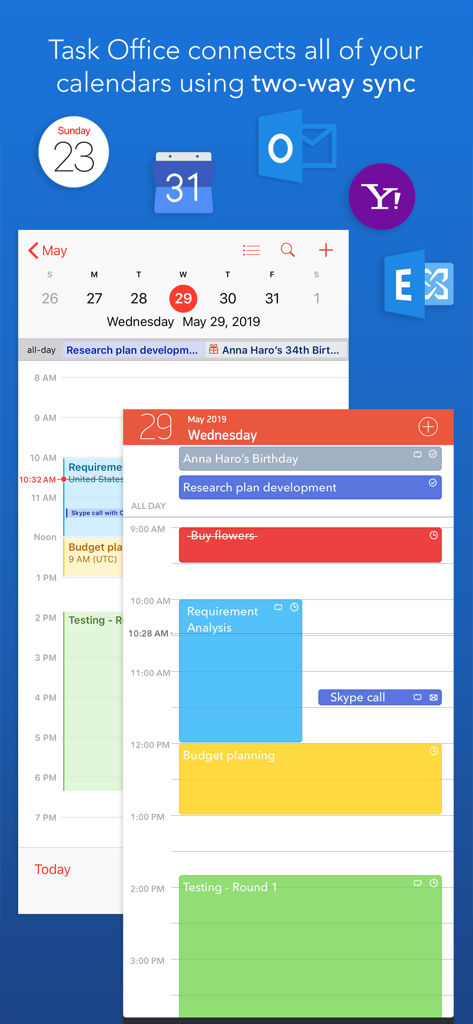
Task Office lite: to-do list - Task Office lite app interface showing daily schedule and two way calendar synchronization with Outlook and Yahoo
Task Office lite app interface showing daily schedule and two way calendar synchronization with Outlook and Yahoo

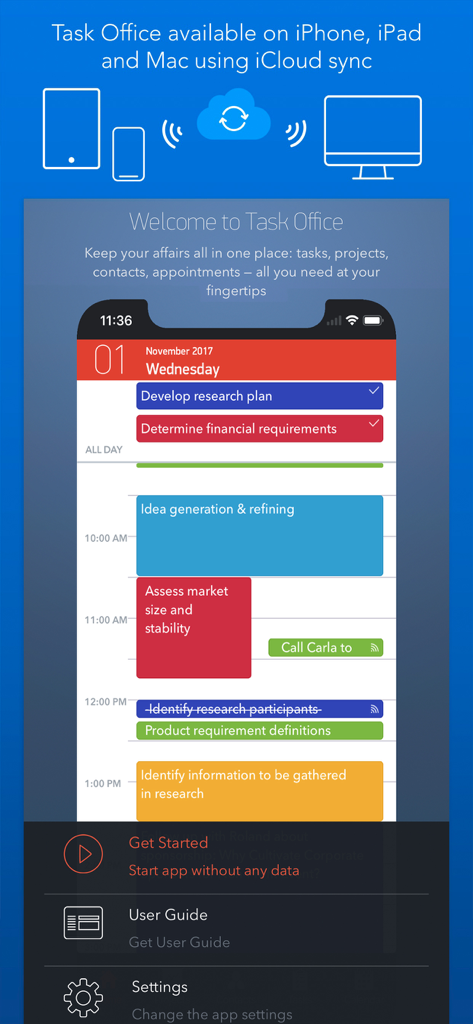
Task Office lite: to-do list - Task Office lite app interface showing daily task schedule and iCloud sync across Apple devices.
Task Office lite app interface showing daily task schedule and iCloud sync across Apple devices.

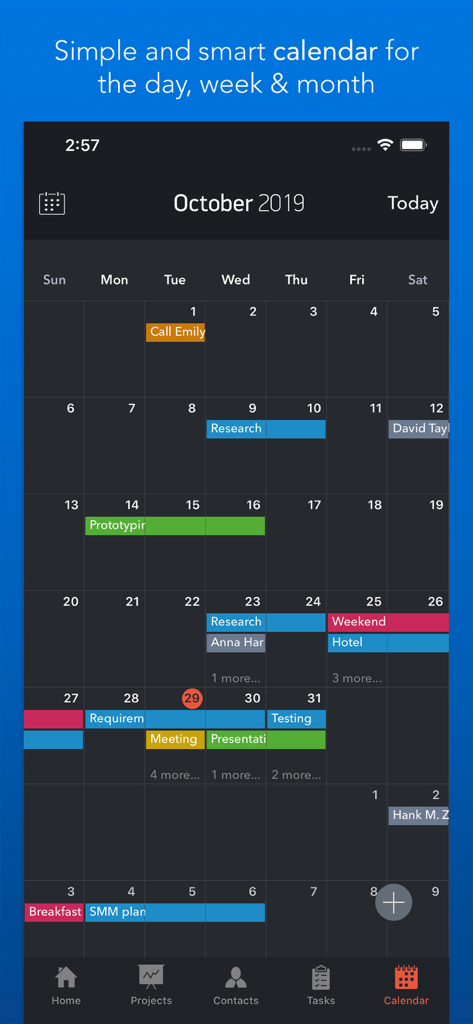
Task Office lite: to-do list - Task Office lite monthly calendar view showing color-coded scheduled tasks and appointments
Task Office lite monthly calendar view showing color-coded scheduled tasks and appointments

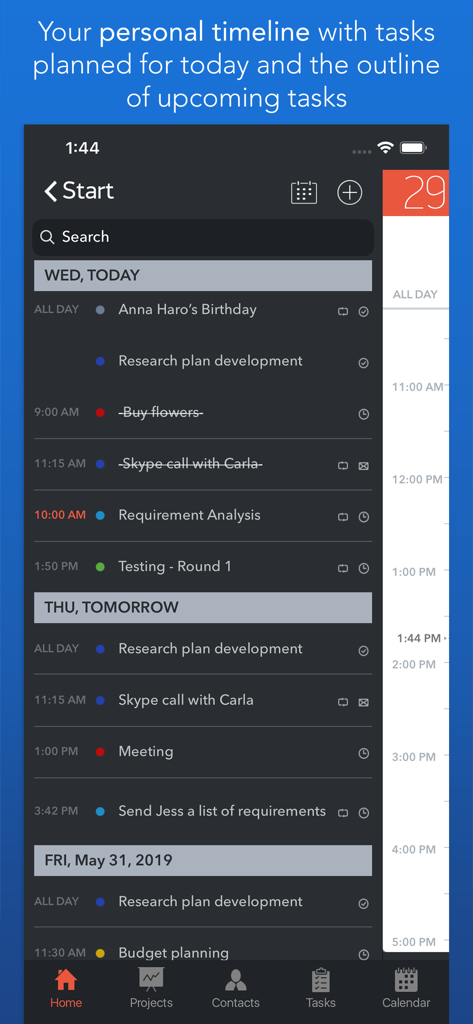
Task Office lite: to-do list - Task Office lite app personal timeline displaying daily tasks and upcoming project milestones.
Task Office lite app personal timeline displaying daily tasks and upcoming project milestones.

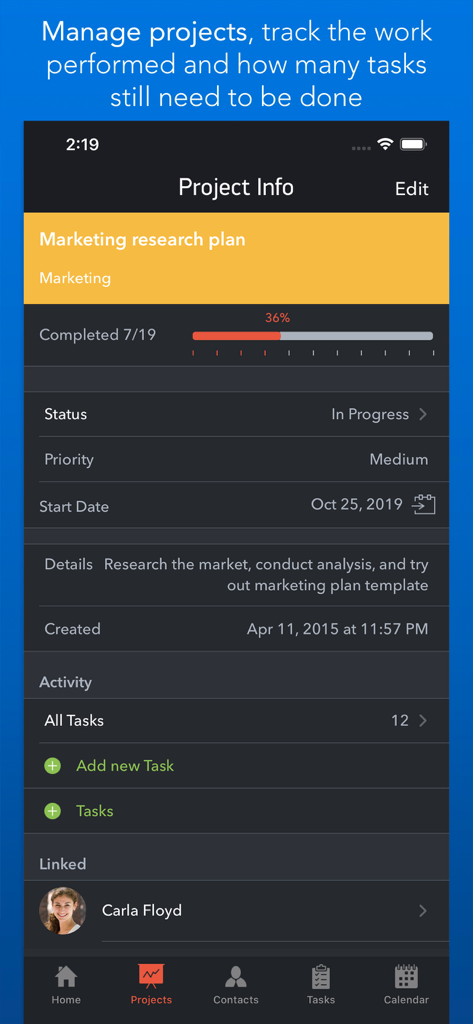
Task Office lite: to-do list - Task Office lite project info screen displaying progress tracking and status for a marketing research plan
Task Office lite project info screen displaying progress tracking and status for a marketing research plan

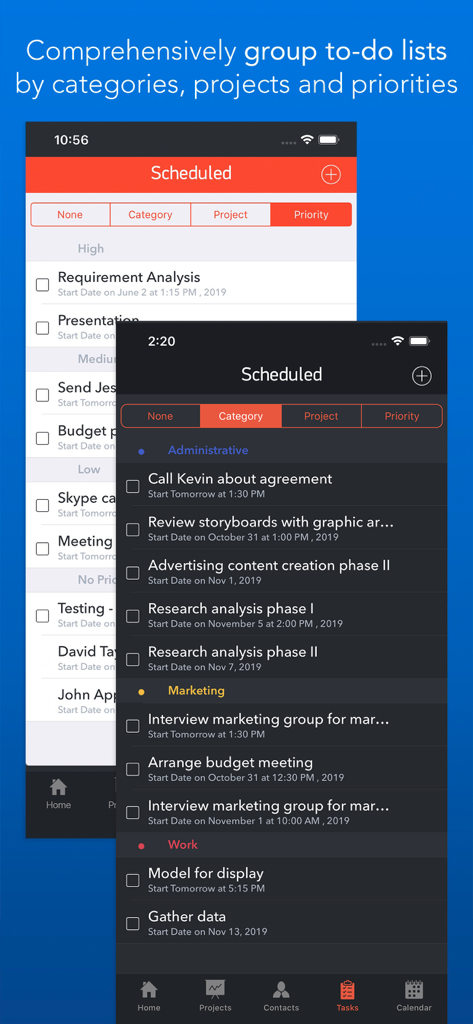
Task Office lite: to-do list - Task Office lite interface showing to-do lists grouped by categories and priorities in light and dark themes.
Task Office lite interface showing to-do lists grouped by categories and priorities in light and dark themes.

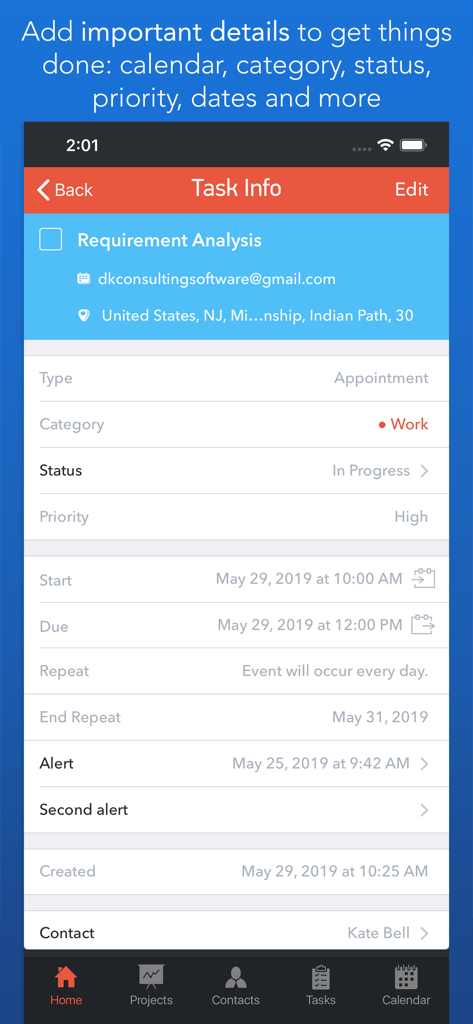
Task Office lite: to-do list - Task information screen showing detailed GTD attributes like category, status, and priority in the Task Office lite app.
Task information screen showing detailed GTD attributes like category, status, and priority in the Task Office lite app.

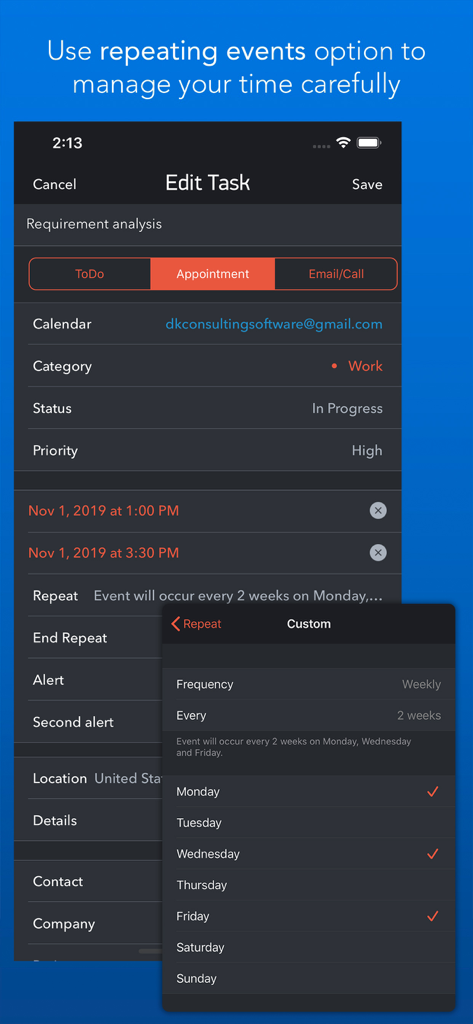
Task Office lite: to-do list - Task Office lite mobile app screen showing custom repeating event settings for recurring tasks
Task Office lite mobile app screen showing custom repeating event settings for recurring tasks

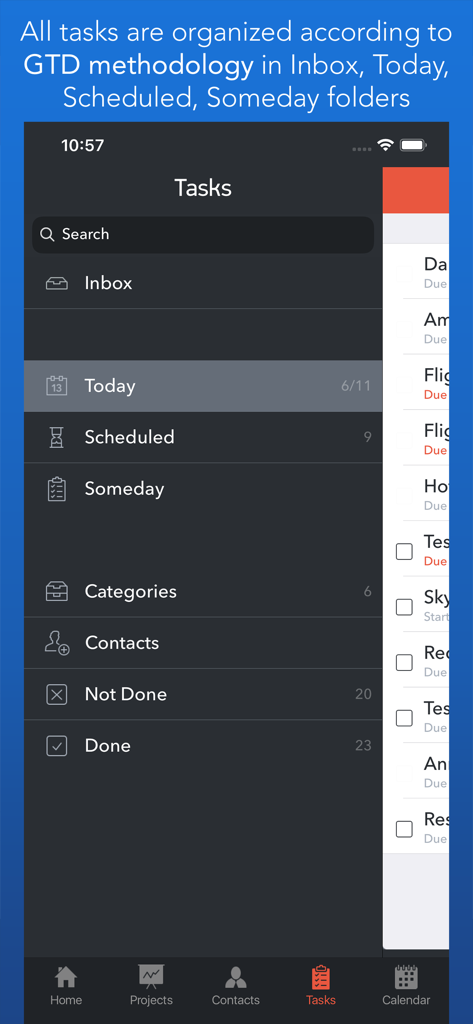
Task Office lite: to-do list - GTD methodology task organization screen in Task Office lite app
GTD methodology task organization screen in Task Office lite app

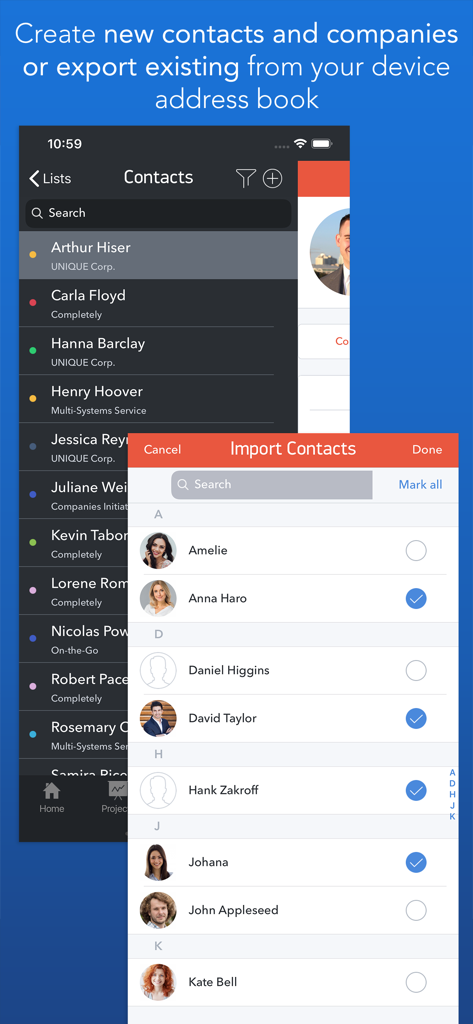
Task Office lite: to-do list - Task Office lite contact management screen showing how to import and organize professional contacts

Task Office lite contact management screen showing how to import and organize professional contacts

Description

Task Office is the best of ever existing GTD, to do lists, projects and contacts management apps. Manage both simple and complex projects, to do lists without any difficulties and focus on the final result. Manage your contacts and relationships, schedule your time and succeed. Planning & Performing • Start scheduling each new day on Home screen. Here you will find your current projects and to dos: a timeline with tasks you have planned for today and outline of upcoming tasks. Home screen allows you to focus only on current tasks, planned for today, and not to get lost in plenty of other planned tasks. You can plan your day directly from Home screen creating new tasks, projects, contacts and companies Quick & Easy navigation • Reach any project, task, to do list or contact in seconds. Task Office is designed in a way that will allow you to navigate within app screens just in one tap • Organize your tasks by categories, projects or priorities and make a logic order of all your plans Detailed GTD • Add all important details to get things done: choose tasks category, status, priority and set dates • Assign tasks to people by choosing a person from all existing contacts • Add locations to each task and project • Make all your information categorized – assign special categories for easy filtering and browsing through tasks and projects Comprehensive GTD Tab • All tasks are organized according to GTD methodology (by D. Allen) • Add tasks of different types: - ToDo – tasks with duration of several days - Appointment – assign task duration accurate to minutes - Email/Call – short task for making calls or sending emails to any user Alerts • Use double alert and let the program remind you what is next to be done Tracking project progress • Track the progress of your projects and to do lists by viewing the pipeline: view the percentage of work performed and how many tasks still need to be done • Check out everyone who is involved in project: view the list of contacts involved in the project Managing your team • Create new contacts and companies; add all the important information about your contact or company. Either you can import existing contact from your iOS device Address Book • Send e-mails directly from Contacts Screen • Group your contacts creating your Private Lists, so that you can easily monitor their productivity and track task implementation. Save each Private list and refer back to easily Visualized Calendar • Task Office calendar allows you to focus on what is important in your timeline. See your planed To Dos, Appointments, Emails/Calls to get things done in time • View calendar by day, week or month • Add tasks directly to the Calendar by Tap&Hold • Change tasks duration or Start and Due Dates simply Drag&Drop Calendar Syncing • Task Office syncs with Calendars (iCloud, Google Calendar, Exchange, Yahoo, Outlook) and you will not miss anything checking out due dates iCloud Sync • Sync your information – tasks, projects, contacts, etc. – between your devices Repeating tasks • Add repeated tasks, choosing recurrences frequency Set goals and achieve them. Become a part of Task Office team today!

Download

Download on App Store

This page is not an official page of the app or its developer, but an independent editorial publication created for informational and commentary purposes. Unless expressly stated otherwise, neither the app nor its developer is affiliated with, endorsed by, sponsored by, authorized by, or otherwise officially connected with MWM, Apple, Google Play, the app publisher, or the app's developer, and nothing on this page implies that the app was developed using MWM's services. Any trademarks, logos, screenshots, and other content remain the property of their respective owners.