
This page is not an official page of the app or its developer, but an independent editorial publication created for informational and commentary purposes. Unless expressly stated otherwise, neither the app nor its developer is affiliated with, endorsed by, sponsored by, authorized by, or otherwise officially connected with MWM, Apple, Google Play, the app publisher, or the app's developer, and nothing on this page implies that the app was developed using MWM's services. Any trademarks, logos, screenshots, and other content remain the property of their respective owners.

TeamSystem HR
Access pay stubs, manage leave requests, and track your work hours with total autonomy. The all-in-one mobile solution designed for the modern, efficient employee.
Downloads
403K+User Rating
Total Ratings
22K+Publisher
Category
ProductivityLocales
6Latest Version
2026.1.22Size
13.3 MBFirst Released
Jan 31, 2019Your Work Life, Simplified
Take control of your professional journey with a secure, all-in-one portal designed to give you digital autonomy and eliminate HR bureaucracy.
Instant Document Access
Securely view, download, and share your payslips and tax certifications (CU) directly from your smartphone without the need for emails.
One-Tap Leave Requests
Check your real-time vacation and permit balances at a glance and submit time-off requests in seconds for instant manager approval.
Frequently Asked Questions
Everything you need to know about TeamSystem HR
What is the TeamSystem HR app and what does it do?
The TeamSystem HR mobile app digitizes the relationship between companies and employees. It improves communication, streamlines processes, and facilitates document sharing, such as pay slips and C.U., between the company and its staff.
Can I view my pay slips in the TeamSystem HR app?
Yes, the TeamSystem HR app allows employees to view the trend of their salaries and download or share their pay slips in a readable PDF format. It also provides access to C.U. documents.
Can employees modify their personal data using TeamSystem HR?
Yes, employees can view and modify their personal data, including residence, domicile, and marital status, within the TeamSystem HR app. They can also insert, modify, or delete their bank details for salary payments.
How do I request holidays or permits using the TeamSystem HR app?
The TeamSystem HR app allows employees to request holidays and permits directly. Users can also view the status of their authorization requests within the app. Justifications for other absences, like study leave, are also manageable.
Does TeamSystem HR support clock-in and clock-out with geolocation?
Yes, the TeamSystem HR app supports clock-in and clock-out functionalities, including geo-localized presence registration. It also offers options for mandatory GPS entry and optional NFC entry/exit for attendance tracking.
Who can use the TeamSystem HR mobile app?
Only employees who receive an invitation email from their employer can use the TeamSystem HR app. The company or professional must also enable specific functionalities within the app for individual users.
Can I report expenses like mileage reimbursement with TeamSystem HR?
Yes, TeamSystem HR supports reporting expenses, including mileage reimbursement. The app allows users to detail mission information, dates, and locations for travel-related expenses.
Does TeamSystem HR offer training course management for employees?
Yes, the TeamSystem HR app allows employees to consult a list of training courses they need to follow. It displays course names, progress percentages, and the number of completed lessons.
The following screenshots and description are sourced directly from the app's official store listing and are the property of the app developer.
App Store
Screenshots
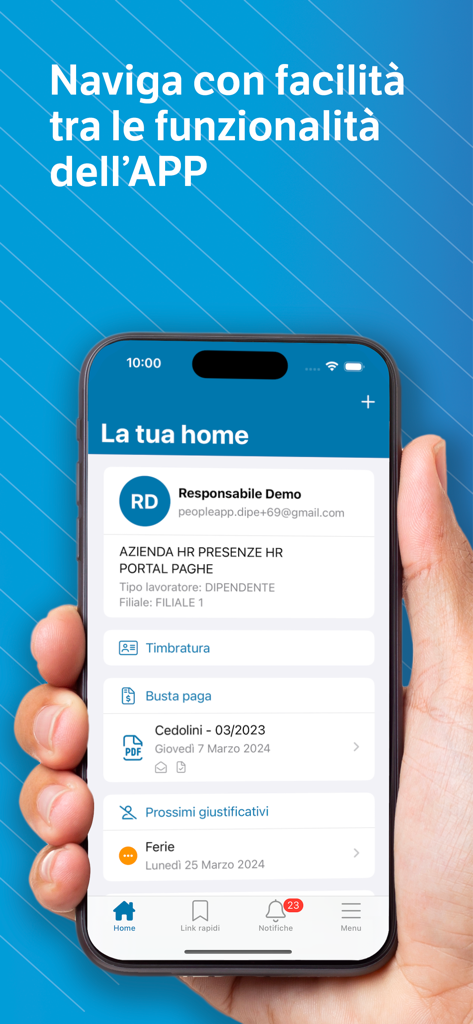
TeamSystem HR app home screen showing employee payroll and attendance features
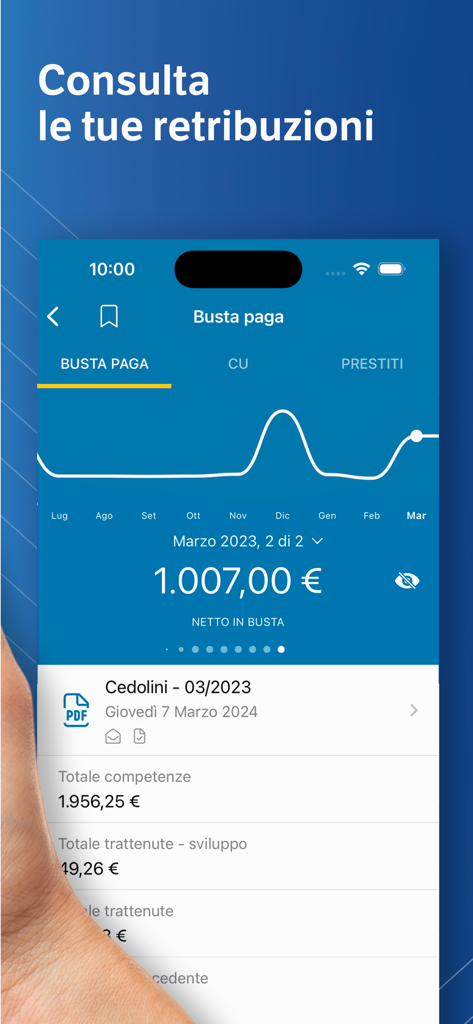
Mobile screen of TeamSystem HR app displaying a monthly pay stub with net earnings and a salary trend chart
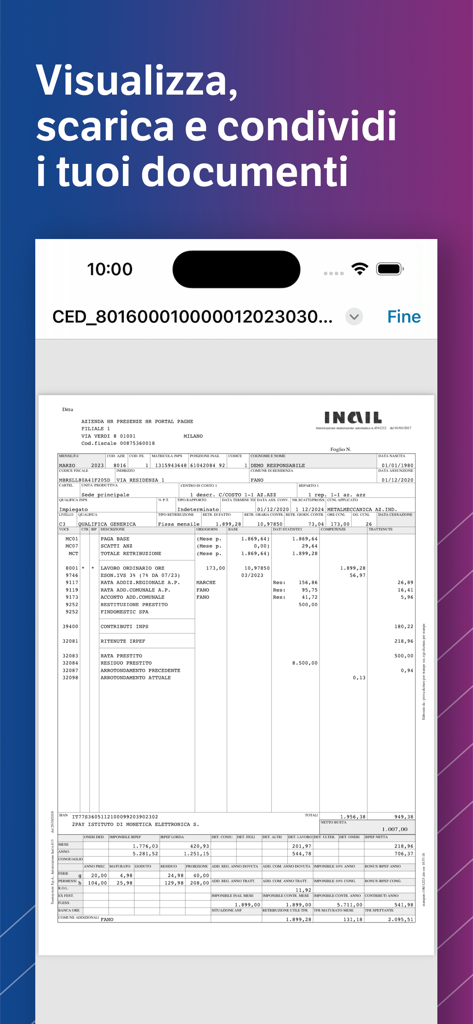
Digital pay slip displayed on the TeamSystem HR mobile application
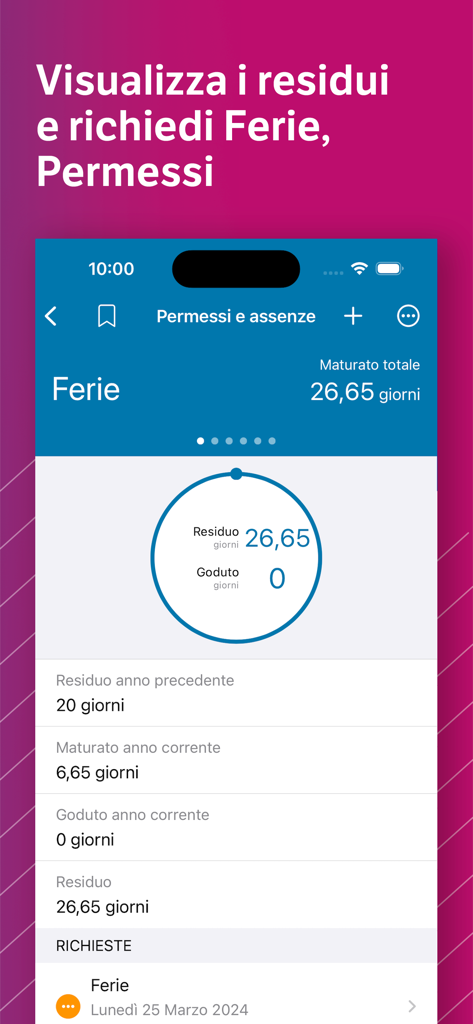
TeamSystem HR mobile app interface showing employee vacation balance and time off requests
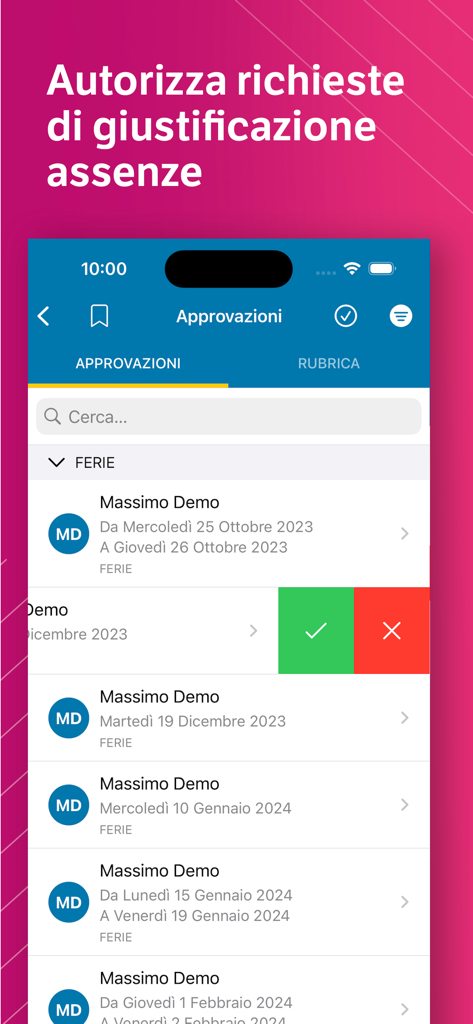
Mobile screen of the TeamSystem HR app showing a list of employee leave and absence requests for manager approval
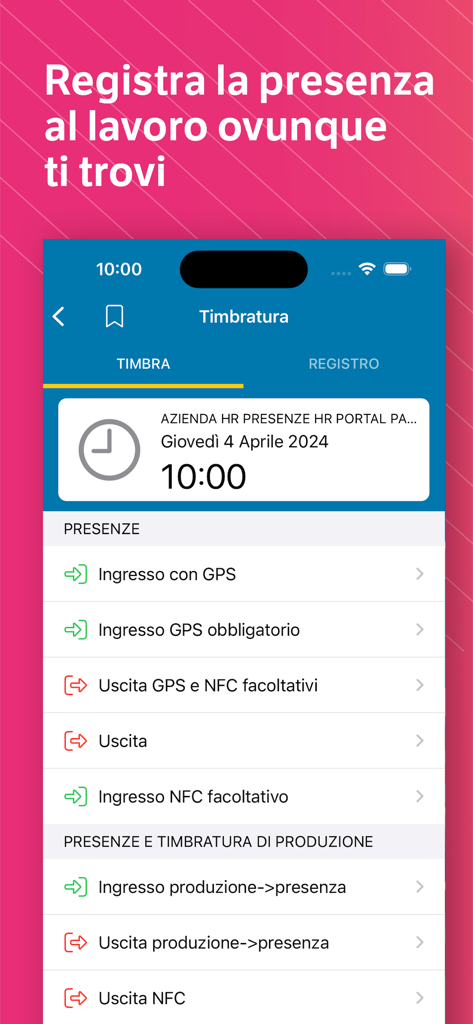
TeamSystem HR mobile app screen for clocking in and out using GPS or NFC
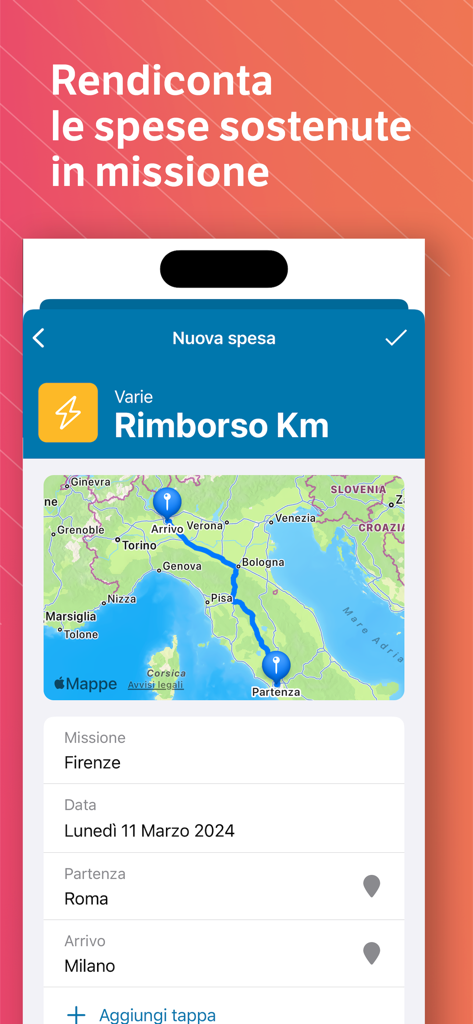
TeamSystem HR app interface for reporting mileage reimbursement with a travel route map
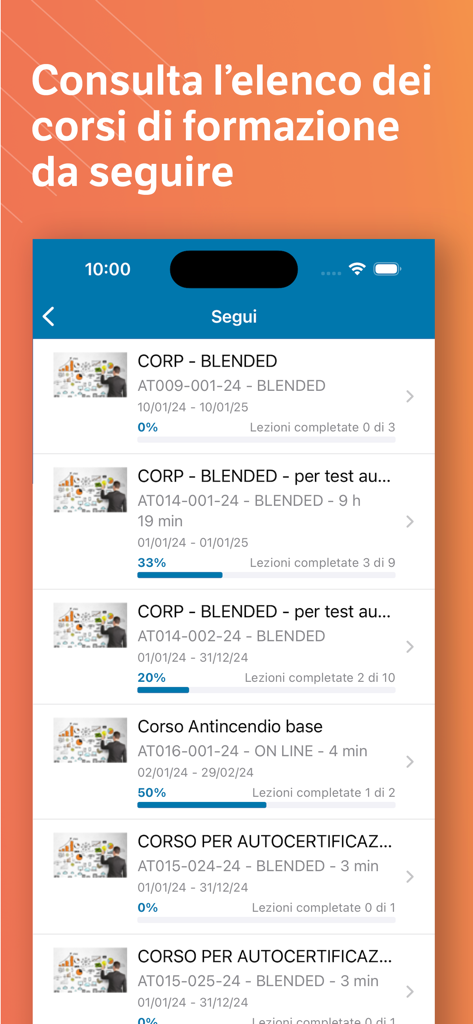
TeamSystem HR mobile app interface showing a list of professional development courses with completion progress bars
Description
Download
More Like This
Apps with similar features and user experience

Paylocity
Paylocity Corporation

Paychex Flex
Paychex Inc.

Paycom
Paycom Payroll, LLC

Gusto Mobile
Gusto, inc.

Amazon A to Z
AMZN Mobile LLC

TaxDome Client Portal
TaxDome LLC

MyWalmart
Walmart

BrightHR
Peninsula Online Services Limited

Waapi
Senior Sistemas S/A
This page is not an official page of the app or its developer, but an independent editorial publication created for informational and commentary purposes. Unless expressly stated otherwise, neither the app nor its developer is affiliated with, endorsed by, sponsored by, authorized by, or otherwise officially connected with MWM, Apple, Google Play, the app publisher, or the app's developer, and nothing on this page implies that the app was developed using MWM's services. Any trademarks, logos, screenshots, and other content remain the property of their respective owners.