
This page is not an official page of the app or its developer, but an independent editorial publication created for informational and commentary purposes. Unless expressly stated otherwise, neither the app nor its developer is affiliated with, endorsed by, sponsored by, authorized by, or otherwise officially connected with MWM, Apple, Google Play, the app publisher, or the app's developer, and nothing on this page implies that the app was developed using MWM's services. Any trademarks, logos, screenshots, and other content remain the property of their respective owners.

Termius - Modern SSH Client
Command your infrastructure from anywhere. Securely manage servers, run snippets, and sync your entire workflow across mobile and desktop with desktop-grade terminal power.
Downloads
1M+User Rating
Total Ratings
69K+Publisher
Category
Developer ToolsLocales
1Latest Version
7.3.1Size
250.1 MBFirst Released
Aug 7, 2012Take Command of Your Infrastructure Anywhere
Experience the most powerful SSH client designed for the modern engineer. Whether you’re on-call at a dinner or commuting, manage your servers with zero friction.
Desktop-Grade Mobile Terminal
Master the CLI on the go with a specialized virtual keyboard, gesture support, and a multi-tab interface designed for professional efficiency.
Seamless Cross-Device Sync
Access your connections and credentials securely across iOS, iPadOS, and Desktop. Your encrypted cloud vault ensures you never re-enter an IP again.
Frequently Asked Questions
Everything you need to know about Termius - Modern SSH Client
What is Termius?
Termius is an SSH client and terminal that allows users to connect from mobile and desktop devices. It supports SSH, Mosh, Telnet, Port Forwarding, and SFTP.
Can Termius connect from multiple devices?
Yes, Termius allows connection from any mobile and desktop device. The Pro plan offers unlimited device syncing with an encrypted cloud vault.
Does Termius offer a virtual keyboard for mobile use?
Yes, Termius provides a desktop-grade virtual keyboard covering all special keys required for terminal operations, optimized for mobile usage.
What authentication methods does Termius support?
Termius supports authentication using hardware FIDO2 keys. The Pro plan also offers protection with Touch ID or Face ID and two-factor authentication.
Can Termius save and execute commands?
Yes, Termius allows users to save favorite and frequently used commands and shell scripts. These can be executed with a single tap.
Does Termius support SFTP?
Yes, Termius includes SFTP functionality, enabling secure file transfers between servers.
What protocols does Termius support for connection?
Termius supports SSH, Mosh, Telnet, Port Forwarding, and SFTP for connections from mobile and desktop devices.
Does Termius offer multi-session support?
Yes, Termius supports working in several sessions simultaneously with a multi-tab interface and split-view support.
Can I integrate Termius with cloud providers?
Yes, with the Termius Pro plan, you can integrate Termius with AWS and DigitalOcean.
Does Termius have an AI assistant?
Yes, Termius features an AI Widget as a smart terminal assistant, which helps with generating and fixing commands.
Does Termius offer a free plan?
Yes, Termius offers a free Starter plan with core features including SSH, Mosh, Telnet, Port Forwarding, and SFTP.
How do I get Termius Pro features?
Termius Pro features are available through auto-renewable annual or monthly subscriptions. These subscriptions enable access to all Pro benefits.
How can I manage my Termius subscription?
Subscriptions for Termius can be managed, including disabling auto-renewal, in the Account Settings after purchase on your iTunes Account.
Does Termius use an encrypted cloud vault for credentials?
Yes, the Termius Pro plan includes an encrypted cloud vault to access connection settings and credentials securely from any device.
Where can I find the Termius privacy policy?
The Termius privacy policy is available at termius.com/privacy_policy.html. Users can review it for detailed information.
The following screenshots and description are sourced directly from the app's official store listing and are the property of the app developer.
App Store
Screenshots
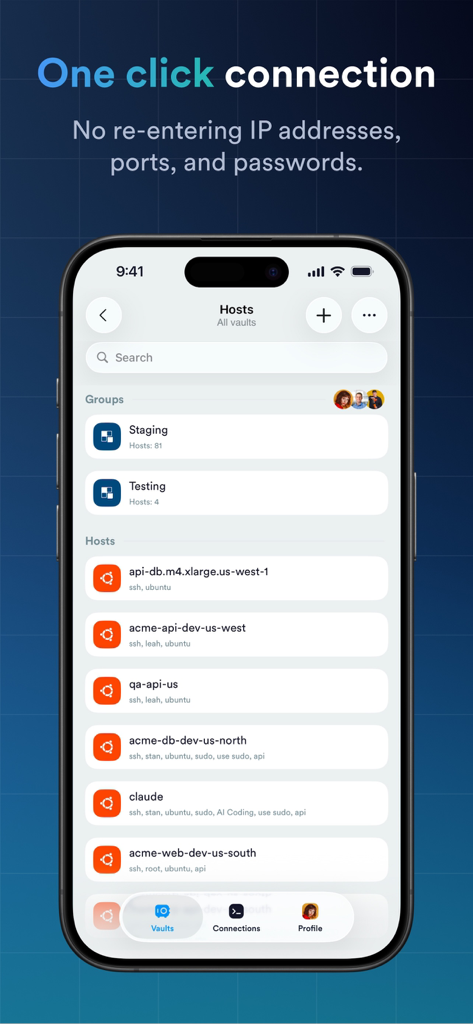
Interface of Termius app showing a list of server hosts for one click SSH connection
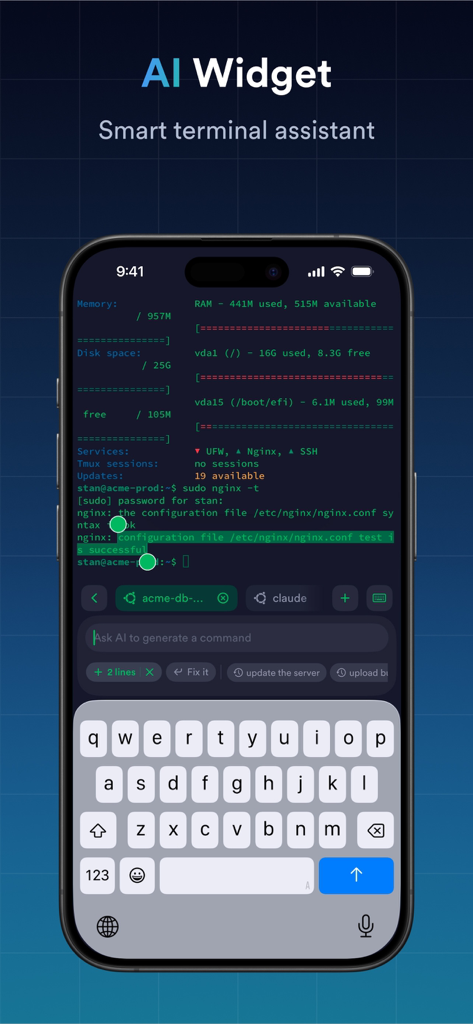
Termius app interface showing the AI Widget smart terminal assistant for command generation.
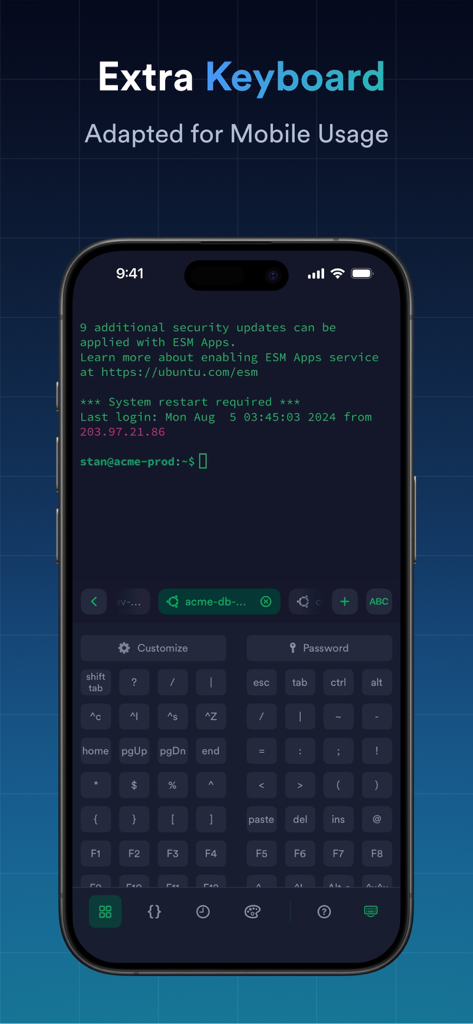
Termius app interface showing a specialized extra virtual keyboard with special keys and command line terminal on a mobile device.
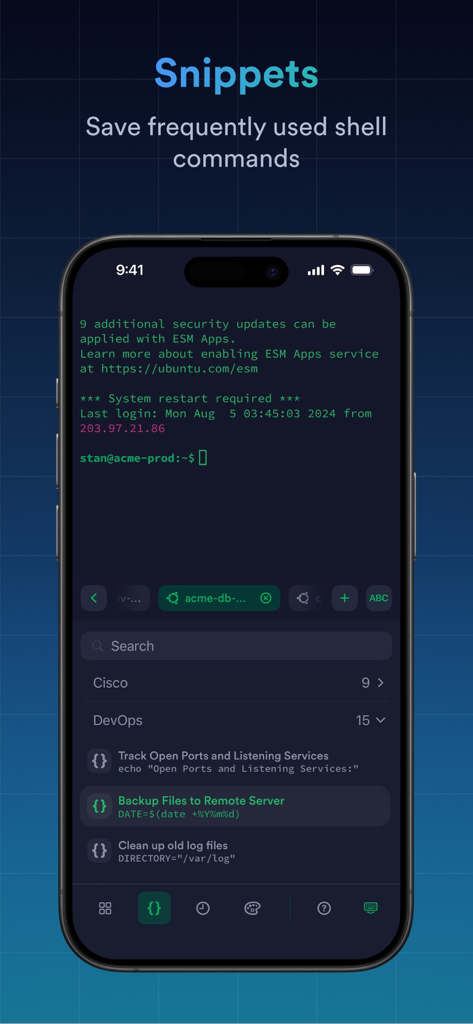
A screenshot of the Termius app displaying the snippets feature with saved shell commands for DevOps tasks like backing up files and cleaning log files.
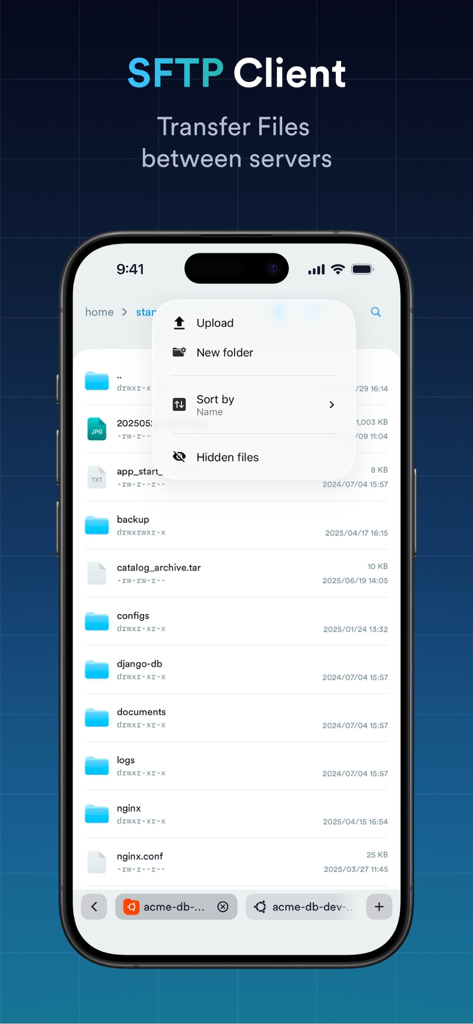
iPhone screenshot showing the Termius SFTP client interface for transferring files between servers with a list of directories and a menu for uploading and sorting files
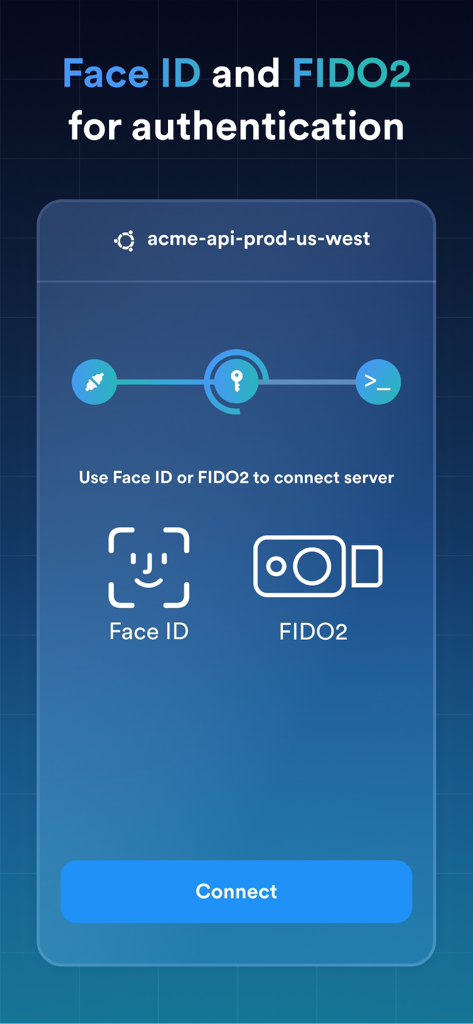
Termius SSH client interface displaying Face ID and FIDO2 authentication options for secure server connection
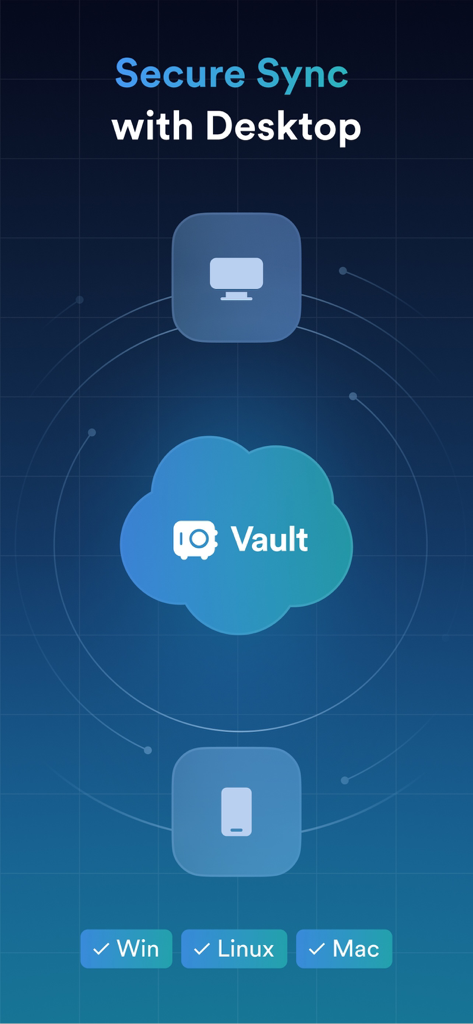
Illustration showing secure data synchronization between desktop and mobile devices through the Termius Vault.
Description
Download
More Like This
Apps with similar features and user experience

向日葵远程控制-Sunlogin remotecontrol
Shanghai best oray information s&t co.,ltd

UU远程-远程办公/游戏串流
Guangzhou NetEase Computer System Co.Ltd

AweSun Remote Desktop
AWERAY PTE. LTD.

AnyDesk Remote Desktop
AnyDesk Software GmbH

TeamViewer Remote Control
TeamViewer Germany GmbH

ToDesk远程控制
Hainan Youqu Technology Co., Ltd.

DeskIn Remote Desktop
ZULER TECHNOLOGY PTE. LTD.

RealVNC Viewer: Remote Desktop
RealVNC Limited

LogMeIn Pro & Central
GoTo Group, Inc.
This page is not an official page of the app or its developer, but an independent editorial publication created for informational and commentary purposes. Unless expressly stated otherwise, neither the app nor its developer is affiliated with, endorsed by, sponsored by, authorized by, or otherwise officially connected with MWM, Apple, Google Play, the app publisher, or the app's developer, and nothing on this page implies that the app was developed using MWM's services. Any trademarks, logos, screenshots, and other content remain the property of their respective owners.