
This page is not an official page of the app or its developer, but an independent editorial publication created for informational and commentary purposes. Unless expressly stated otherwise, neither the app nor its developer is affiliated with, endorsed by, sponsored by, authorized by, or otherwise officially connected with MWM, Apple, Google Play, the app publisher, or the app's developer, and nothing on this page implies that the app was developed using MWM's services. Any trademarks, logos, screenshots, and other content remain the property of their respective owners.


ToDesk远程控制
Seamlessly control your PC, Mac, or mobile with ultra-low 3ms latency and stunning 2K 144Hz clarity. Built for professionals, gamers, and hybrid teams who demand secure, lag-free remote access with end-to-end encryption.
Downloads
5M+User Rating
Total Ratings
36K+Publisher
Category
UtilitiesLocales
4Latest Version
4.8.40Size
194.5 MBFirst Released
Jul 9, 2020Unlock Professional-Grade Remote Control
Experience the gold standard in remote access with 3ms ultra-low latency, 2K/144Hz high-definition streaming, and bank-grade security across all your devices.
Lag-Free High Performance
Work or play with near-native responsiveness. Our Zerosync protocol delivers 2K 144Hz quality and 3ms latency for seamless video editing and gaming.
Desktop Power on Mobile
Turn your iPad or phone into a full workstation. With Bluetooth keyboard and mouse mapping, you can manage complex tasks and transfer files at 12MB/s on the go.
Frequently Asked Questions
Everything you need to know about ToDesk远程控制
What is ToDesk远程控制?
ToDesk远程控制 is a secure remote control software for seamless connection and operation between computers, phones, and tablets. It offers features like file transfer, privacy screen, and keyboard/mouse mapping.
Does ToDesk support multiple platforms?
Yes, ToDesk远程控制 supports all five mainstream operating systems, allowing remote control between phones, tablets, and computers. It offers cross-platform compatibility.
Is ToDesk remote control secure?
Yes, ToDesk远程控制 employs end-to-end encryption to ensure the security and reliability of every remote access. It also adheres to strict user privacy policies.
Can ToDesk transfer files at high speed?
Yes, ToDesk远程控制 provides high-speed file transfer capabilities, reaching speeds up to 12m/s. This significantly enhances remote transfer efficiency, offering a native-like experience.
What is the video quality supported by ToDesk for remote connections?
ToDesk远程控制 supports high-quality video up to 4K at 144 frames per second (fps). It uses the self-developed Zerosync RTC protocol for smooth image and video transmission.
Can I use a Bluetooth keyboard and mouse with ToDesk?
Yes, ToDesk远程控制 supports adapting Bluetooth keyboards and mice to mobile devices like phones or tablets. This allows for convenient computer-like operation.
How much does a ToDesk Professional Edition membership cost?
A continuous monthly Professional Edition membership for ToDesk远程控制 costs 19 Chinese Yuan per month. This fee is automatically deducted from your iTunes account.
Can ToDesk be used for remote gaming?
Yes, ToDesk远程控制 enables remote control of a computer for gaming. It offers fast response and smooth screen transmission algorithms, making remote online gaming possible.
Does ToDesk provide screen annotation features for remote work?
Yes, ToDesk远程控制 provides screen annotation features for efficient remote office use. Users can mark up screens with tools like drawing, arrows, and text during remote sessions.
Can I use ToDesk to help family members with their phone issues?
Yes, ToDesk远程控制 allows users to remotely control family members' phones and share screens. This helps in directly assisting them with operations and explaining steps clearly.
The following screenshots and description are sourced directly from the app's official store listing and are the property of the app developer.
App Store
Screenshots
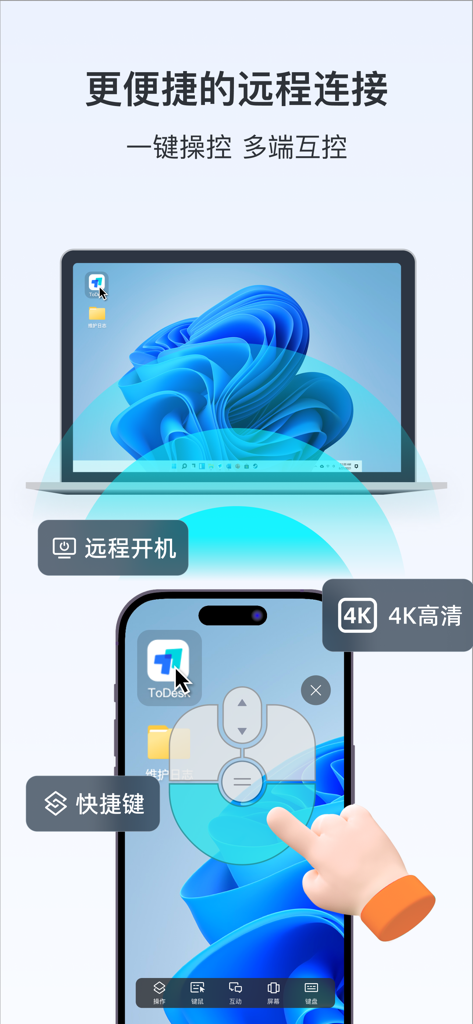
A smartphone using the ToDesk app to remotely control a laptop screen with 4K resolution and shortcut features.
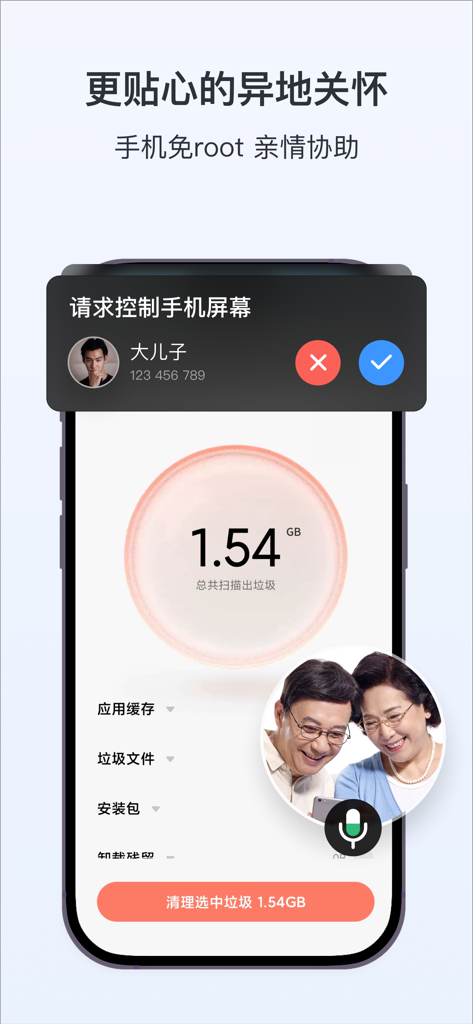
Smartphone screen showing ToDesk remote control feature for family assistance and technical support
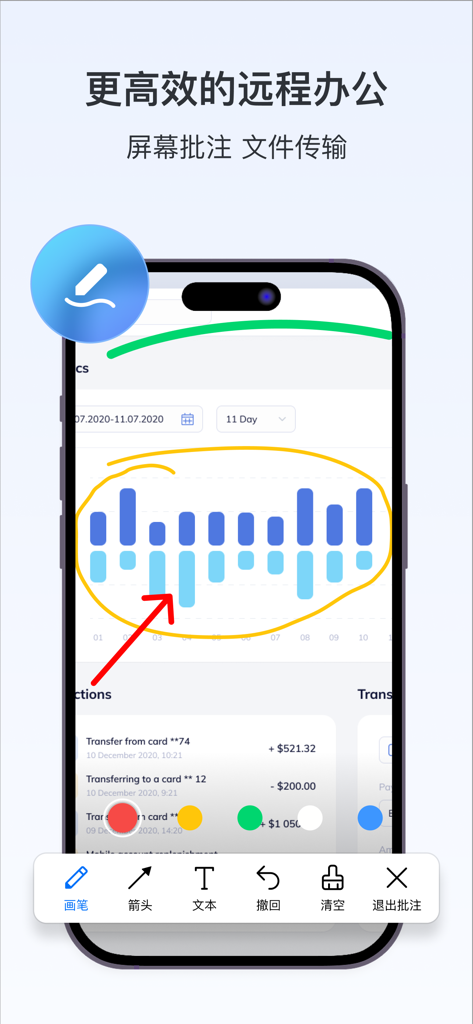
Smartphone screen displaying ToDesk remote control app with screen annotation tools on a data chart
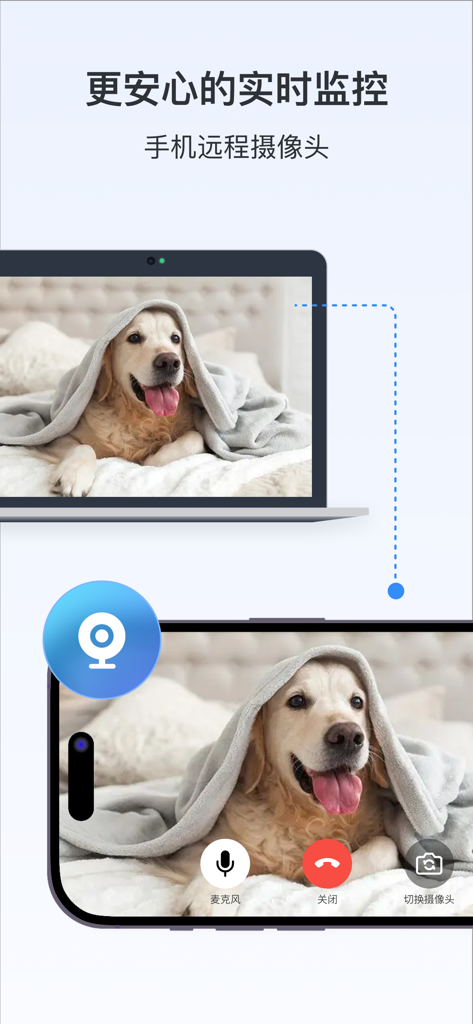
ToDesk app interface showing remote camera monitoring feature with a dog visible on both a laptop and a smartphone screen
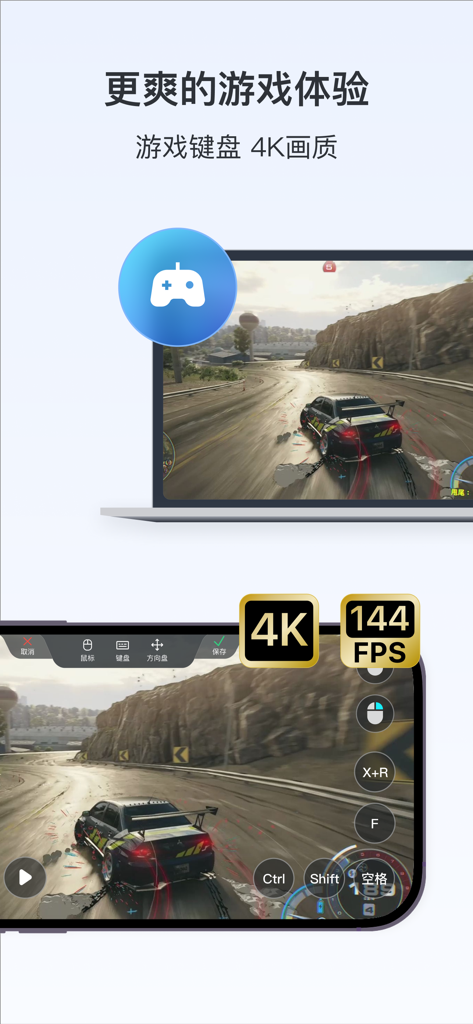
ToDesk remote control app interface for 4K 144FPS mobile gaming
Description
Download
More Like This
Apps with similar features and user experience

向日葵远程控制-Sunlogin remotecontrol
Shanghai best oray information s&t co.,ltd

UU远程-远程办公/游戏串流
Guangzhou NetEase Computer System Co.Ltd

AweSun Remote Desktop
AWERAY PTE. LTD.

AnyDesk Remote Desktop
AnyDesk Software GmbH

TeamViewer Remote Control
TeamViewer Germany GmbH

DeskIn Remote Desktop
ZULER TECHNOLOGY PTE. LTD.

Termius - Modern SSH Client
Termius Corporation

RealVNC Viewer: Remote Desktop
RealVNC Limited

LogMeIn Pro & Central
GoTo Group, Inc.
This page is not an official page of the app or its developer, but an independent editorial publication created for informational and commentary purposes. Unless expressly stated otherwise, neither the app nor its developer is affiliated with, endorsed by, sponsored by, authorized by, or otherwise officially connected with MWM, Apple, Google Play, the app publisher, or the app's developer, and nothing on this page implies that the app was developed using MWM's services. Any trademarks, logos, screenshots, and other content remain the property of their respective owners.