
This page is not an official page of the app or its developer, but an independent editorial publication created for informational and commentary purposes. Unless expressly stated otherwise, neither the app nor its developer is affiliated with, endorsed by, sponsored by, authorized by, or otherwise officially connected with MWM, Apple, Google Play, the app publisher, or the app's developer, and nothing on this page implies that the app was developed using MWM's services. Any trademarks, logos, screenshots, and other content remain the property of their respective owners.

TickTick:To-Do List & Calendar
Mental clutter ends here. The app delivers a single, ironclad command center for all obligations, ensuring every task gets handled, everywhere.
Downloads
12.5M+User Rating
Total Ratings
304.4KPublisher
Category
ProductivityLocales
41Latest Version
8.0.50Size
288.0 MBFirst Released
Jun 19, 2013Key Features of TickTick: A Productivity Analysis
Evaluating Core Functionalities for Organized Individuals and Teams
Cross-Device Synchronization
The app ensures all tasks and data are seamlessly synced across multiple devices, allowing users to manage their commitments anywhere, anytime.
Integrated Calendar and Views
It provides various calendar views (day, week, month) and integrates with external calendar applications, offering a comprehensive overview of schedules and deadlines.
Smart Reminders & Recurring Tasks
This tool features robust reminder options, including time, location, and multiple alerts per task, alongside flexible recurring task settings to automate routine commitments.
Collaborative Task Sharing
The app allows users to share task lists with others, facilitating efficient teamwork and shared project management, ideal for individuals collaborating or small teams.
Focus Mode with Pomo Timer
It includes a built-in Pomodoro Timer to help users concentrate on tasks, boosting productivity and maintaining focus during work sessions.
Habit Development & Goal Setting
This tool enables users to set and track habits and goals, fostering personal growth and supporting long-term objective attainment and self-discipline.
Comprehensive Task Organization
It provides features like tags, priority levels, and various sorting options, allowing users to categorize, prioritize, and easily manage their tasks for improved clarity.
Rich Task Details
The app supports attaching files and adding detailed descriptions or comments to tasks, ensuring all necessary information and context are readily available.
Frequently Asked Questions
Everything you need to know about TickTick:To-Do List & Calendar
What is TickTick?
TickTick is a powerful to-do and task management app that helps users organize their agenda, create memos, share lists, collaborate on tasks, and track habits with seamless cloud synchronization.
Does TickTick sync across all my devices?
Yes, TickTick offers seamless cloud synchronization across all your devices. It supports over 10 platforms, including mobile, tablet, desktop, and smartwatch, ensuring tasks are always updated.
Can I integrate TickTick with my existing calendar?
Yes, TickTick integrates with calendar applications and offers flexible calendar views, including a grid view for Premium users. This allows for organized task scheduling within your preferred calendar.
Does TickTick support task collaboration?
Yes, TickTick supports collaboration. You can share task lists for team collaboration. Premium users can share a task list with up to 29 members for enhanced teamwork.
Is TickTick a free application?
TickTick is always free to use, offering core features. Users can upgrade to a Premium account to access advanced features like more lists, reminders, and larger attachment uploads.
Does TickTick include a habit tracker?
Yes, TickTick includes a habit tracker feature. Users can set a Goal to develop habits, with Premium users able to add more than five habits for comprehensive tracking.
Can I use a Pomodoro Timer within TickTick?
Yes, TickTick features an integrated Pomo Timer to help users stay concentrated. This tool assists in boosting productivity by managing focus and break intervals directly within the app.
How many reminders can TickTick set for a task?
TickTick provides multiple reminders for tasks. Premium users can set up to five reminders for each task, ensuring important deadlines and events are not missed.
Does TickTick integrate with Siri?
Yes, TickTick integrates with Siri. Users can use Siri to create tasks faster and easier, streamlining the task creation process through voice commands.
Can TickTick track countdowns for events?
Yes, TickTick tracks countdowns for events. Users can keep track of birthdays, anniversaries, and other significant dates. Premium offers support for more than five countdowns.
How does TickTick Premium subscription billing work?
TickTick Premium subscriptions are auto-renewable. Payment is charged to your iTunes account upon confirmation. The subscription automatically renews unless cancelled at least 24 hours before the current period ends.
Does TickTick integrate with Apple Health?
Yes, TickTick integrates with HealthKit. This allows users to sync their focus time data from the Pomo Timer feature directly to Apple Health.
The following screenshots and description are sourced directly from the app's official store listing and are the property of the app developer.
App Store
Screenshots
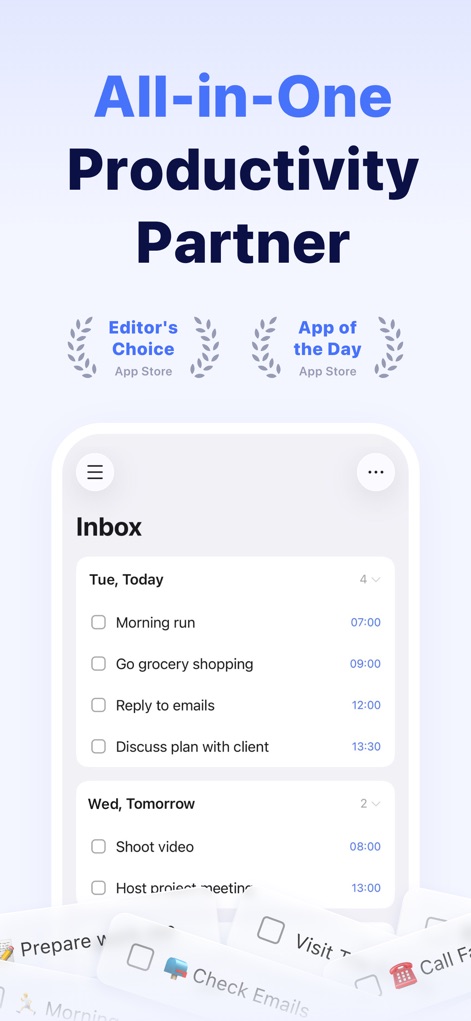
Unified Task Hub
Discover how TickTick organizes daily tasks in the 'Inbox' view and proudly displays its 'Editor's Choice' recognition.
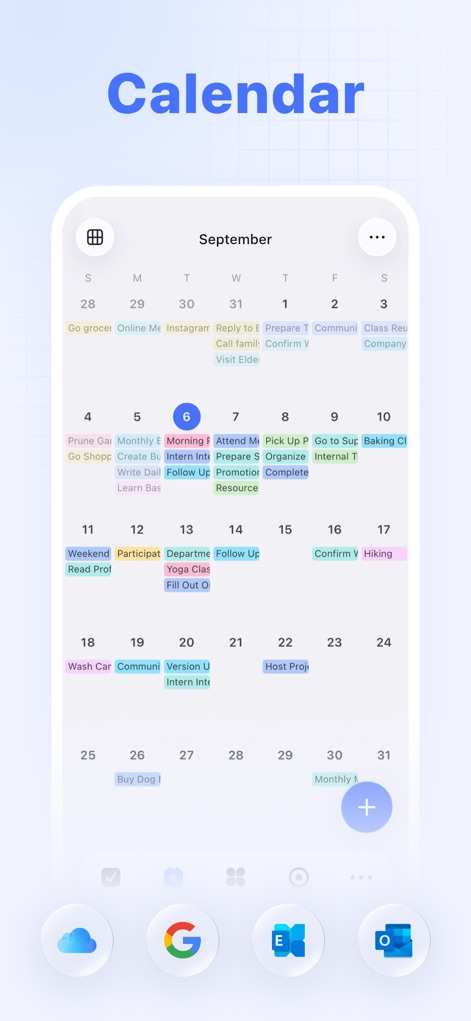
Dynamic Calendar Insight
Explore the app's flexible calendar view, showcasing a monthly overview with tasks integrated directly onto specific dates.
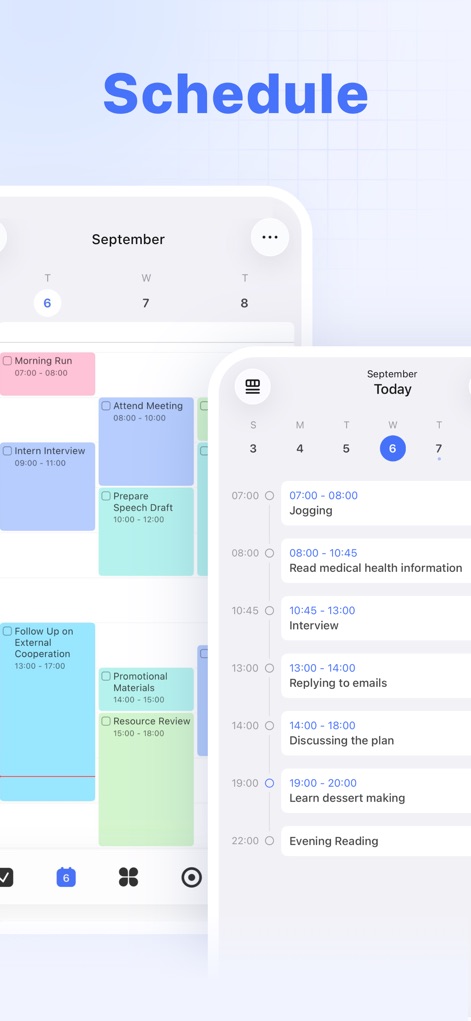
Granular Schedule Views
See how this tool presents schedules with distinct time blocks and offers various calendar views for optimal planning.
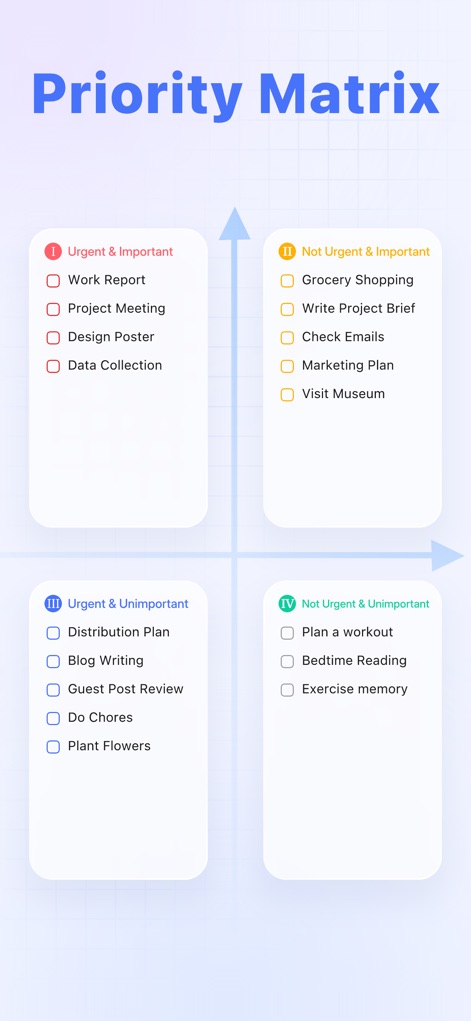
Prioritization Clarity
Understand how the app employs a visual priority matrix to categorize tasks and highlight urgent or important items.
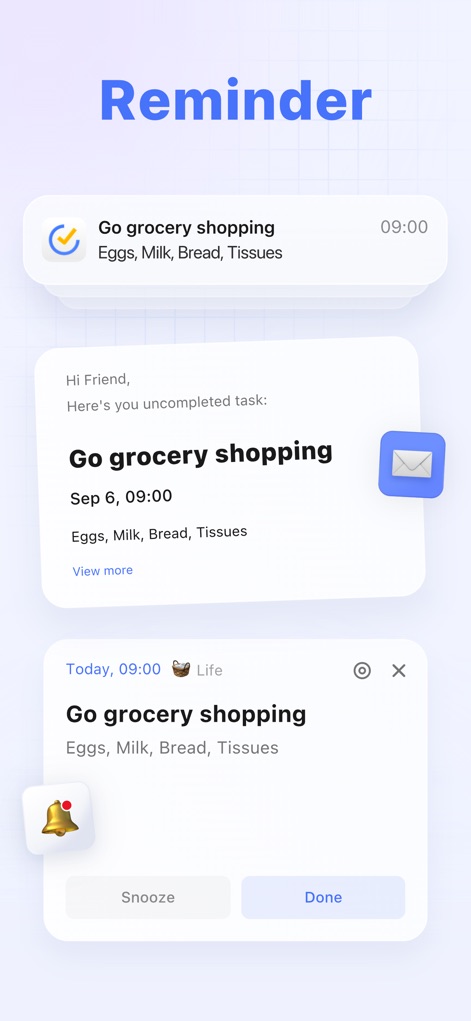
Intelligent Reminders
Examine the multiple reminder types, from subtle notifications to full-screen alerts, ensuring no task is overlooked.
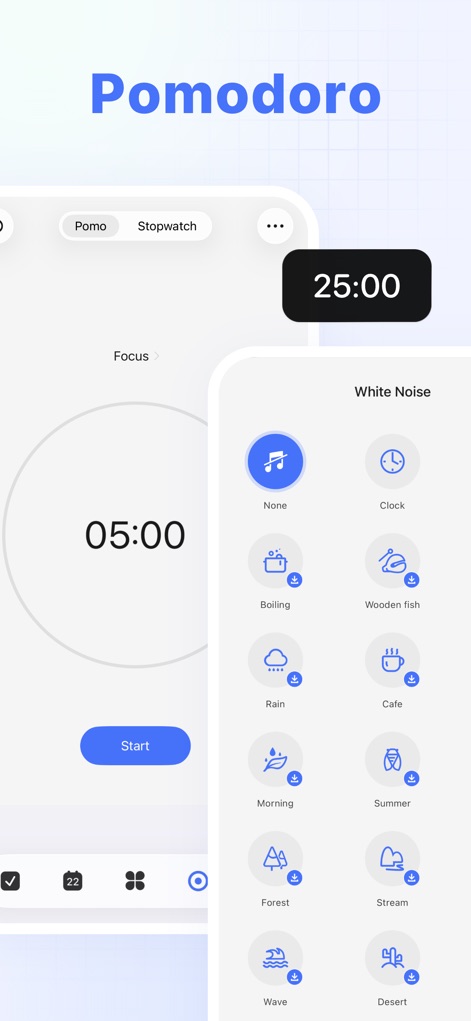
Focused Productivity Tools
Witness the Pomo Timer in action, coupled with a selection of soothing white noise options designed to enhance focus.
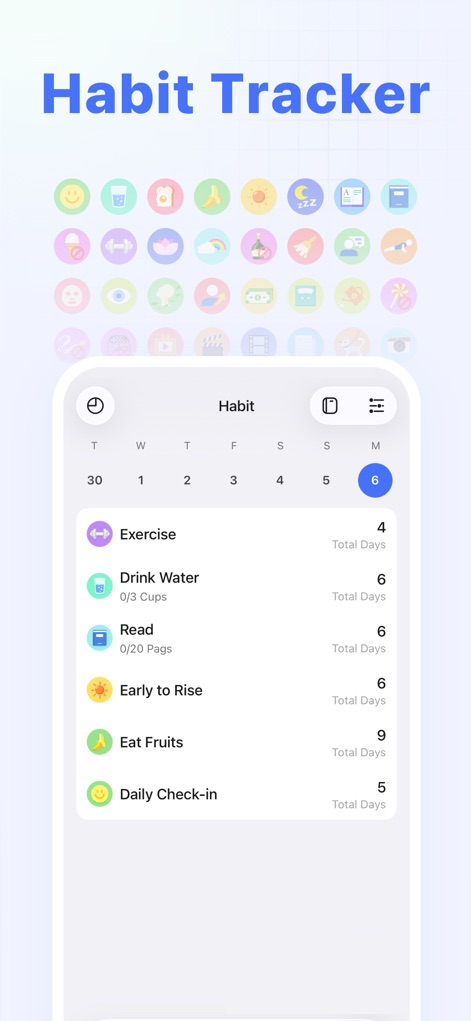
Build Better Habits
Observe the intuitive habit tracker that monitors progress and supports the development of consistent routines.
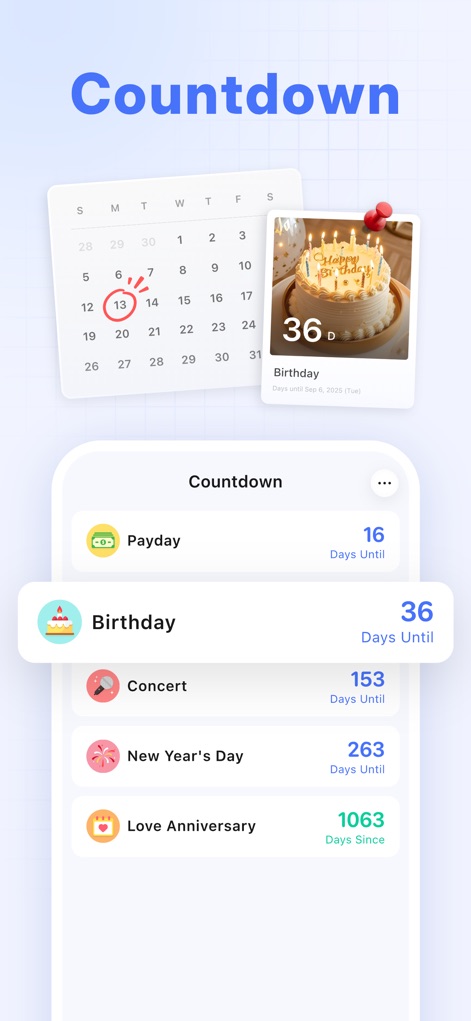
Event Countdown Tracker
View the countdown feature, marking significant events like birthdays and anniversaries directly within the calendar.
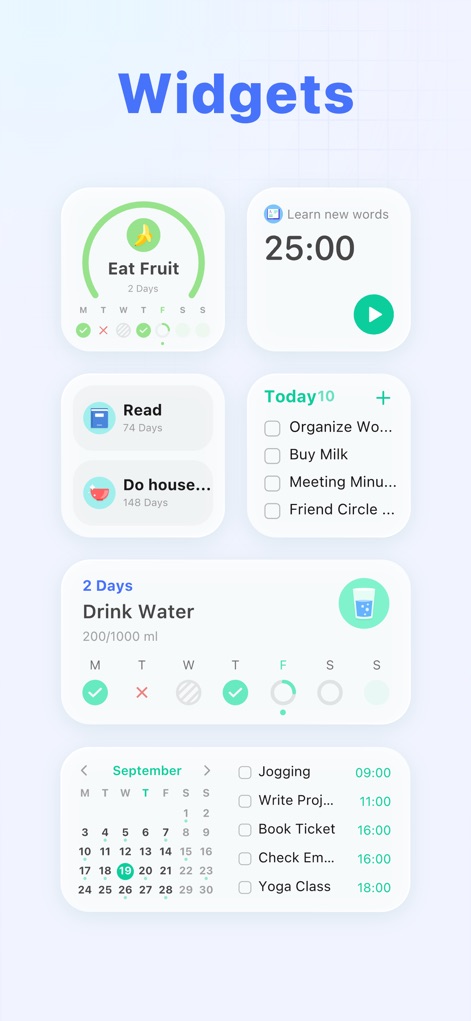
Handy Desktop Widgets
Experience the convenience of customizable home screen widgets, providing quick access and glanceable task overviews.
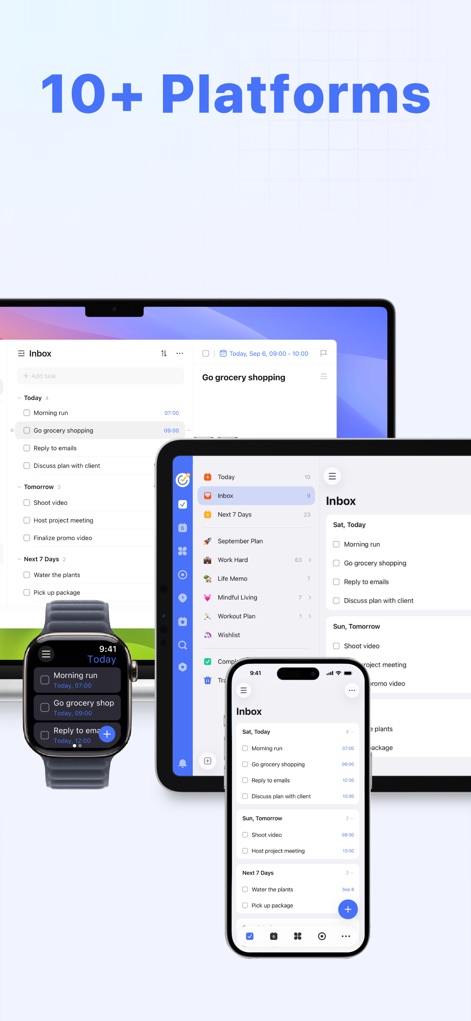
Seamless Multi-Platform
Appreciate the seamless cross-platform synchronization, allowing users to manage tasks across smartphones, tablets, and desktops.
Description
Download
More Like This
Apps with similar features and user experience

Notion: Notes, Tasks, AI
Notion Labs, Incorporated

Freenotes®: AI Notes Taking
Hangzhou Free Notes Technology Co., Ltd

Structured - Daily Planner
unorderly GmbH

Google Tasks: Get Things Done
Google LLC

Noteful: Notes & PDF Markup
Noteful Technologies Ltd

Todoist: To Do List & Calendar
Doist Inc.

To do list MinimaList & Widget
Inner Grow Limited

monday.com - Work Platform
monday.com Ltd.

Prodrafts - Infinite Notes
EMMO Corp.
This page is not an official page of the app or its developer, but an independent editorial publication created for informational and commentary purposes. Unless expressly stated otherwise, neither the app nor its developer is affiliated with, endorsed by, sponsored by, authorized by, or otherwise officially connected with MWM, Apple, Google Play, the app publisher, or the app's developer, and nothing on this page implies that the app was developed using MWM's services. Any trademarks, logos, screenshots, and other content remain the property of their respective owners.