Time Jump - Date Calculator
Download on App Store

This page is not an official page of the app or its developer, but an independent editorial publication created for informational and commentary purposes. Unless expressly stated otherwise, neither the app nor its developer is affiliated with, endorsed by, sponsored by, authorized by, or otherwise officially connected with MWM, Apple, Google Play, the app publisher, or the app's developer, and nothing on this page implies that the app was developed using MWM's services. Any trademarks, logos, screenshots, and other content remain the property of their respective owners.


Logo of Time Jump - Date Calculator
Download on App Store

Time Jump - Date Calculator

Effortlessly calculate calendar and business days between any two dates. Navigate up to 2,000 years with side-by-side calendars, integrated US holidays, and seamless iOS calendar synchronization.

Key Figures

Downloads

3K+

User Rating

5.0/5

Total Ratings

0

Publisher

Time Theory Software, LLC

Category

Utilities

Locales

1

Latest Version

3.12.0

Size

2.4 MB

First Released

Apr 15, 2015
Features

Master Your Timeline with Precision

The ultimate utility for professionals who need accurate date calculations, business day logic, and long-range planning in seconds.

Advanced Business Calculations

Instantly calculate intervals by automatically excluding weekends and customizable US Federal or State holidays for perfect project tracking.

Dual-Calendar Navigation

Navigate up to 2,000 years with a side-by-side view designed for visual clarity and rapid date comparison on both iPhone and iPad.

The following screenshots and description are sourced directly from the app's official store listing and are the property of the app developer.

App Store

Screenshots
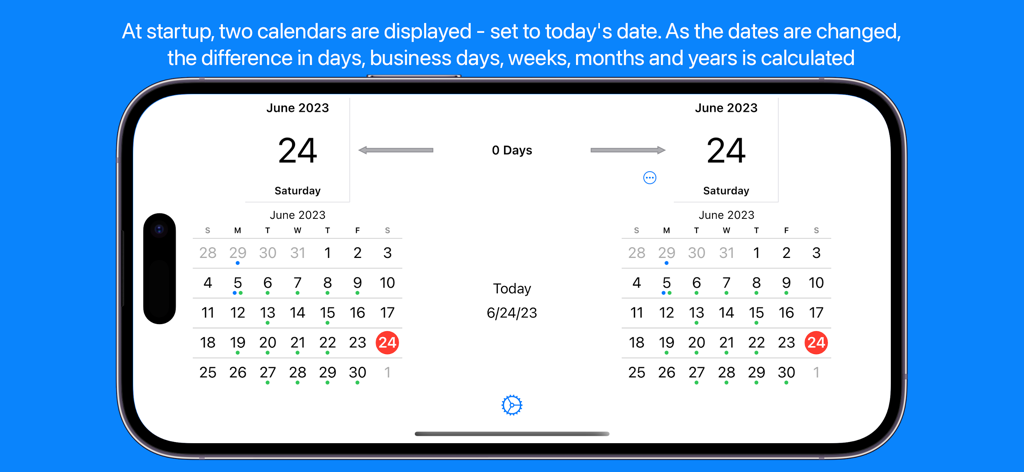
Time Jump - Date Calculator - Side by side calendars in the Time Jump app interface for calculating the difference between dates.
Side by side calendars in the Time Jump app interface for calculating the difference between dates.

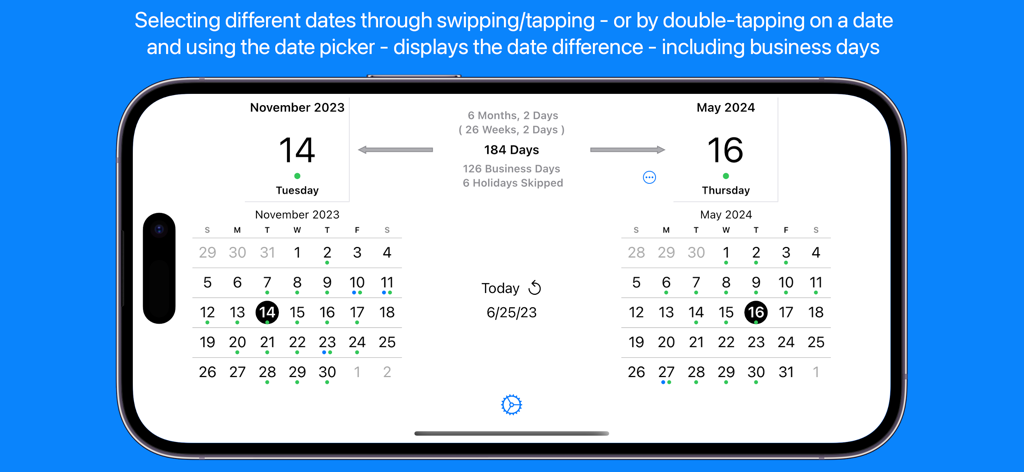
Time Jump - Date Calculator - Time Jump app dual calendar interface showing date difference and business day calculations between November 2023 and May 2024
Time Jump app dual calendar interface showing date difference and business day calculations between November 2023 and May 2024

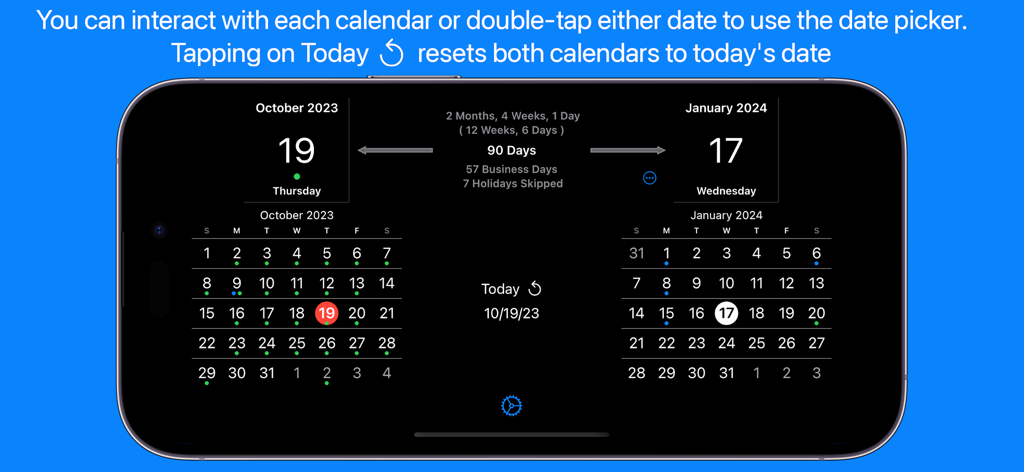
Time Jump - Date Calculator - Time Jump app interface showing side by side calendars with business day and holiday calculations.

Time Jump app interface showing side by side calendars with business day and holiday calculations.
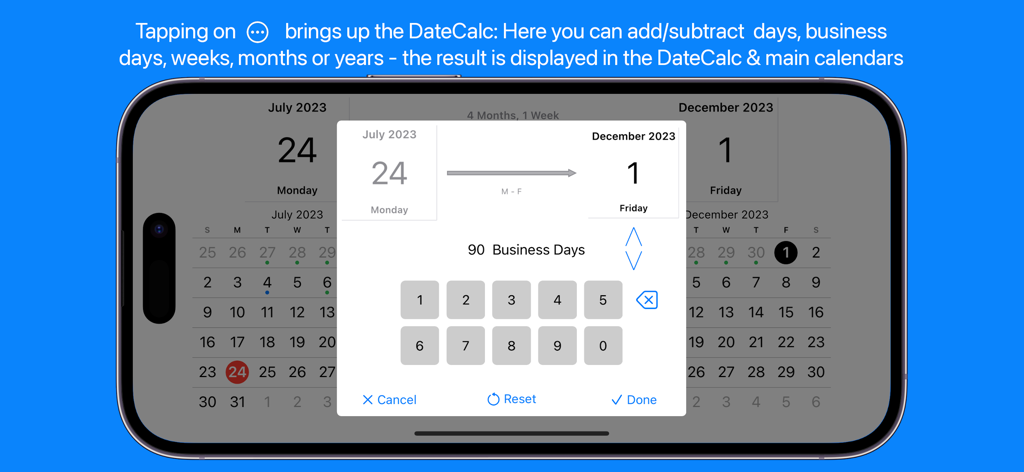
Time Jump - Date Calculator - Time Jump app interface showing a calculation of 90 business days between July and December
Time Jump app interface showing a calculation of 90 business days between July and December

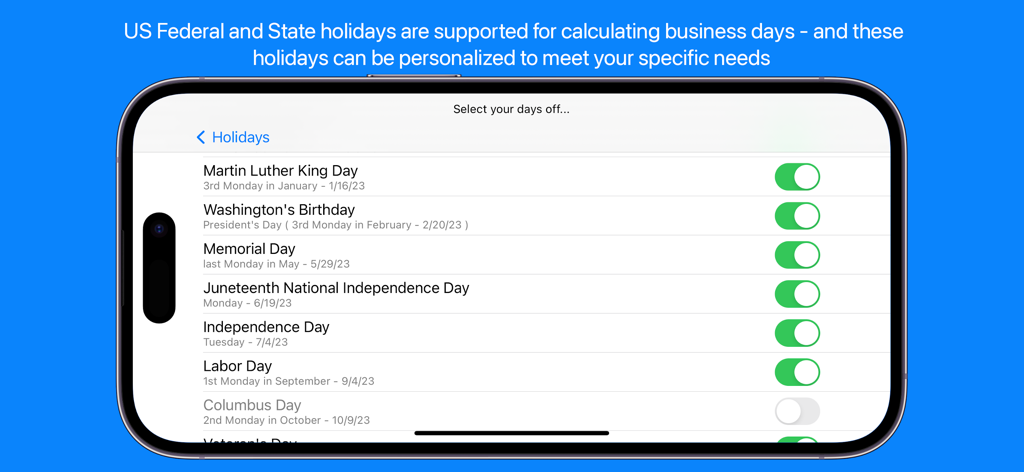
Time Jump - Date Calculator - US holiday selection screen for business day calculations in the Time Jump app
US holiday selection screen for business day calculations in the Time Jump app

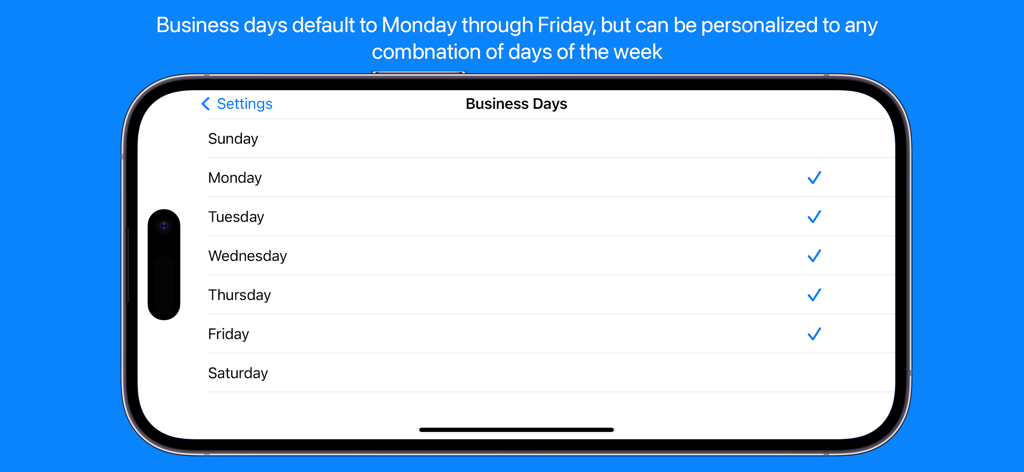
Time Jump - Date Calculator - A smartphone screen showing the Business Days settings in the Time Jump app allowing users to select custom working days.
A smartphone screen showing the Business Days settings in the Time Jump app allowing users to select custom working days.

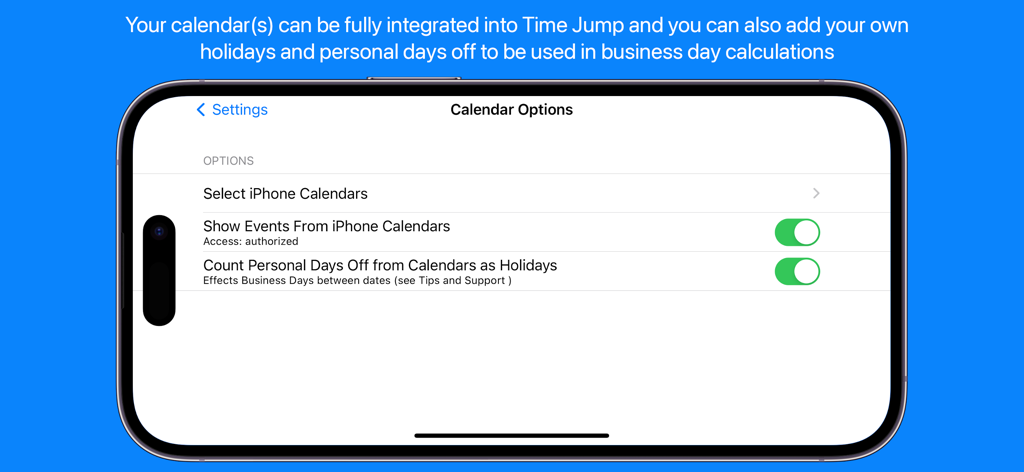
Time Jump - Date Calculator - Time Jump app settings screen for calendar integration and personal holiday calculations
Time Jump app settings screen for calendar integration and personal holiday calculations

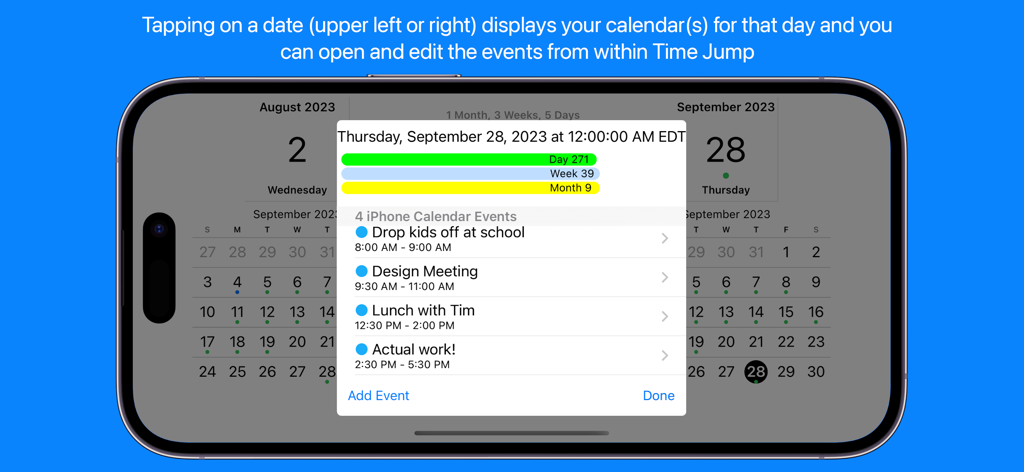
Time Jump - Date Calculator - Time Jump app displaying integrated iPhone calendar events and daily schedule details
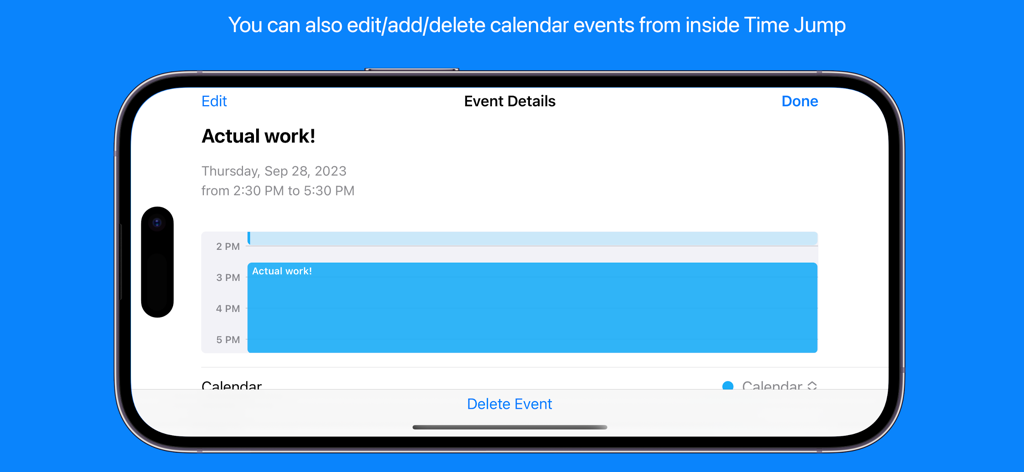
Time Jump app displaying integrated iPhone calendar events and daily schedule details

Time Jump - Date Calculator - A screenshot of the Time Jump app showing calendar event details and editing options on an iPhone

A screenshot of the Time Jump app showing calendar event details and editing options on an iPhone
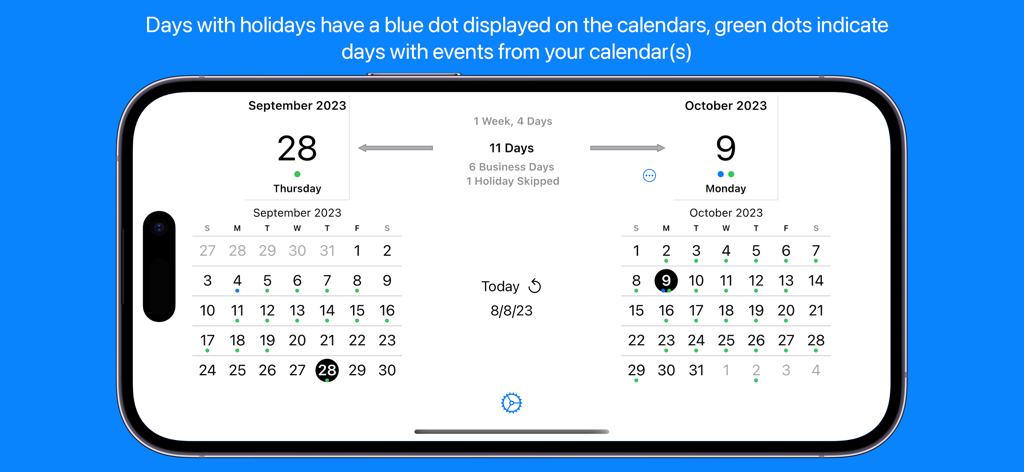
Time Jump - Date Calculator - Time Jump app displaying side by side calendars calculating days and business days

Time Jump app displaying side by side calendars calculating days and business days

Description

Date Calculator Time Jump for iPhone & iPad is a full-featured date calculator (counts the days between two dates) that uses side-by-side calendars to allow you to flip backward and forward in time. Tap on dates and instantly see the time difference between them in days and business days as well as the total time in years, months, weeks and days. Based on a recent customer request, results are also displayed in weeks & days. Don't want to flip through calendars? Double-tap on the selected date above either calendar and use the date picker to select a specific date – your birthday, a project deadline, an anniversary – anything. Time Jump supports dates up to 2,000 years in the past or the future. You can always tap days directly on the calendar to fine tune your selection. Time Jump's DateCalc When you need to do a specific calculation - like 180 days from a date, 45 business days before a date, 40 weeks from a date, etc. - use the DateCalc feature that allows you to add/subtract days, business days, weeks, months or years to/from any date. Business Day Calculations In addition to calendar days, Time Jump quickly and easily calculates the number of business days between two dates – this can be essential for project managers, shippers, attorneys, software developers, manufacturers – anyone working in business days. Time Jump can take US Federal and State holidays into account (skipping them) when calculating business days and you can select exactly which holidays to skip. You can also add your own custom days off (Personal Days) that are skipped for business day calculations. You can even set which days of the week are considered business days if you need to use something other than Monday through Friday. Integrated with Your iPhone/iPad Calendar Time Jump - with your permission - can be fully integrated with your iPhone/iPad calendar. You can see events - and even create or delete them - from within Time Jump. A tap on the selected date above either calendar and you will see a list of the calendar events you have chosen to view from within Time Jump in the Date Detail View. Use the Time Jump settings to select one, some or all of your calendars - including your Google calendar. Create Custom Days Off for Business Day Calculations As mentioned above, in addition to standard business day calculations, you can also add your own custom days off - Personal Days - (vacations, travel, school schedules, etc.) and Time Jump will treat these days as non-business days in the business day calculations. Of course, you can use settings to turn this feature on and off. Time Jump allows you to create your days off directly from within the app - and then they will appear in your selected iPhone calendar. Time Jump Date Detail View The Date Detail View shows you more details about a selected date: holiday information and/or a list of activities from your iPhone/iPad calendar (if you've given Time Jump permission to take a look). Once you've done a calculation you may wonder what's on your calendar and you can see your schedule from within Time Jump. Who's Time Jump for? Project managers Planners & schedulers Attorneys & paralegals Scientists Procurement managers Logistics specialists Shippers Investors & bankers Historians Educators Time explorers Anyone interested in time Follow us in Twitter: http://www.twitter.com/timetheoryapps Time Jump does not use a network connection during normal operation - use it anywhere, anytime. It does use a network connection if you access our website from within the app or provide app feedback directly to us.

Download

Download on App Store

This page is not an official page of the app or its developer, but an independent editorial publication created for informational and commentary purposes. Unless expressly stated otherwise, neither the app nor its developer is affiliated with, endorsed by, sponsored by, authorized by, or otherwise officially connected with MWM, Apple, Google Play, the app publisher, or the app's developer, and nothing on this page implies that the app was developed using MWM's services. Any trademarks, logos, screenshots, and other content remain the property of their respective owners.








