
This page is not an official page of the app or its developer, but an independent editorial publication created for informational and commentary purposes. Unless expressly stated otherwise, neither the app nor its developer is affiliated with, endorsed by, sponsored by, authorized by, or otherwise officially connected with MWM, Apple, Google Play, the app publisher, or the app's developer, and nothing on this page implies that the app was developed using MWM's services. Any trademarks, logos, screenshots, and other content remain the property of their respective owners.

Trace Drawing App - Sketchify
Drawing just got a hardware upgrade. The app equips your hand with AR precision, transforming any surface into your canvas.
Downloads
750k+User Rating
Total Ratings
11.5KPublisher
Category
Graphics & DesignLocales
21Latest Version
1.7Size
225.1 MBFirst Released
Oct 1, 2024An analysis of the core functionalities transforming digital and real-world art creation.
Key Features of Sketchify: Trace Drawing App
AR Drawing – Project, Trace & Create
The app allows users to project any image onto real-world surfaces via their device camera, enabling real-time tracing for learning, replicating artwork, or creating complex designs with guided precision in physical space.
AI Drawing – Let Ideas Become Art Instantly
This tool generates original artwork from user descriptions, helping to overcome creative blocks and providing instant inspiration. Users can then customize these AI-generated images for tracing or sketching references.
Drawing Lessons – Learn, Practice, Improve
The app provides step-by-step drawing guides, integrated with AR drawing, to help users learn basic to advanced techniques. This is ideal for beginners seeking structured learning and artists aiming to refine their skills.
Import Image – Draw Anything You Imagine
It allows users to instantly import photos, sketches, or designs from their library, combine them with AR Drawing, and adjust their positioning for accurate tracing of personal references.
Search Image – Unlimited Visual Inspiration
The app features an in-app search function to find high-quality image references without leaving the application, streamlining the workflow for quick inspiration and reference gathering.
Coloring Tools – Bring Your Art to Life
This tool offers easy-to-use coloring options, including palettes, gradients, and fill options, to enhance traced or sketched artwork, making creations vibrant and personalized.
Frequently Asked Questions
Everything you need to know about Trace Drawing App - Sketchify
What is Trace Drawing App - Sketchify?
Trace Drawing App - Sketchify is a creative tool that transforms how users sketch, trace, and create art using advanced Augmented Reality (AR) and Artificial Intelligence (AI) technologies for both digital and real-world drawing.
How does AR drawing work in Sketchify?
Sketchify's AR Drawing projects images onto real-world surfaces using your device camera. Users trace outlines in real time, with the feature adapting to the environment, providing guidance for drawing on paper, canvas, or walls.
Can I import my own images into Trace Drawing App - Sketchify?
Yes, Sketchify allows users to import photos, sketches, or designs from their photo library. These images can be combined with AR Drawing, adjusted for size, rotation, and alignment for accurate tracing.
Does Sketchify offer drawing lessons?
Yes, Sketchify provides step-by-step drawing guides, integrated with AR drawing, to help users learn basic shapes and advanced techniques. These lessons are suitable for beginners and artists refining their skills.
How does AI Drawing function in Trace Drawing App - Sketchify?
Sketchify's AI Drawing generates original artwork instantly based on user descriptions. Users can customize these AI-generated images and utilize them as references for tracing or sketching, fostering creative inspiration.
How do subscriptions work for Sketchify?
Sketchify subscriptions are charged to your iTunes account upon purchase. They auto-renew unless canceled 24 hours prior to the current period's end, with renewal charges applied 24 hours before expiration.
Where can I find the privacy policy for Trace Drawing App - Sketchify?
The privacy policy for Trace Drawing App - Sketchify is located at the following URL: https://fitnesstrainingglobal.com/privacy_policy.html. This provides details on how user data is handled.
Can Sketchify record drawing sessions?
Yes, Sketchify includes a recording feature that captures entire drawing sessions from start to finish. This is useful for creating tutorials, sharing processes on social media, or reviewing artistic progress.
Does Sketchify include coloring tools?
Yes, Sketchify provides easy-to-use coloring tools. After tracing or sketching, users can enhance their artwork with various palettes, gradients, and fill options to create vibrant and personalized drawings.
Is Sketchify compatible with both iPhone and iPad?
Yes, Sketchify is designed to work seamlessly on both iPhone and iPad devices. It features a user-friendly interface tailored for creators across all skill levels.
The following screenshots and description are sourced directly from the app's official store listing and are the property of the app developer.
App Store
Screenshots
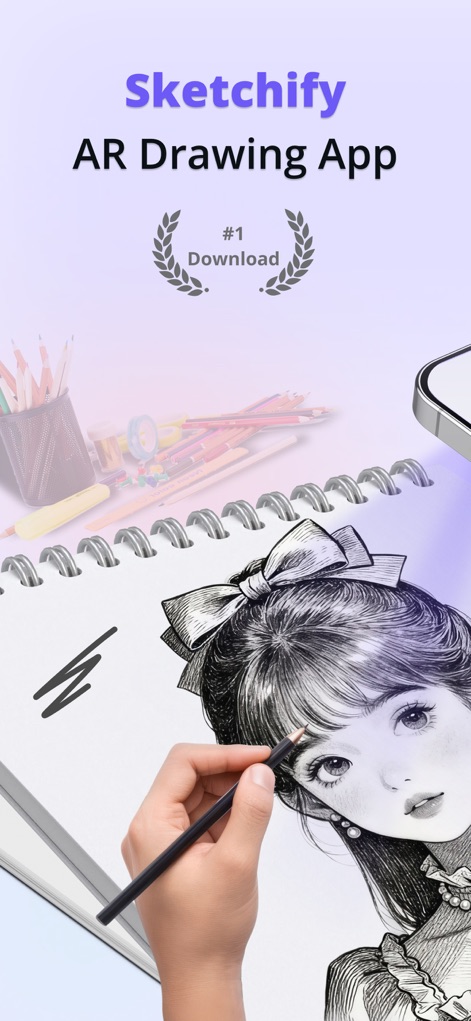
See how the app transforms real-world drawing with guided AR projection and precise hand tracing, bringing digital guidance to physical canvases.
AR Drawing Redefined
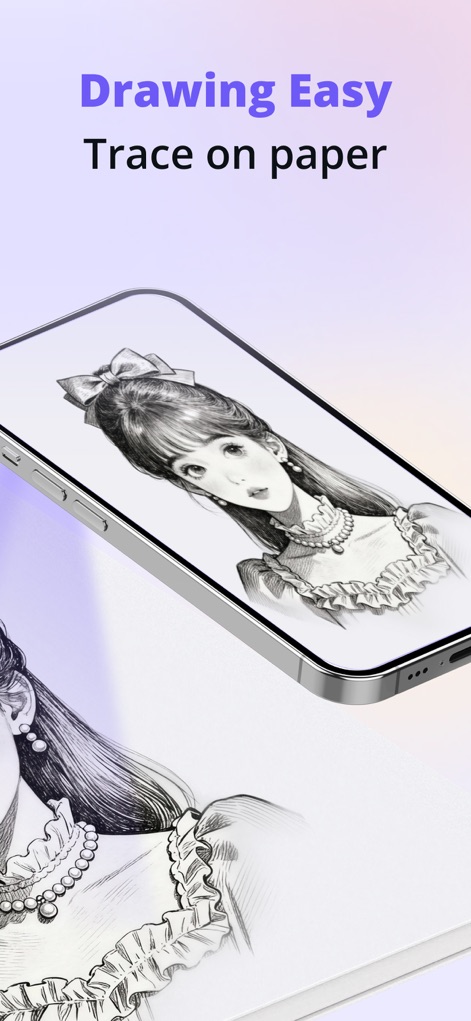
Discover the ease of tracing with the app's real-time projection from a mobile device onto physical paper, simplifying complex designs.
Seamless Real-World Tracing
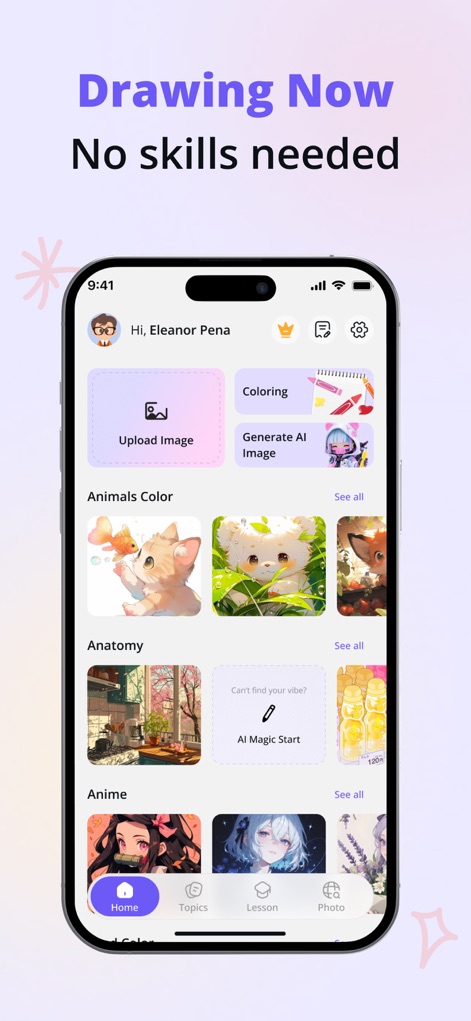
Explore the app's user-friendly interface, offering quick access to image uploads and AI image generation, making art accessible to all skill levels.
Intuitive Creative Hub
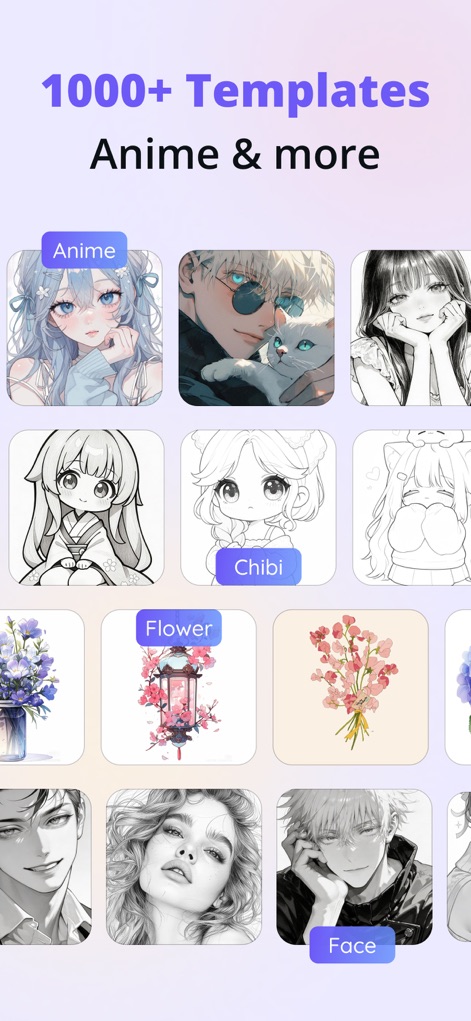
Browse an extensive collection of over 1000 templates, including diverse anime styles and various artistic themes, for endless inspiration.
Vast Template Library
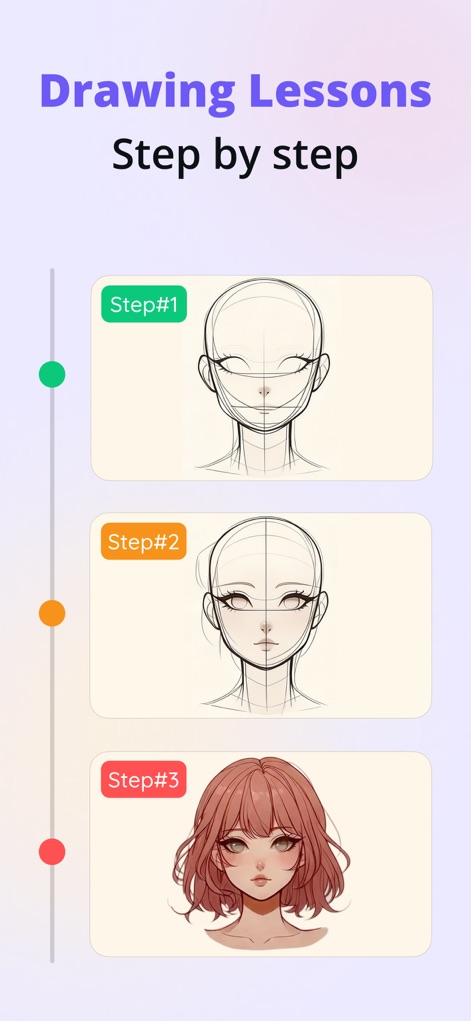
Follow structured, step-by-step drawing lessons that guide users from basic outlines to detailed finished art pieces, fostering skill development.
Guided Learning Journey
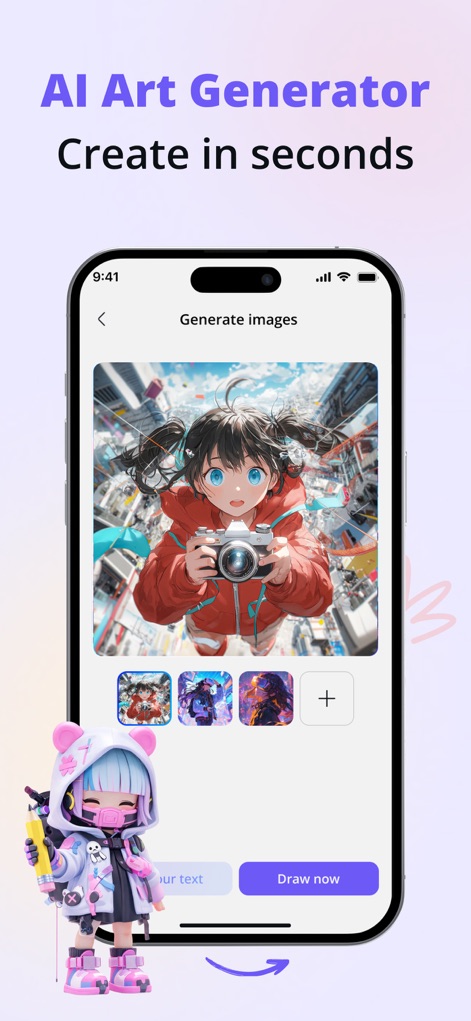
Witness the power of the integrated AI art generator, creating unique images from text prompts and offering multiple creative variations.
Instant AI Art Generation
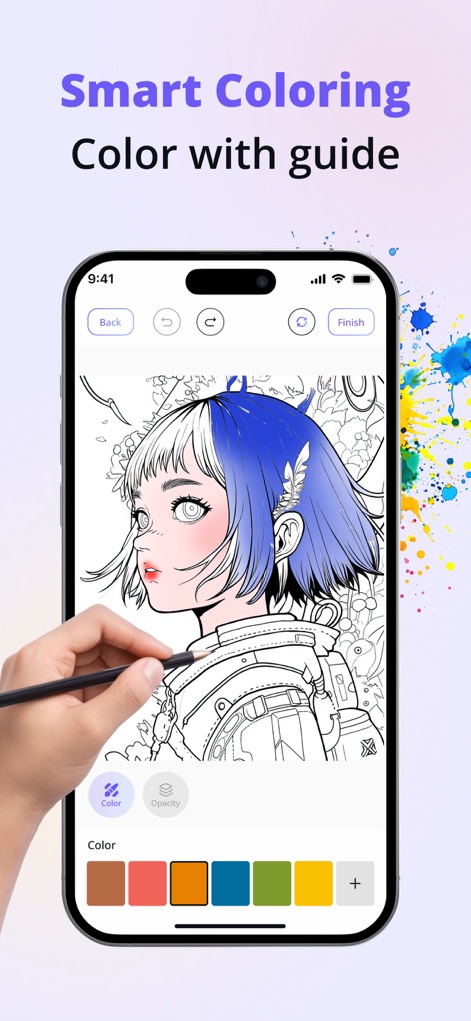
Utilize the app's smart coloring features with guided palettes and adjustable opacity, allowing for vibrant and precise digital painting.
Intelligent Coloring Tools
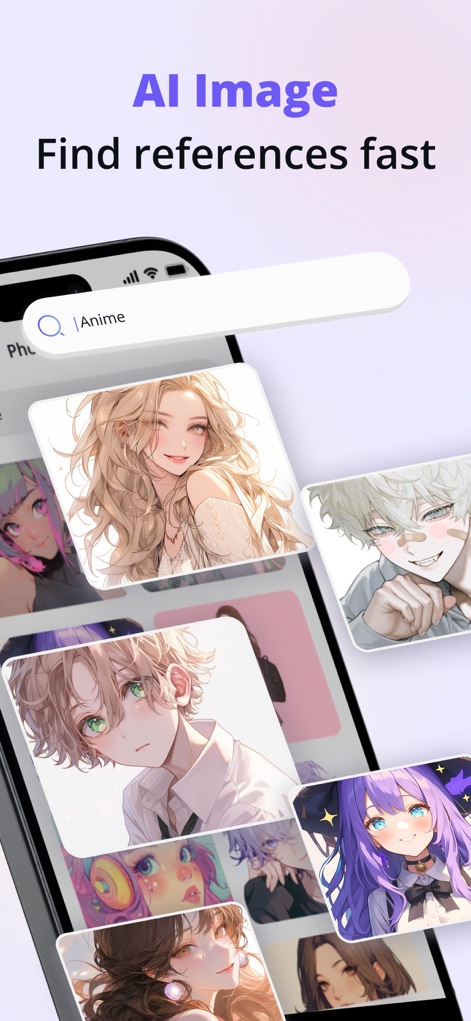
Experience rapid image discovery with the in-app AI image search function, providing diverse visual references for any creative project.
Quick Reference Finder
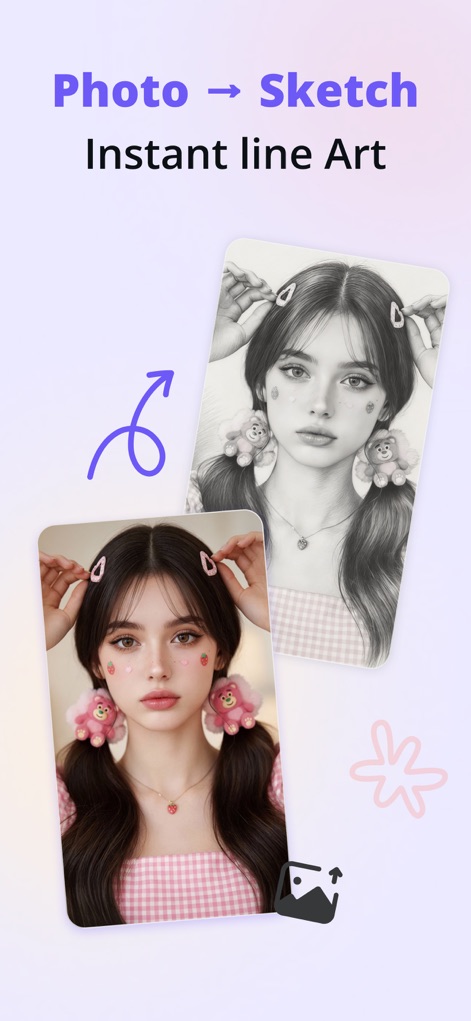
Observe how the app instantly converts photos into clean line art sketches, offering a perfect starting point for tracing or artistic interpretation.
Photo to Sketch Transformation
Description
Download
More Like This
Apps with similar features and user experience

AR Drawing Paint Sketch Trace
DROIDFUN LIMITED

Camera Lucida™: AR Drawing
Big Idea Design LLC

AR Drawing Sketch App: ArtEasy
SMDA GROUP SP Z O O SP KOMANDYTOWA

PicTrace: AR Drawing & Sketch
ANDROID VIETNAM TECHNOLOGY CORPORATION

AR Draw: Sketching & Painting
EIGEN SOFTWARE LIMITED

AR Drawing How to Draw Sketch
Magomed Dzhamalov

Da Vinci Eye: AR Trace & Draw
Da Vinci Eye LLC

AR Drawing - AR Sketch
Ketanbhai Khokhani

HEY CLAY®
HEY CLAY LTD
This page is not an official page of the app or its developer, but an independent editorial publication created for informational and commentary purposes. Unless expressly stated otherwise, neither the app nor its developer is affiliated with, endorsed by, sponsored by, authorized by, or otherwise officially connected with MWM, Apple, Google Play, the app publisher, or the app's developer, and nothing on this page implies that the app was developed using MWM's services. Any trademarks, logos, screenshots, and other content remain the property of their respective owners.