
This page is not an official page of the app or its developer, but an independent editorial publication created for informational and commentary purposes. Unless expressly stated otherwise, neither the app nor its developer is affiliated with, endorsed by, sponsored by, authorized by, or otherwise officially connected with MWM, Apple, Google Play, the app publisher, or the app's developer, and nothing on this page implies that the app was developed using MWM's services. Any trademarks, logos, screenshots, and other content remain the property of their respective owners.


Trace Table - Light Box
No more guesswork; Trace Table grants the power of perfect replication.
Downloads
1M+User Rating
Total Ratings
17.6KPublisher
Category
Photo & VideoLocales
13Latest Version
2.6Size
168.3 MBFirst Released
Mar 28, 2017Evaluating Core Functionality and Innovative Features for Creative Users
Analytical Review: Trace Table - Light Box
Augmented Reality Projector
It allows users to seamlessly project source images onto a physical canvas, blending the digital and traditional art experience for effortless tracing directly on their workspace.
Import Artwork from Photos or Camera
The app provides versatile options to load any image, photo, or drawing from the device's gallery or directly via the camera, serving as the foundational source for tracing.
Integrated Digital Painting Tools
This tool features a comprehensive set of digital brushes, pencils, and other tools, enabling users to create original artwork directly within the app, expanding its utility beyond just tracing.
Screen Lock for Tracing
It allows users to lock the tracing image in place, preventing accidental movement or displacement during the drawing process and ensuring precision.
Maximum Screen Brightness
The app optimizes screen brightness to its highest level, ensuring clear visibility of lines and details from the source image, crucial for effective tracing.
Image Transformation Tools
It allows users to resize, move, and rotate source images, providing flexibility to perfectly align and adapt artwork to their desired tracing area or canvas size.
Enhanced Outline Mode
This tool features an 'Outline Mode' that intelligently adjusts photos to make lines and edges stand out more clearly, simplifying the tracing process, especially for complex or faint images.
Artwork Flipping
The app provides the ability to flip artwork horizontally, which is useful for creating mirrored images, transferring designs, or experimenting with different compositional perspectives.
Frequently Asked Questions
Everything you need to know about Trace Table - Light Box
What is Trace Table - Light Box?
Trace Table - Light Box is an app that functions as a light box for tracing drawings, photos, and various artworks. It helps users trace by maximizing screen brightness and locking artwork in place.
Can I use my own photos for tracing in Trace Table?
Yes, Trace Table allows users to trace artwork directly from their photos or camera. The app also offers options to resize, move, and rotate the imported artwork.
Does Trace Table offer an augmented reality (AR) feature for tracing?
Yes, Trace Table includes an AR Image Projector. This feature allows users to position their device above a canvas and view both the image and canvas directly on the screen for tracing.
Can I draw directly within the Trace Table app?
Yes, Trace Table features a Digital Paint function. Users can unleash creativity with various digital tools like brushes and pencils on a digital canvas within the app.
How does the Outline Mode work in Trace Table?
Outline Mode in Trace Table easily adjusts photos to help users see lines more clearly for tracing. This simplifies the process of creating clear line art from existing images.
Does Trace Table offer drawing lessons or guides?
Yes, Trace Table provides drawing lessons. These lessons present layered images to guide users step-by-step through the process of creating various drawings.
Is a subscription required to access premium features in Trace Table?
Yes, subscribing is necessary to access premium app features in Trace Table. Subscriptions are available in weekly, monthly, and yearly lengths.
How do I manage my Trace Table subscription?
Users can manage their Trace Table subscriptions and turn off auto-renewal from their iTunes Account Settings after purchase. Auto-renewal must be turned off 24 hours before the current period ends.
Does Trace Table prevent accidental screen movement during tracing?
Yes, Trace Table allows users to lock their artwork in place. This feature prevents accidental movement from a hand while tracing, ensuring stability and precision.
What types of art can I trace with Trace Table - Light Box?
Trace Table - Light Box supports tracing various art forms including drawings, photos, tattoos, flash, lettering, inking, line work, comics, and homework. It offers versatility for artists.
The following screenshots and description are sourced directly from the app's official store listing and are the property of the app developer.
App Store
Screenshots

The app maximizes screen brightness and allows users to lock artwork in place for effortless tracing.
Light Box Tracing

Experience augmented reality with the Image Projector, enabling precise tracing with an adjustable opacity slider.
AR Projection Magic
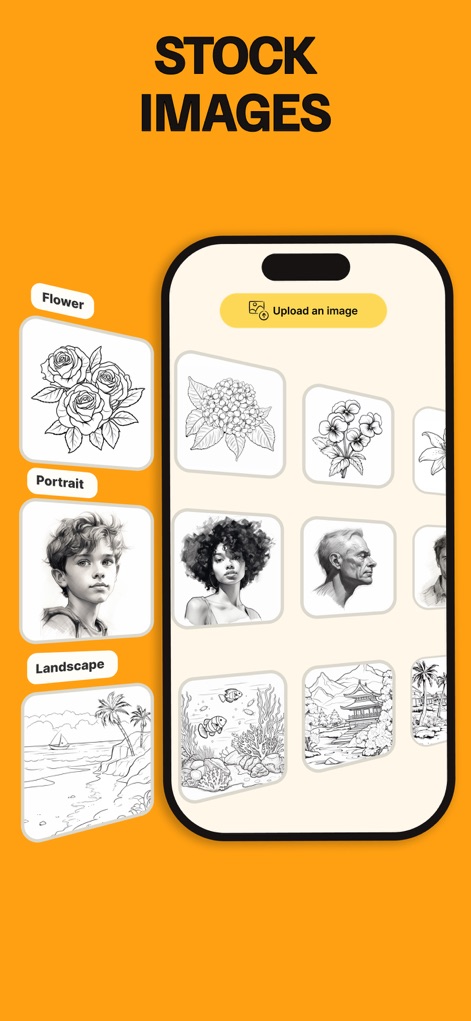
Discover a diverse collection of stock images, organized by categories like Flower and Portrait, or easily upload custom artwork.
Explore Image Library
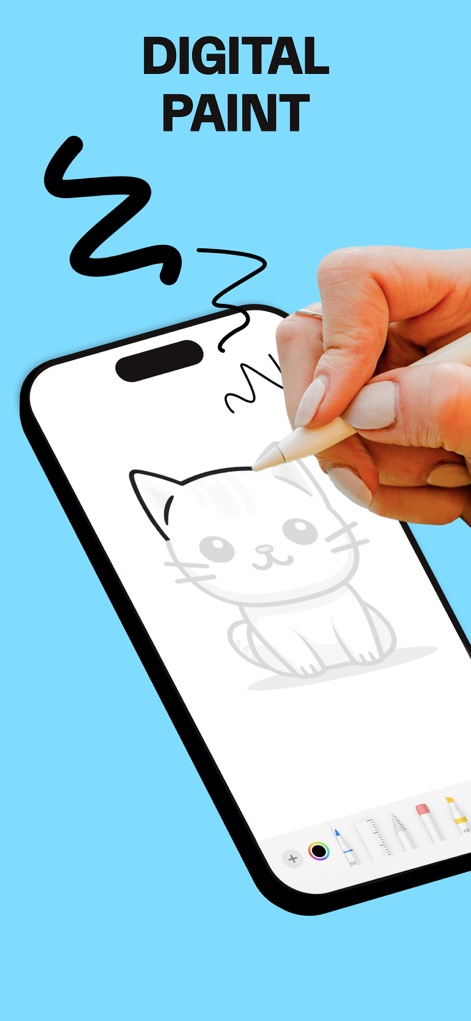
Unleash artistic potential with Digital Paint features, offering a selection of brushes and various tools for digital sketching.
Digital Canvas Creativity
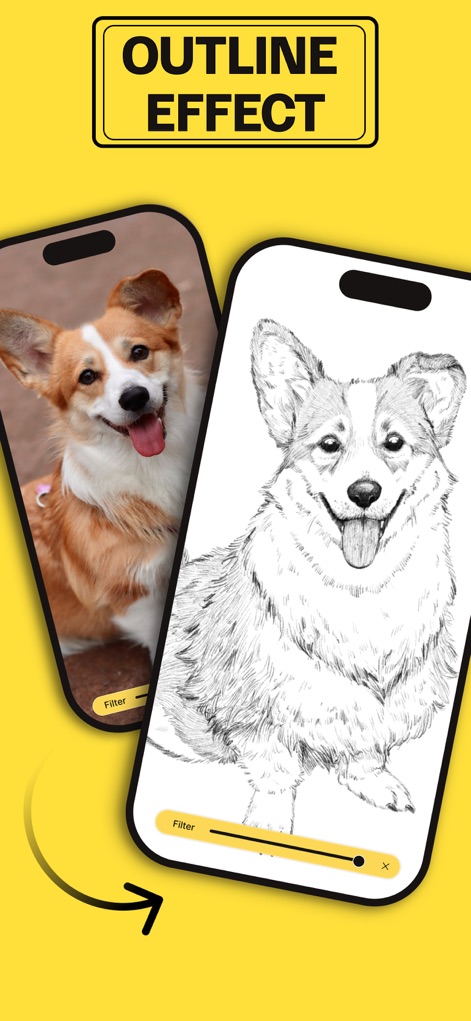
Instantly convert photos into trace-ready outlines using the Outline Mode, with adjustable filter settings for clarity.
Outline Effect Transformation

Progress through structured drawing lessons, guiding users from basic shapes to intricate designs for skill development.
Guided Drawing Lessons
Description
Download
More Like This
Apps with similar features and user experience

AR Drawing Paint Sketch Trace
DROIDFUN LIMITED

Camera Lucida™: AR Drawing
Big Idea Design LLC

AR Drawing Sketch App: ArtEasy
SMDA GROUP SP Z O O SP KOMANDYTOWA

PicTrace: AR Drawing & Sketch
ANDROID VIETNAM TECHNOLOGY CORPORATION

AR Draw: Sketching & Painting
EIGEN SOFTWARE LIMITED

AR Drawing How to Draw Sketch
Magomed Dzhamalov

Da Vinci Eye: AR Trace & Draw
Da Vinci Eye LLC

AR Drawing - AR Sketch
Ketanbhai Khokhani

HEY CLAY®
HEY CLAY LTD
This page is not an official page of the app or its developer, but an independent editorial publication created for informational and commentary purposes. Unless expressly stated otherwise, neither the app nor its developer is affiliated with, endorsed by, sponsored by, authorized by, or otherwise officially connected with MWM, Apple, Google Play, the app publisher, or the app's developer, and nothing on this page implies that the app was developed using MWM's services. Any trademarks, logos, screenshots, and other content remain the property of their respective owners.