
This page is not an official page of the app or its developer, but an independent editorial publication created for informational and commentary purposes. Unless expressly stated otherwise, neither the app nor its developer is affiliated with, endorsed by, sponsored by, authorized by, or otherwise officially connected with MWM, Apple, Google Play, the app publisher, or the app's developer, and nothing on this page implies that the app was developed using MWM's services. Any trademarks, logos, screenshots, and other content remain the property of their respective owners.

TTLock
Streamline your property management with secure remote passcodes, e-key sharing, and seamless Bluetooth unlocking. The ultimate cost-effective solution for Airbnb hosts and smart homeowners seeking total control from their phone or watch.
Downloads
5M+User Rating
Total Ratings
2K+Publisher
Category
LifestyleLocales
34Latest Version
9.3.251230Size
337.5 MBFirst Released
Oct 17, 2015Seamless Access Control for Every Property
The ultimate command center for property managers and homeowners to manage smart locks, issue digital keys, and monitor security with zero monthly fees.
Remote Guest Access
Instantly generate time-limited passcodes or digital e-keys from your phone, perfect for managing Airbnb guests or contractors without being on-site.
Multi-Device Convenience
Experience true keyless living by unlocking your door with a single tap from your iPhone or Apple Watch—no more fumbling with physical keys.
Frequently Asked Questions
Everything you need to know about TTLock
What is the primary function of the TTLock app?
The TTLock app is used to open doors via Bluetooth using your smartphone. It requires specific hardware to function with the application.
Does the TTLock app require special hardware?
Yes, the TTLock app requires specific hardware to cowork with the application for door opening via Bluetooth, as stated in its description.
How do users unlock a door using the TTLock app?
Users unlock a door with the TTLock app by touching the lock icon on the main screen, following the instruction "touch to unlock, hold to lock".
What key management options does TTLock offer?
TTLock offers several key management options including eKeys, Passcodes, Cards, and Authorized Admin roles. It also provides a records feature.
Can I send eKeys with the TTLock app?
Yes, the TTLock app allows users to send eKeys. Options include Timed, Permanent, One-time, and Recurring eKeys, visible on the "Send eKey" screen.
What types of passcodes can be generated with TTLock?
TTLock allows generating Permanent, Timed, One-time, Custom, and Recurring passcodes for door access, as shown on the "Generate Passcode" screen.
Does TTLock support smart home integrations?
Yes, TTLock supports integration with smart home systems. The settings menu lists options for connecting with Amazon Alexa and Google Home.
Can TTLock automatically lock doors?
Yes, TTLock includes an "Auto Lock" setting, which can be configured for specific durations like 5 seconds, to automatically lock doors.
How can I contact support for the TTLock app?
Users can contact support directly from within the TTLock app if they have any questions or require assistance with the application.
Does the TTLock app offer a remote unlock feature?
Yes, the TTLock app provides a "Remote Unlock" feature. Users can enable or disable this function within the app's settings menu.
The following screenshots and description are sourced directly from the app's official store listing and are the property of the app developer.
App Store
Screenshots
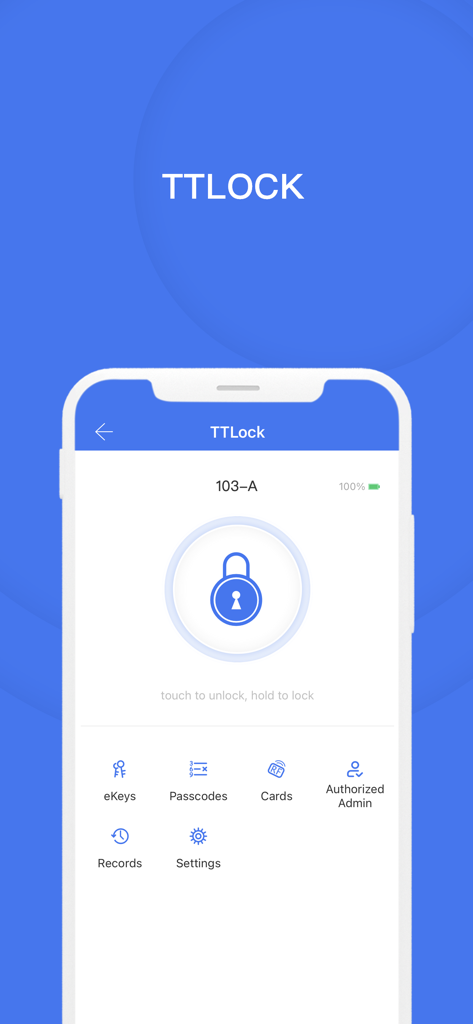
The main dashboard of the TTLock app on a smartphone featuring a central lock button and icons for eKeys and passcodes.
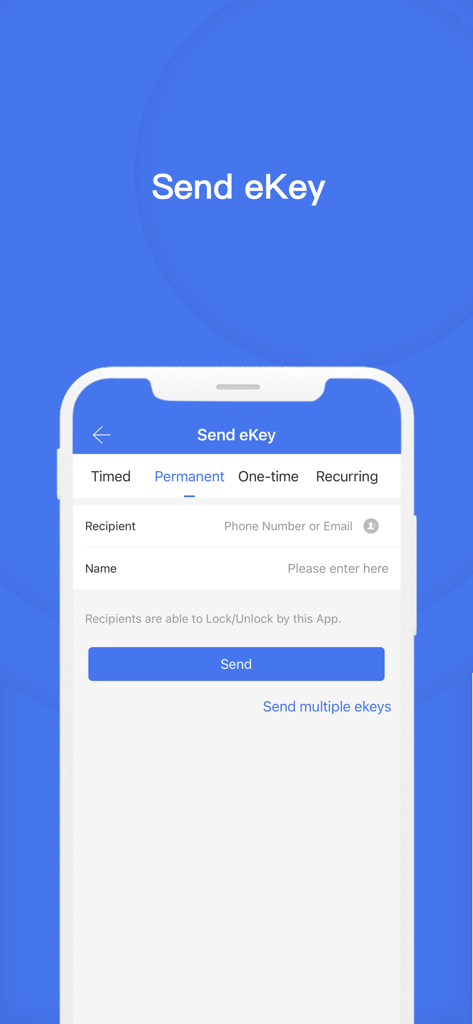
Interface of the TTLock app showing the Send eKey screen with options for timed, permanent, one-time, and recurring access.
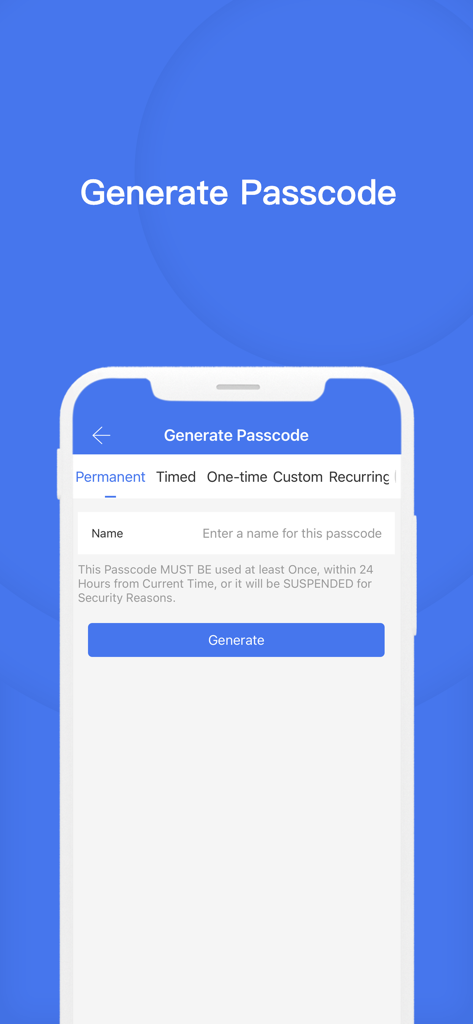
Interface of the TTLock app showing options to generate permanent or timed passcodes for remote property management.
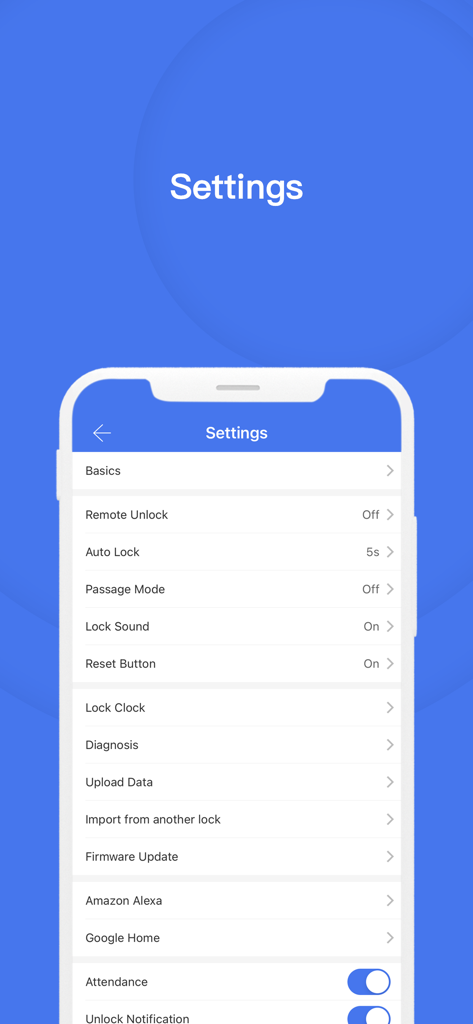
Screenshot of the TTLock mobile app settings menu showing various lock configuration options and smart home integrations.
Description
Download
More Like This
Apps with similar features and user experience

小米音箱
Beijing Xiaomi Co., Ltd

Starlink
Space Exploration Technologies Corp.

Bambu Handy
Shanghai Lunkuo Technology Co., Ltd

DREO
HESUNG INNOVATION LIMITED

My Verisure
Securitas Direct

Whisker
Automated Pet Care Products Inc.

geeni
Merkury Innovations LLC

ADT+
ADT LLC

X-Sense Home Security
X-Sense USA LLC.
This page is not an official page of the app or its developer, but an independent editorial publication created for informational and commentary purposes. Unless expressly stated otherwise, neither the app nor its developer is affiliated with, endorsed by, sponsored by, authorized by, or otherwise officially connected with MWM, Apple, Google Play, the app publisher, or the app's developer, and nothing on this page implies that the app was developed using MWM's services. Any trademarks, logos, screenshots, and other content remain the property of their respective owners.