
This page is not an official page of the app or its developer, but an independent editorial publication created for informational and commentary purposes. Unless expressly stated otherwise, neither the app nor its developer is affiliated with, endorsed by, sponsored by, authorized by, or otherwise officially connected with MWM, Apple, Google Play, the app publisher, or the app's developer, and nothing on this page implies that the app was developed using MWM's services. Any trademarks, logos, screenshots, and other content remain the property of their respective owners.


TubeMate: Convert Video To MP3
Finally, total control over your media. This app hands you the power to sculpt video and audio with precision, transforming raw files into polished content.
Downloads
50k+User Rating
Total Ratings
510Publisher
Category
UtilitiesLocales
8Latest Version
1.17Size
63.2 MBFirst Released
May 30, 2023A comprehensive assessment of key functionalities for media creation and manipulation.
Analytical Feature Overview: TubeMate
Video to MP3 Extraction
It allows users to quickly extract high-quality MP3 audio from any video file with just a few taps, perfect for sound bites or music extraction.
Vocal & Instrument Isolation
This tool features the ability to remove vocals or specific instruments from audio tracks, enabling the creation of karaoke versions or new remixes.
Advanced Video Editing Suite
The app provides comprehensive video editing capabilities, including trimming unwanted parts, splitting longer videos into shorter clips, and merging multiple videos into a seamless masterpiece.
Precision Audio Editing & EQ
It allows users to transform audio tracks like a professional, featuring precise trimming of audio files and a custom 8-band equalizer for perfect balance and clarity.
Universal Media Format Conversion
This tool enables seamless switching between various video and audio file formats, ensuring media compatibility for diverse needs.
Audio-Video Integration
The app allows users to enhance their videos by adding background music or voiceovers, enriching the storytelling and overall production quality.
Dynamic Caption Customization
It features the ability to add stylish captions to videos, with customizable fonts, sizes, and styles to match unique visual branding and improve accessibility.
Cinematic Video Filters
The app provides a range of stunning filters to enhance the visual appeal of videos, allowing users to add cinematic effects and adjust colors for a captivating atmosphere.
Frequently Asked Questions
Everything you need to know about TubeMate: Convert Video To MP3
What is TubeMate: Convert Video To MP3?
TubeMate: Convert Video To MP3 is an application designed for editing videos and audio, allowing users to convert media, trim, split, merge, apply filters, and manage files.
Can TubeMate: Convert Video To MP3 extract audio from videos?
Yes, TubeMate: Convert Video To MP3 extracts high-quality MP3 audio from any video file. It also converts videos to audio files as a premium feature.
What video editing features does TubeMate: Convert Video To MP3 offer?
TubeMate: Convert Video To MP3 offers trimming, splitting, merging videos, applying filters, and adding/styling captions. It also provides advanced video editing as a premium feature.
Does TubeMate: Convert Video To MP3 include audio editing tools?
Yes, TubeMate: Convert Video To MP3 allows users to trim audio files with precision and set a custom 8-band equalizer. It also removes vocals or instruments.
Can TubeMate: Convert Video To MP3 switch between different media file formats?
Yes, TubeMate: Convert Video To MP3 seamlessly switches between various video and audio file formats to fit user needs.
How can I remove vocals from a song using TubeMate: Convert Video To MP3?
TubeMate: Convert Video To MP3 allows users to remove vocals or specific instruments from audio tracks. This feature creates karaoke versions or new remixes.
Does TubeMate: Convert Video To MP3 offer video compression?
Yes, TubeMate: Convert Video To MP3 offers video compression as a premium feature. It reduces file sizes while preserving visual quality, allowing easier sharing and storage.
How do I import media files into TubeMate: Convert Video To MP3?
TubeMate: Convert Video To MP3 allows importing files from local storage, Dropbox, Google Drive, OneDrive, and Wi-Fi. Users can select their preferred source.
What premium features are available in TubeMate: Convert Video To MP3?
Premium features in TubeMate: Convert Video To MP3 include converting video to audio, compressing video, advanced video editing, adding audio to video, and separating vocals from music.
The following screenshots and description are sourced directly from the app's official store listing and are the property of the app developer.
App Store
Screenshots
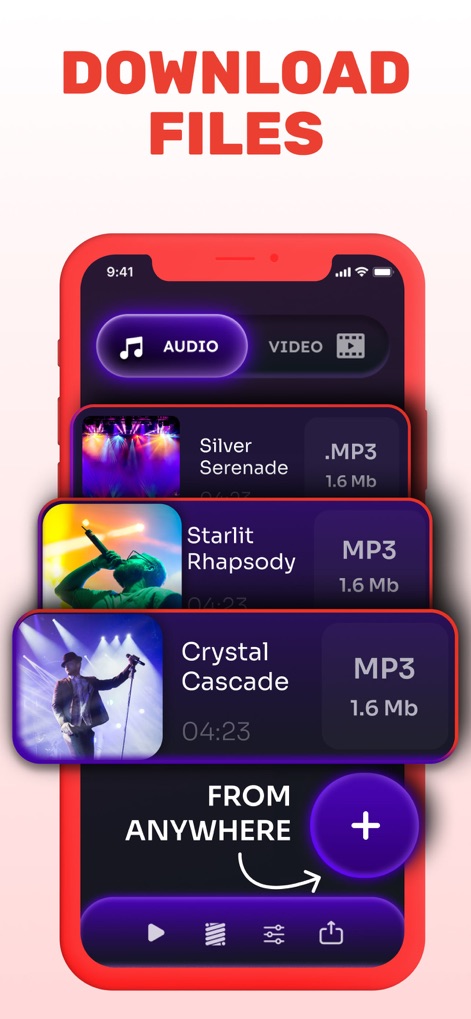
This tool allows users to easily manage both audio and video files, facilitating downloads from diverse sources.
Seamless File Access
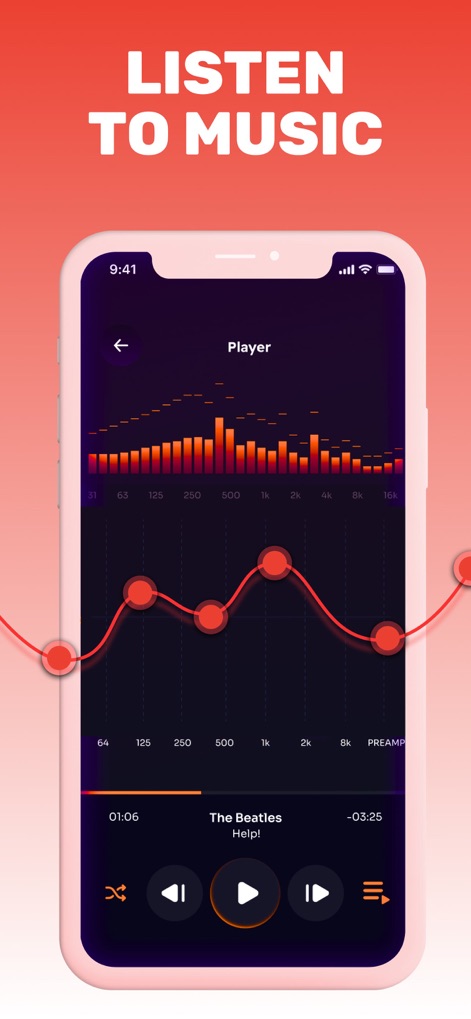
Users can fine-tune their audio experience with the intuitive 8-band equalizer and comprehensive playback controls.
Precision Audio Tuning
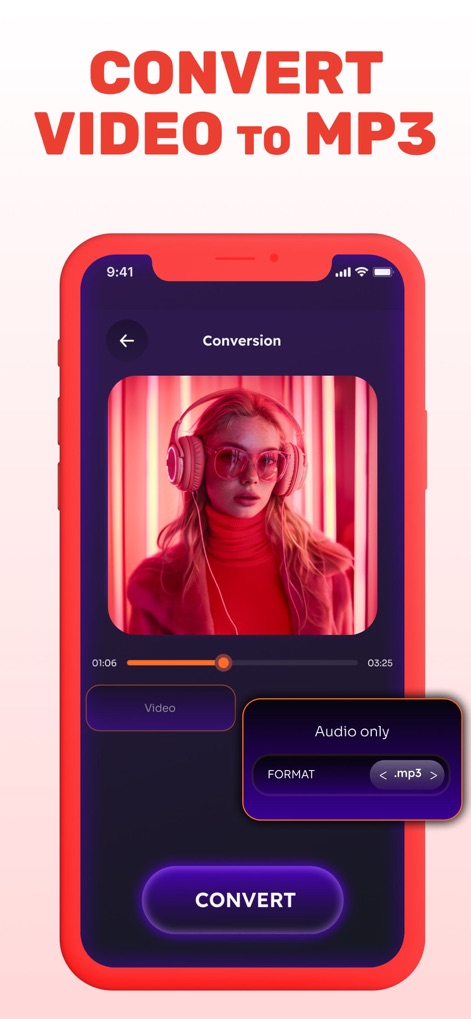
The app simplifies media transformation, allowing swift video to MP3 conversion with clear format selection.
Effortless Media Conversion
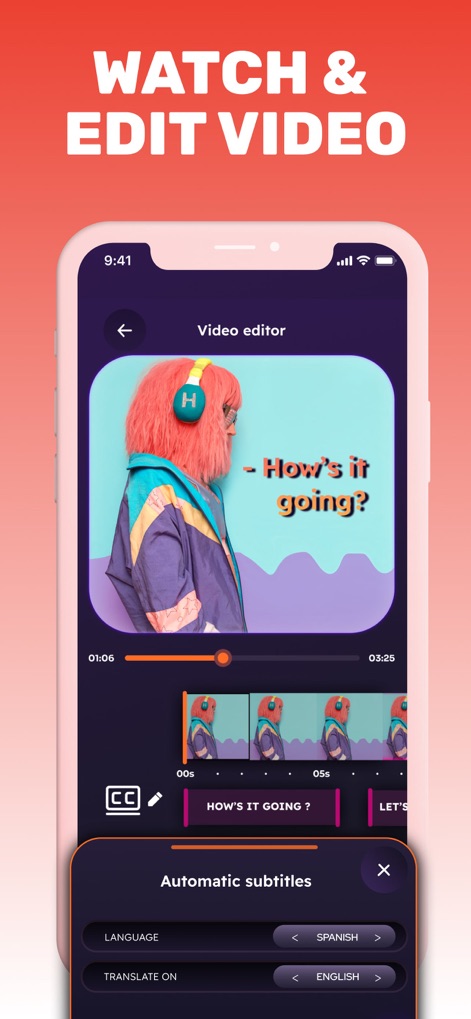
This tool provides a robust video editor with a clear timeline and advanced automatic subtitle generation.
Dynamic Video Editing
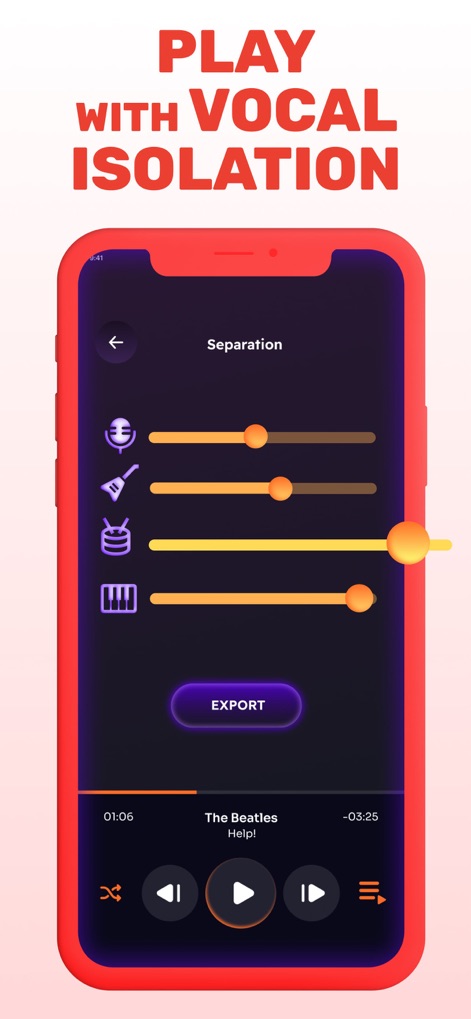
The app empowers creators to isolate specific audio elements using individual instrument sliders and an export function.
Masterful Audio Separation
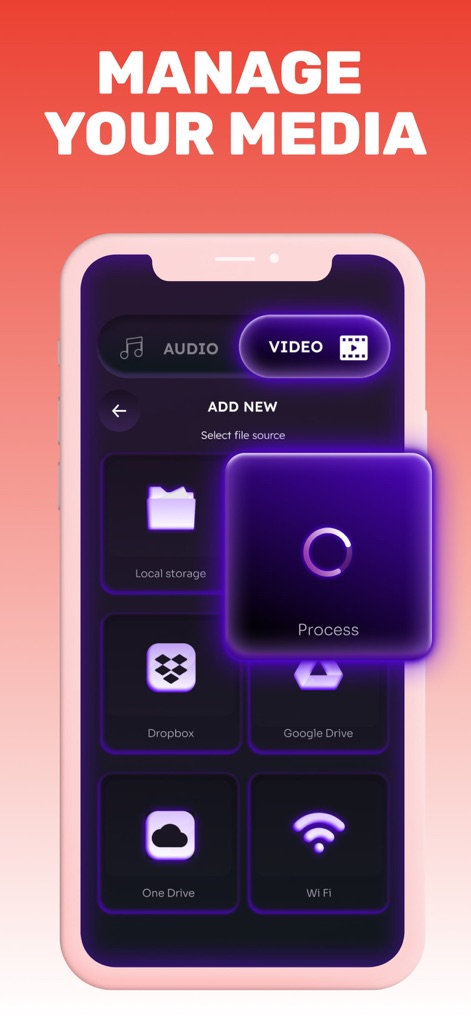
Users can conveniently add new media files from various sources, including local storage and popular cloud services like Dropbox and Google Drive.
Integrated File Management
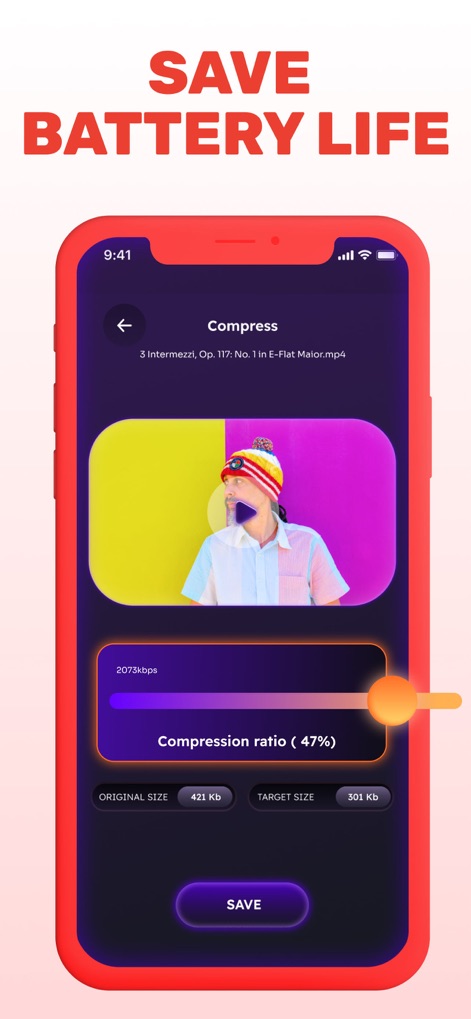
This tool offers efficient video compression, allowing users to adjust the compression ratio and view instant size reductions.
Optimized File Compression
Description
Download
More Like This
Top-ranked apps in the same category

Google LLC

Google Chrome
Google LLC

中国移动(手机营业厅)
China Mobile Online Services Co., Ltd.

Google Authenticator
Google LLC

CNH do Brasil
Servicos e Informacoes do Brasil

Cleanup: Phone Storage Cleaner
DEEP FLOW SOFTWARE SERVICES - FZCO

gov.br
Servicos e Informacoes do Brasil

中国电信-全国统一官方服务平台
CHINA TELECOM Corporation Ltd.

Microsoft Edge: AI Browser
Microsoft Corporation
This page is not an official page of the app or its developer, but an independent editorial publication created for informational and commentary purposes. Unless expressly stated otherwise, neither the app nor its developer is affiliated with, endorsed by, sponsored by, authorized by, or otherwise officially connected with MWM, Apple, Google Play, the app publisher, or the app's developer, and nothing on this page implies that the app was developed using MWM's services. Any trademarks, logos, screenshots, and other content remain the property of their respective owners.