TV Remote Controller: Touchpad

This page is not an official page of the app or its developer, but an independent editorial publication created for informational and commentary purposes. Unless expressly stated otherwise, neither the app nor its developer is affiliated with, endorsed by, sponsored by, authorized by, or otherwise officially connected with MWM, Apple, Google Play, the app publisher, or the app's developer, and nothing on this page implies that the app was developed using MWM's services. Any trademarks, logos, screenshots, and other content remain the property of their respective owners.
Logo of TV Remote Controller: Touchpad

TV Remote Controller: Touchpad

Stop searching for lost remotes and typing with clunky buttons. Transform your iPhone into a high-precision touchpad and keyboard to master your entire home theater with zero lag.

Key Figures

Downloads

0

User Rating

1.0/5

Total Ratings

0

Publisher

ERHAN AKSU

Category

Utilities

Locales

1

Latest Version

1.0.1

Size

38.8 MB

First Released

Mar 11, 2026
Features

Master Your Home Entertainment

Ditch the clutter of lost remotes. UniRemote transforms your iPhone into a high-performance controller designed for the modern streaming era.

Type Faster, Watch Sooner

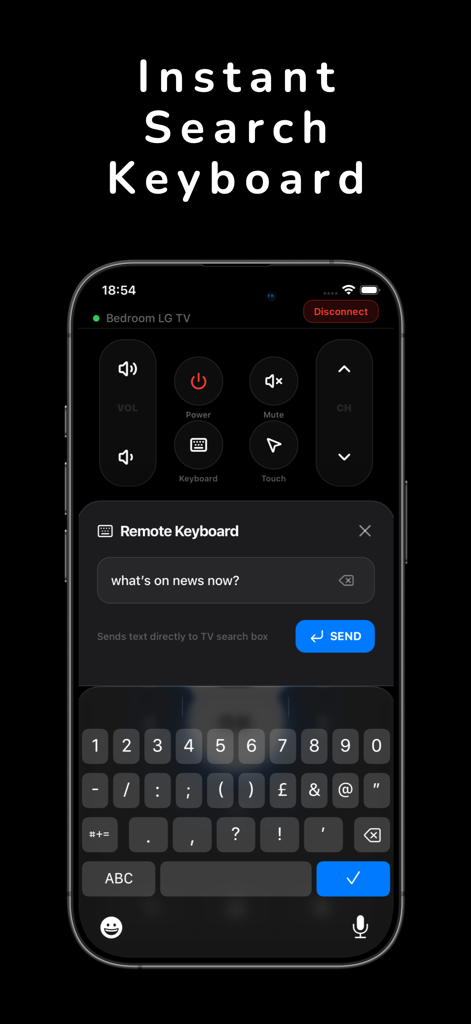
Stop the 'hunt and peck' on-screen typing. Use your iPhone keyboard to search for movies and log into apps in seconds.

Precision Touchpad Control

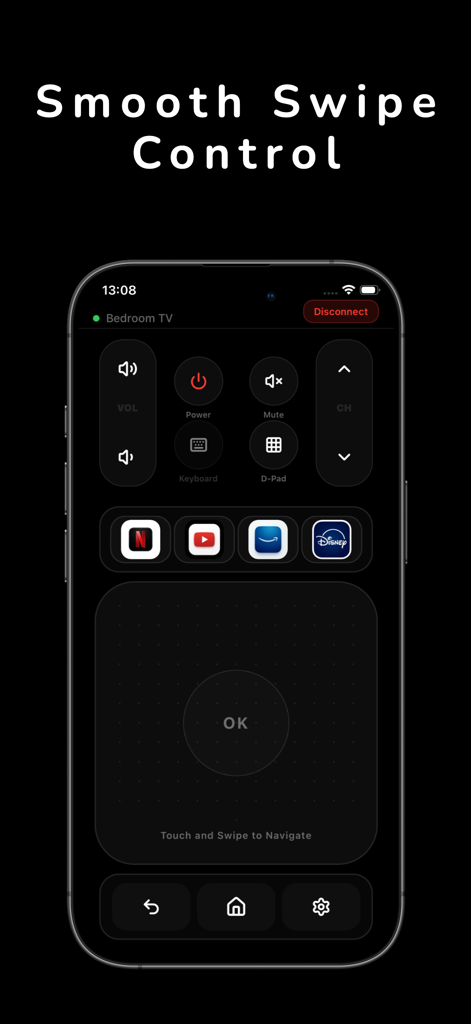
Navigate your TV with the same fluid swipe gestures you use on your phone. Experience a smooth, lag-free interface.

The following screenshots and description are sourced directly from the app's official store listing and are the property of the app developer.

App Store

Screenshots
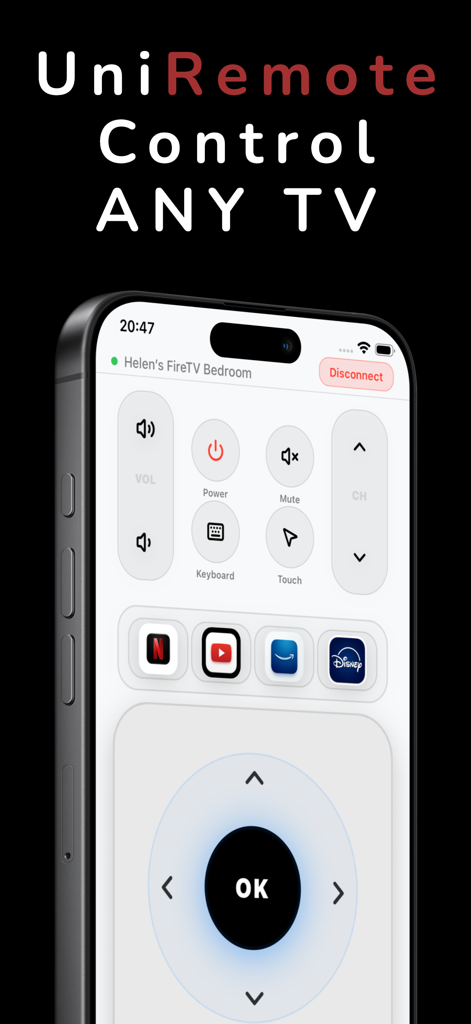
TV Remote Controller: Touchpad - UniRemote universal TV control app interface on iPhone featuring navigation buttons and streaming shortcuts
UniRemote universal TV control app interface on iPhone featuring navigation buttons and streaming shortcuts

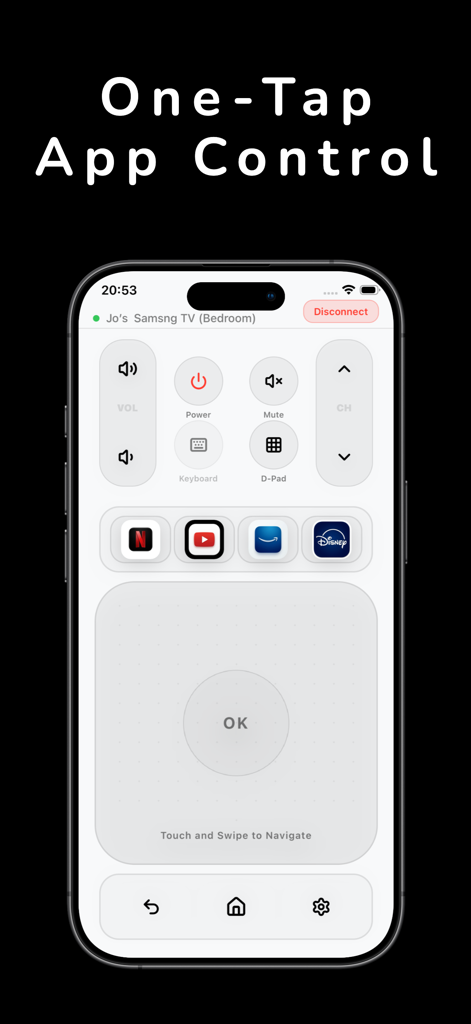
TV Remote Controller: Touchpad - UniRemote app interface on iPhone featuring a precision touchpad for smooth swipe navigation and streaming app shortcuts.
UniRemote app interface on iPhone featuring a precision touchpad for smooth swipe navigation and streaming app shortcuts.

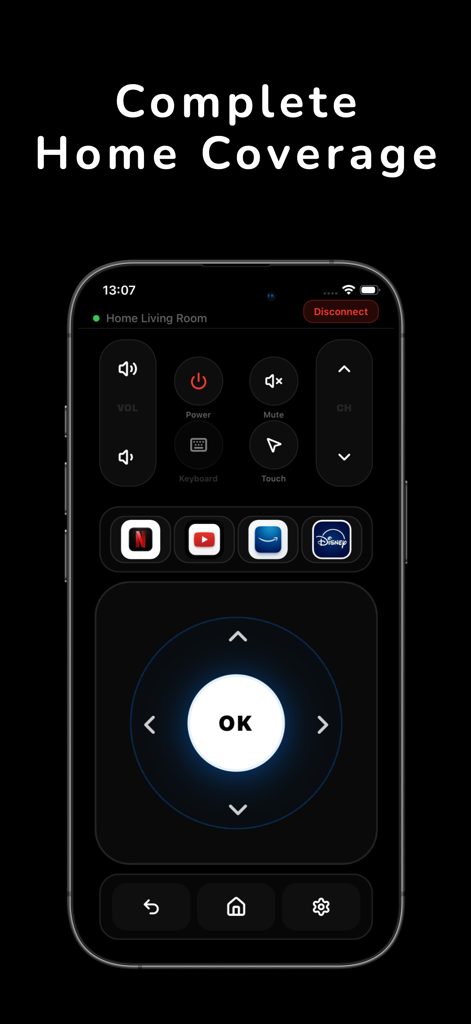
TV Remote Controller: Touchpad - iPhone screen displaying the universal TV remote control interface with navigation buttons and streaming app shortcuts for complete home coverage
iPhone screen displaying the universal TV remote control interface with navigation buttons and streaming app shortcuts for complete home coverage

TV Remote Controller: Touchpad - Interface of a TV remote app for iPhone showing a touchpad and streaming app shortcuts
Interface of a TV remote app for iPhone showing a touchpad and streaming app shortcuts

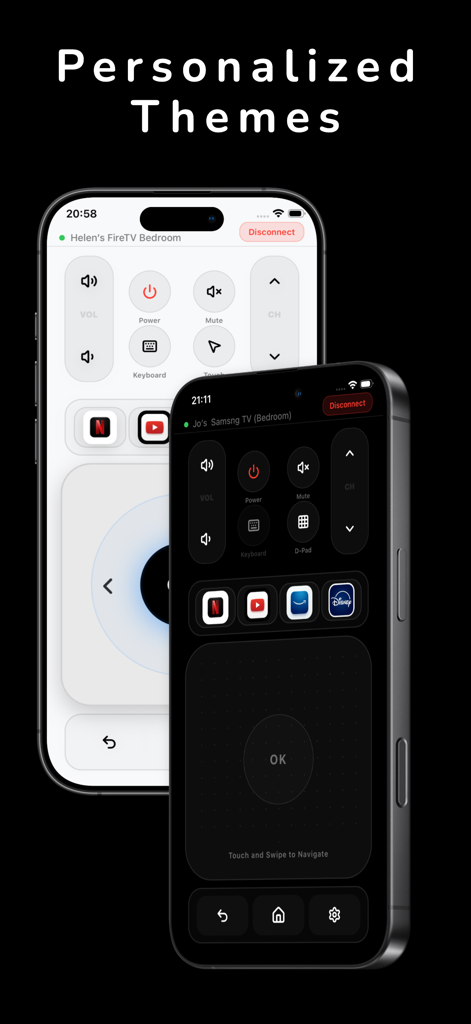
TV Remote Controller: Touchpad - UniRemote TV controller interface showing both light and dark personalized themes on iPhones.
UniRemote TV controller interface showing both light and dark personalized themes on iPhones.

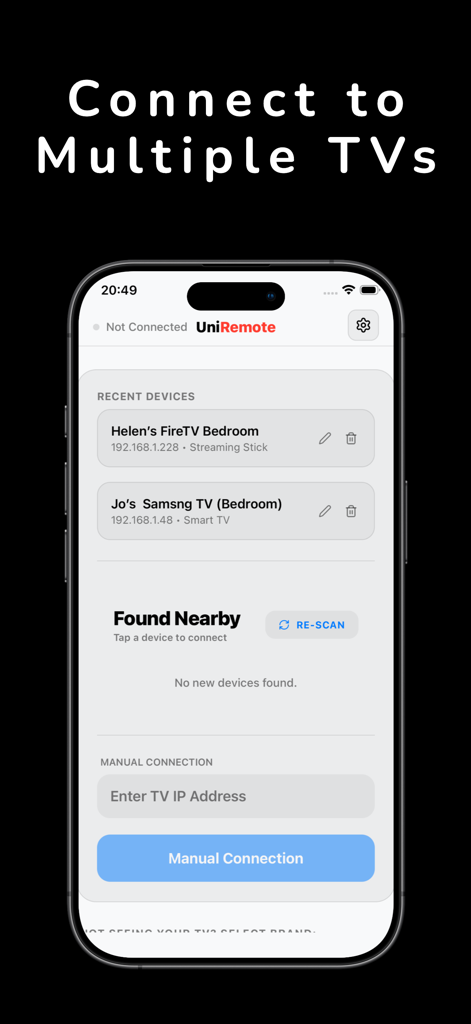
TV Remote Controller: Touchpad - Interface of the UniRemote app showing options to connect and manage multiple smart TVs
Interface of the UniRemote app showing options to connect and manage multiple smart TVs

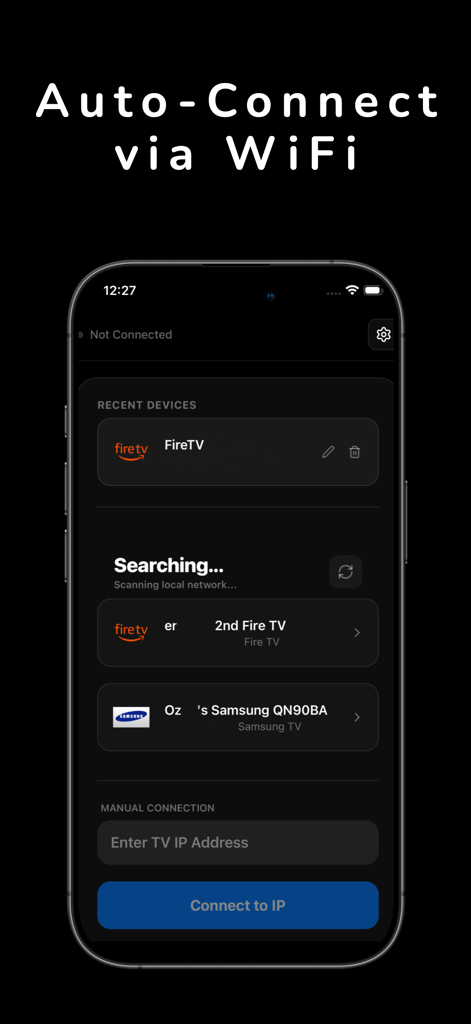
TV Remote Controller: Touchpad - UniRemote app screen showing automatic connection to FireTV and Samsung smart TVs via WiFi.
UniRemote app screen showing automatic connection to FireTV and Samsung smart TVs via WiFi.

TV Remote Controller: Touchpad - A smartphone displaying the UniRemote app keyboard feature for searching TV content

A smartphone displaying the UniRemote app keyboard feature for searching TV content

Description

Universal TV Remote Control: UniRemote Important Disclaimer: TV Remote Controller: UniRemote Touchpad - UniRemote is a third-party application designed to provide universal remote control functionality for compatible Smart TVs. This application is not an official product of, affiliated with, or endorsed by any television manufacturer or hardware brand. Master Your Entertainment with UniRemote Tired of searching for lost remotes? TV Remote Controller: Touchpad transforms your iPhone into a powerful controller for your home theater. Whether you need to adjust the volume, navigate smart menus, or type quickly, UniRemote provides a seamless, zero-lag experience. Why Choose TV Remote Controller: Touchpad? Designed for modern homes, UniRemote connects to your TV over your local WiFi network to unlock full control. By utilizing standard network protocols, it provides a stable and responsive alternative to physical remotes. Main Features: One-Tap Setup: Automatically detects compatible Smart TVs on your local network. Broad Compatibility: Works with a wide range of major smart TV platforms and network-connected displays. Precision Touchpad: Navigate with fluid swipe gestures much faster than traditional buttons. Effortless Keyboard: Use your iPhone’s keyboard for fast searching and logins. Wake-on-LAN: Power on your TV directly from the app (on supported hardware). How to Get Started with UniRemote: Ensure your iPhone and Smart TV are connected to the same Wi-Fi network. Open UniRemote and allow it to scan for devices on your local network. Select your TV from the list and follow any on-screen pairing prompts. Enjoy full control of your entertainment system directly from your phone! Enhanced Control Features: Quick-Access Shortcuts: Navigate directly to your favorite apps and menus with a single tap. Volume & Channel Management: Smooth, responsive sliders and buttons for total audio and navigation control. Haptic Feedback: Feel every press with subtle haptic vibrations that mimic the feel of a physical remote. Multi-Device Support: Switch between multiple TVs in different rooms of your home seamlessly. Optimized for Simplicity: UniRemote is built for speed. By removing the clutter of traditional remotes and moving the controls to your iPhone, we’ve created a sleek, intuitive interface that anyone in the family can use. No more replacing batteries or searching under couch cushions just reliable, smart control at your fingertips. Privacy & Terms: Terms of Use: https://uniremote4you.firebaseapp.com/terms.html Privacy Policy: https://uniremote4you.firebaseapp.com/privacy.html

Download

This page is not an official page of the app or its developer, but an independent editorial publication created for informational and commentary purposes. Unless expressly stated otherwise, neither the app nor its developer is affiliated with, endorsed by, sponsored by, authorized by, or otherwise officially connected with MWM, Apple, Google Play, the app publisher, or the app's developer, and nothing on this page implies that the app was developed using MWM's services. Any trademarks, logos, screenshots, and other content remain the property of their respective owners.