Universal TV Remote Control․

This page is not an official page of the app or its developer, but an independent editorial publication created for informational and commentary purposes. Unless expressly stated otherwise, neither the app nor its developer is affiliated with, endorsed by, sponsored by, authorized by, or otherwise officially connected with MWM, Apple, Google Play, the app publisher, or the app's developer, and nothing on this page implies that the app was developed using MWM's services. Any trademarks, logos, screenshots, and other content remain the property of their respective owners.
Logo of Universal TV Remote Control․

Universal TV Remote Control․

Stop hunting for lost remotes and struggling with clunky on-screen keyboards. Take total control of your Samsung, LG, Roku, or Fire TV with a high-speed keyboard, smooth touchpad, and instant app shortcuts right from your iPhone.

Key Figures

Downloads

5K+

User Rating

4.4/5

Total Ratings

0

Publisher

Vitali Makhnach

Category

Utilities

Locales

12

Latest Version

1.6

Size

207.5 MB

First Released

Sep 24, 2025
Features

The Ultimate Control Center for Your Living Room

Stop hunting for lost remotes and dead batteries. RIMO turns your iPhone into a powerful, all-in-one controller for every Smart TV and streaming device in your home.

Instant Keyboard Input

Say goodbye to frustrating hunt-and-peck typing. Use your iPhone’s keyboard to search for shows, enter passwords, and browse apps in seconds.

One App, Every Device

Whether it's a Samsung TV, Roku, or Fire Stick, RIMO connects instantly. Control your entire entertainment setup without switching between physical remotes.

The following screenshots and description are sourced directly from the app's official store listing and are the property of the app developer.

App Store

Screenshots
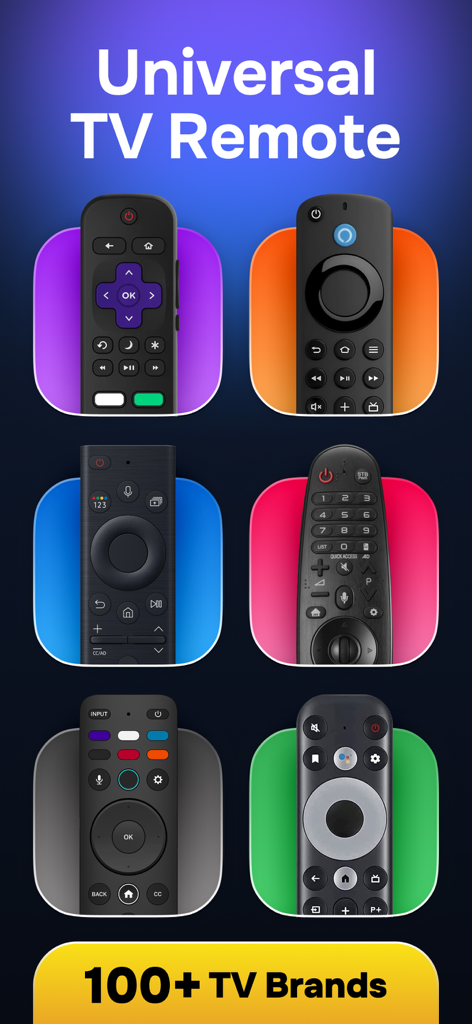
Universal TV Remote Control․ - A collection of different physical TV remotes on colorful backgrounds highlighting compatibility with over 100 brands
A collection of different physical TV remotes on colorful backgrounds highlighting compatibility with over 100 brands

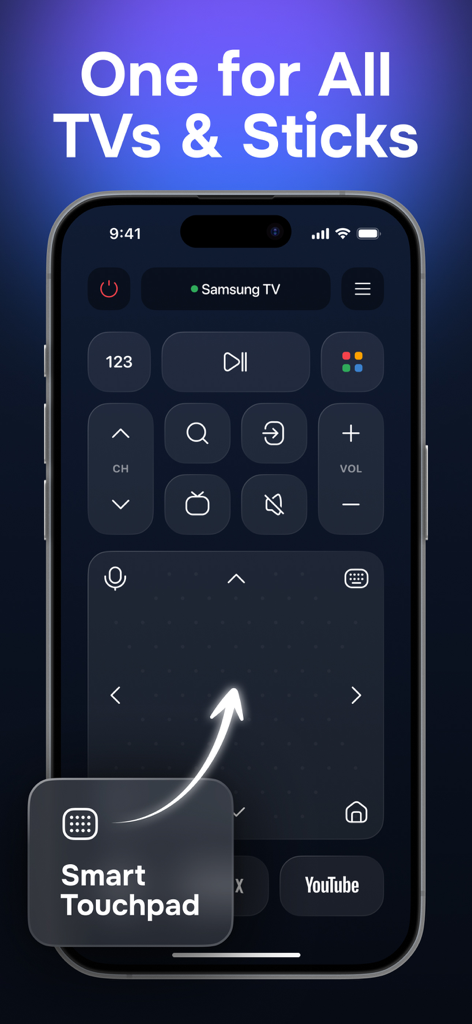
Universal TV Remote Control․ - RIMO app on iPhone showing a universal TV remote interface with a smart touchpad and Samsung TV controls
RIMO app on iPhone showing a universal TV remote interface with a smart touchpad and Samsung TV controls

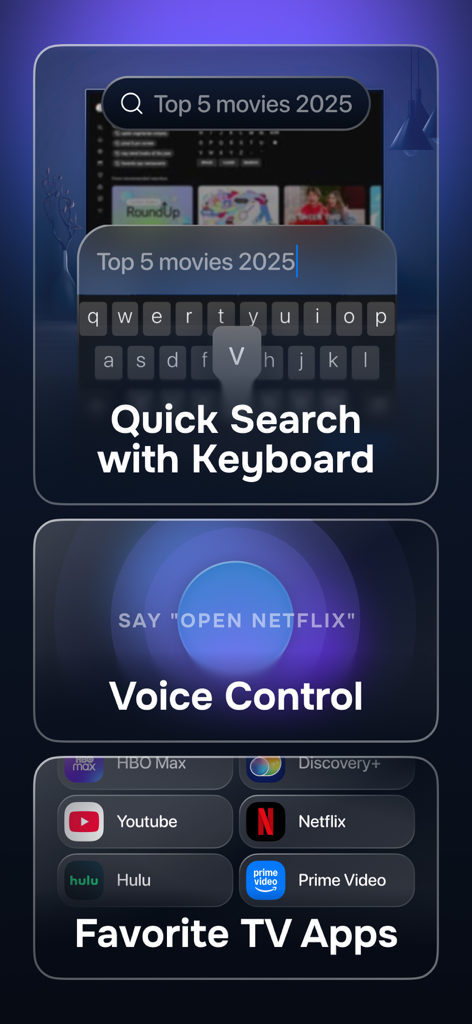
Universal TV Remote Control․ - Universal TV remote app interface with keyboard search voice control and streaming shortcuts
Universal TV remote app interface with keyboard search voice control and streaming shortcuts

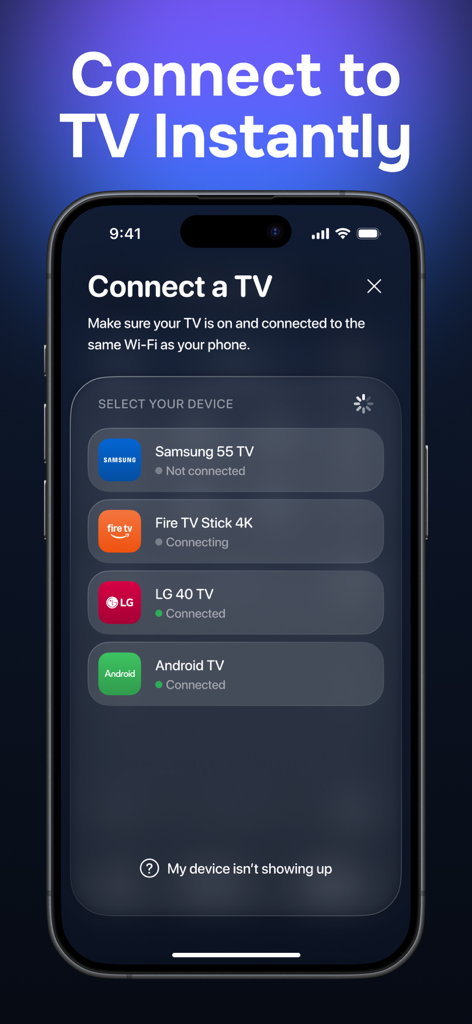
Universal TV Remote Control․ - RIMO app interface showing a list of smart TV devices like Samsung and LG ready for instant connection
RIMO app interface showing a list of smart TV devices like Samsung and LG ready for instant connection

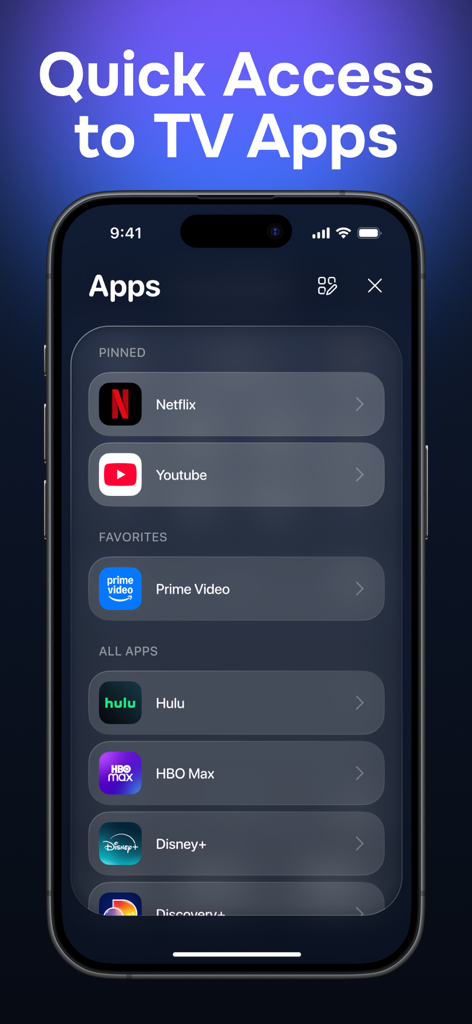
Universal TV Remote Control․ - iPhone screen showing the RIMO app interface with quick access shortcuts to streaming services like Netflix and YouTube
iPhone screen showing the RIMO app interface with quick access shortcuts to streaming services like Netflix and YouTube

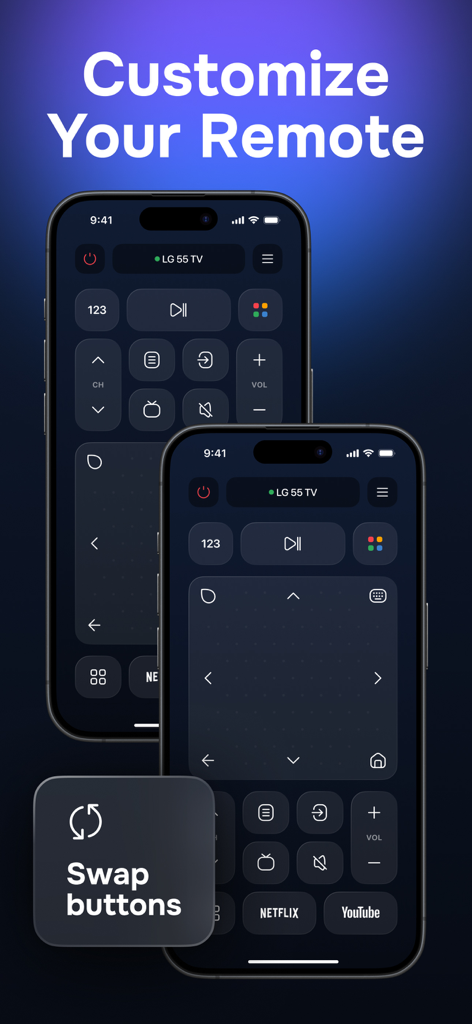
Universal TV Remote Control․ - RIMO app screenshot showcasing customizable TV remote button layouts and the swap buttons feature on iPhone.

RIMO app screenshot showcasing customizable TV remote button layouts and the swap buttons feature on iPhone.

Description

Tired of chasing your TV remote? Sticky buttons, drained batteries, lost in the couch - or worse, chewed up by your dog. Sound familiar? We’ve all been there. You just want to switch channels or type in a YouTube search, and suddenly you’re wrestling with a remote from 2015. Maybe it barely works. Maybe it only works if you hold it at exactly the right angle. Or maybe you have three different remotes - one for the TV, one for the stick, and one you’ve lost completely. Whatever the case, your patience wears thin. Meet RIMO - the remote app that just works. ---------- Let’s tell you how it helps. Jordan just wanted to relax. A new show just dropped on Prime Video. He powers on the TV - and the remote is dead. Tries to type in the title with the TV’s built-in keyboard… painfully slow. Switches to the streaming stick. Another remote. Gets frustrated. Almost walks away. But then he remembers the ad he saw earlier - RIMO. Grabs his iPhone, downloads the app, connects in seconds… and just like that: With one app, Jordan: - Navigates smoothly using a built-in touchpad - Searches shows without struggling with an on-screen keyboard - Switches between TV and stick with zero effort - Uses adjustable app shortcut buttons for Netflix, YouTube, and more - Even uses voice search when his hands are full (limited to certain TV OSes) - Plus small perks like satisfying tap sounds, gentle haptics, and more Thanks to two control modes, he keeps the layout just how he likes it - touchpad on the bottom, buttons on top (or vice versa). Whether it’s your daily driver or your emergency backup, RIMO brings sanity to screen time. ---------- Quick feature highlights: - Universal remote for Smart TVs & streaming devices - Smooth touchpad navigation - Built-in keyboard for quick input - Adjustable app buttons (Netflix, YouTube, etc.) - Two customizable layouts - Works with most major brands - Voice search support (limited to certain TV OSes) ---------- Supported TVs & Devices: Samsung, LG, Roku, Fire TV, Sony, Vizio, TCL, Onn, RCA, Hisense, Insignia, Philips, Panasonic, JVC, Multilaser - and more! Disclaimer: RIMO is an independent app and is not affiliated with or endorsed by any brand mentioned above. All product names, logos, and brands are property of their respective owners. ---------- Subscriptions & Premium Access: The app offers optional Premium plans with additional features and enhancements. Choose from weekly, quarterly, yearly, or lifetime access - with flexible options to fit your needs. Subscription Terms: Payment will be charged to your Apple ID account at the confirmation of purchase. Subscriptions automatically renew unless auto-renew is turned off at least 24 hours before the end of the current period. Your account will be charged for renewal within 24 hours prior to the end of the current period. You can manage or cancel your subscription at any time in your App Store account settings. Any unused portion of a free trial, if offered, will be forfeited when the user purchases a subscription. ---------- Privacy Policy: https://getrimo.app/policy Terms of Use: https://getrimo.app/terms

Download

This page is not an official page of the app or its developer, but an independent editorial publication created for informational and commentary purposes. Unless expressly stated otherwise, neither the app nor its developer is affiliated with, endorsed by, sponsored by, authorized by, or otherwise officially connected with MWM, Apple, Google Play, the app publisher, or the app's developer, and nothing on this page implies that the app was developed using MWM's services. Any trademarks, logos, screenshots, and other content remain the property of their respective owners.








