
This page is not an official page of the app or its developer, but an independent editorial publication created for informational and commentary purposes. Unless expressly stated otherwise, neither the app nor its developer is affiliated with, endorsed by, sponsored by, authorized by, or otherwise officially connected with MWM, Apple, Google Play, the app publisher, or the app's developer, and nothing on this page implies that the app was developed using MWM's services. Any trademarks, logos, screenshots, and other content remain the property of their respective owners.


vFlat Scan - PDF Scanner, OCR
Physical documents bow before this digital powerhouse. The app empowers users to shred manual scanning drudgery.
Downloads
2.5M+User Rating
Total Ratings
140.5KPublisher
Category
ProductivityLocales
25Latest Version
1.33.2Size
231.1 MBFirst Released
Nov 22, 2020An evaluation of key functionalities for efficient document digitization.
vFlat Scan - Core Feature Analysis
Free Text Recognition (OCR)
It provides free text recognition (OCR), converting scanned images into editable text that can be copied and easily shared.
Flattening Curved Pages
It automatically straightens the curved surface of book pages, allowing scans to appear as if captured with a professional book scanner.
Two-page Capturing
The app enables two-page capturing, allowing both left and right pages of a book to be scanned with a single click, then automatically divided and saved.
Automatic Capturing
This tool features automatic capturing, recognizing the scan target and taking photos without the user needing to press a button repeatedly, which is ideal for scanning numerous pages.
Auto-Recognizing of Scan Area
The app automatically recognizes the borders of documents or book pages to scan, ensuring clear-cut results without manual cropping.
Exporting to various formats (PDF, JPG, TXT)
The app allows users to export scanned images into various formats including PDF, JPG, and TXT, providing flexibility for different purposes.
Frequently Asked Questions
Everything you need to know about vFlat Scan - PDF Scanner, OCR
What is vFlat Scan?
vFlat Scan is an ultra-convenient, lightning-fast, and high-quality scanning app. It offers features like auto-recognition of scan areas, automatic capturing, and the ability to flatten curved pages for clear results.
Does vFlat Scan automatically flatten curved pages?
Yes, vFlat Scan automatically straightens the curved surface of book pages. This feature ensures scans appear as if captured with a professional book scanner, providing high-quality results.
Can vFlat Scan convert images to text?
Yes, vFlat Scan provides free Text Recognition (OCR). This feature converts scanned images into editable text. Users can then easily copy and share the converted text with others.
What file formats does vFlat Scan support for export?
vFlat Scan allows users to export scanned images into multiple formats. It supports conversion to PDF files, JPG image files, and TXT text files, suitable for various purposes.
Does vFlat Scan collect personal information?
No, vFlat Scan does not collect personal information or scan data. The app's Terms of Use and Privacy Policy state that this data is only collected with explicit user consent.
How does vFlat Scan capture two-page spreads?
vFlat Scan features two-page capturing, which allows users to scan both left and right book pages simultaneously with a single click. The app then automatically divides and saves them.
Does vFlat Scan automatically detect scan areas?
Yes, vFlat Scan automatically recognizes the borders of documents or book pages. This eliminates the need for manual cropping and ensures users get clear-cut scan results from any angle.
What permissions are required for the vFlat Scan app?
vFlat Scan requires camera access to take document photos. Access permission for the Photo Library is optional and is needed only to save captured images.
Can vFlat Scan remove fingers from scanned documents?
Yes, vFlat Scan includes a specific feature designed to remove visible fingers from scanned documents. This functionality helps ensure the final scan results are clean and professional.
Is vFlat Scan recognized as a leading book scanner?
Yes, vFlat Scan was awarded "Best Book Scanner App" at the SensorTower APAC Awards 2024. This recognition highlights its capabilities as a premier book scanning application.
The following screenshots and description are sourced directly from the app's official store listing and are the property of the app developer.
App Store
Screenshots
Discover why vFlat Scan was recognized as the "Best Book Scanner App" by SensorTower, highlighting its prominent app icon and laurel wreath.
Award-Winning Scanner

Observe the immaculate "clean scan results" of a document, showcasing the clarity of the digitized text and the original book context below.
Pristine Scan Quality
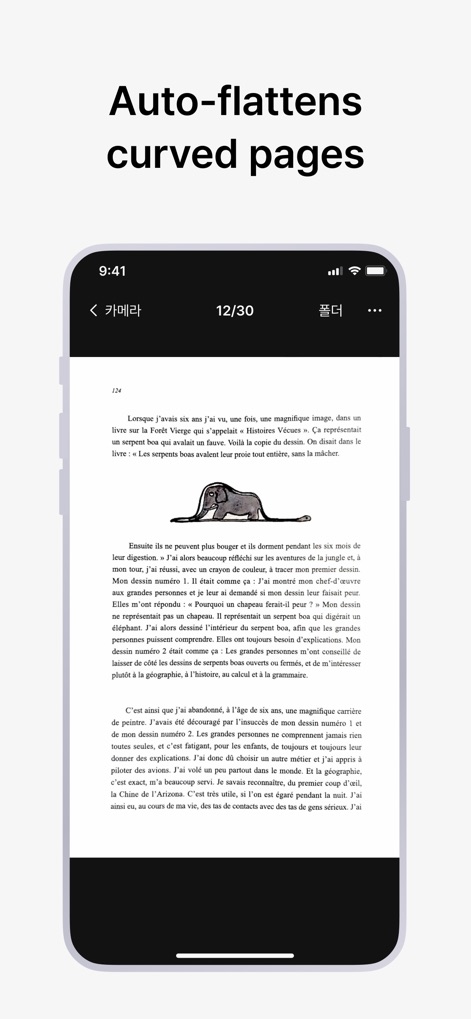
Witness how the app "auto-flattens curved pages," presenting a perfectly flat digital document from a book page within the smartphone interface.
Effortless Page Flattening
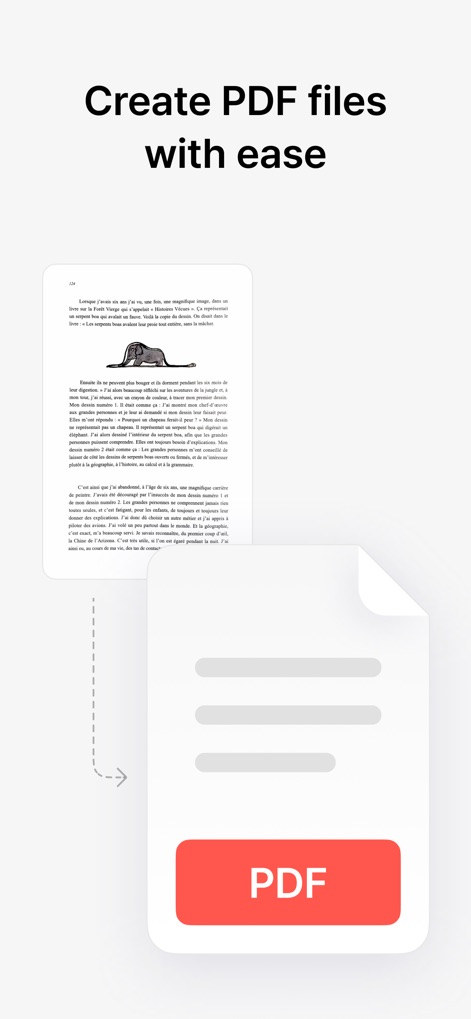
See how users can "create PDF files with ease," demonstrating the straightforward conversion process from a scanned document to a versatile PDF format.
Seamless PDF Export
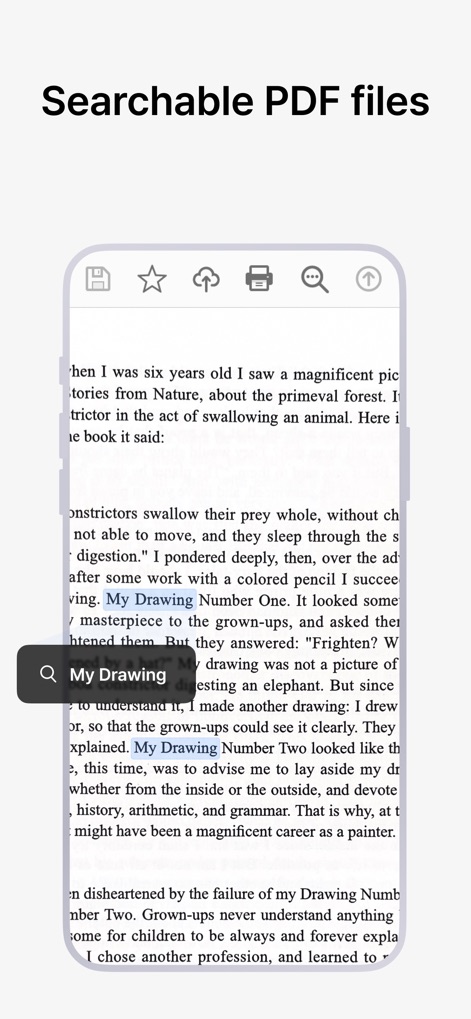
Explore the functionality for "searchable PDF files," where users can quickly locate specific content like "My Drawing" within scanned documents.
Intelligent Text Search
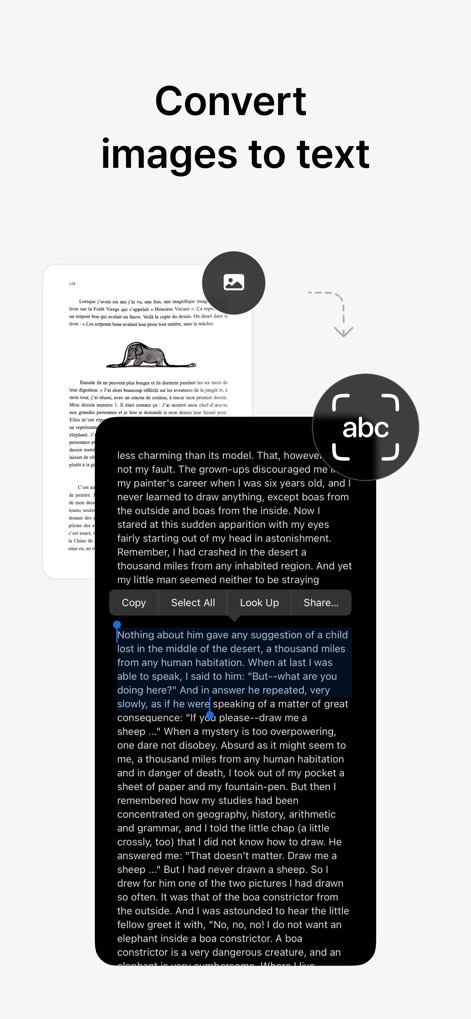
This screenshot illustrates how the app can "convert images to text" using OCR, providing selectable and shareable text from scanned documents.
Instant Text Conversion
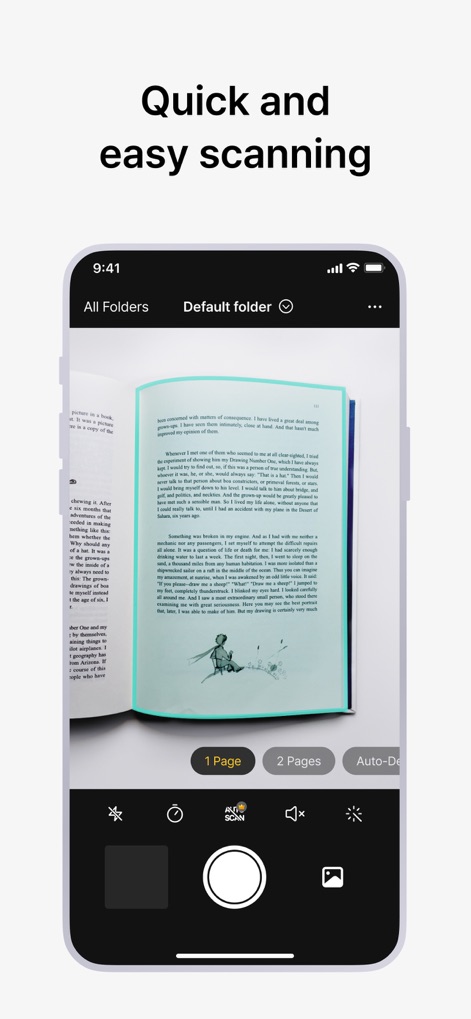
Experience the "quick and easy scanning" process, highlighted by the camera interface outlining the book page and options for single or "2 Pages" capture.
Rapid Document Capture
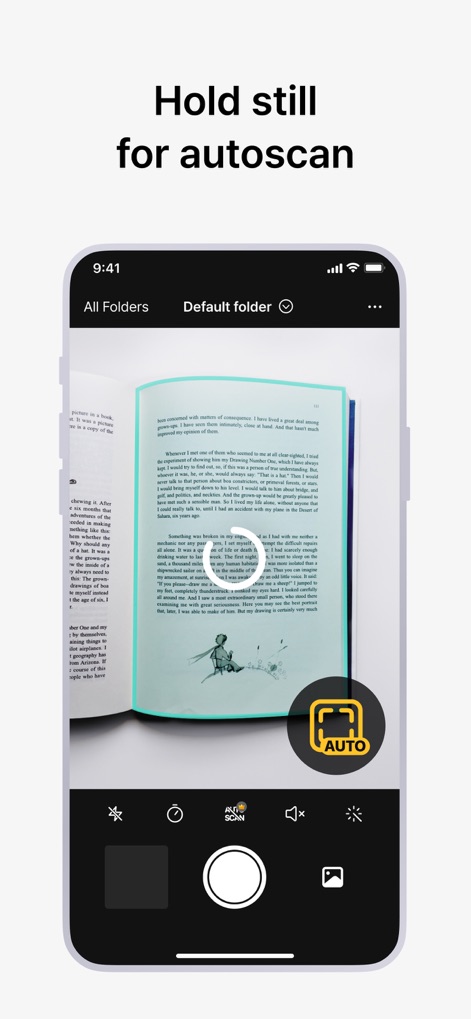
The app's intelligent "autoscan" feature is demonstrated, where users simply "hold still" as the system automatically detects and captures the document.
Smart Auto-Capture

Witness the innovative feature that can "remove visible fingers" from scanned documents, ensuring a clean and professional output in the processed image.
Flawless Finger Removal
Description
Download
More Like This
Apps with similar features and user experience

PDF PRO Scan Image & Documents
Balzo srl

The PDF Scanner, PDF editor HQ
NEXT K.U.M. LTD

CamScanner - PDF Scanner App
INTSIG Information Co., Ltd

Adobe Scan: PDF & OCR Scanner
Adobe Inc.

WPS Office: PDF, Docs, Sheets
KINGSOFT OFFICE SOFTWARE CORPORATION LIMITED

iLovePDF - PDF Editor & Scan
ILOVEPDF S.L.

Scanner App: Genius Scan
The Grizzly Labs

Microsoft Lens: PDF Scanner
Microsoft Corporation

Clear Scan: Doc Scanner App
INDY MOBILE APP COMPANY LIMITED
This page is not an official page of the app or its developer, but an independent editorial publication created for informational and commentary purposes. Unless expressly stated otherwise, neither the app nor its developer is affiliated with, endorsed by, sponsored by, authorized by, or otherwise officially connected with MWM, Apple, Google Play, the app publisher, or the app's developer, and nothing on this page implies that the app was developed using MWM's services. Any trademarks, logos, screenshots, and other content remain the property of their respective owners.