
This page is not an official page of the app or its developer, but an independent editorial publication created for informational and commentary purposes. Unless expressly stated otherwise, neither the app nor its developer is affiliated with, endorsed by, sponsored by, authorized by, or otherwise officially connected with MWM, Apple, Google Play, the app publisher, or the app's developer, and nothing on this page implies that the app was developed using MWM's services. Any trademarks, logos, screenshots, and other content remain the property of their respective owners.


Video to MP3 Converter App
Format conversion shouldn't be a headache. This app turns video into MP3, granting users instant audio freedom from any clip.
Downloads
1M+User Rating
Total Ratings
4.4KPublisher
Category
MusicLocales
20Latest Version
3.7Size
71.3 MBFirst Released
Jun 2, 2016A comprehensive review of the core functionalities offered by the 'Video to MP3 Converter App' for efficient media management and transformation.
Key Features Analysis: Video to MP3 Converter App
Video to MP3 Conversion
The app provides robust functionality to convert various video formats, such as MP4, into high-quality MP3 audio files, catering to users who wish to extract audio for music, podcasts, or lectures.
Ringtone Creation
It enables users to effortlessly create personalized ringtones from any audio file, offering a straightforward way to customize their device's sound profile.
Media Trimming
This tool features precise controls for trimming both video and audio files, allowing users to cut unwanted sections and focus on specific clips or sound bites.
Broad Format Conversion
The app supports a wide array of conversions, including video-to-video (e.g., MP4 to 3GP) and audio-to-audio (e.g., MP3 to FLAC), ensuring compatibility across different devices and platforms.
Diverse File Import Options
The app offers multiple convenient methods for importing media, including direct access to the iOS Media Library, the Files app, URL downloads, and Wi-Fi transfer, streamlining the process of getting content into the app.
MP3 Metadata Editing
It allows users to conveniently edit metadata for MP3 files, such as artist, album, and title, which helps in organizing personal music libraries effectively.
Frequently Asked Questions
Everything you need to know about Video to MP3 Converter App
What is the "Video to MP3 Converter App" used for?
The "Video to MP3 Converter App" converts video to video, video to audio, and audio to audio file formats. It also offers trimming, metadata editing, and ringtone creation.
Can the "Video to MP3 Converter App" convert MP4 to MP3?
Yes, the "Video to MP3 Converter App" can convert MP4 video to MP3 audio. It also supports video-to-video and audio-to-audio conversions.
What audio formats does the "Video to MP3 Converter App" support?
The "Video to MP3 Converter App" supports MP3, M4A, W4P, WP4, AAC, WAV, CAF, AIFC, RM, FLAC, OGG, and AC3 audio formats for playback.
What video formats does the "Video to MP3 Converter App" support?
The "Video to MP3 Converter App" supports MP4, M4V, MOV, MPV, 3GP, AVI, RMVB, MKV, DIVX, FLV, and H264 video formats for playback.
How can I import files into the "Video to MP3 Converter App"?
Users can import files from the iOS Media Library, iOS Files app, via URL download, Wi-Fi transfer, or iTunes file sharing. Other apps can also save files to this app.
Does "Video to MP3 Converter App" include a media player?
Yes, the "Video to MP3 Converter App" includes a media player. It supports background playing for audio files.
Can I trim video files using the "Video to MP3 Converter App"?
Yes, the "Video to MP3 Converter App" allows users to trim both video and audio files directly within the application.
Does "Video to MP3 Converter App" offer security features?
Yes, the "Video to MP3 Converter App" provides a passcode lock. It supports Touch ID and Face ID for enhanced security.
Does "Video to MP3 Converter App" require a subscription?
Yes, the "Video to MP3 Converter App" operates on a subscription model. Payment is charged to the iTunes Account, and subscriptions automatically renew.
Can I create ringtones with the "Video to MP3 Converter App"?
Yes, the "Video to MP3 Converter App" allows users to create ringtones. This feature is available for MP3 and other audio files.
The following screenshots and description are sourced directly from the app's official store listing and are the property of the app developer.
App Store
Screenshots
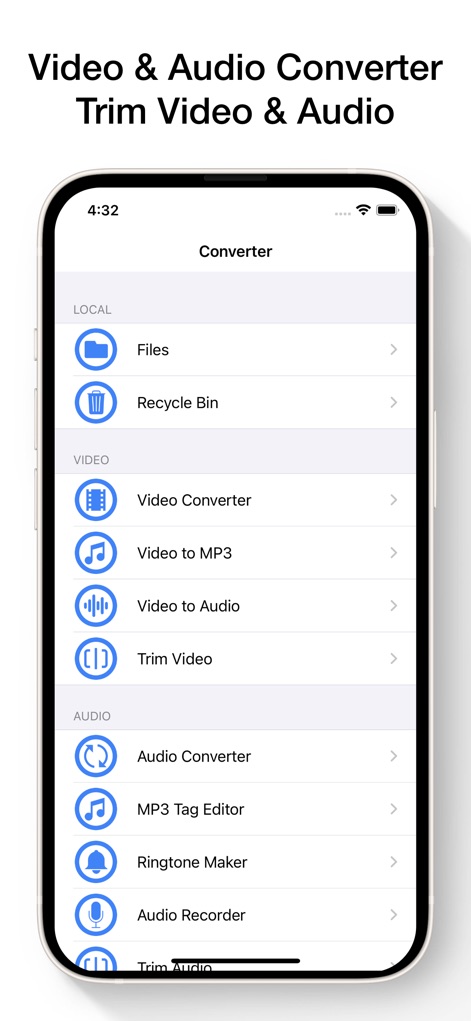
This tool presents a well-organized main menu, showcasing quick access to "Video to MP3" conversion and the "Ringtone Maker" utility.
Comprehensive Tool Overview
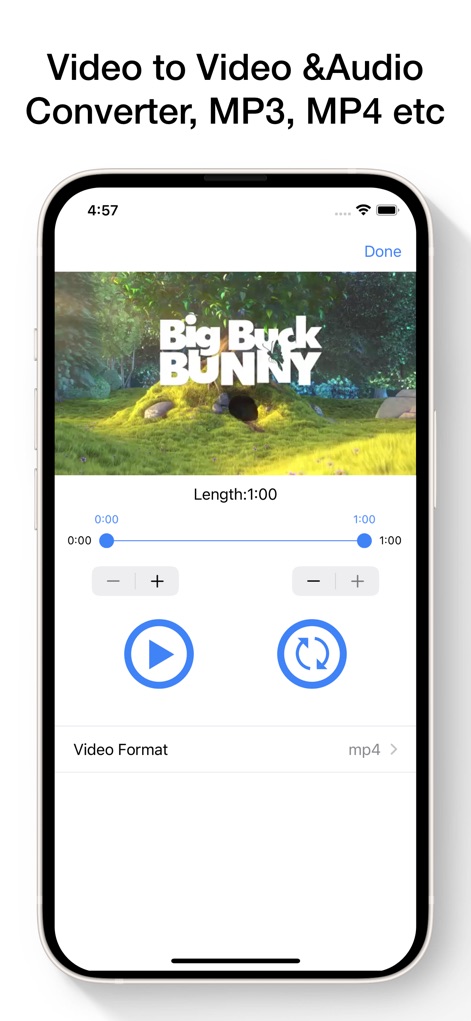
The app provides a user-friendly interface for video trimming, featuring a precise timeline slider and a 'Video Format' selector.
Video Conversion Controls
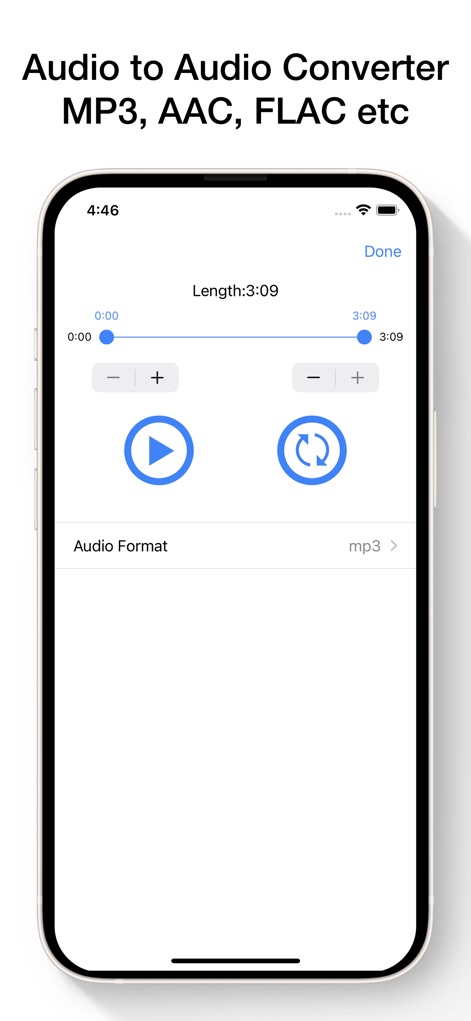
Users can easily trim audio files with the visible timeline scrubber and customize output via the 'Audio Format' selection.
Audio Processing Power
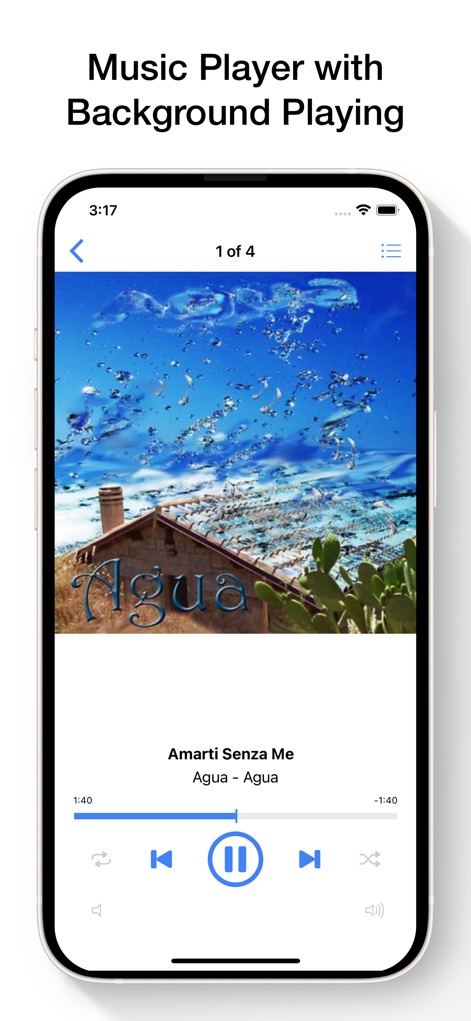
This screenshot highlights the integrated music player, displaying prominent album art and intuitive playback controls.
Seamless Music Playback
Description
Download
More Like This
Apps with similar features and user experience

MP3 Converter -Audio Extractor
妍 岳

Audio Editor - Music Mixer
妍 岳

MP3 Converter: Video to Audio
Fitness Labs SRL

Audio Editor: MP3 Converter
ZHN Co., Ltd.

MP3 Converter - video2mp3
ZHN Co., Ltd.

EZAudioCut - Audio Editor Lite
龙刚 李

Audio Extractor-Audio Editing
正军 刘

Audio Editor & Music Mixer
Wuhan Net Power Technology Co., Ltd

Audio Converter&Ringtone Maker
俊鹏 位
This page is not an official page of the app or its developer, but an independent editorial publication created for informational and commentary purposes. Unless expressly stated otherwise, neither the app nor its developer is affiliated with, endorsed by, sponsored by, authorized by, or otherwise officially connected with MWM, Apple, Google Play, the app publisher, or the app's developer, and nothing on this page implies that the app was developed using MWM's services. Any trademarks, logos, screenshots, and other content remain the property of their respective owners.