
This page is not an official page of the app or its developer, but an independent editorial publication created for informational and commentary purposes. Unless expressly stated otherwise, neither the app nor its developer is affiliated with, endorsed by, sponsored by, authorized by, or otherwise officially connected with MWM, Apple, Google Play, the app publisher, or the app's developer, and nothing on this page implies that the app was developed using MWM's services. Any trademarks, logos, screenshots, and other content remain the property of their respective owners.


Wonderfind - Bluetooth Finder
Stop the panic and stop searching blindly. Pinpoint your misplaced AirPods, Apple Watch, or any Bluetooth gadget with high-precision tracking and instant sound alerts.
Downloads
8K+User Rating
Total Ratings
100Publisher
Category
UtilitiesLocales
31Latest Version
2.8Size
24.5 MBFirst Released
Jul 17, 2024Locate Your Lost Gear Instantly
Stop the frantic search and avoid expensive replacement costs. Wonderfind turns your iPhone into a high-precision radar to find your AirPods, Apple Watch, or headphones in seconds.
Precision Signal Radar
Use our 'Hot or Cold' distance indicator to pinpoint exactly where your device is hiding, even if it's buried under cushions or in another room.
Universal Device Support
Whether it's your AirPods, Apple Watch, Fitbit, or Bose headphones—if it has a Bluetooth signal, Wonderfind can track it down.
Frequently Asked Questions
Everything you need to know about Wonderfind - Bluetooth Finder
What is Wonderfind - Find Lost Devices?
Wonderfind - Find Lost Devices is an app that helps users locate misplaced Bluetooth gadgets like headphones, smartwatches, and other devices quickly and accurately. It uses quick scans and precise tracking.
How does Wonderfind help locate lost Bluetooth devices?
Wonderfind uses a quick scan to detect nearby devices, then offers precise tracking with an on-screen distance indicator. It can also trigger sound and vibration alerts on the lost device for easy location.
What types of devices can Wonderfind - Bluetooth Finder locate?
Wonderfind - Bluetooth Finder locates a wide variety of Bluetooth devices. This includes AirPods, headphones, smartwatches, MacBooks, iPhones, and Apple Vision Pro, as shown in the app interface.
Does Wonderfind provide a map view for lost devices?
Yes, Wonderfind displays lost Bluetooth devices on a map view, indicating their approximate distance and location. This allows for visual tracking and retrieval of your items.
What are the subscription options for Wonderfind - Find Lost Devices?
Wonderfind - Find Lost Devices offers a weekly subscription for $3.99 and a Lifetime Access option for $29.99. Pricing may vary by region and currency.
How do I manage or cancel my Wonderfind subscription?
Yes, users manage and cancel Wonderfind subscriptions directly through their app store settings. Subscriptions auto-renew unless cancelled 24 hours before the current period ends.
Can Wonderfind activate sounds or vibrations on a lost device?
Yes, Wonderfind can trigger sounds or vibrations directly on your lost Bluetooth device. This feature assists in easy location when the item is nearby.
Is Wonderfind - Bluetooth Finder easy to use?
Yes, Wonderfind - Bluetooth Finder features an intuitive interface designed for hassle-free operation. It provides a simple and clear user experience for locating devices.
Where can I find the Privacy Policy for Wonderfind?
The Privacy Policy for Wonderfind is available via the link provided in the app description: https://sites.google.com/view/device-tracker-privacy. This ensures transparency regarding data handling.
The following screenshots and description are sourced directly from the app's official store listing and are the property of the app developer.
App Store
Screenshots

A woman using the Wonderfind app on her iPhone to locate lost Bluetooth devices like a smartwatch and headphones on a digital map
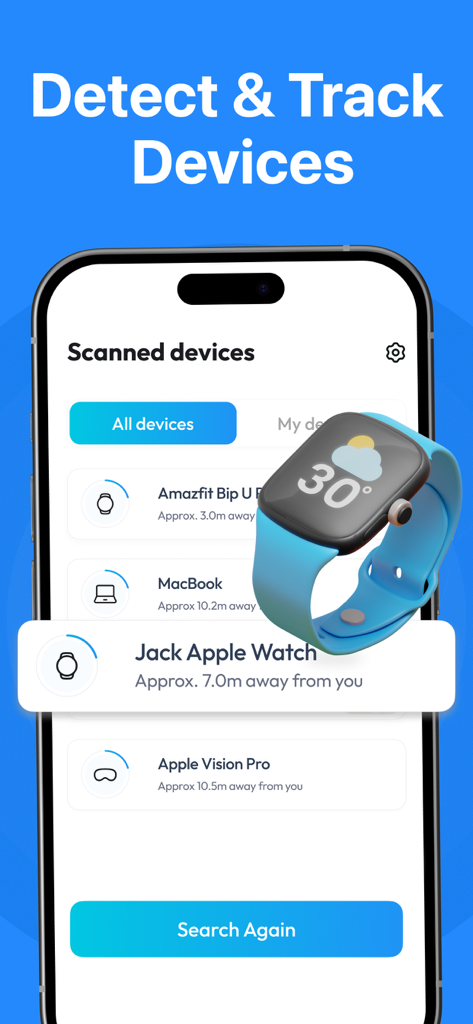
Screenshot of the Wonderfind app interface showing a list of nearby Bluetooth devices including a MacBook and Apple Watch with distance indicators.
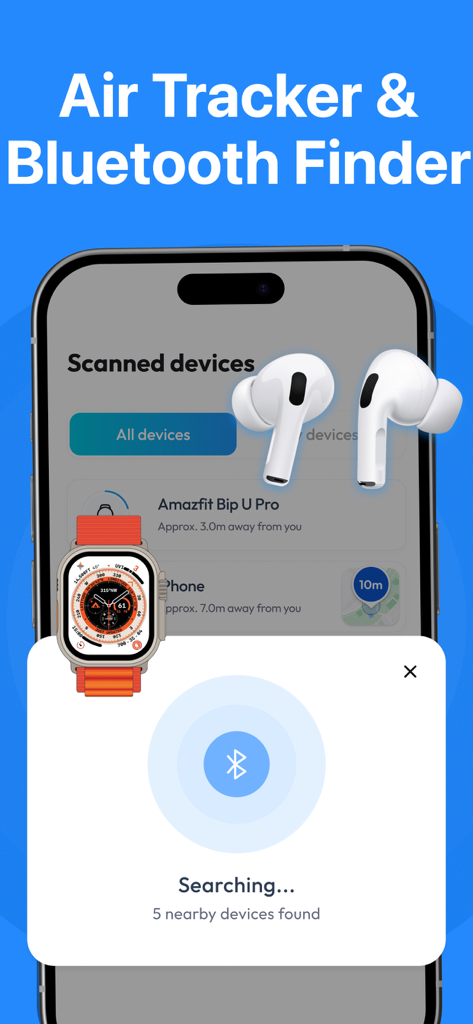
Wonderfind app scanning for nearby Bluetooth devices like AirPods and smartwatches with distance indicators
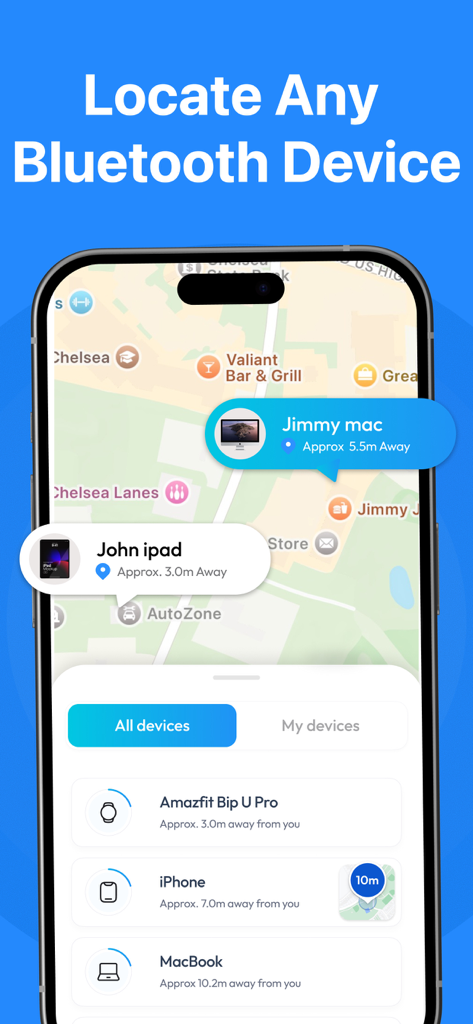
A smartphone screen showing the Wonderfind app interface with a map displaying the locations of nearby Bluetooth devices like an iPad and MacBook with distance indicators.
Description
Download
More Like This
Top-ranked apps in the same category

Google LLC

Google Chrome
Google LLC

中国移动(手机营业厅)
China Mobile Online Services Co., Ltd.

Google Authenticator
Google LLC

CNH do Brasil
Servicos e Informacoes do Brasil

Cleanup: Phone Storage Cleaner
DEEP FLOW SOFTWARE SERVICES - FZCO

gov.br
Servicos e Informacoes do Brasil

中国电信-全国统一官方服务平台
CHINA TELECOM Corporation Ltd.

Microsoft Edge: AI Browser
Microsoft Corporation
This page is not an official page of the app or its developer, but an independent editorial publication created for informational and commentary purposes. Unless expressly stated otherwise, neither the app nor its developer is affiliated with, endorsed by, sponsored by, authorized by, or otherwise officially connected with MWM, Apple, Google Play, the app publisher, or the app's developer, and nothing on this page implies that the app was developed using MWM's services. Any trademarks, logos, screenshots, and other content remain the property of their respective owners.