World Clock:Timezone Converter

This page is not an official page of the app or its developer, but an independent editorial publication created for informational and commentary purposes. Unless expressly stated otherwise, neither the app nor its developer is affiliated with, endorsed by, sponsored by, authorized by, or otherwise officially connected with MWM, Apple, Google Play, the app publisher, or the app's developer, and nothing on this page implies that the app was developed using MWM's services. Any trademarks, logos, screenshots, and other content remain the property of their respective owners.
Logo of World Clock:Timezone Converter

World Clock:Timezone Converter

The ultimate toolkit for remote teams and global professionals. Visualize time zones with stunning day-to-night gradients, find perfect meeting overlaps in seconds, and manage international schedules with powerful iOS widgets.

Key Figures

Downloads

0

User Rating

1.0/5

Total Ratings

0

Publisher

APPHAZE LIMITED

Category

Utilities

Locales

1

Latest Version

1.0

Size

27.8 MB

First Released

Mar 22, 2026
Features

Master Your Global Schedule

The intuitive timezone dashboard designed for high-performing remote teams and global families who value every second.

Visual Timeline Grid

Identify perfect meeting overlaps instantly with color-coded golden hours and intuitive day-to-night gradients.

Smart Team Status

See at a glance who is in their peak workday and who shouldn't be disturbed, keeping your global communications respectful.

The following screenshots and description are sourced directly from the app's official store listing and are the property of the app developer.

App Store

Screenshots
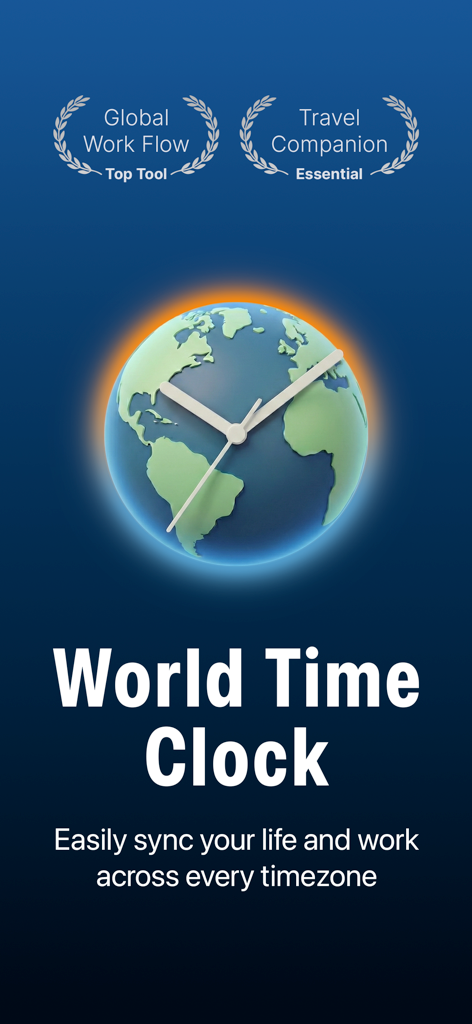
World Clock:Timezone Converter - World Time Clock app main screen featuring a globe-shaped clock face and badges for global work flow and travel.
World Time Clock app main screen featuring a globe-shaped clock face and badges for global work flow and travel.

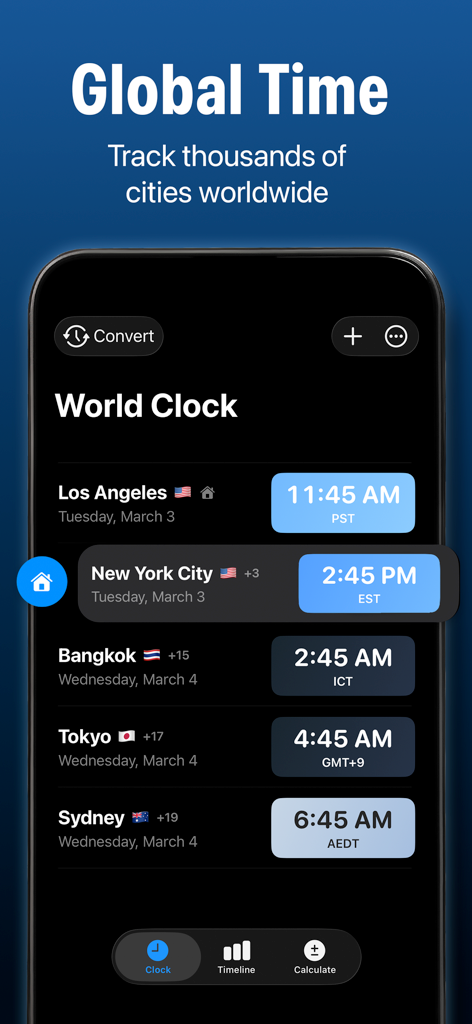
World Clock:Timezone Converter - World Clock app interface displaying current times for several global cities including Los Angeles and New York
World Clock app interface displaying current times for several global cities including Los Angeles and New York

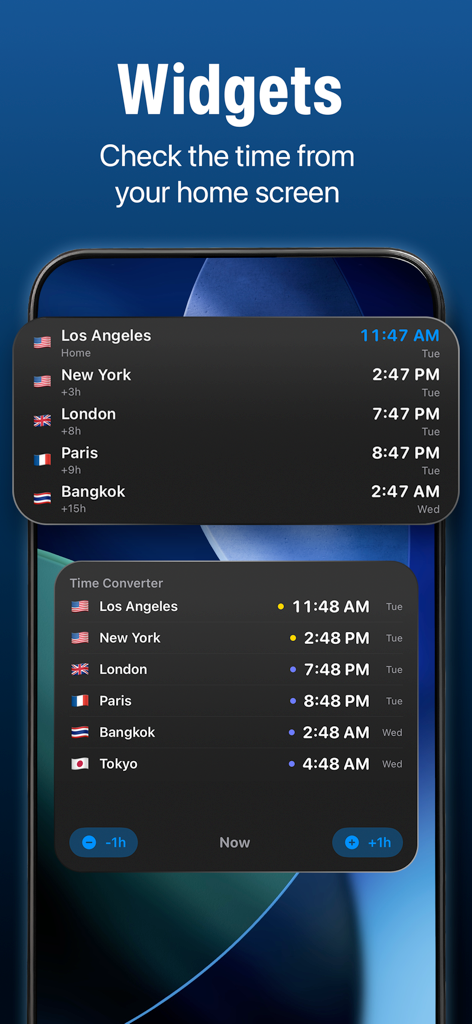
World Clock:Timezone Converter - World clock and time converter widgets showing multiple global time zones on a mobile home screen

World clock and time converter widgets showing multiple global time zones on a mobile home screen
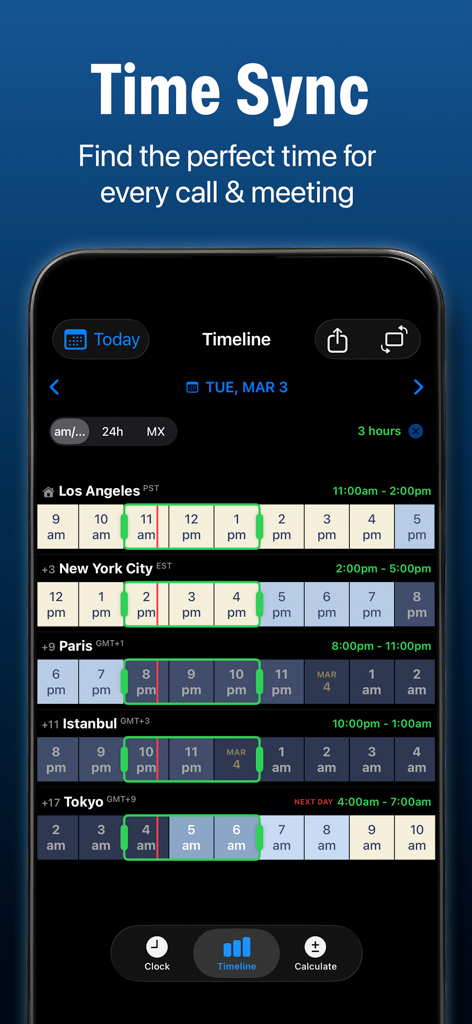
World Clock:Timezone Converter - World Clock app timeline grid showing timezone synchronization for global team meetings across different cities
World Clock app timeline grid showing timezone synchronization for global team meetings across different cities

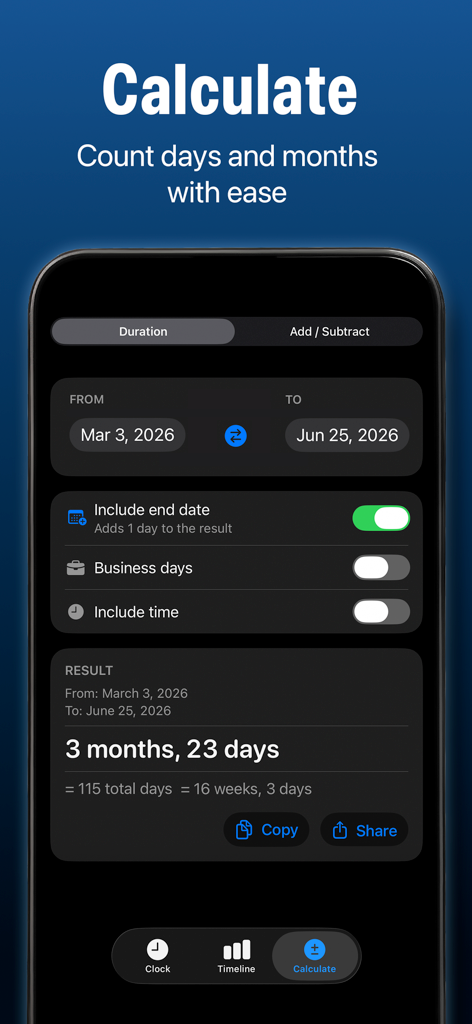
World Clock:Timezone Converter - Interface of the date calculator tool in the World Clock app showing duration between two dates.
Interface of the date calculator tool in the World Clock app showing duration between two dates.

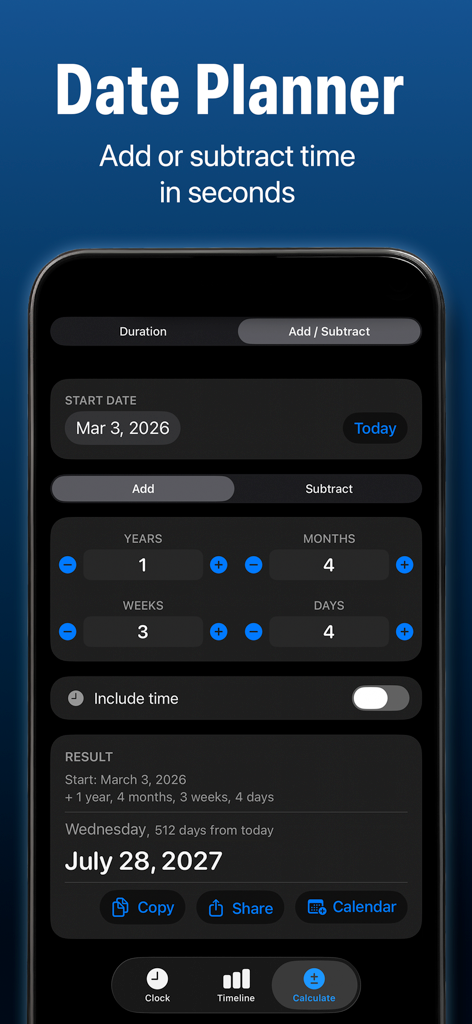
World Clock:Timezone Converter - Date planner screen in the World Clock app showing a date calculation feature for adding years and months to a starting date.

Date planner screen in the World Clock app showing a date calculation feature for adding years and months to a starting date.

Description

Every time zone. One glance. One tap to convert. World Clock: Timezone Converter is the fastest way to track time across the globe. Whether you're scheduling meetings with a distributed team, calling family overseas, or planning your next trip — see every city's local time at a glance with beautiful color gradients that shift from day to night. INSTANT TIME CONVERSION Tap any city to open the converter. Slide the time and watch every clock on your screen update simultaneously — colors shift from sunrise to sunset as you scrub through the hours. No other app makes time conversion this visual and intuitive. TIMELINE GRID Switch to the Timeline tab for a powerful hourly grid view. See all your cities side by side with color-coded cells — golden hours highlight overlapping work times so you can find the perfect meeting slot in seconds. PEOPLE & GROUPS Assign contacts to time zones and organize them into groups — Team, Family, Clients. See at a glance who's awake, who's in their workday, and who you shouldn't call right now. Add up to 3 people free. DATE CALCULATOR Need to know the date 90 business days from now? Or how many days between two dates? The built-in calculator handles date math, business day calculations, and duration computations. WIDGETS Analog clocks, digital grids, solar arcs, world maps, timeline views, people status, gradient cards, heat maps — plus Lock Screen and Liquid Glass styles for iOS 26. Your Home Screen, your way. WORKS COMPLETELY OFFLINE All core features — clocks, converter, timeline, sunrise/sunset calculations — work without an internet connection. Your data stays on your device. FREE FEATURES Track up to 4 cities with live time-of-day gradients Full time converter with hour slider Timeline grid with color-coded golden hours Share conversion cards (with watermark) Date calculator with duration and business day math Up to 3 people with timezone tracking Dark mode, 12h/24h formats DST awareness with advance warnings VoiceOver and Dynamic Type support PRO SUBSCRIPTION (unlocks with monthly, annual, or lifetime purchase): Unlimited cities and people Calendar Quick-Add with title, notes, and duration All widget styles including Lock Screen Smart Share to Slack, Teams, and Google Calendar .ics calendar invite export Share cards without watermark Custom themes, app icons, and emoji Weather and moon/solar data at each location Live seconds display Timeline range selection and overlap finder Meeting cost analysis Smart notifications AI Time Assistant Custom work hours per person Terms of Service: https://worldtimezones.app/terms Privacy Policy: https://worldtimezones.app/privacy

Download

This page is not an official page of the app or its developer, but an independent editorial publication created for informational and commentary purposes. Unless expressly stated otherwise, neither the app nor its developer is affiliated with, endorsed by, sponsored by, authorized by, or otherwise officially connected with MWM, Apple, Google Play, the app publisher, or the app's developer, and nothing on this page implies that the app was developed using MWM's services. Any trademarks, logos, screenshots, and other content remain the property of their respective owners.








